Bronze III
June 10, 2023
Optimize your Kudu Rebalancer
- October 5, 2026 at 8:43 AM
- 0 replies
- 2216 views
- Translate All
Summary
It is always a good idea to review your Kudu Rebalancer settings so that all hardware is optimally utilized when Kudu Rebalancing activities are being performed.
Investigation
Kudu Configuration
Balancer configuration properties
Although the general kudu default parameters have not proven to adversely impact Kudu Rebalancing operations, the following property change is recommended to speed up that process.
| Property | Default | Cloudera Chosen Value |
| rb_max_moves_per_server | 5 | 10 |
Avoid Landmines
Some key notes before performing the rebalancing activities after setting up the services/disks:
- Never run both the HDFS & Kudu Rebalancers at the same time
- The contention between both may cause issues
- Perform the Rebalancing activities in the order of Kudu first, HDFS second
- Due to Kudu being unable to track capacity utilization
Performing Kudu Rebalancing Activities
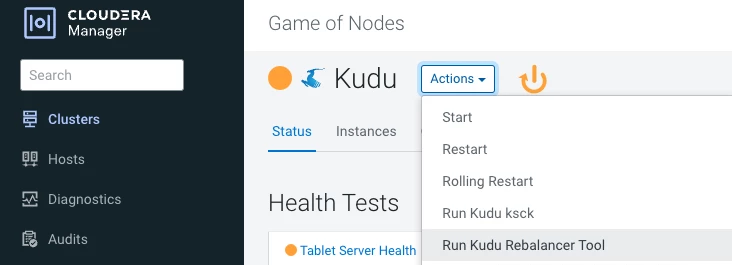
We recommend that you perform these actions from within CM to provide full visibility into the Rebalancer status as well as when the action has started and finished.
Kudu
Go to CM - Kudu - Actions - Run Kudu Rebalancer Tool