

Rebuild your ranger_audits collection
Summary
After the upgrade from CDH to CDP, fundamental instability was observed within the Ranger Audits UI (within the Ranger Admin Service), and Infra-Solr Roles were constantly exhibiting API liveness errors.
Total audits daily count: 136,553,808
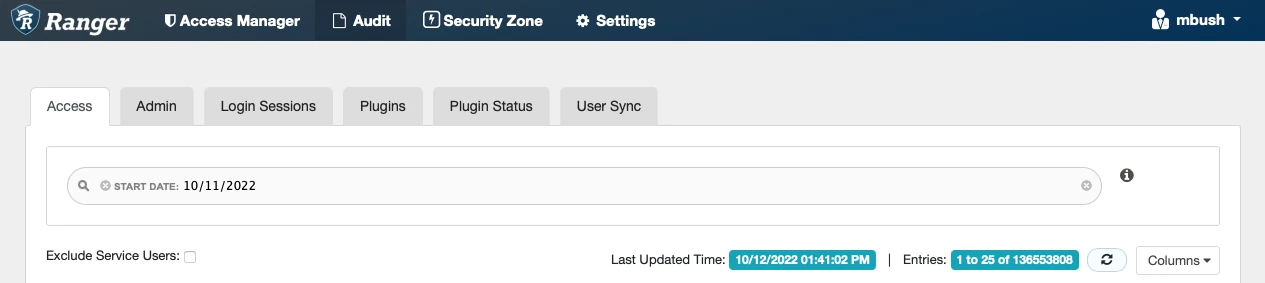
Sample screenshot of Infra-Solr Health check errors
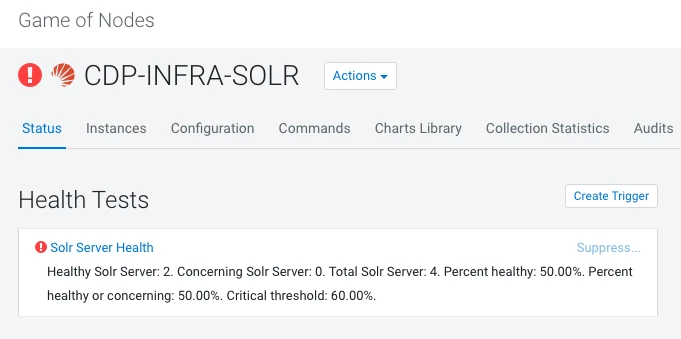
Sample screenshot of specific Infra-Solr Server Health check errors
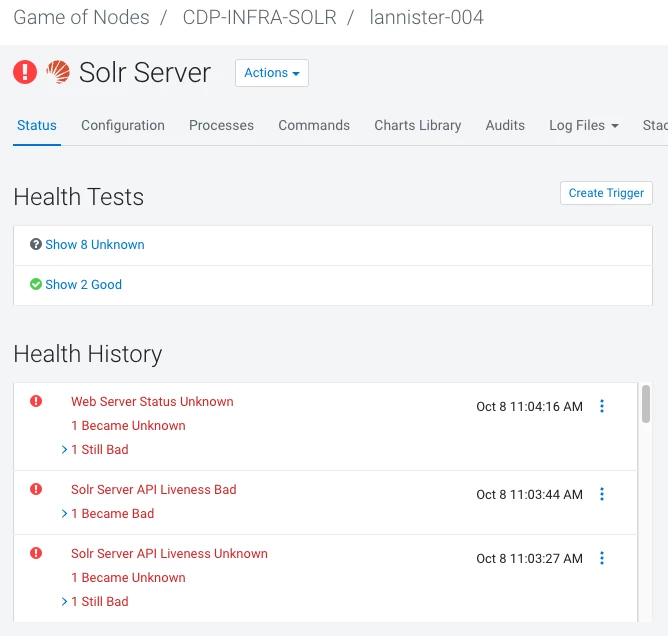
Investigation
Resolution
The following public documentation will assist with a deeper understanding of how you might choose to align with best practices given the hardware you have available and the volume of audits being recorded within the service - Calculating Infra Solr resource needs.
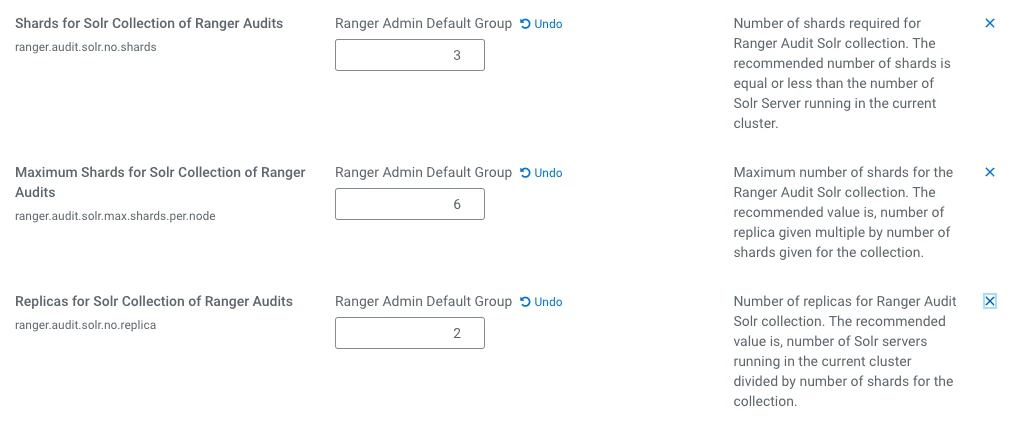
Configure the following 3 parameters within the Ranger Service (within CM) according to best practices. The example below is for a cluster of 3 Infra-Solr servers with 3 shards configured for the ranger_audits collection, with 2 replicas per shard, and limiting the number of maximum shards to 6 (which is a multiple of the 1st two parameters):
Configure the TTL (Time To Live) for audits that are propagated into the Infra-Solr ranger_audits collection. This requirement should be defined by the business, for instance, 25 days, but TTL only impacts audit visibility within the Ranger UI; all audits will remain accessible within HDFS.

Ranger - Delete ranger_audits collection
Ensure all Solr Servers are healthy and available. Then, in order to restructure it, fully delete the ranger_audits collection and monitor the status (example below).
NOTE - the example date of 8Mar2022 in the below example is for auditing purposes - it’s the date that the full collection deletion occurred.
| DELETE RANGER AUDITS COLLECTION http://<Infra-Solr-Server>:18983/solr/admin/collections?action=DELETE&name=ranger_audits&async=del_ranger_audits8Mar2022 REQUEST THE STATUS OF AN ASYNC CALL http://<Infra-Solr-Server>:18983/solr/admin/collections?action=REQUESTSTATUS&requestid=del_ranger_audits8Mar2022 |
An example of a successful delete command issued to the URL:
| { "responseHeader":{ "status":0, "QTime":9}, "requestid":"del_ranger_audits20Apr2022"} |
Restart Ranger Admin service. When you perform the restart, it will recreate the ranger_audits collection based on the parameters defined earlier.

