


Align Components in NiFi 1.2.0
NiFi 1.2.0 has a nice, new little feature that will surely please those who may spend a bit of time – for some, perhaps A LOT of time – getting their flow to line up perfectly. The background grid lines can help with this, but the process can still be quite tedious with many components. Now there is a quick, easy way.
- Select the components on the canvas you want to align. You can do this by either Shift+clicking each component until they are all selected, or while holding Shift, click and (fully) drag around all the components you want to align.
- Next, simply right-click on any selected component and choose the desired "Align..." option.
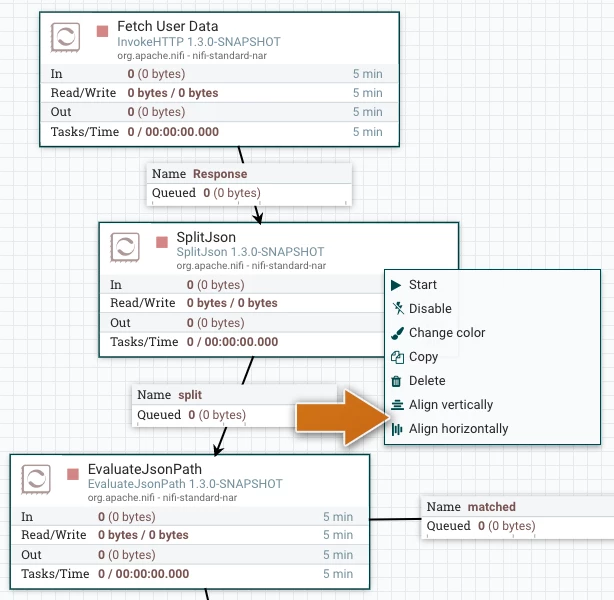
The next image shows the result after choosing the Align vertically option.
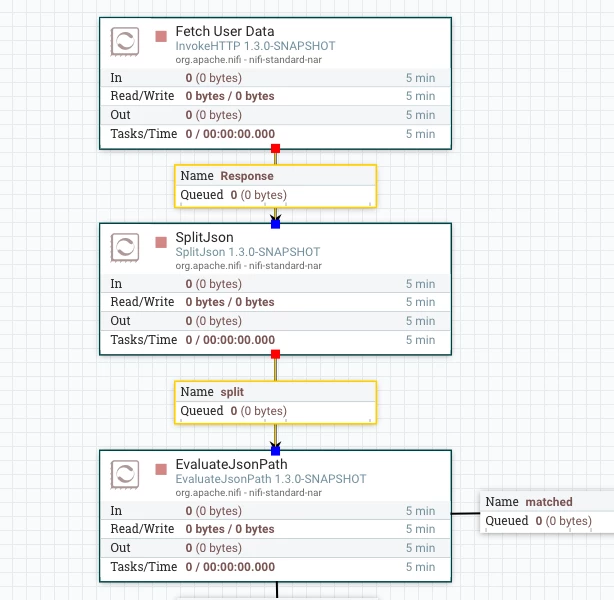
If components are different sizes, they will align according to their center points.

And that's all there is to it!

