

Ambari API - Run all service checks (bulk)
In order to check the status and stability of your cluster it makes sense to run the service checks that are included in Ambari. Usually each Ambari Service provides its own service check, but their might be services that wont include any service check at all. To run a service check you have to select the service (e.g. HDFS) in Ambari and click "Run Service Check" in the "Actions" dropdown menu.
Service Checks can be started via the Ambari API and it is also possible to start all available service checks with a single API command. To bulk run these checks it is necessary to use the same API/method that is used to trigger a rolling restart of Datanodes (request_schedules). The "request_schedules" API starts all defined commands in the specified order, its even possible to specify a pause between the commands.
Available Service Checks:
| Service Name | service_name | Command |
|---|---|---|
| HDFS | HDFS | HDFS_SERVICE_CHECK |
| YARN | YARN | YARN_SERVICE_CHECK |
| MapReduce2 | MAPREDUCE2 | MAPREDUCE2_SERVICE_CHECK |
| HBase | HBASE | HBASE_SERVICE_CHECK |
| Hive | HIVE | HIVE_SERVICE_CHECK |
| WebHCat | WEBHCAT | WEBHCAT_SERVICE_CHECK |
| Pig | PIG | PIG_SERVICE_CHECK |
| Falcon | FALCON | FALCON_SERVICE_CHECK |
| Storm | STORM | STORM_SERVICE_CHECK |
| Oozie | OOZIE | OOZIE_SERVICE_CHECK |
| ZooKeeper | ZOOKEEPER | ZOOKEEPER_QUORUM_SERVICE_CHECK |
| Tez | TEZ | TEZ_SERVICE_CHECK |
| Sqoop | SQOOP | SQOOP_SERVICE_CHECK |
| Ambari Metrics | AMBARI_METRICS | AMBARI_METRICS_SERVICE_CHECK |
| Atlas | ATLAS | ATLAS_SERVICE_CHECK |
| Kafka | KAFKA | KAFKA_SERVICE_CHECK |
| Knox | KNOX | KNOX_SERVICE_CHECK |
| Spark | SPARK | SPARK_SERVICE_CHECK |
| SmartSense | SMARTSENSE | SMARTSENSE_SERVICE_CHECK |
| Ranger | RANGER | RANGER_SERVICE_CHECK |
Note: Make sure you replace user, password, clustername and ambari-server with the actual values
Start single service check via Ambari API (e.g. HDFS Service Check):
curl -ivk -H "X-Requested-By: ambari" -u <user>:<password> -X POST -d @payload {
   "RequestInfo":{
      "context":"HDFS Service Check",
      "command":"HDFS_SERVICE_CHECK"
   },
   "Requests/resource_filters":[
      {
         "service_name":"HDFS"
      }
   ]
}
Start bulk Service checks via Ambari API (e.g. HDFS, Yarn, MapReduce2 Service Checks):
This is returned by the api
{
  "resources" : [
    {
      "href" : "http://<ambari-server>:8080/api/v1/clusters/<clustername>/request_schedules/68",
      "RequestSchedule" : {
        "id" : 68
      }
    }
  ]
}
This is what it looks like in Ambari
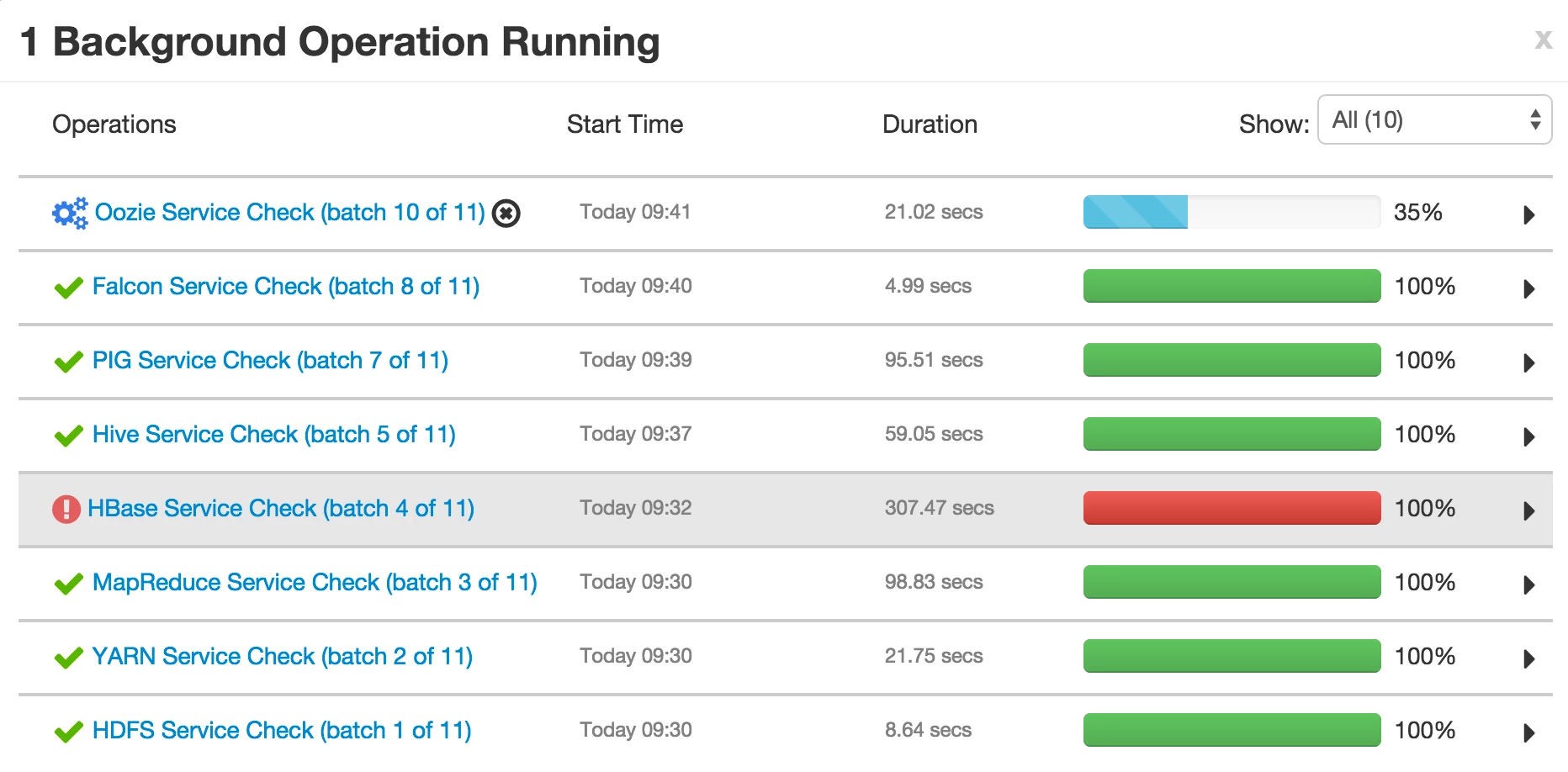
Payload to run all Service Checks
Please see this gist: https://gist.github.com/mr-jstraub/0b55de318eeae6695c3f#payload-to-run-all-service-checks

