


Argo Workflows - Cloudera Integration
Orchestration of Cloudera Spark jobs Using Argo Workflows
This document aims to:
- Demonstrate the seamless integration of Argo Workflows with Cloudera environments.
- Illustrate the orchestration of Spark jobs deployed on Cloudera DataHub and Data Engineering clusters using Argo Workflows.
Tools/ Components used in testing the integration:
| Argo Workflows | v3.0+ (tested) | Deployed on a Kubernetes cluster with line-of-sight connectivity to Cloudera. |
| Cloudera CDP | Public Cloud/Private Cloud | Access to DataHub or Data Engineering cluster. |
| Spark Application | JAR/Python script | A sample Spark job to be executed. |
| Authentication | Using Cloudera Workload credentials as Kubernetes Secrets for Data Hub & Knox token for CDE | Necessary credentials for Cloudera API access. |
Key Concepts
Argo Workflows
Argo Workflows is an open-source, container-native workflow engine for orchestrating parallel jobs on Kubernetes. It operates as a Kubernetes Custom Resource Definition (CRD) and runs complex multi-step workflows.
Cloudera Data Platform (CDP)
CDP is an integrated data platform combining Cloudera's Data Warehousing, Machine Learning, and Engineering capabilities.
Spark Jobs on Cloudera
Spark jobs run on Cloudera clusters (DataHub or Data Engineering) via the Livy API on datahub and Job API URL on Cloudera Data Engineering cluster.
Integration Strategy
The integration uses a custom Kubernetes container in the Argo Workflow, configured to interact with the Cloudera API (e.g., Livy/ CDE job API) & use the spark-submit mechanism via the Cloudera CLI or SDK.
High-Level Workflow Diagram
- Step 1: Argo Workflow triggers.
- Step 2: A Kubernetes Pod runs a container with the required Cloudera tools and API clients.
- Step 3: The container submits the Spark job to the target Cloudera cluster (DataHub or CDE).
- Step 4: The Cloudera cluster runs the Spark job.
- Step 5: The container polls the job status via the Cloudera API.
- Step 6: When the job completes (success or failure), the Argo Workflow step ends
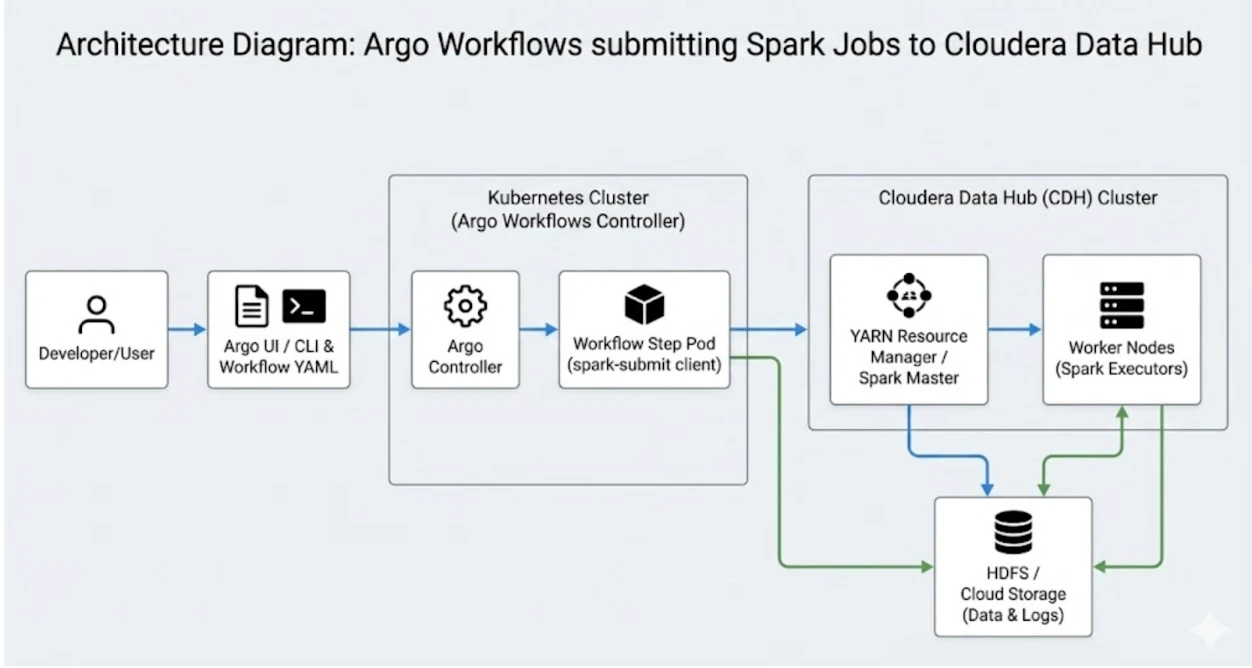
Deployment of Argo workflows on Kubernetes
-
Create a namespace “Argo”
-
Deploy the Argo Workflows Quickstart template from https://github.com/argoproj/argo-workflows/releases/latest/download/quick-start-minimal.yaml
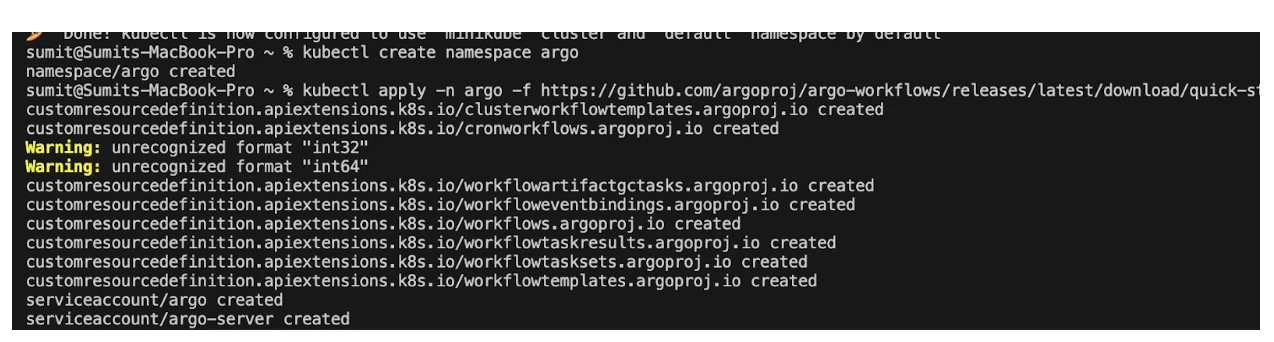
-
Once deployed Argo workflow UI will be available for scheduling and orchestration of jobs:
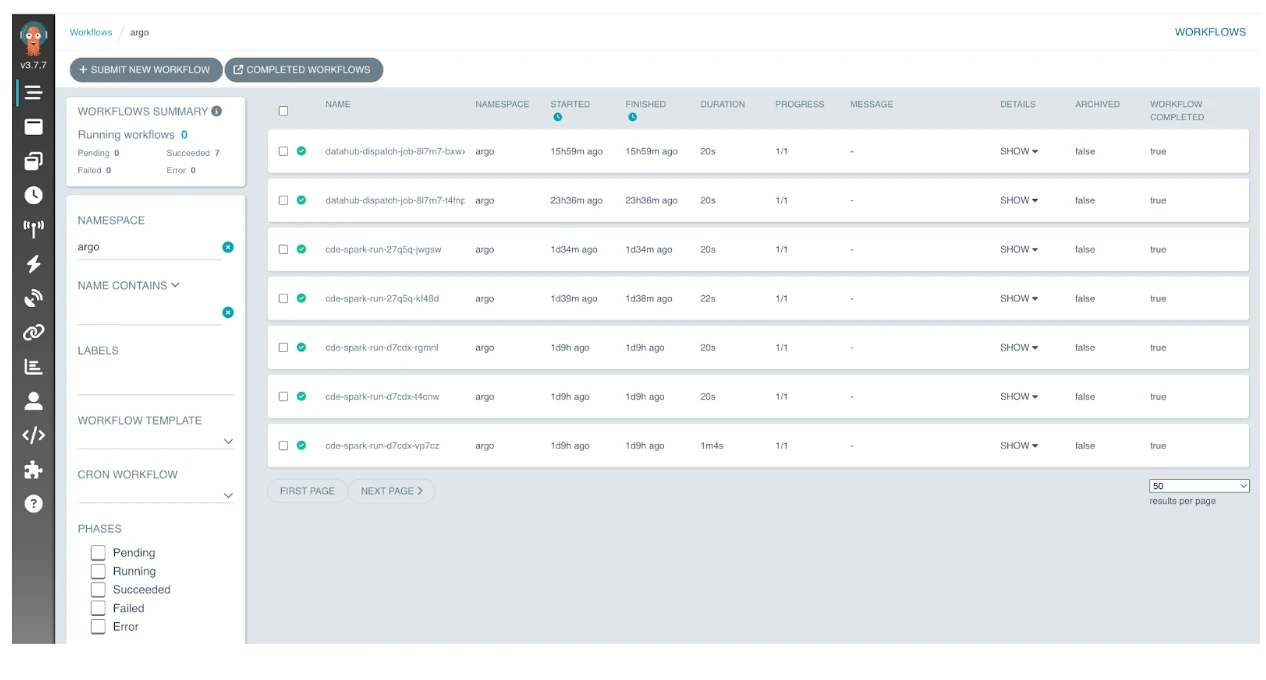
1. Create an Argo Workflow Template
An Argo Workflow Template is a reusable, versioned Kubernetes resource defining a set of tasks (a workflow). Think of it as a function definition in programming: you define the logic once and "call" it multiple times with different parameters.
A workflow template is written in YAML and has four main sections:
| Section | Purpose |
| Metadata | The name and namespace of the template. |
| Arguments (Parameters) | Inputs like table_name, input_path, or spark_memory. |
| Entrypoint | Tells Argo which template to execute first. |
| Templates | The actual "steps"—can be a Single Container, a Script, or a DAG (Directed Acyclic Graph). |
Metadata: The "Identity Card"
The metadata contains the unique identifiers assigned by Kubernetes when the job was started.
-
name vs generateName: The generateName is the prefix (datahub-dispatch-job-). Kubernetes took that prefix and added a random suffix (8l7m7) to create the unique name.
-
uid & resourceVersion: These are internal Kubernetes tracking IDs. You don't set these; the system generates them to manage the object's lifecycle.
-
labels: It identifies that the Argo-server system account created this job.
-
managedFields: This is a history log of who modified the object and when.
2. Spec: The "Instruction Manual"
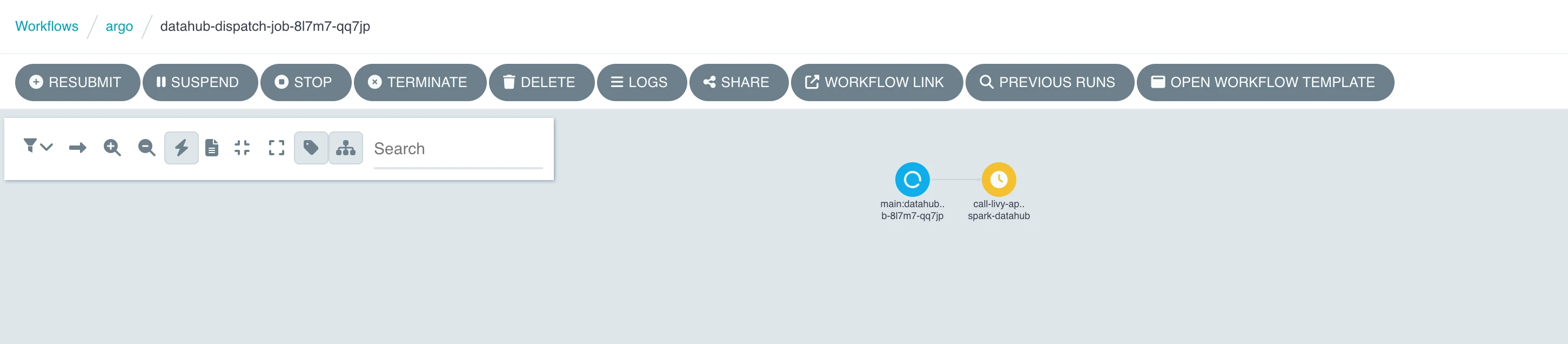
The spec defines how the job actually runs. This specific workflow uses a two-step hierarchy.
The Entrypoint (main)
Argo looks here first. It tells the system to start with the template named main.
The DAG/Steps (main template)
YAML
    steps:

- name: submit-spark-datahub

            template: call-livy-api
The Executioner (call api template)
This is where the actual work happens. Instead of running Spark directly, it uses a lightweight Curl container to "talk" to the Cloudera cluster.
-
image: curlimages/curl:latest: A very small Docker image that only contains the curl tool.
-
The Command (args): It sends a POST request to the Livy API. It passes the Spark configuration (memory, script path) as a JSON payload.
-
{{workflow.parameters.xxx}}: These are variables. Argo replaces these with the values defined at the bottom of the file (e.g., the URL and the workload credentials).
-
Secrets (env):
YAML

valueFrom:

  secretKeyRef:

    name: cloudera-creds
This is a security best practice. It pulls the sensitive password from a Kubernetes Secret named cloudera-creds instead of typing it in plain text in the script.
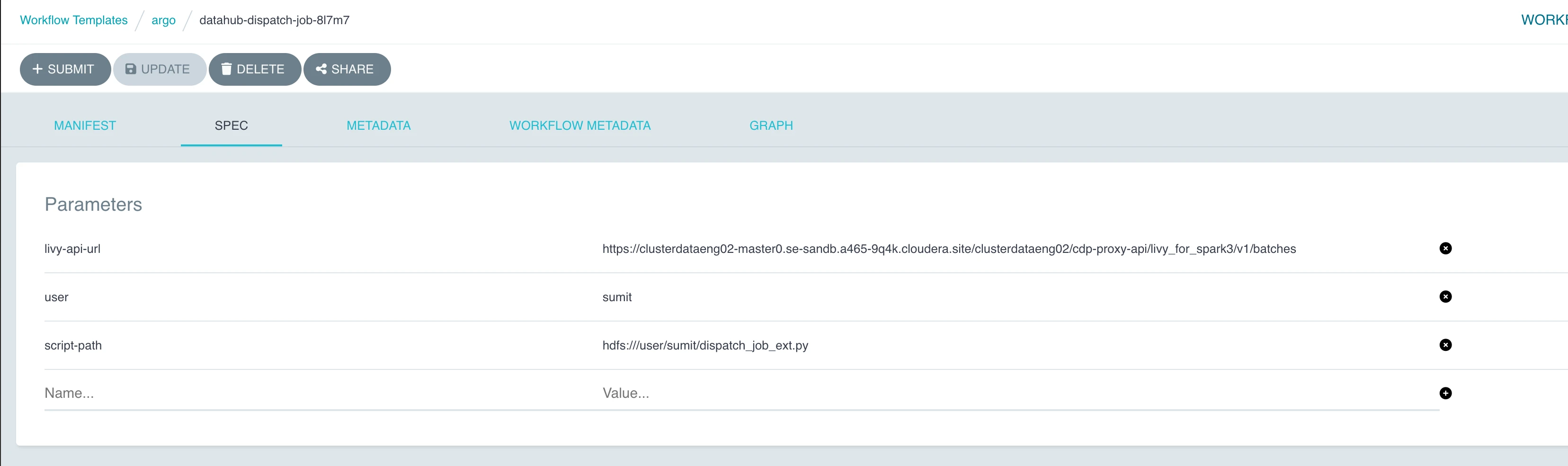
3. Arguments: The "Inputs"
At the bottom, you see the hardcoded values for this specific run:
-
livy-api-url: The endpoint for your Spark 3 cluster.
-
user: The Kerberos/Cloudera username.
-
script-path: The location of your Python code in HDFS (dispatch_job_ext.py).
Orchestration of Cloudera Spark Jobs Using Argo Workflows
Create and Submit Spark job using Argo workflow (Datahub)
-
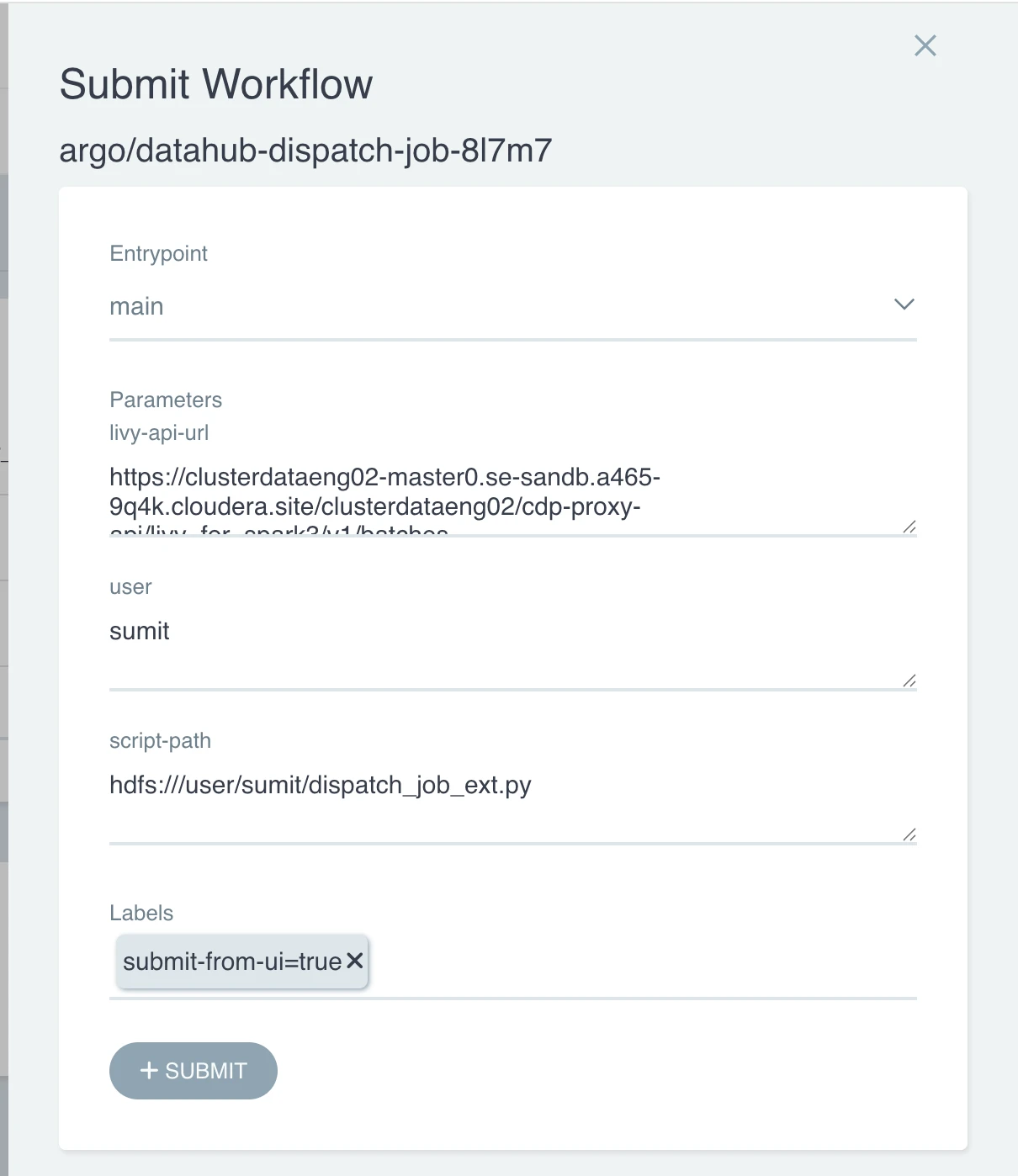
Click on Create a new workflow Template, and add the Manifest file in JSON/YAML format
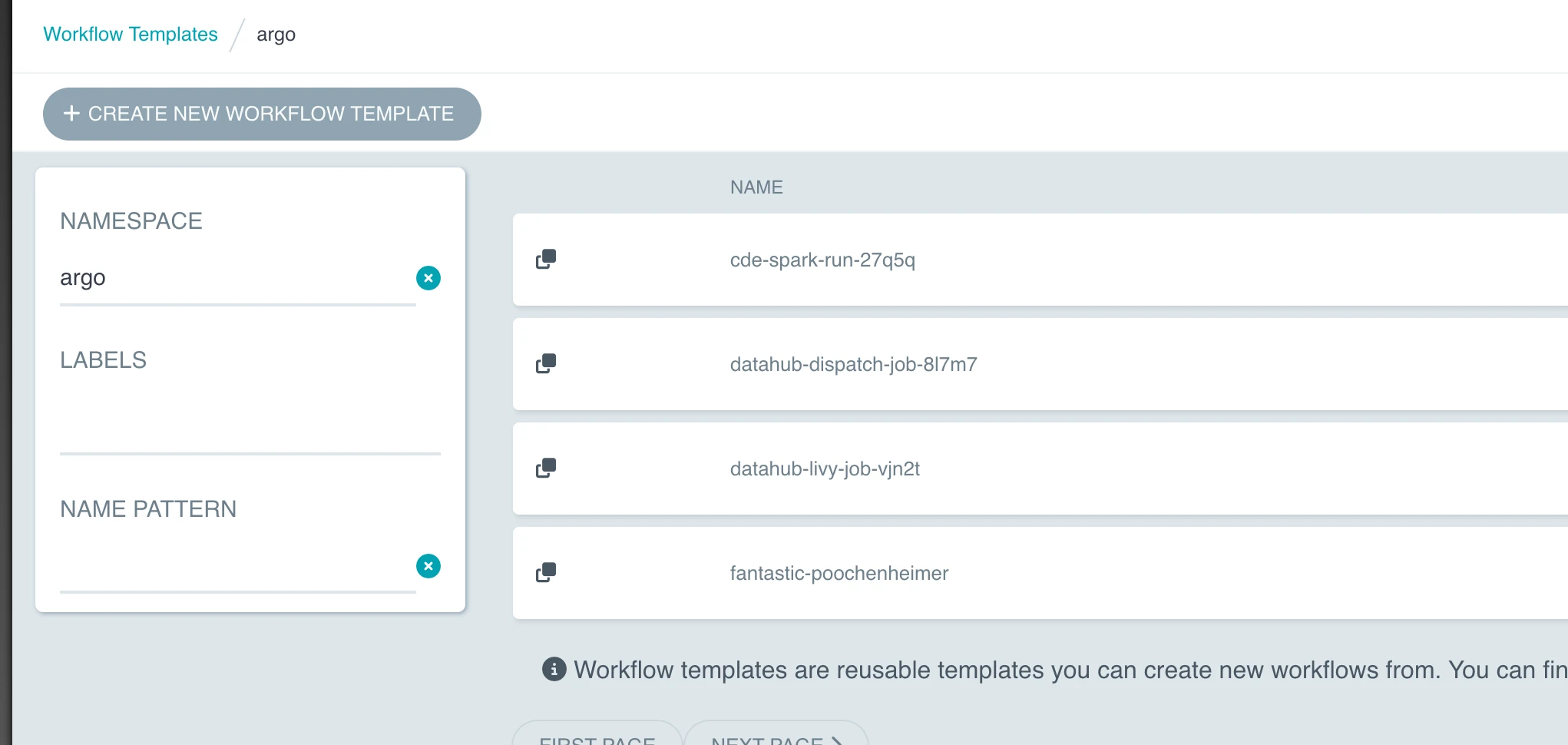
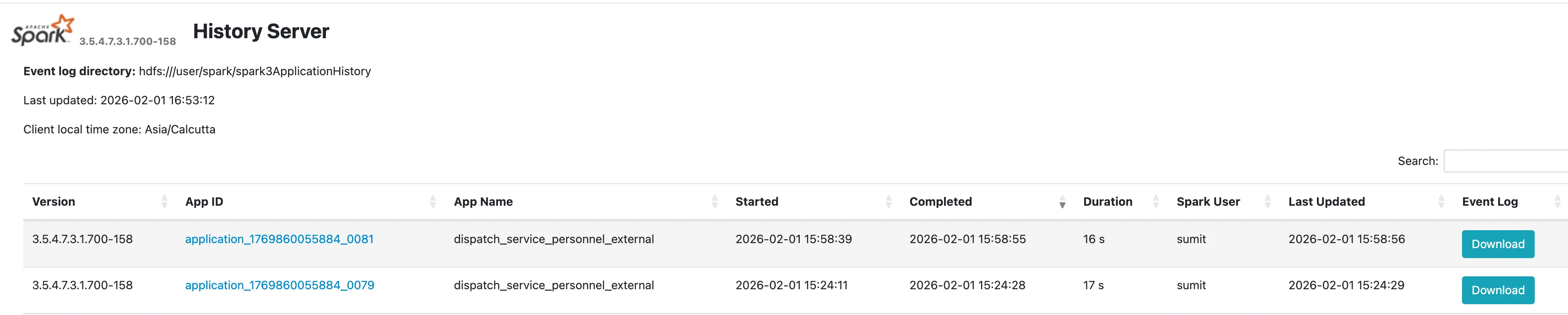
5. Validation of the successful execution of the Spark job on Datahub

Create and Submit Spark Job using Argo workflow (Data engineering)
-
Creating a workflow template for Spark job execution at CDE
Using knox token: https://docs.cloudera.com/runtime/7.3.1/knox-authentication/topics/security-knox-token-api.html.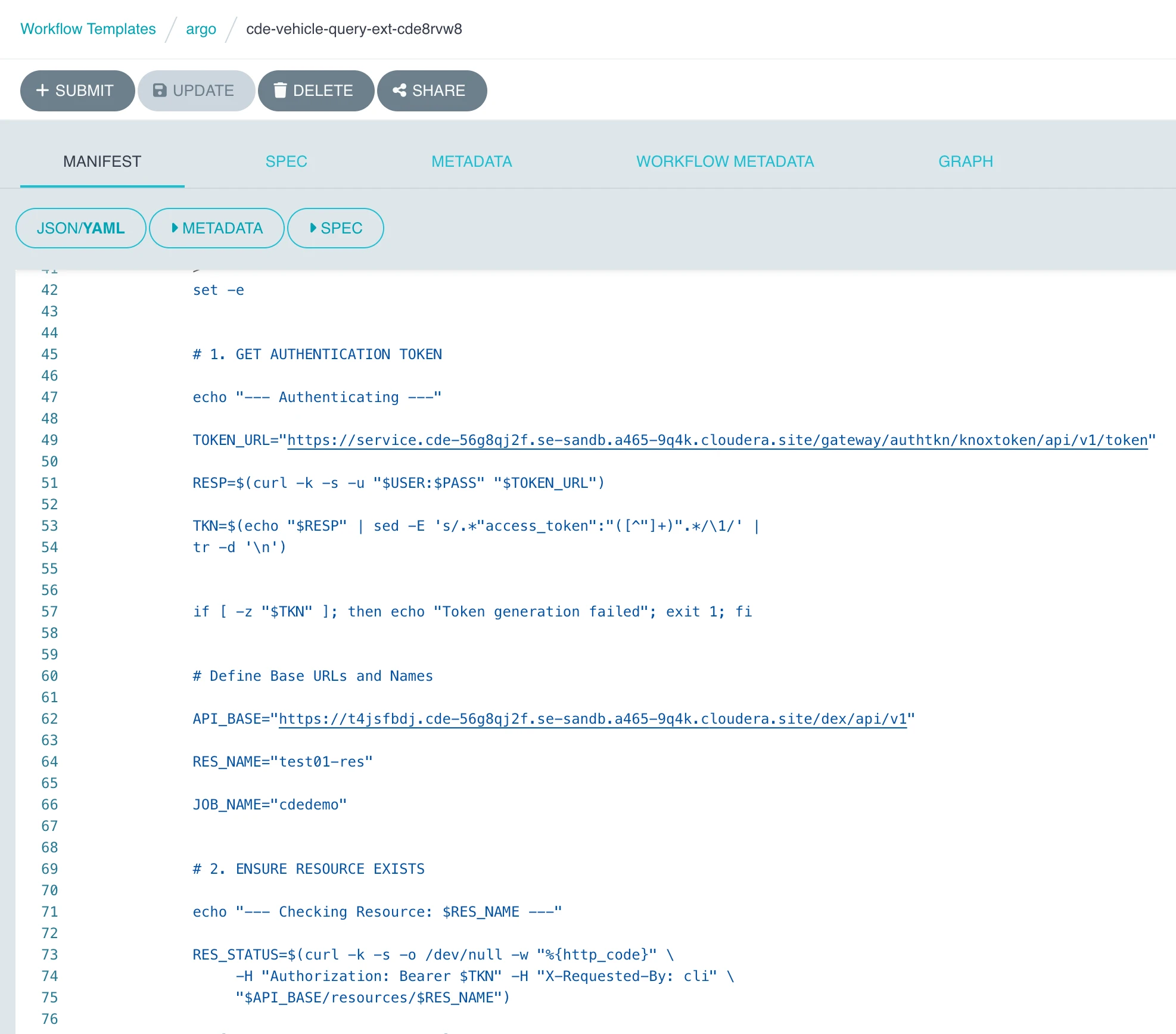
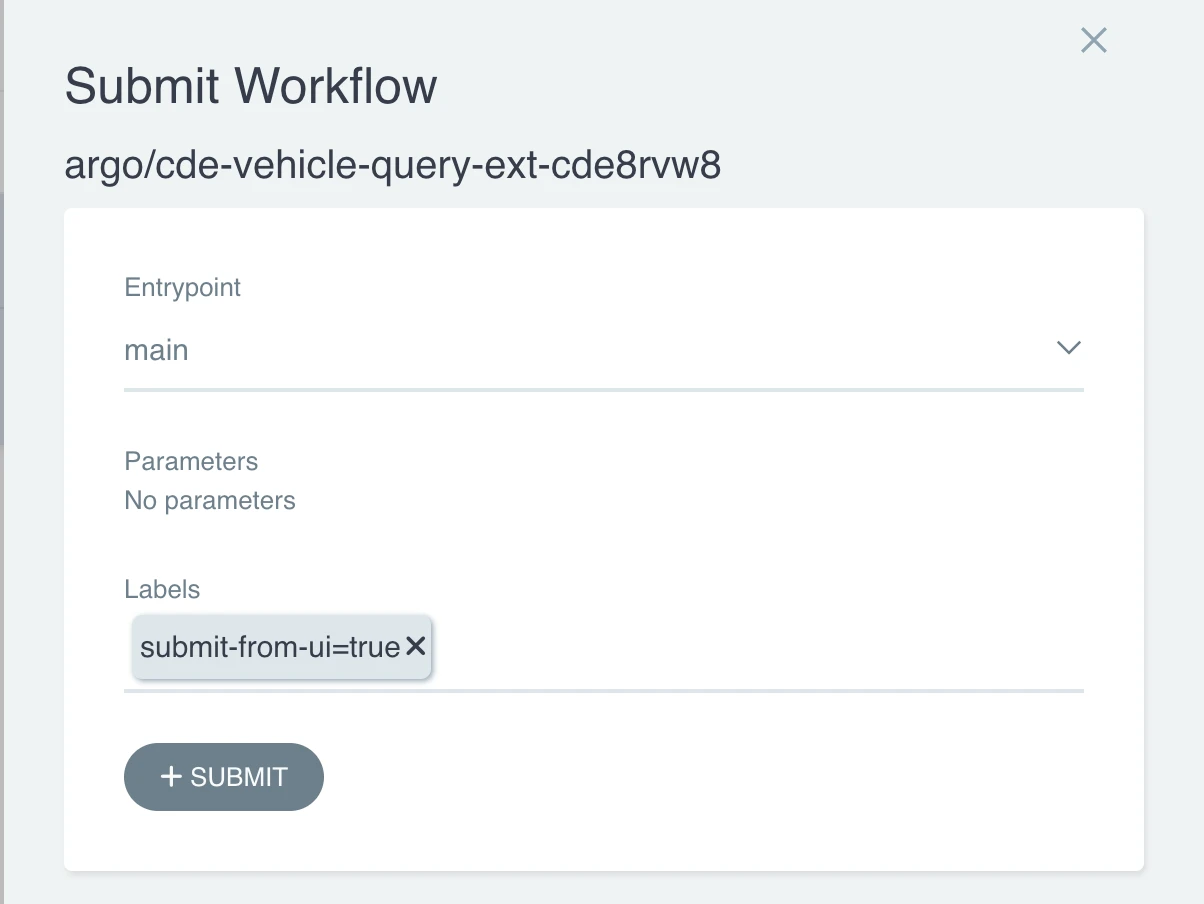
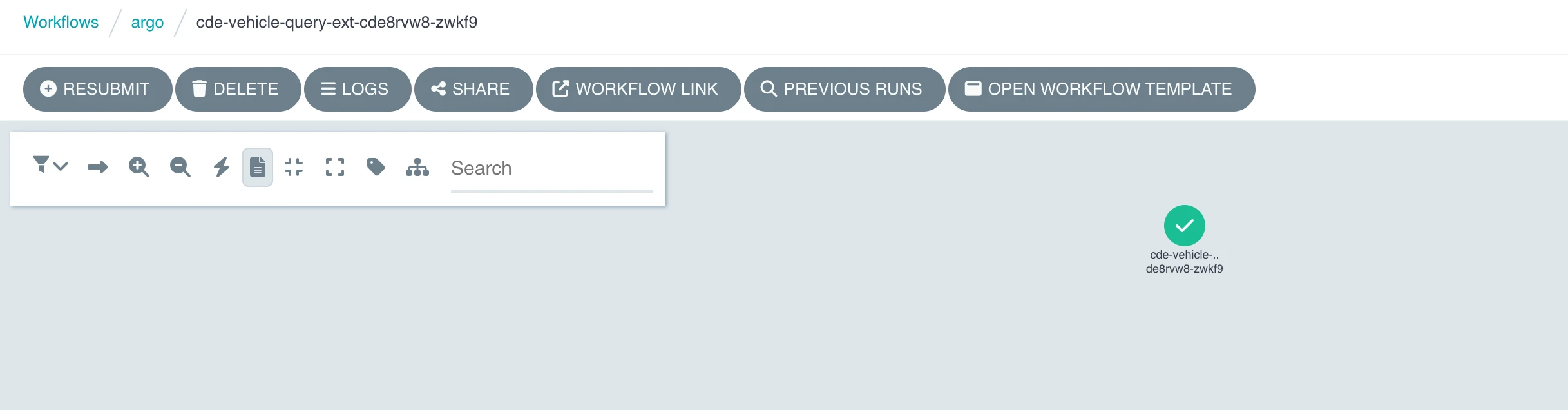
2. Submitting workflow for CDE Job creation and execution of Job
 3. Validation of Job creation & execution on CDE
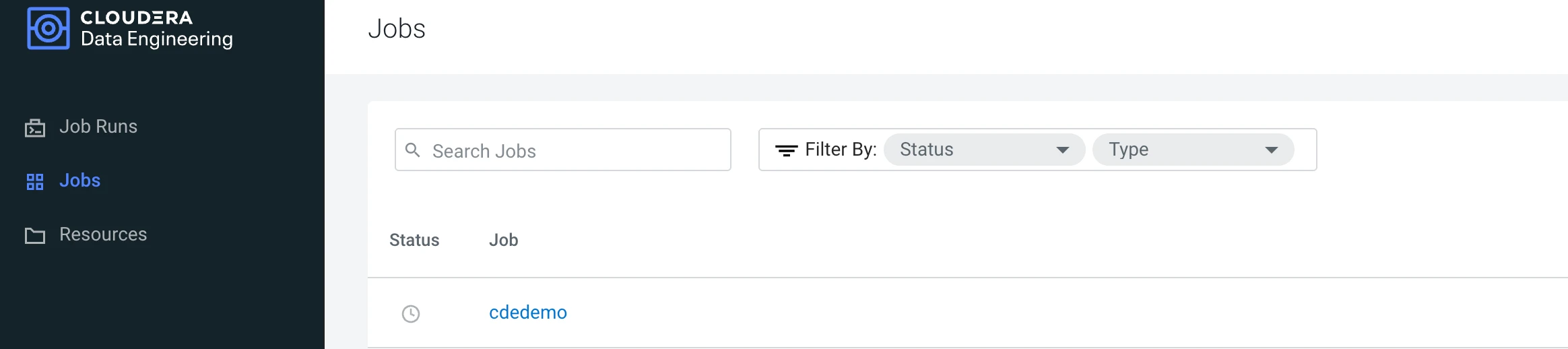

- Cloudera Data engineering uses Job API URL for Job submissions and CDP token for authentication..token can be generated using your workload username and password.
- Cloudera data hub uses livy api URL for job submissions on cluster and workload username/ password for authentication.
Sample workflow Yaml Cloudera Data Engineering.
metadata:
  name: datahub-dispatch-job-8l7m7
  generateName: datahub-dispatch-job-
  namespace: argo
  uid: 82163cb3-1ed1-4901-a49d-20feb05013eb
  resourceVersion: "924865"
  generation: 4
  creationTimestamp: "2026-01-12T04:45:50Z"
  labels:
    workflows.argoproj.io/action: Update
    workflows.argoproj.io/actor: system-serviceaccount-argo-argo-server
    workflows.argoproj.io/creator: system-serviceaccount-argo-argo-server
  managedFields:
    - manager: argo
      operation: Update
      apiVersion: argoproj.io/v1alpha1
      time: "2026-02-01T04:33:45Z"
      fieldsType: FieldsV1
      fieldsV1:
        f:metadata:
          f:generateName: {}
          f:labels:
            ".": {}
            f:workflows.argoproj.io/action: {}
            f:workflows.argoproj.io/actor: {}
            f:workflows.argoproj.io/creator: {}
        f:spec: {}
spec:
  templates:
    - name: main
      inputs: {}
      outputs: {}
      metadata: {}
      steps:
        - - name: submit-spark-datahub
            template: call-livy-api
            arguments: {}
    - name: call-livy-api
      inputs: {}
      outputs: {}
      metadata: {}
      container:
        name: ""
        image: curlimages/curl:latest
        command:
          - sh
          - -c
        args:
          - |
            echo "Submitting Spark job to DataHub via Proxy API..."

            curl -k -i -u "{{workflow.parameters.user}}:$PASSWORD" \
                 -X POST "{{workflow.parameters.livy-api-url}}" \
                 -H "Content-Type: application/json" \
                 -d '{
                   "file": "{{workflow.parameters.script-path}}",
                   "name": "Argo_DataHub_Dispatch",
                   "conf": {
                     "spark.executor.memory": "2g",
                     "spark.driver.memory": "1g"
                   }
                 }'
        env:
          - name: PASSWORD
            valueFrom:
              secretKeyRef:
                name: cloudera-creds
                key: password
        resources: {}
  entrypoint: main
  arguments:
    parameters:
      - name: livy-api-url
        value: https://clusterdataeng-master0.se-sandb.a465-9q4k.cloudera.site/clusterdataeng/cdp-proxy-api/livy_for_spark3/v1/batches
      - name: user
        value: sumit
      - name: script-path
        value: hdfs:///user/sumit/dispatch_job_ext.py
Sample workflow YAML Cloudera Data hub
metadata:
  name: cde-vehicle-query-ext-cde8rvw8
  generateName: cde-vehicle-query-ext-cde
  namespace: argo
  uid: 9a35fe46-ebde-4b83-9983-f85b724eaea5
  resourceVersion: "946692"
  generation: 2
  creationTimestamp: "2026-02-01T04:14:14Z"
  labels:
    workflows.argoproj.io/action: Update
    workflows.argoproj.io/actor: system-serviceaccount-argo-argo-server
    workflows.argoproj.io/creator: system-serviceaccount-argo-argo-server
  managedFields:
    - manager: argo
      operation: Update
      apiVersion: argoproj.io/v1alpha1
      time: "2026-02-01T10:31:22Z"
      fieldsType: FieldsV1
      fieldsV1:
        f:metadata:
          f:generateName: {}
          f:labels:
            ".": {}
            f:workflows.argoproj.io/action: {}
            f:workflows.argoproj.io/actor: {}
            f:workflows.argoproj.io/creator: {}
        f:spec: {}
spec:
  templates:
    - name: main
      inputs: {}
      outputs: {}
      metadata: {}
      container:
        name: ""
        image: curlimages/curl:latest
        command:
          - sh
          - -c
        args:
          - >
            set -e


            # 1. GET AUTHENTICATION TOKEN

            echo "--- Authenticating ---"

            TOKEN_URL="https://service.cde-56g8qj2f.se-sandb.a465-9q4k.cloudera.site/gateway/authtkn/knoxtoken/api/v1/token"

            RESP=$(curl -k -s -u "$USER:$PASS" "$TOKEN_URL")

            TKN=$(echo "$RESP" | sed -E 's/.*"access_token":"([^"]+)".*/\1/' |
            tr -d '\n')


            if [ -z "$TKN" ]; then echo "Token generation failed"; exit 1; fi


            # Define Base URLs and Names

            API_BASE="https://t4jsfbdj.cde-56g8qj2f.se-sandb.a465-9q4k.cloudera.site/dex/api/v1"

            RES_NAME="test01-res"

            JOB_NAME="cdedemo"


            # 2. ENSURE RESOURCE EXISTS

            echo "--- Checking Resource: $RES_NAME ---"

            RES_STATUS=$(curl -k -s -o /dev/null -w "%{http_code}" \
                 -H "Authorization: Bearer $TKN" -H "X-Requested-By: cli" \
                 "$API_BASE/resources/$RES_NAME")

            if [ "$RES_STATUS" -ne "200" ]; then
                echo "Creating $RES_NAME..."
                curl -k -s -f -X POST "$API_BASE/resources" \
                     -H "Authorization: Bearer $TKN" -H "X-Requested-By: cli" \
                     -H "Content-Type: application/json" \
                     -d "{\"name\": \"$RES_NAME\", \"type\": \"files\"}"
            fi


            # 3. PREPARE AND UPLOAD PYSPARK SCRIPT

            echo "--- Preparing and Uploading script ---"

            cat << 'EOF' > vehicle_query.py

            from pyspark.sql import SparkSession

            spark =
            SparkSession.builder.appName("VehicleQueryExt").getOrCreate()


            print("Executing query on vehicle_data_ext...")

            try:
                # Running the query on the updated table name
                df = spark.sql("SELECT * FROM default.vehicle_data_ext LIMIT 20")
                df.show()
            except Exception as e:
                print(f"Error: {e}")

            spark.stop()

            EOF


            curl -k -f -X PUT "$API_BASE/resources/$RES_NAME/vehicle_query.py" \
                 -H "Authorization: Bearer $TKN" -H "X-Requested-By: cli" \
                 -F "file=@vehicle_query.py"

            # 4. CREATE THE JOB (Using POST to the /jobs collection)

            echo "--- Ensuring Job Definition: $JOB_NAME exists ---"

            curl -k -X POST "$API_BASE/jobs" \
                 -H "Authorization: Bearer $TKN" \
                 -H "X-Requested-By: cli" \
                 -H "Content-Type: application/json" \
                 -d "{
                   \"name\": \"$JOB_NAME\",
                   \"type\": \"spark\",
                   \"spark\": {
                     \"file\": \"vehicle_query.py\",
                     \"driverMemory\": \"1g\",
                     \"executorMemory\": \"1g\"
                   },
                   \"mounts\": [ { \"resourceName\": \"$RES_NAME\" } ]
                 }" || echo "Job already exists or created."

            # 5. TRIGGER THE RUN

            echo "--- Triggering Run for $JOB_NAME ---"

            curl -k -f -i -X POST "$API_BASE/jobs/$JOB_NAME/run" \
                 -H "Authorization: Bearer $TKN" \
                 -H "X-Requested-By: cli" \
                 -H "Content-Type: application/json" \
                 -d "{}"
        env:
          - name: USER
            valueFrom:
              secretKeyRef:
                name: cde-creds
                key: username
          - name: PASS
            valueFrom:
              secretKeyRef:
                name: cde-creds
                key: password
        resources: {}
  entrypoint: main
  arguments: {}

