

Automatically deleting Ranger Users from MySQL and Postgres After Using REST API - HDP 2.4
Authors -
Gerdan dos Santos - https://community.hortonworks.com/users/12342/gerdan.html
Pedro Drummond - https://community.hortonworks.com/users/10987/pedrodrummond.html
After deleting users using REST API, one might get error "404 not found". This articles demonstrates how to automatically delete the "ghost" users from MySQL and Posgres.
Reproducing the Error
Creating testUser
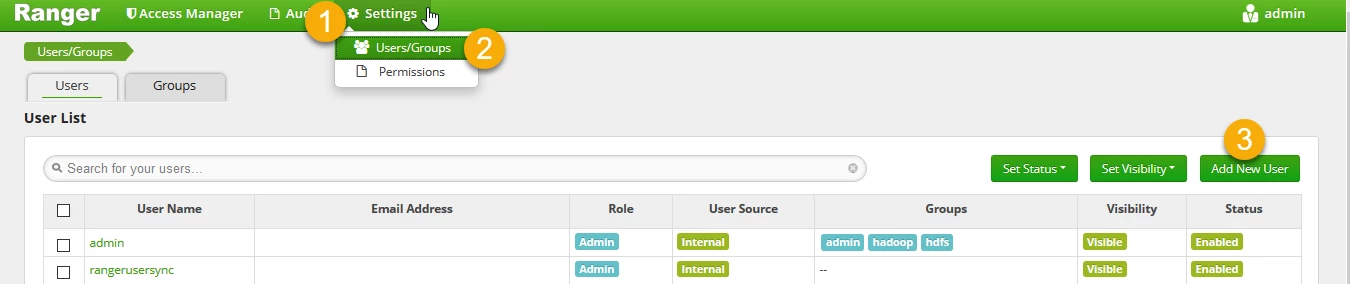
1. Create testUser at Ranger UI - http://{ranger_host}:6080
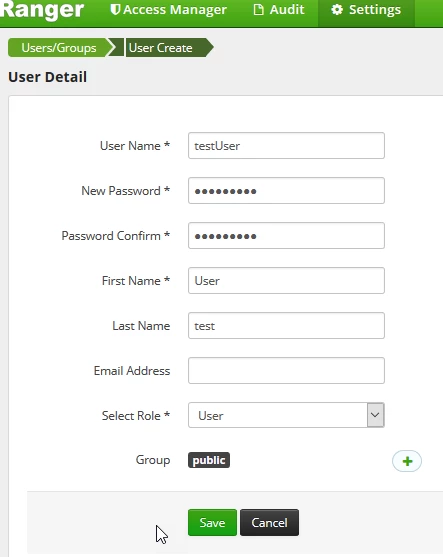
2. Username: testUser; Group: public .
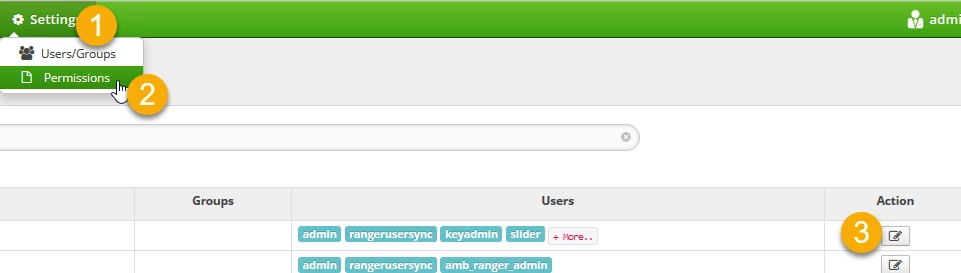
3. Check if the default Resource Based Policies is assigned to testUser .
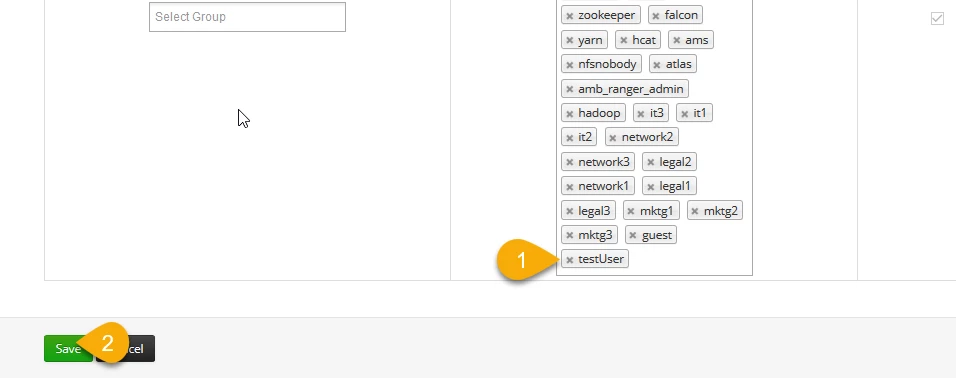
4. If testUser is not assigned to the policy, add it and click the save button .
Deleting testUser using REST API
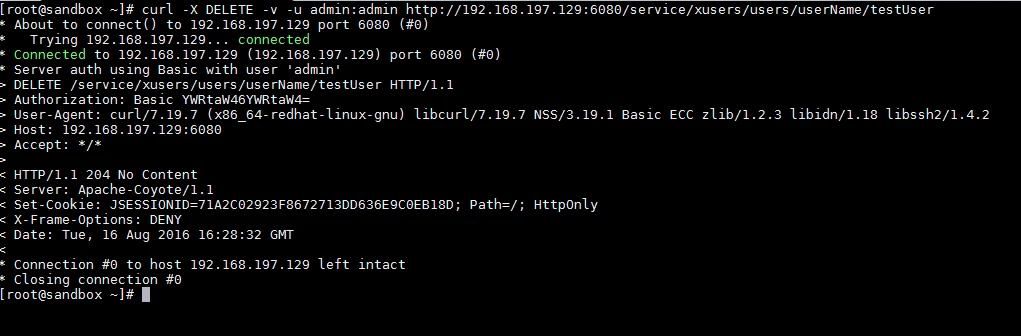
Through the terminal, delete the testUser using REST API.
For instance:
curl -X DELETE -v -u admin:password http://{RangerHost}:6080/service/xusers/users/userName/testUser
You should get something like this: .
Verifying the Error
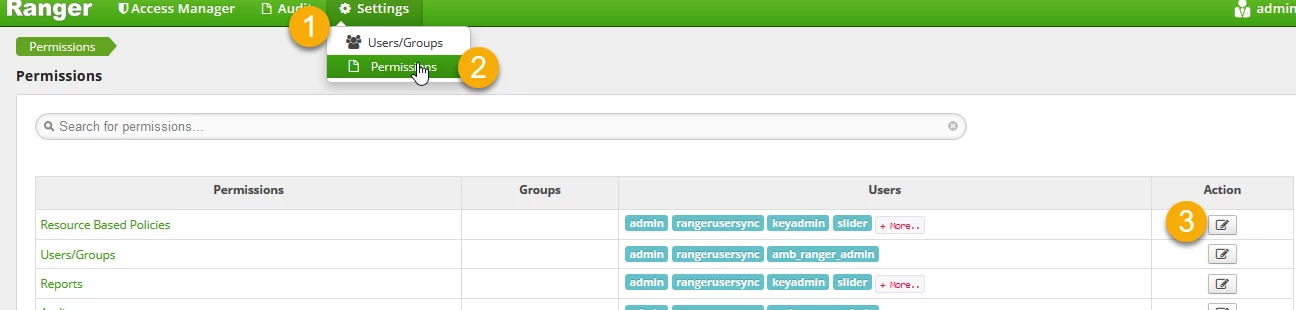
1. Edit the Resource Based Policies .
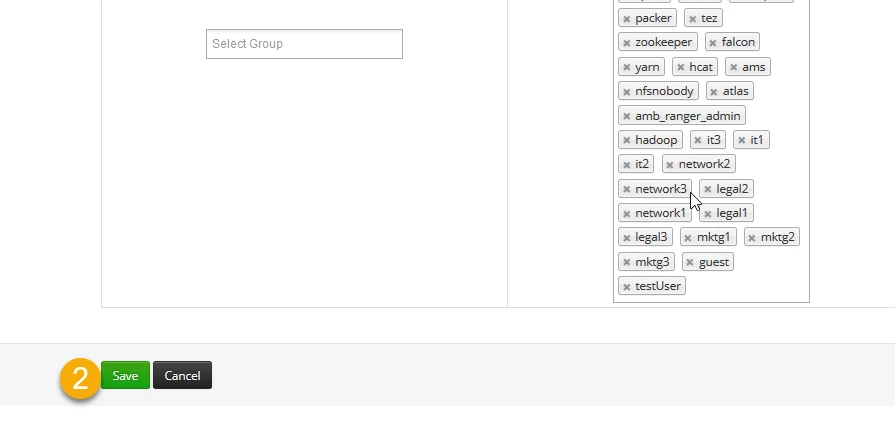
2. Just click the save button .
3. There you go! Error 404 Not Found
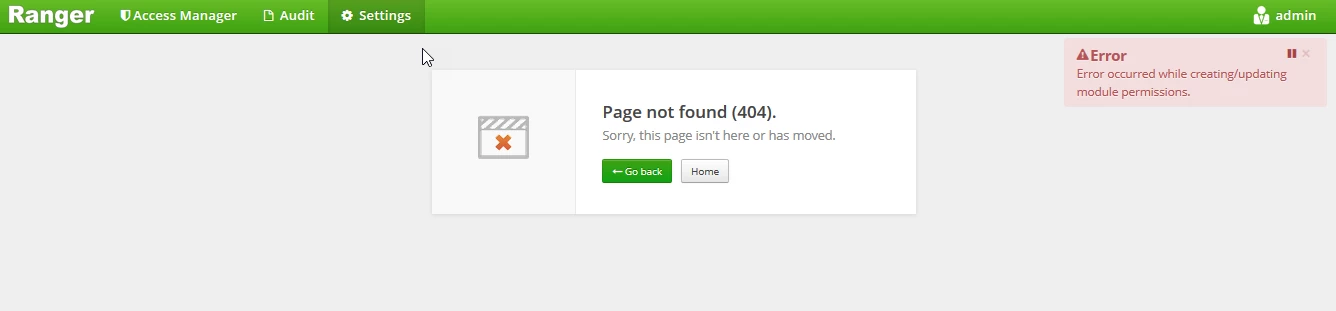
This happens because once you delete the testUser using REST API, you are only deleting the user from the UI and not from the permissioning that it is assigned to.
Solving this issue
All you have to do is connecting in the Ranger's Metadata DB and run the following scripts thought the database client logged with a db user that has full permissions to the database:
For MySQL:
-------------------------
----------MYSQL----------
-------------------------
CREATE TEMPORARY TABLE IF NOT EXISTS ranger.tmp_users_clean as
 select id from ranger.x_portal_user
 where
  login_id not in (
  select user_name from ranger.x_user
 );
delete from ranger.x_auth_sess where user_id in(
 select id from ranger.tmp_users_clean
);
delete from ranger.x_portal_user_role where user_id in(
 select id from ranger.tmp_users_clean
);
delete from ranger.x_user_module_perm where user_id in(
 select id from ranger.tmp_users_clean
);
delete from ranger.x_portal_user where id in(
 select id from ranger.tmp_users_clean
);
For Postgres:
-------------------------
--------POSTGRESQL-------
-------------------------
delete from x_auth_sess where user_id in(
 select id from x_portal_user
 where
  login_id not in (
  select user_name from x_user
 )
);
delete from x_portal_user_role where user_id in(
 select id from x_portal_user
 where
  login_id not in (
  select user_name from x_user
 )
);
delete from x_user_module_perm where user_id in(
 select id from x_portal_user
 where
  login_id not in (
  select user_name from x_user
 )
);
delete from x_portal_user where id in(
 select id from x_portal_user
 where
  login_id not in (
  select user_name from x_user
 )
);
Just a little tip: if you don't know where your Ranger's metadata DB is located, you may find it at Ambari UI -> Ranger -> Configs -> Ranger DB host.
For more info: gerdan@gmail.com and pedro.dru@hotmail.com.
Thank you!

