


Browse ADSL storage in CML
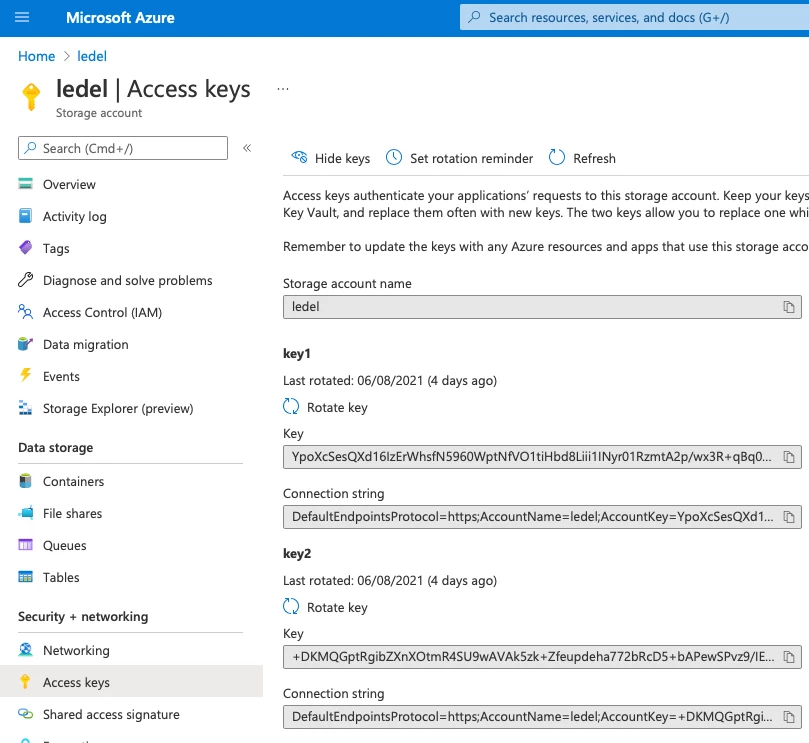
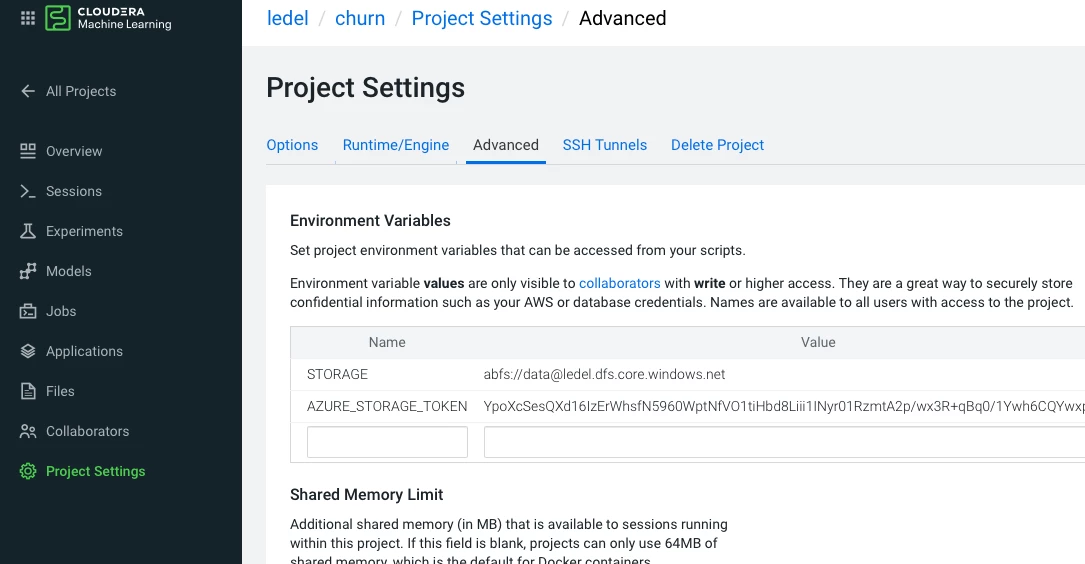
!pip3 install git+https://github.com/fletchjeff/cmlbootstrap#egg=cmlbootstrap

from cmlbootstrap import CMLBootstrap
# Instantiate API Wrapper
cml = CMLBootstrap()

# Set the STORAGE environment variable
try :
  storage=os.environ["STORAGE"]
except:
  storage = cml.get_cloud_storage()
  storage_environment_params = {"STORAGE":storage}
  storage_environment = cml.create_environment_variable(storage_environment_params)
  os.environ["STORAGE"] = storage
Now the project! Install the required libraries:
pip3 install azure-storage-file-datalake
Here is the code listing files on the "datalake" path. This is not handling all exceptions and so on, that's really a starting point only and not meant to be used in a production environment.
!pip3 install azure-storage-file-datalake
import os, uuid, sys, re
from azure.storage.filedatalake import DataLakeServiceClient
from azure.core._match_conditions import MatchConditions
from azure.storage.filedatalake._models import ContentSettings

def initialize_storage_account(storage_account_name, storage_account_key):
    try:
        global service_client
        service_client = DataLakeServiceClient(account_url="{}://{}.dfs.core.windows.net".format(
            "https", storage_account_name), credential=storage_account_key)
    except Exception as e:
        print(e)

def list_directory_contents(path):
  try:
      file_system_client = service_client.get_file_system_client(container)
      paths = file_system_client.get_paths(path)
      for path in paths:
          print(path.name)
  except Exception as e:
      print(e)

storage = os.environ['STORAGE']
storage_account_key = os.environ['AZURE_STORAGE_TOKEN']
m = re.search('abfs://(.+?)@(.+?)\.dfs.core\.windows\.net', storage)
if m:
  container = m.group(1)
  storage_name = m.group(2)

initialize_storage_account(storage_name, storage_account_key)
list_directory_contents("datalake")
Happy browsing!

