


Configure Hive view for Kerberized Cluster
This tutorial has been successfully tried on HDP-2.4.0.0 and Ambari 2.2.1.0
.
I have my HDP Cluster Kerberized and Ambari has been configured for SSL.
Note - Steps are same for Ambari with or without SSL.
.
Please follow below steps for Configuring Hive View on Kerberized HDP Cluster.
.
Step 1 - Please configure your Ambari Server for Kerberos with the steps mentioned in below article. Please follow steps 1 to 5.
https://community.hortonworks.com/articles/40635/configure-tez-view-for-kerberized-hdp-cluster.html
.
Step 2 - Please add below properties to core-site.xml via Ambari UI and restart required services.
.
Note - If you are running Ambari Server as root user then add below properties
hadoop.proxyuser.root.groups=*
hadoop.proxyuser.root.hosts=*
.
If you are running Ambari server as non-root user then please add below properties in core-site.xml
hadoop.proxyuser.<ambari-server-user>.groups=*
hadoop.proxyuser.<ambari-server-user>.hosts=*
Please replace <ambari-server-user> with user running Ambari Server in above example.
.
I'm assuming that your ambari server principal is ambari-server@REALM.COM, if not then please replace 'ambari-server' with your principal's user part.
hadoop.proxyuser.ambari-server.groups=*
hadoop.proxyuser.ambari-server.hosts=*
.
Step 3 - Create user directory on hdfs for the user accessing hive view. For e.g. in my case I'm using admin user to access hive view.
.
sudo -u hdfs hadoop fs -mkdir /user/admin
sudo -u hdfs hadoop fs -chown admin:hdfs /user/admin
sudo -u hdfs hadoop fs -chmod 755 /user/admin
.
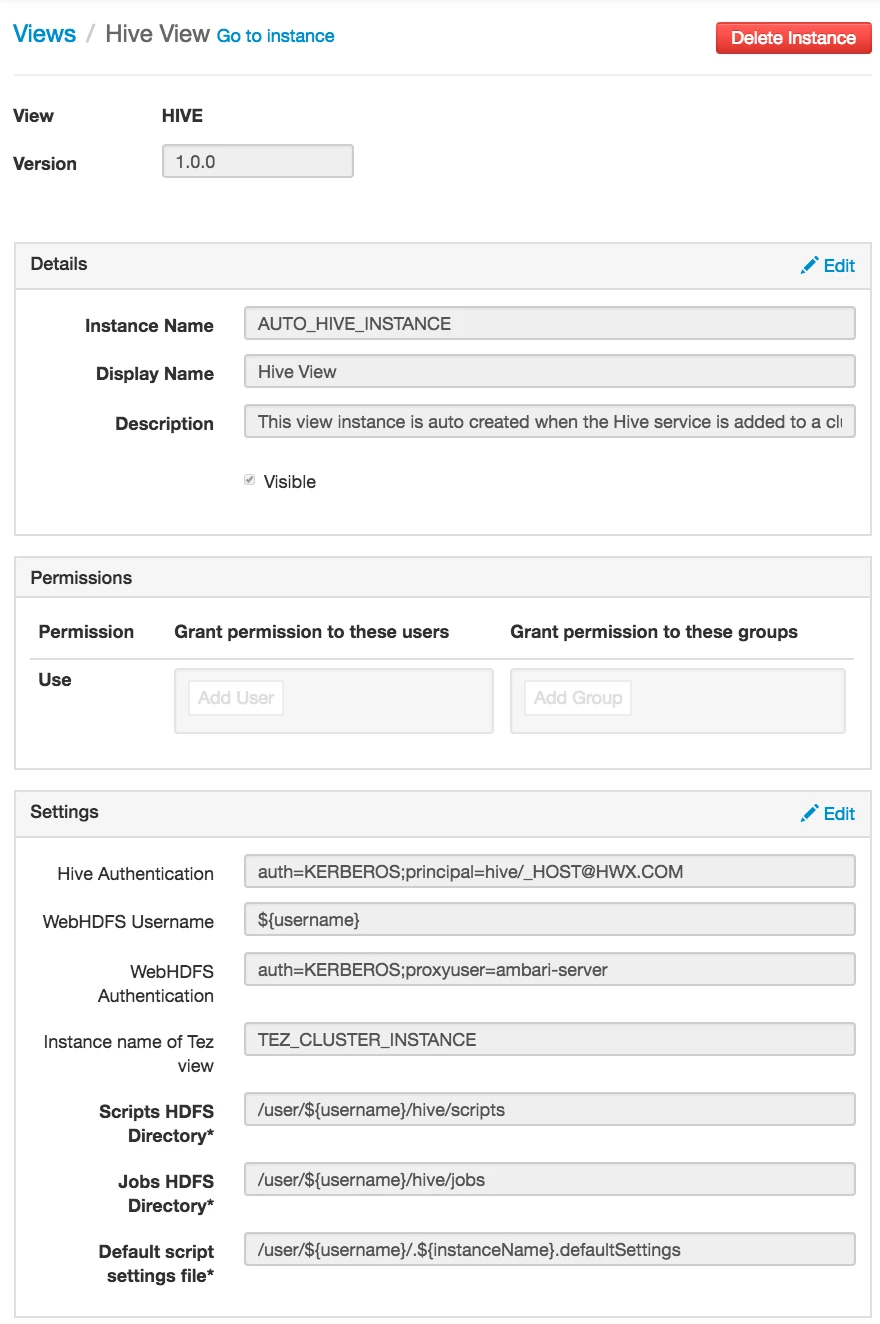
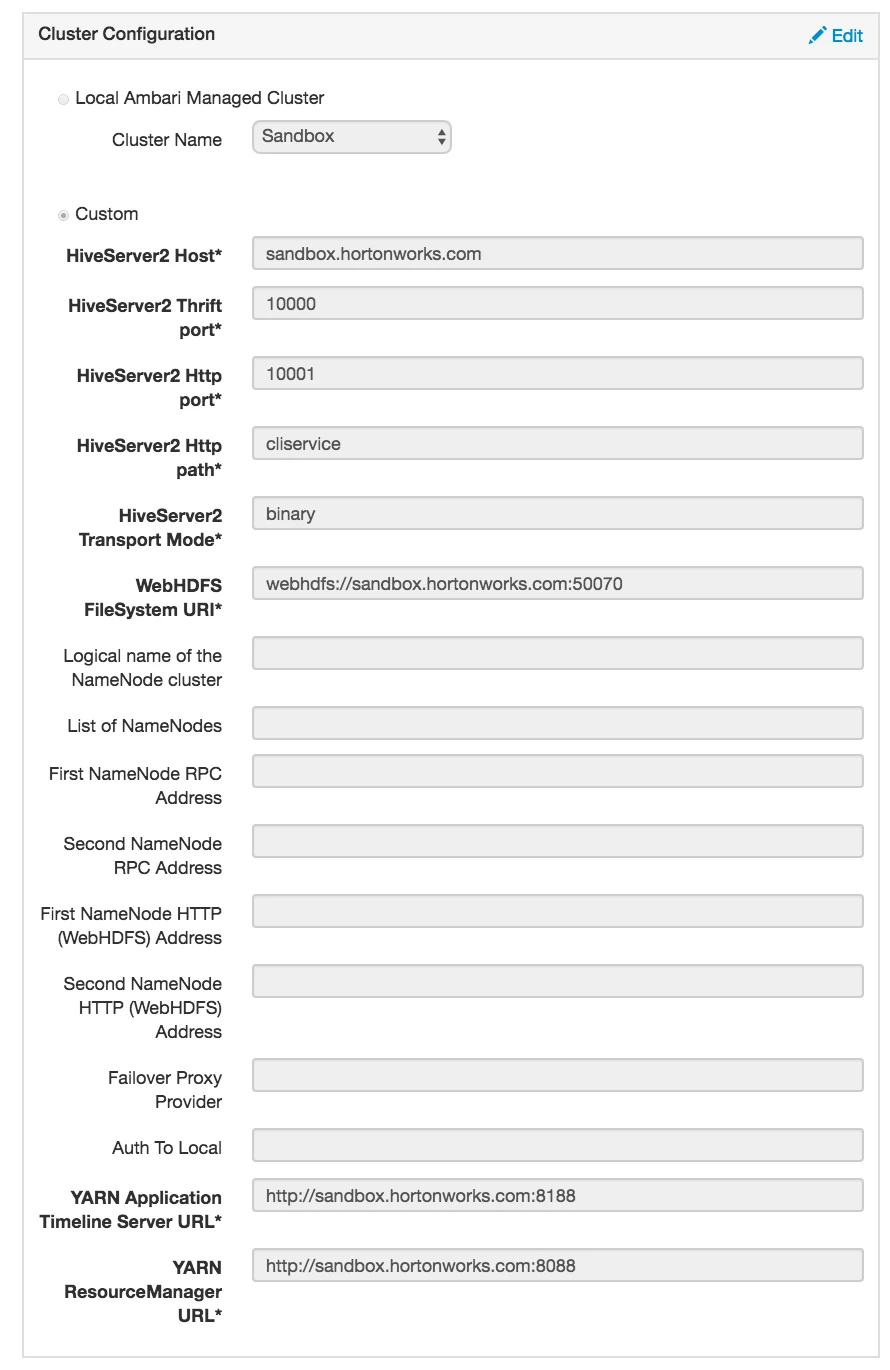
Step 4 - Goto Admin tab --> Click on Manage Ambari --> Views --> Edit Hive view ( Create a new one if it doesn't exist already ) and configure settings as given below
.
Note - You may need to modify values as per your environment settings!
.
.
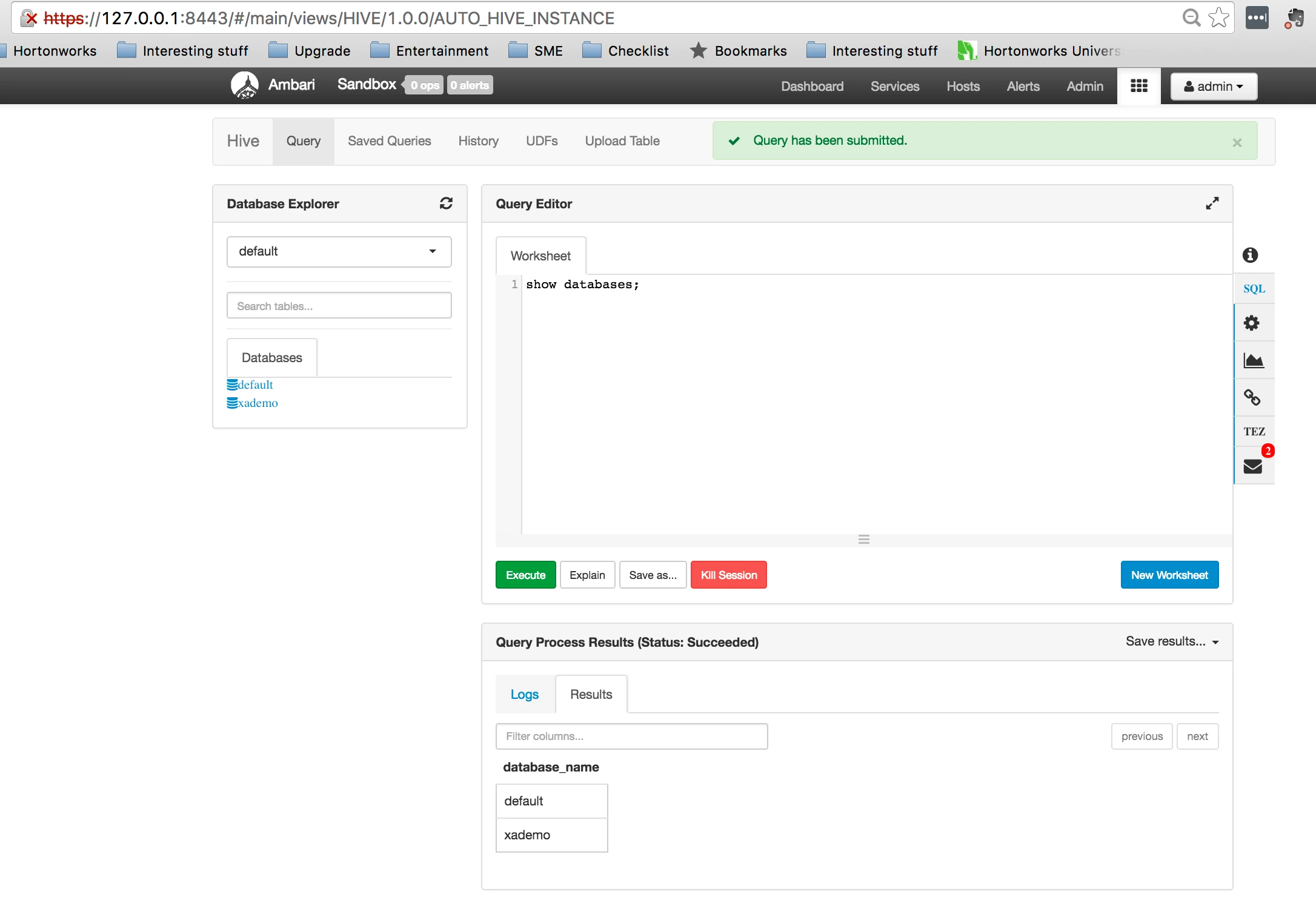
After above steps, you should be able to access your hive view without any issues. If you receive any error(s) then please check /var/log/ambari-server/ambari-server.log for more details and troubleshooting.
.
.

