
Configuring the Git Persistence Provider for the NiFi Registry under CDF/CFM
<property>
<name>xml.providers.flowPersistenceProvider.git-provider.property.Remote Access Password</name>
<value>1234mygitaccesstoken567</value>
<description>Personal access token for Github API</description>
</property>
<property>
<name>xml.providers.flowPersistenceProvider.git-provider.class</name>
<value>org.apache.nifi.registry.provider.flow.git.GitFlowPersistenceProvider</value>
<description>Provider java class for git - should always be org.apache.nifi.registry.provider.flow.git.GitFlowPersistenceProvider</description>
</property>
<property>
<name>xml.providers.flowPersistenceProvider.git-provider.property.Flow Storage Directory</name>
<value>${nifi.registry.working.directory}/git/flow_storage</value>
<description>Local directory for git project. Must be git initialized and have a remote defined. Use https link</description>
</property>
<property>
<name>xml.providers.flowPersistenceProvider.git-provider.property.Remote To Push</name>
<value>origin</value>
<description>Name of remote to push to - typically "origin"</description>
</property>
<property>
<name>xml.providers.flowPersistenceProvider.git-provider.property.Remote Access User</name>
<value>somegitusername</value>
<description>User account for git remote repository</description>
</property>
5. From the NIFIREGISTRY Configuration tab in Cloudera Manager, search for “providers ignored properties”
6. Locate the “providers ignored properties” (nifi.registry.providers.ignored) configuration.
7. Add the following two properties to the ignored list:
xml.providers.flowPersistenceProvider.file-provider.property.Flow Storage Directoryxml.providers.flowPersistenceProvider.file-provider.class
(this prevents NiFi Registry from adding the default filesystem provider to the providers.xml along with the git provider, which would be invalid)

CONCLUSION:
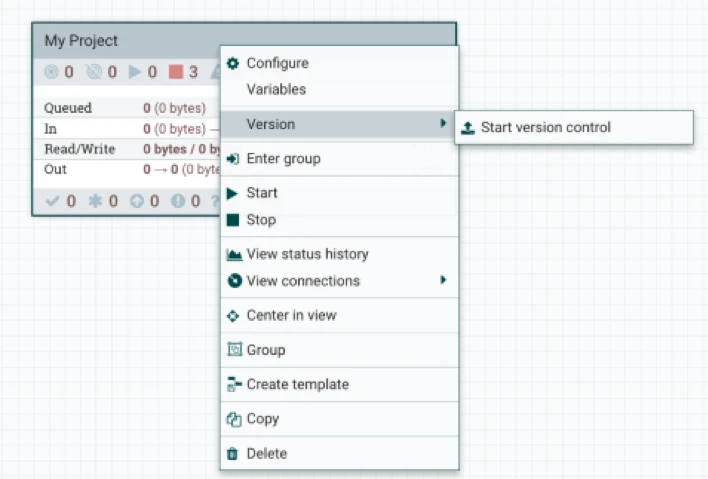
After making the changes above and restarting the NiFi Registry service, you should be able to enable a registry client in the NiFi Controller Settings, then start version control in the NiFi canvas and see your changes reflected in the remote git repository (such as GitHub). For more information about versioning and dev/ops workflows using the NiFi Flow Registry with git, check out Pierre Villard’s excellent article here.