


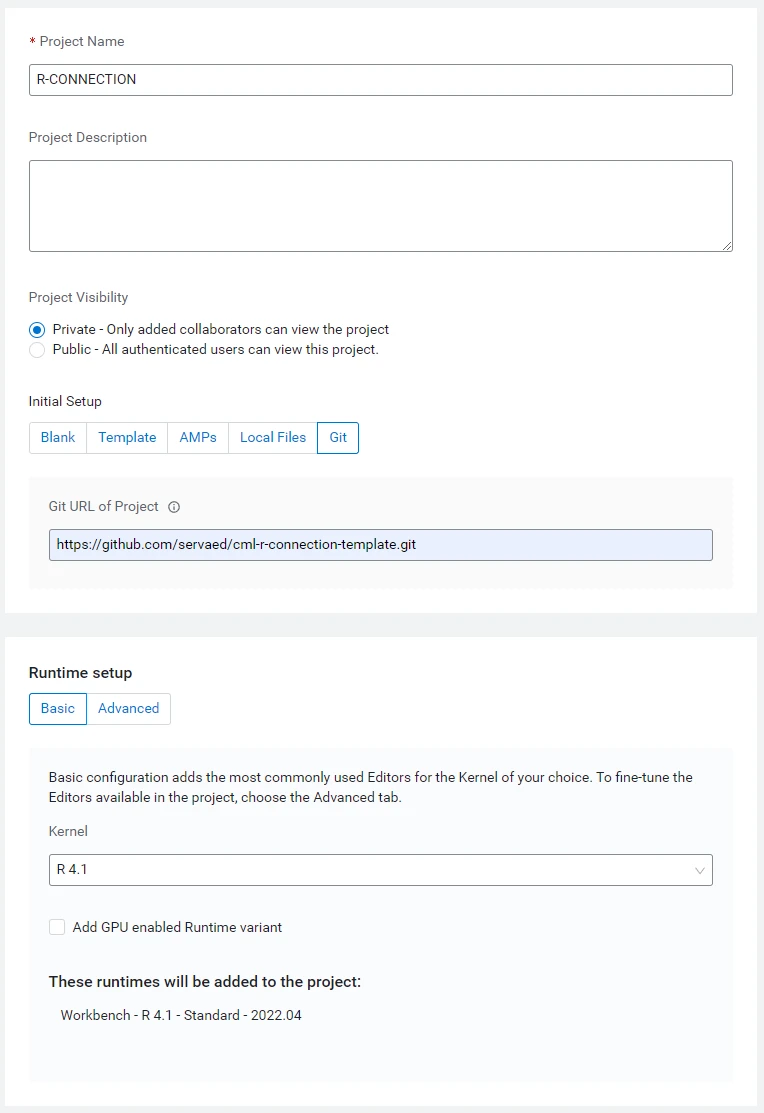
Connecting CML to Data Lake & CDW with R
#CONNECT TO DATA LAKE USING SPARK HWC


#Run this once
#install.packages("sparklyr")


#Set parameters
sparklyr_jars_default <- "/opt/spark/optional-lib/hive-warehouse-connector-assembly.jar"


#Add library
library(sparklyr)


#Add spark_config()
spark_config()
config <- spark_config()


#Add configuration
config$spark.security.credentials.hiveserver2.enabled="false"
config$spark.datasource.hive.warehouse.read.via.llap="false"
config$spark.sql.hive.hwc.execution.mode="spark"
#config$spark.datasource.hive.warehouse.read.jdbc.mode="spark"


# Required setting for HWC-direct reader - the hiveacid sqlextension does the automatic
# switch between reading through HWC (for managed tables) or spark-native (for external)
# depending on table type.
config$spark.sql.extensions="com.qubole.spark.hiveacid.HiveAcidAutoConvertExtension"
config$spark.kryo.registrator="com.qubole.spark.hiveacid.util.HiveAcidKyroRegistrator"
config$sparklyr.jars.default <- sparklyr_jars_default

#Connect with spark
sc <- spark_connect(config = config)
src_databases(sc)


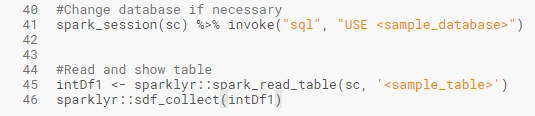
#Change database if necessary
spark_session(sc) %>% invoke("sql", "USE <sample_database>")


#Read and show table
intDf1 <- sparklyr::spark_read_table(sc, '<sample_table>')
sparklyr::sdf_collect(intDf1)
2. connect-to-hive-impala.R
For connecting to CDW/Hive/Impala using Spark HWC
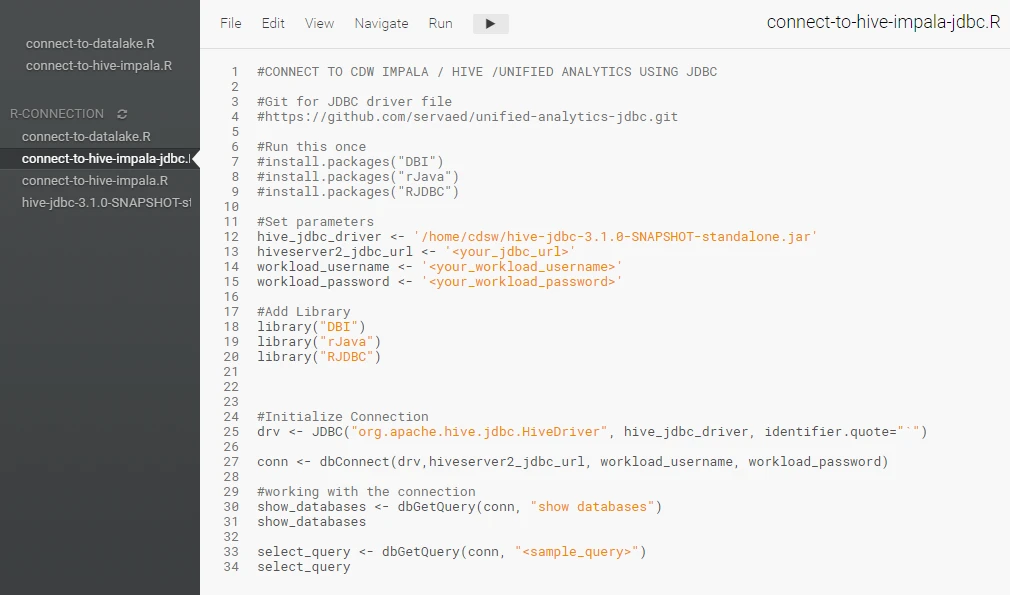
#CONNECT TO CDW IMPALA / HIVE /UNIFIED ANALYTICS USING JDBC

#Git for JDBC driver file
#https://github.com/servaed/cml-r-connection-template.git

#Run this once
#install.packages("DBI")
#install.packages("rJava")
#install.packages("RJDBC")

#Set parameters
hive_jdbc_driver <- '/home/cdsw/hive-jdbc-3.1.0-SNAPSHOT-standalone.jar'
hiveserver2_jdbc_url <- '<your_jdbc_url>'
workload_username <- '<your_workload_username>'
workload_password <- '<your_workload_password>'

#Add Library
library("DBI")
library("rJava")
library("RJDBC")


#Initialize Connection
drv <- JDBC("org.apache.hive.jdbc.HiveDriver", hive_jdbc_driver, identifier.quote="`")

conn <- dbConnect(drv,hiveserver2_jdbc_url, workload_username, workload_password)

#working with the connection
show_databases <- dbGetQuery(conn, "show databases")
show_databases

select_query <- dbGetQuery(conn, "<sample_query>")
select_query
3. connect-to-hive-impala-jdbc.R
For connecting to CDW/Hive/Impala using JDBC
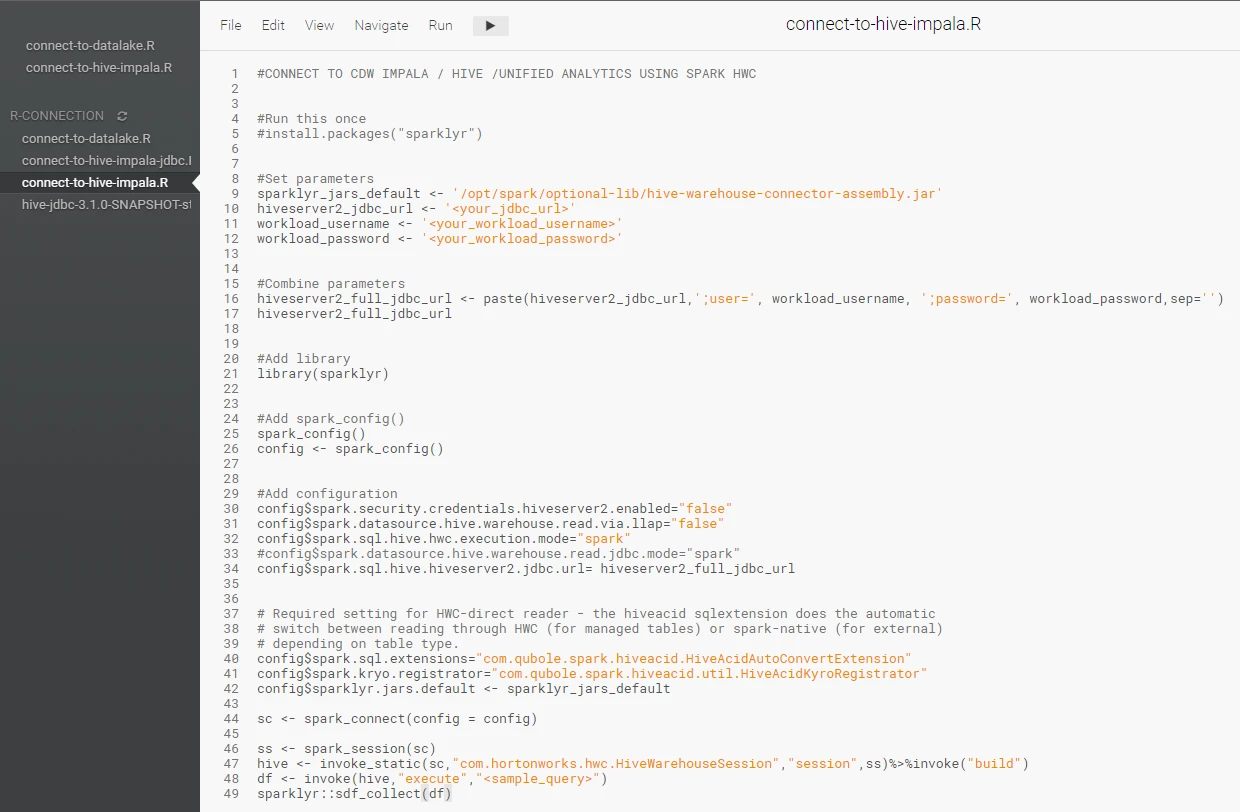
#CONNECT TO CDW IMPALA / HIVE /UNIFIED ANALYTICS USING SPARK HWC


#Run this once
#install.packages("sparklyr")


#Set parameters
sparklyr_jars_default <- '/opt/spark/optional-lib/hive-warehouse-connector-assembly.jar'
hiveserver2_jdbc_url <- '<your_jdbc_url>'
workload_username <- '<your_workload_username>'
workload_password <- '<your_workload_password>'


#Combine parameters
hiveserver2_full_jdbc_url <- paste(hiveserver2_jdbc_url,';user=', workload_username, ';password=', workload_password,sep='')
hiveserver2_full_jdbc_url


#Add library
library(sparklyr)


#Add spark_config()
spark_config()
config <- spark_config()


#Add configuration
config$spark.security.credentials.hiveserver2.enabled="false"
config$spark.datasource.hive.warehouse.read.via.llap="false"
config$spark.sql.hive.hwc.execution.mode="spark"
#config$spark.datasource.hive.warehouse.read.jdbc.mode="spark"
config$spark.sql.hive.hiveserver2.jdbc.url= hiveserver2_full_jdbc_url


# Required setting for HWC-direct reader - the hiveacid sqlextension does the automatic
# switch between reading through HWC (for managed tables) or spark-native (for external)
# depending on table type.
config$spark.sql.extensions="com.qubole.spark.hiveacid.HiveAcidAutoConvertExtension"
config$spark.kryo.registrator="com.qubole.spark.hiveacid.util.HiveAcidKyroRegistrator"
config$sparklyr.jars.default <- sparklyr_jars_default

sc <- spark_connect(config = config)

ss <- spark_session(sc)
hive <- invoke_static(sc,"com.hortonworks.hwc.HiveWarehouseSession","session",ss)%>%invoke("build")
df <- invoke(hive,"execute","<sample_query>")
sparklyr::sdf_collect(df)
4. You might need to download the latest version of JDBC driver from CDW if necessary
Connect to attached SDX Data Lake using HWC
1. Open new session with spark enabled
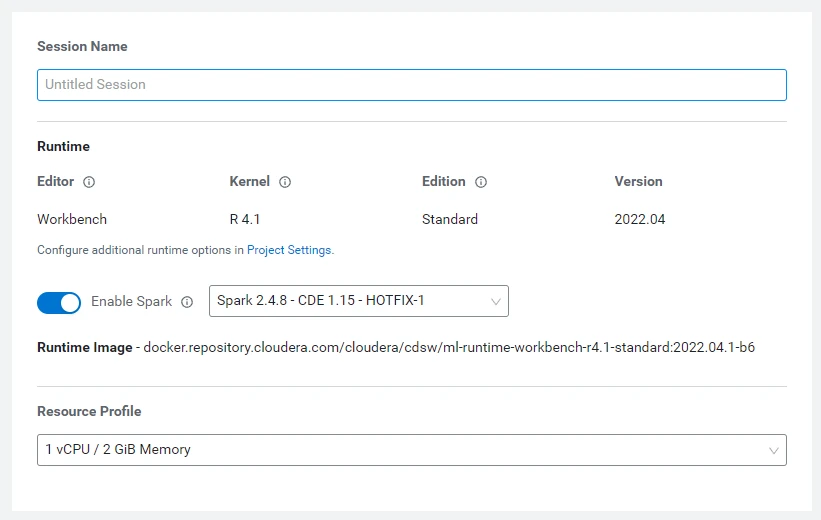
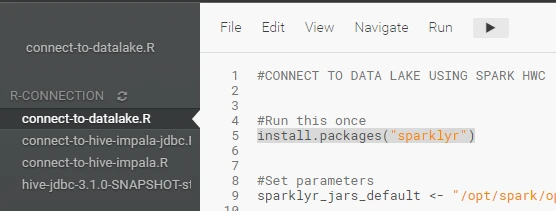
2. Open connect-to-datalake.R
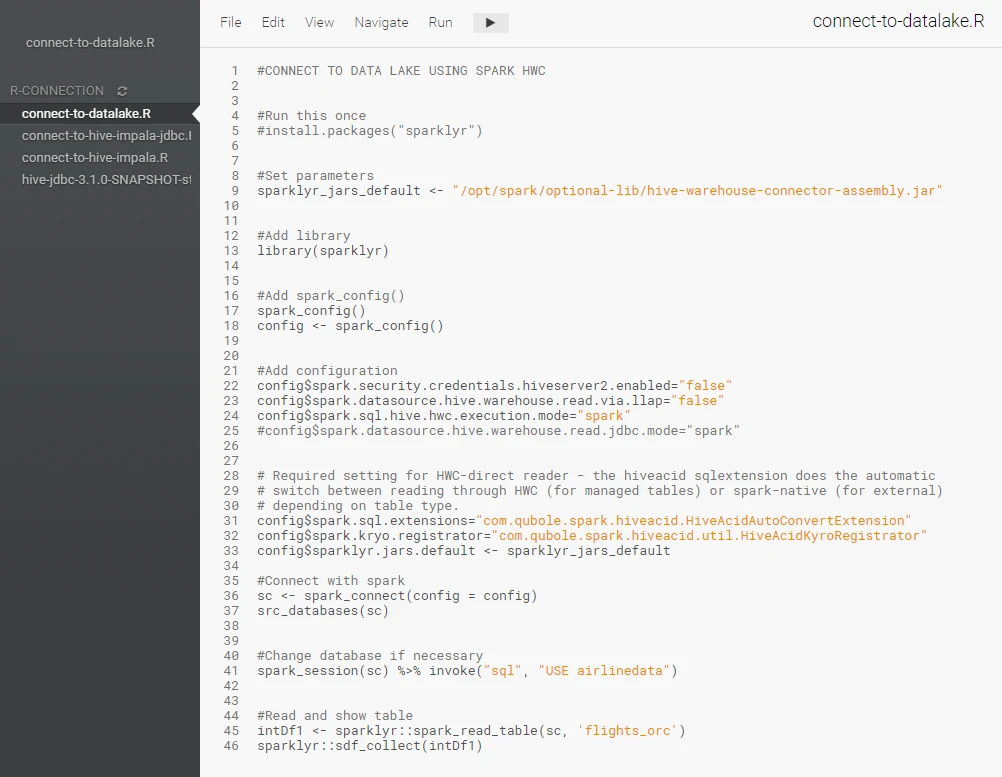
3. Install sparklyr (Code Line 5)
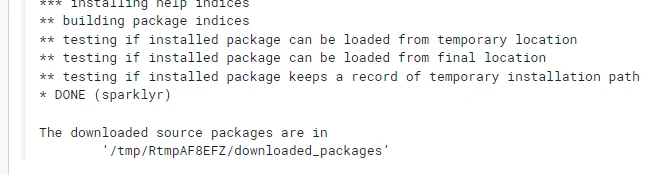
4. Wait until completed
5. Replace <samples> with your Database and Table names
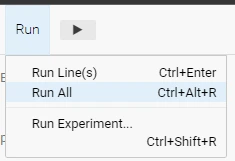
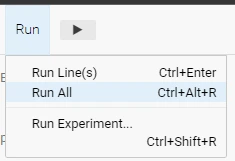
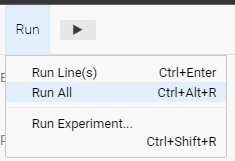
6. Run All
Connect to CDW/Hive/Impala using Spark HWC
1. Open new session with spark enabled
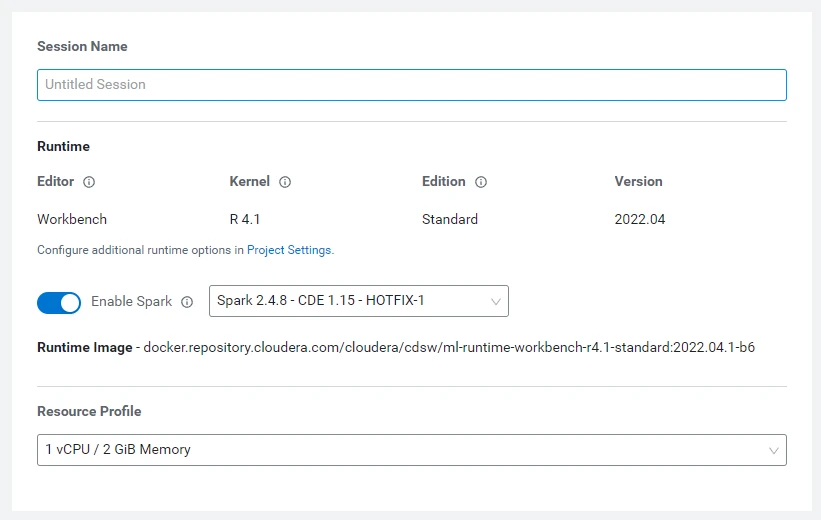
2. Open connect-to-hive-impala.R
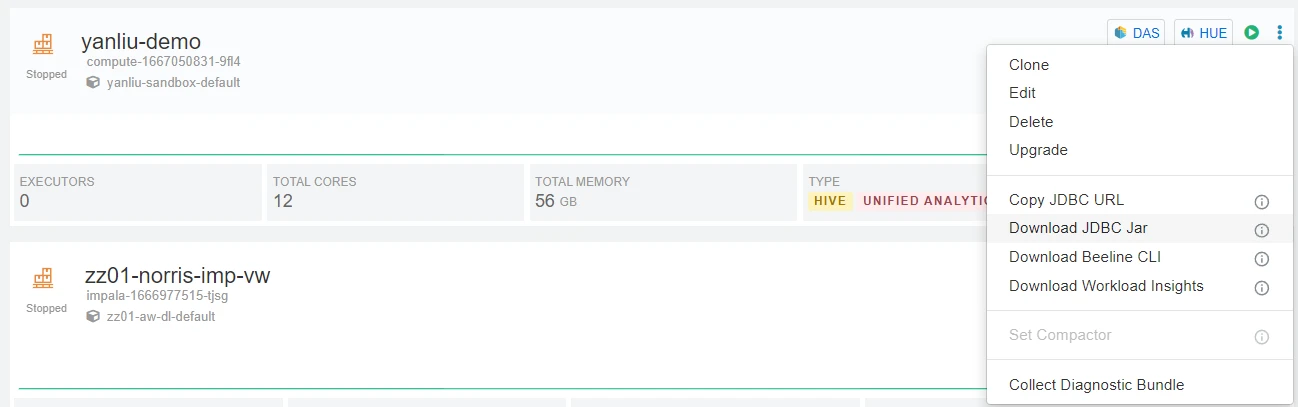
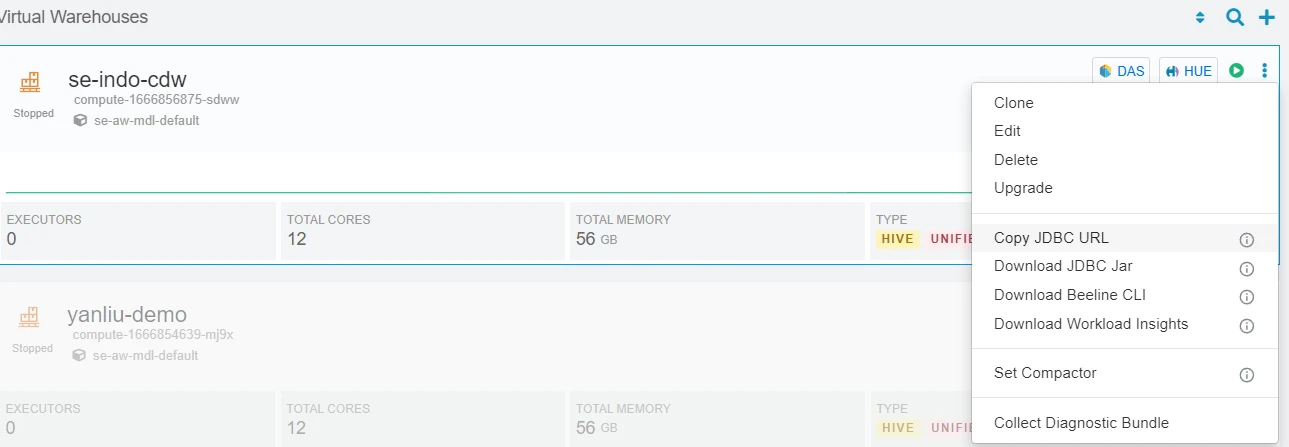
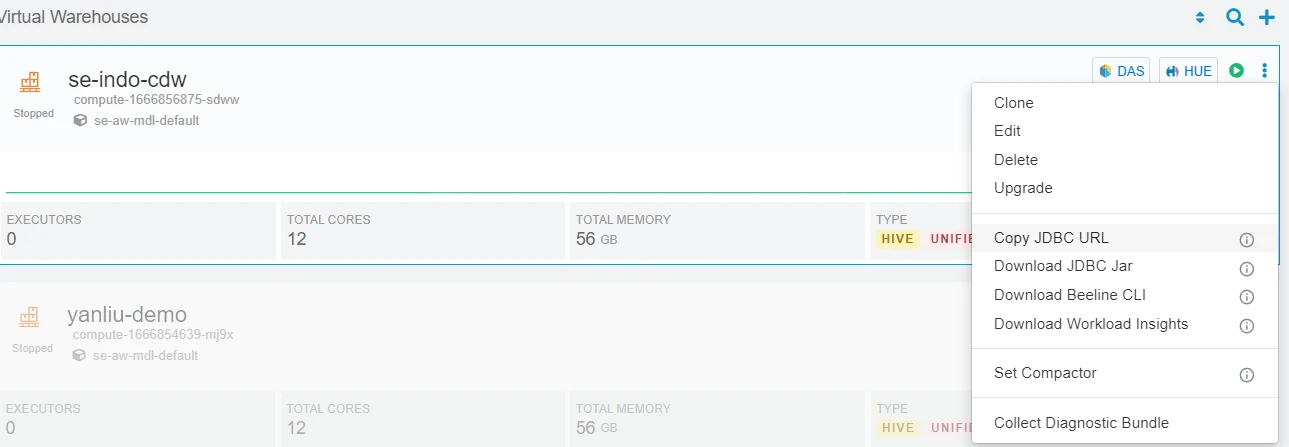
3. Get your JDBC URL from an existing CDW. Click on ⠇and choose Copy JDBC URL.
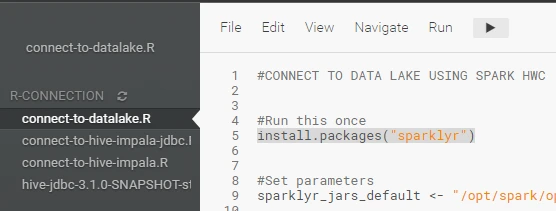
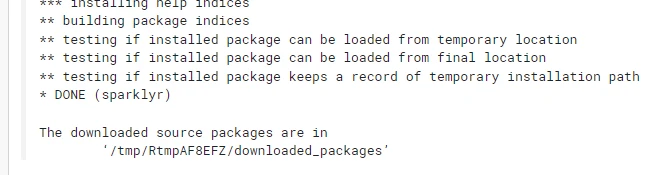
4. Install sparklyr (Code Line 5)
5. Wait until completed
6. Change below parameters to the URL you copied in step 4 as well as your workload username and password.

7. Change sample query

8. Run All
Connect to CDW/Hive/Impala using JDBC
1. Open new session with spark enabled
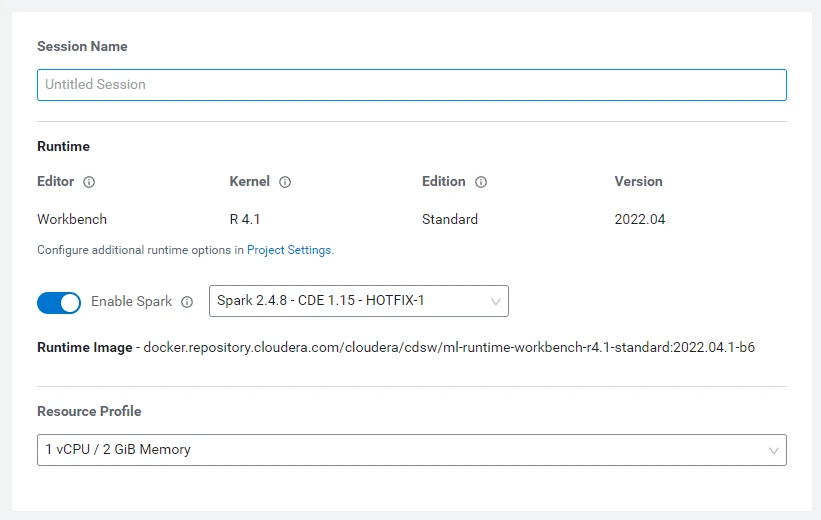
2. Open connect-to-hive-impala-jdbc.R
3. Get your JDBC URL from an existing CDW. Click on ⠇and choose Copy JDBC URL.
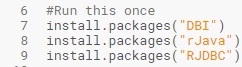
4. Install DBI, rJava, and RJDBC packages for R
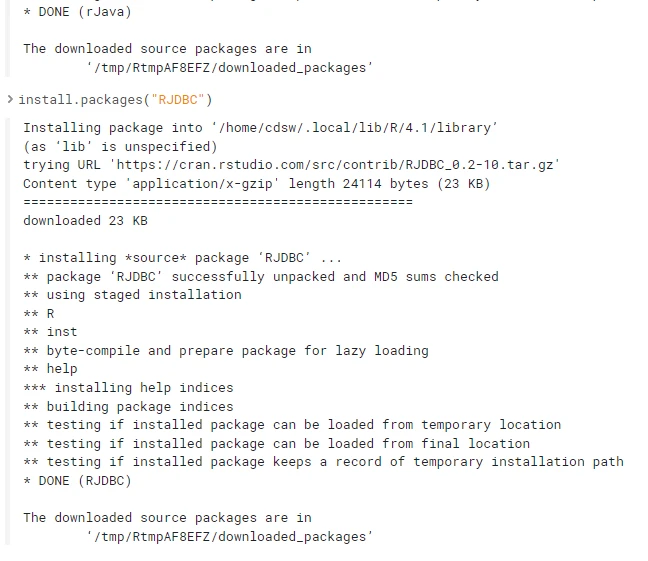
5. Wait until completed
6. Change below parameters. Note: you might need to change the JDBC driver file if you’re downloading newer driver from CDW
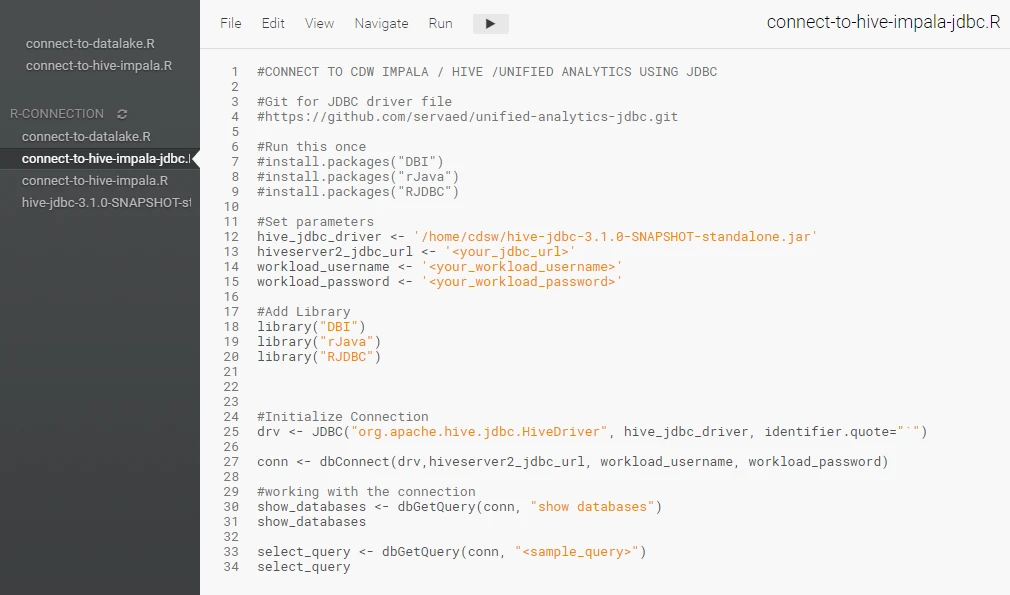
7. Change sample query

8. Run All
Conclusion
There are various ways that CML supports when accessing Data Lake with the R kernel. With many Data Scientists continuing to use R as their language of choice, I hope this article helps them to get started with CML quickly.

