

Connecting DbVisualizer and DataGrip to Hive with Kerberos enabled
Introduction
SQL development tools like DbVisualizer, SQuirreL SQL and DataGrip are popular options for database development. Although these tools don't offer native Hive support they can be easily configured to connect to Hive using JDBC. While connecting these tools to clusters without kerberos is relatively straightforward, the process of connecting them to kerberized clusters can be complex and error prone. This article, in combination with a project I created ( Hive JDBC Uber Jar), aim to simplify and standardize this process.
Prerequisites
There are a few key things that must be properly configured before attempting to connect to a kerberized cluster. A full description of these tasks is out of scope for this article, but at a high level, make sure that:
- You have downloaded the latest release of my Hive JDBC Uber Jar and placed it somewhere sensible
- DbVisualizer and/or DataGrip have been successfully installed on your workstation
- The
krb5.conffile on your workstation matches the one on your cluster - You have a valid kerberos principal that can access the appropriate services your cluster
- You can successfully
kinitfrom your workstation against the realm specified in yourkrb5.conffile
DbVisualizer Setup
-
kinitwith an appropriate principal and launch DbVisualizer -
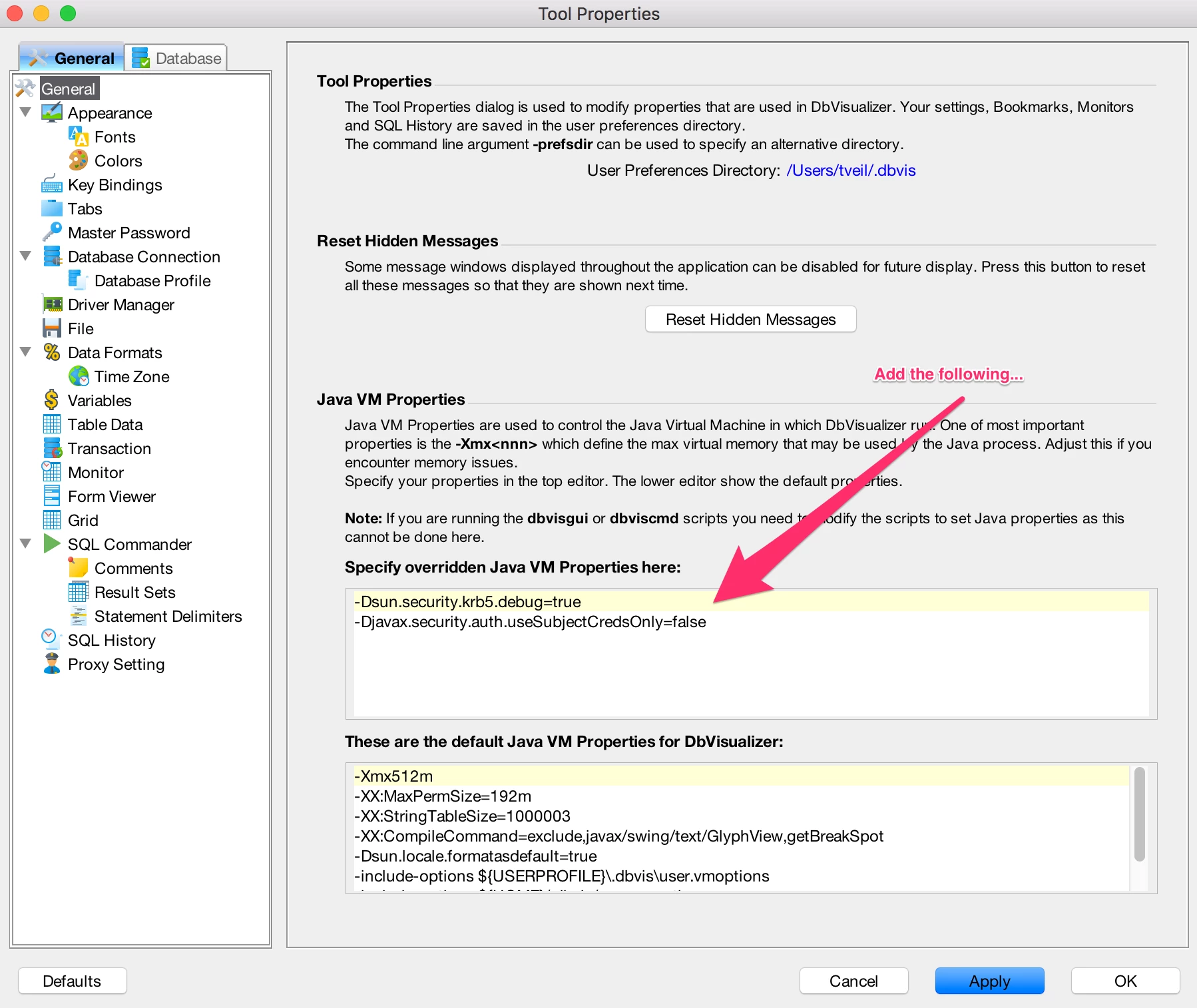
Open DbVisualizer preferences ("DbVisualizer" > "Preferences") and add the following properties. DbVisualizer will need to be restarted after applying these changes.
-Dsun.security.krb5.debug=true
-Djavax.security.auth.useSubjectCredsOnly=false
-
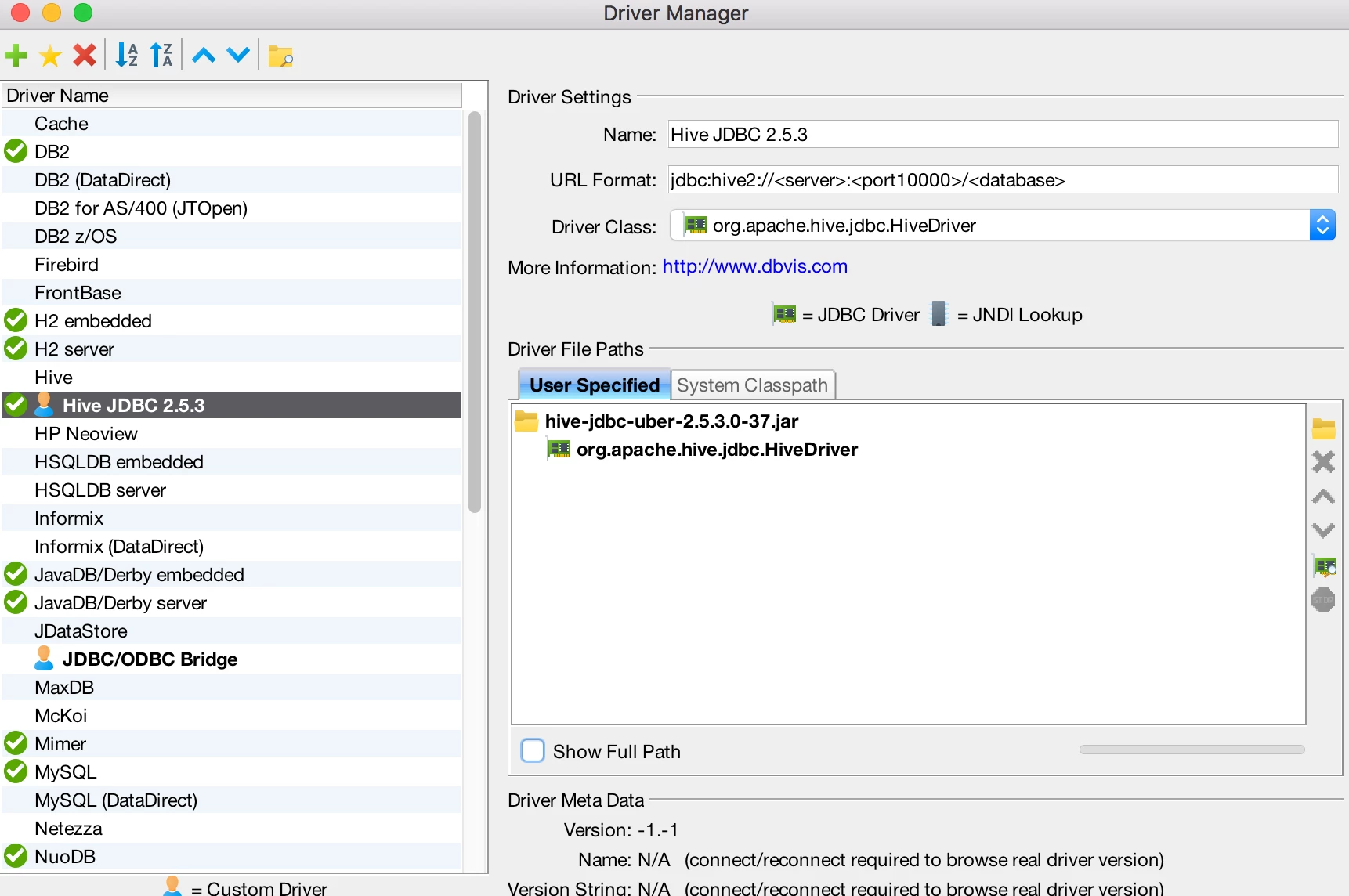
Open the Diver Manager dialog ("Tools" > "Driver Manager...") and hit the "Create a new driver" icon.
-
Fill in the information as seen below. For the "Driver File Paths" you are pointing to the
hive-jdbc-uber-x.jarthat you just downloaded.jdbc:hive2://<server>:<port10000>/<database>
-
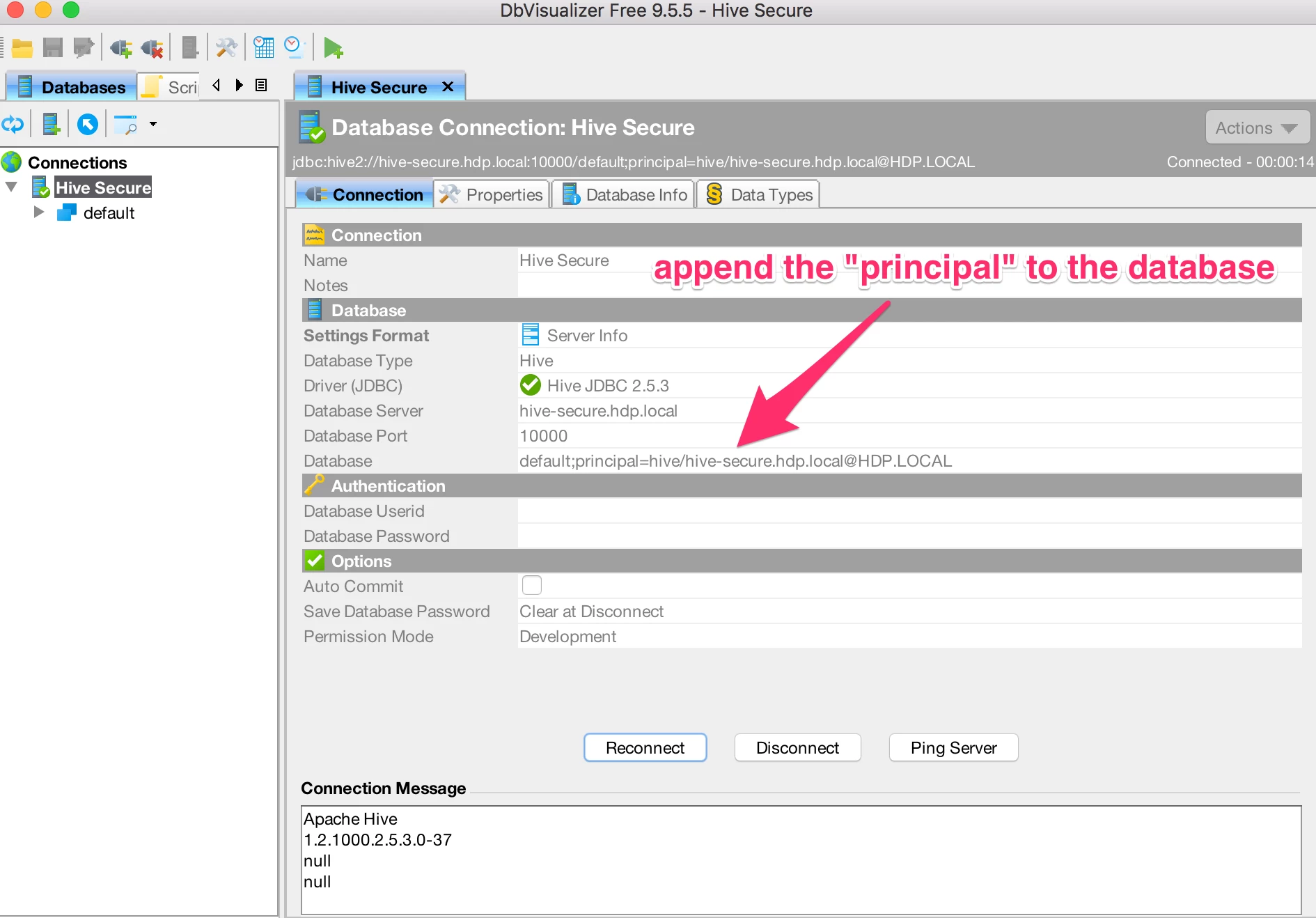
Create a new connection ("Database" > "Create Database Connection") and fill out the details based on your cluster as seen below. Please note that you must append the "principal" to the "database" parameter for kerberized connections.
- Hit the "Connect" button to test the connection. You should see something like the following in the "Connection Message" text area if the connection is successful.
Apache Hive
1.2.1000.2.5.3.0-37
null
null
- You are now ready to execute your first query against Hive using DbVisualizer!
JetBrains DataGrip Setup
-
kinitwith an appropriate principal and launch DataGrip -
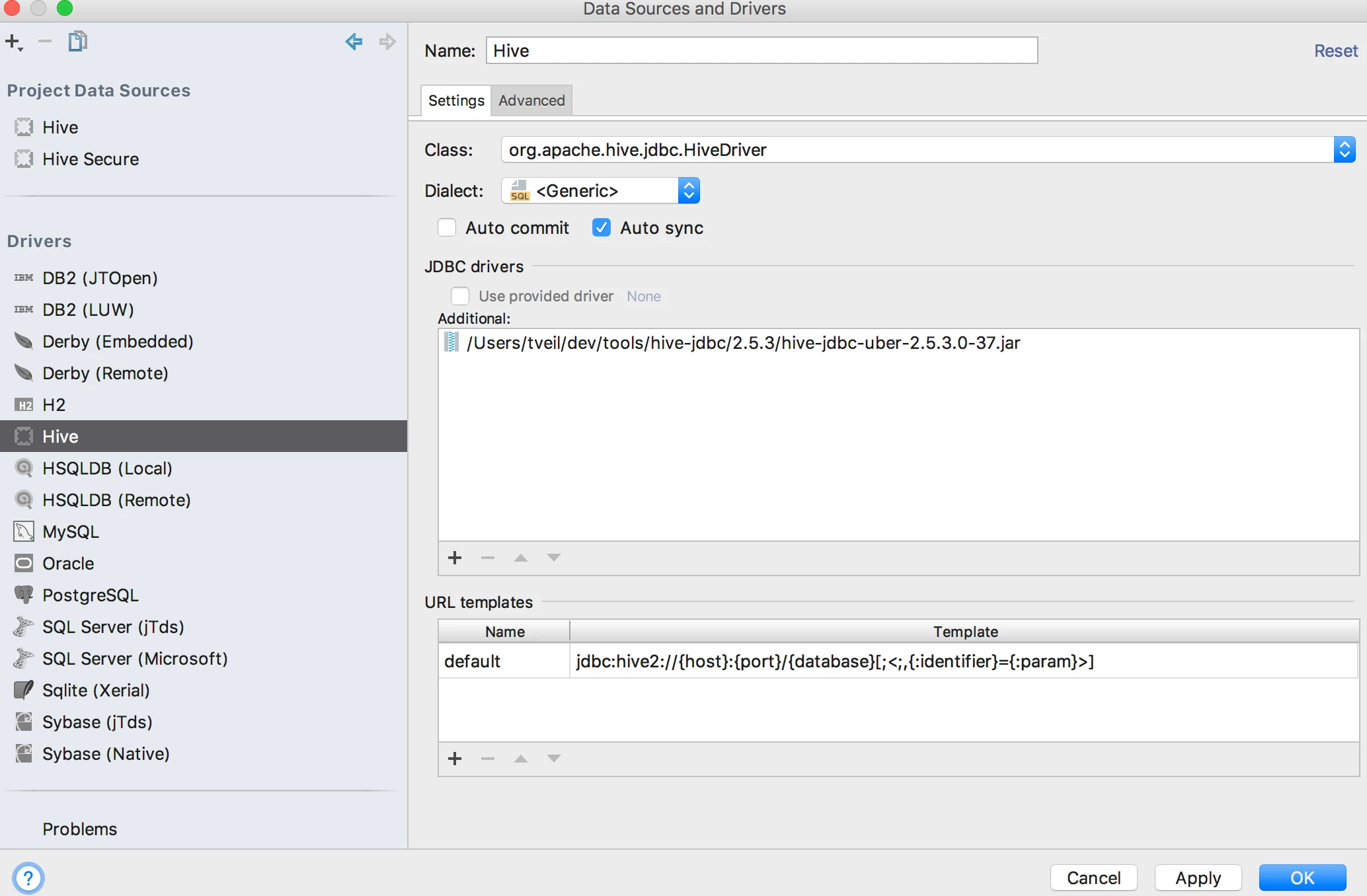
Under "File" > "Data Sources...", create a new Driver. Make sure you load the
hive-jdbc-uber-x.jarthat you just downloaded.jdbc:hive2://{host}:{port}/{database}[;<;,{:identifier}={:param}>]
-
Create a new "Project Data Source" using the new Driver. On the "General" tab, do the following:
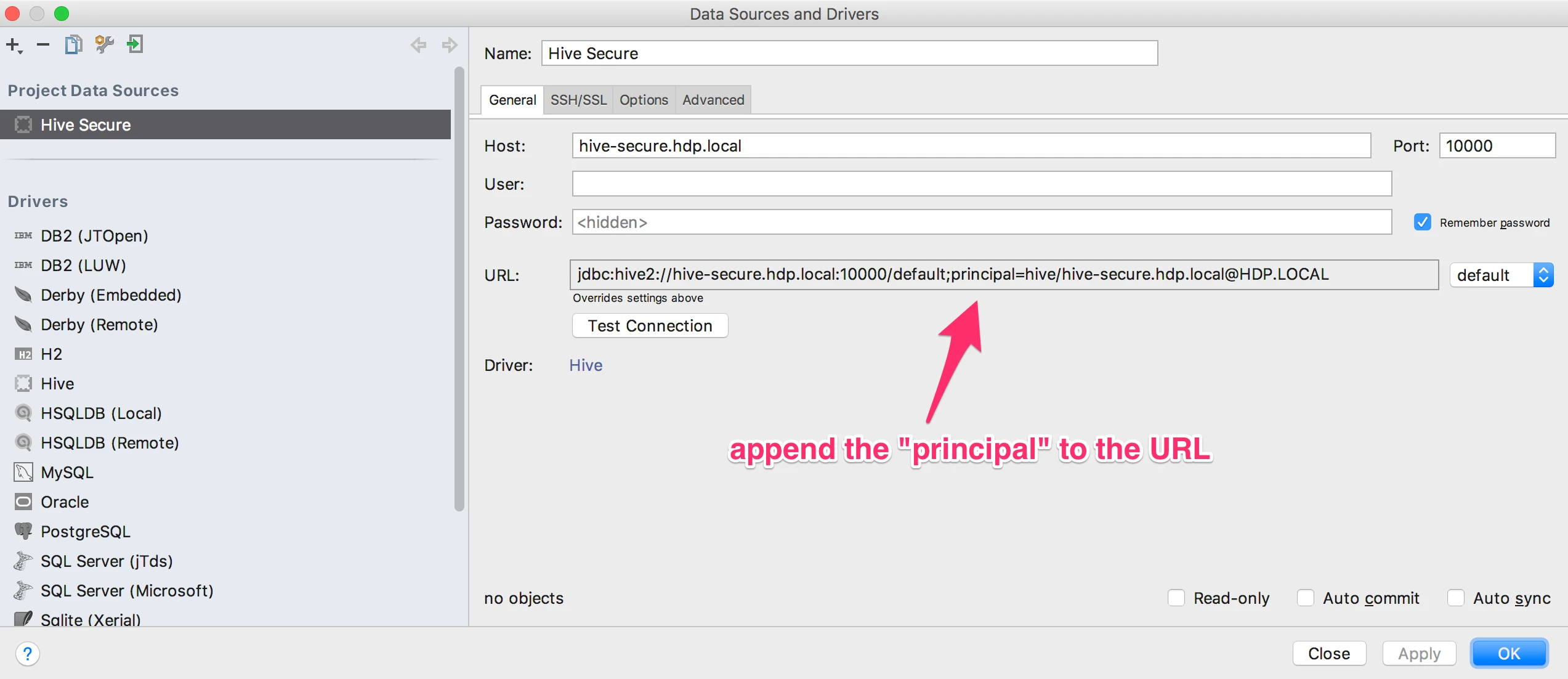
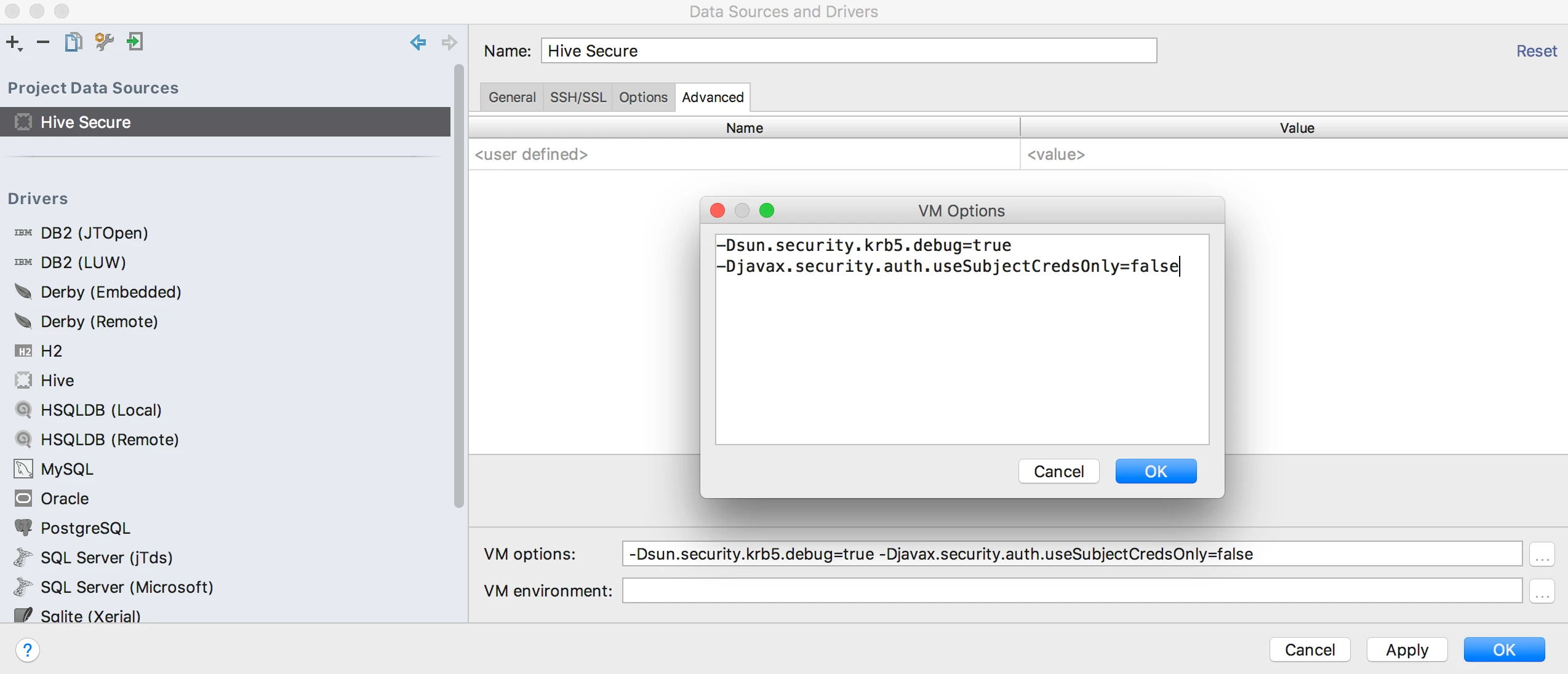
Then add the following flags to "VM Options" on the "Advanced" tab.
-Dsun.security.krb5.debug=true
-Djavax.security.auth.useSubjectCredsOnly=false
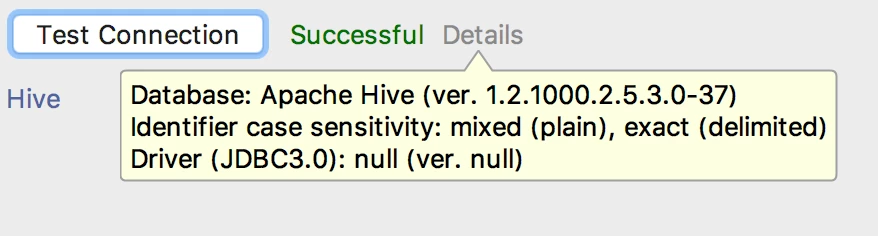
- After creating the "Project Data Source", test the connection. You should see the following:
- You are now ready to execute your first query against Hive using DataGrip!
A note about the Hive JDBC Uber Jar
When I first created this project the intent was to gather all required Hive dependencies into one single jar file to simplify scenarios like the one described here. This worked very well for connecting to non-kerberized clusters, but when I began to test against kerberized clusters I hit the following exception:
java.lang.RuntimeException: Illegal Hadoop Version: Unknown (expected A.B.* format)
   at org.apache.hadoop.hive.shims.ShimLoader.getMajorVersion(ShimLoader.java:168)
   at org.apache.hadoop.hive.shims.ShimLoader.loadShims(ShimLoader.java:143)
   at org.apache.hadoop.hive.shims.ShimLoader.getHadoopThriftAuthBridge(ShimLoader.java:129)
   at org.apache.hive.service.auth.KerberosSaslHelper.getKerberosTransport(KerberosSaslHelper.java:54)
   at org.apache.hive.jdbc.HiveConnection.createBinaryTransport(HiveConnection.java:414)
   at org.apache.hive.jdbc.HiveConnection.openTransport(HiveConnection.java:191)
   at org.apache.hive.jdbc.HiveConnection.<init>(HiveConnection.java:155)
   at org.apache.hive.jdbc.HiveDriver.connect(HiveDriver.java:105)
This exception is caused because a class named org.apache.hadoop.util.VersionInfo fails to find a file called *-version-info.properties when loaded by some tools. A number of articles on the web suggest resolving this "classpath" issue by copying jars into unnatural places or hacking tool startup scripts. Neither approach sat well with me. Instead, I enhanced the way org.apache.hadoop.util.VersionInfo locates the required properties file and included this updated version of the code in my jar. For more details, check out the README.

