


Create Phoenix Schemas in HDP 2.5
A often requested feature has popped up in HDP 2.5, Phoenix namespace mapping AKA Phoenix schemas. This feature allows creation of schemas and development within a schema work space. This guide will walk through steps to enable this feature and how to use it.
Use Case:
Create 2 schemea named "schema1" and "scheama2"
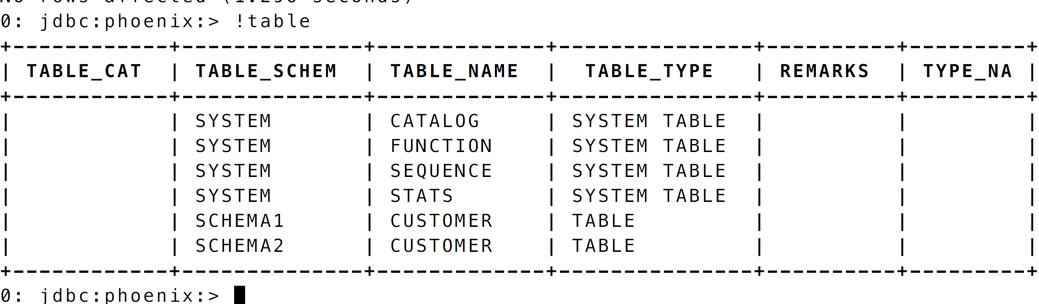
Within both schemas create table customer.
Create another schema named "schema3".
Drop schema "schema3"
Note - A schema can only be dropped if it is empty (does not host any tables).
1. Through Ambari go to HBase. Select Advanced tab
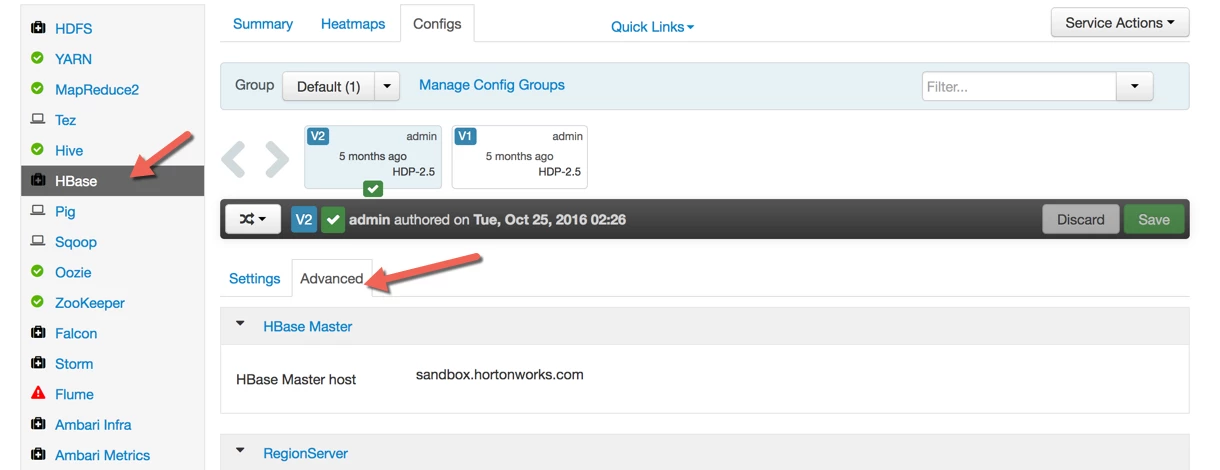
2. Add a parameter to hbase-site.xml. To do this go to "Custom hbase-site" and click on "Add Property"

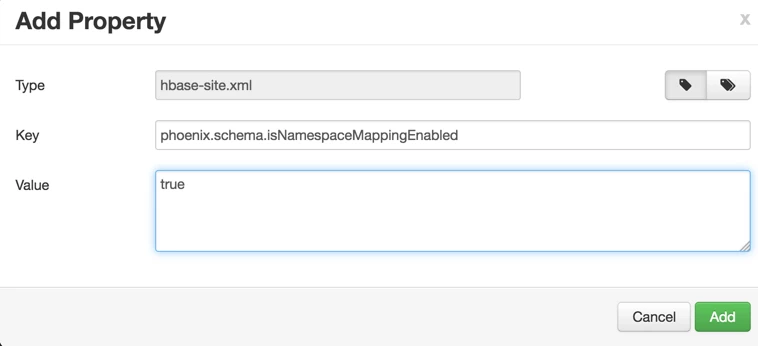
3. Add the property
Key: phoenix.schema.isNamespaceMappingEnabled
Value: true
Click on Add button. A restart hbase service will be required.
4. Test the functionality, use sqlline.py. It is located under
/usr/hdp/current/phoenix/bin
Note - I am using /usr/hdp/2.5.0.0-1245/phoenix/bin since I want to prove to the audience I am in fact using HDP 2.5.

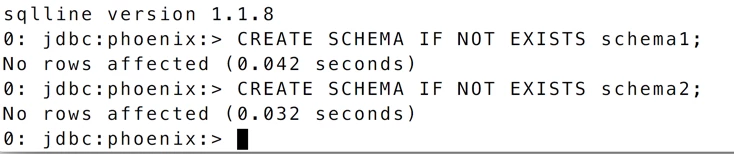
5. Create two schemeas named "schema1" and "schmea2"
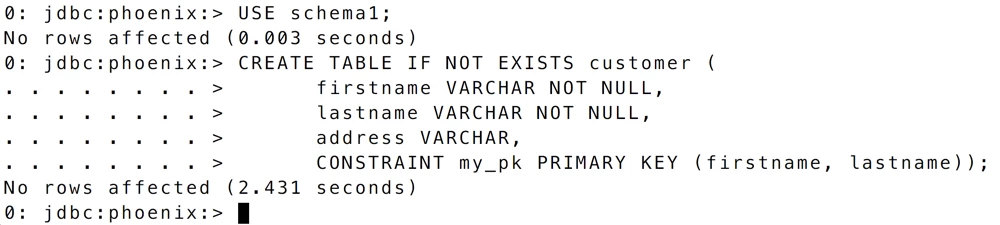
6. Set work space to use schema1 and create table customer
7. Set work space to use schema2 and create table customer

8. Run a !table to view all schemas and tables
9. Create a schema "schema3" and drop "schema3"

That's it! Simple and easy to use. Enjoy the new feature

