


Data flow enrichment with NiFi part 3: LookupRecord with MongoDB
Introduction
This is part 3 of a series of articles on Data Enrichment with NiFi:
- Part 1: Data flow enrichment with LookupRecord and SimpleKV Lookup Service is available here
- Part 2: Data flow enrichment with LookupAttribute and SimpleKV Lookup Service is available here
- Part 3: Data flow enrichment with LookupRecord and MongoDB Lookup Service is available here
Enrichment is a common use case when working on data ingestion or flow management. Enrichment is getting data from external source (database, file, API, etc) to add more details, context or information to data being ingested. In Part 1 and 2 of this series, I showed how to use LookupRecord and LookupAttribute to enrich the content/metadata of a flow file with a Simple Key Value Lookup Service. Using this lookup service helped us implement an enrichment scenario without deploying any external system. This is perfect for scenarios where reference data is not too big and don't evolve too much. However, managing entries in the SimpleKV Service can become cumbersome if our reference data is dynamic or large.
Fortunately, NiFi 1.4 introduced a new interesting Lookup Service with NIFI-4345 : MongoDBLookupService. This lookup service can be used in NiFi to enrich data by querying a MongoDB store in realtime. With this service, your reference data can live in a MongoDB and can be updated by external applications. In this article, I describe how we can use this new service to implement the use case described in part 1.
Scenario
We will be using the same retail scenario described in Part 1 of this series. However, our stores reference data will be hosted in a MongoDB rather than in the SimpleKV Lookup service of NiFi.
For this example, I'll be using a hosted MongoDB (BDaaS) on MLab. I created a database "bigdata" and added a collection "stores" in which I inserted 5 documents.
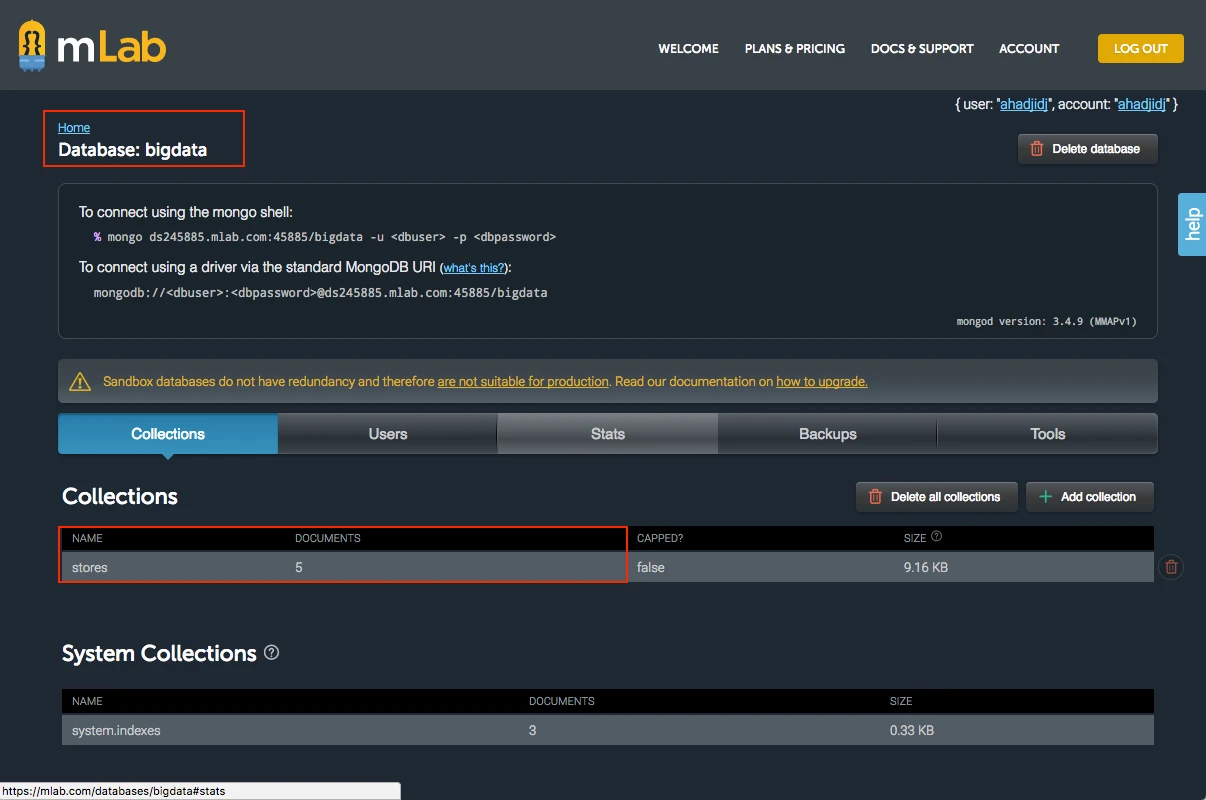
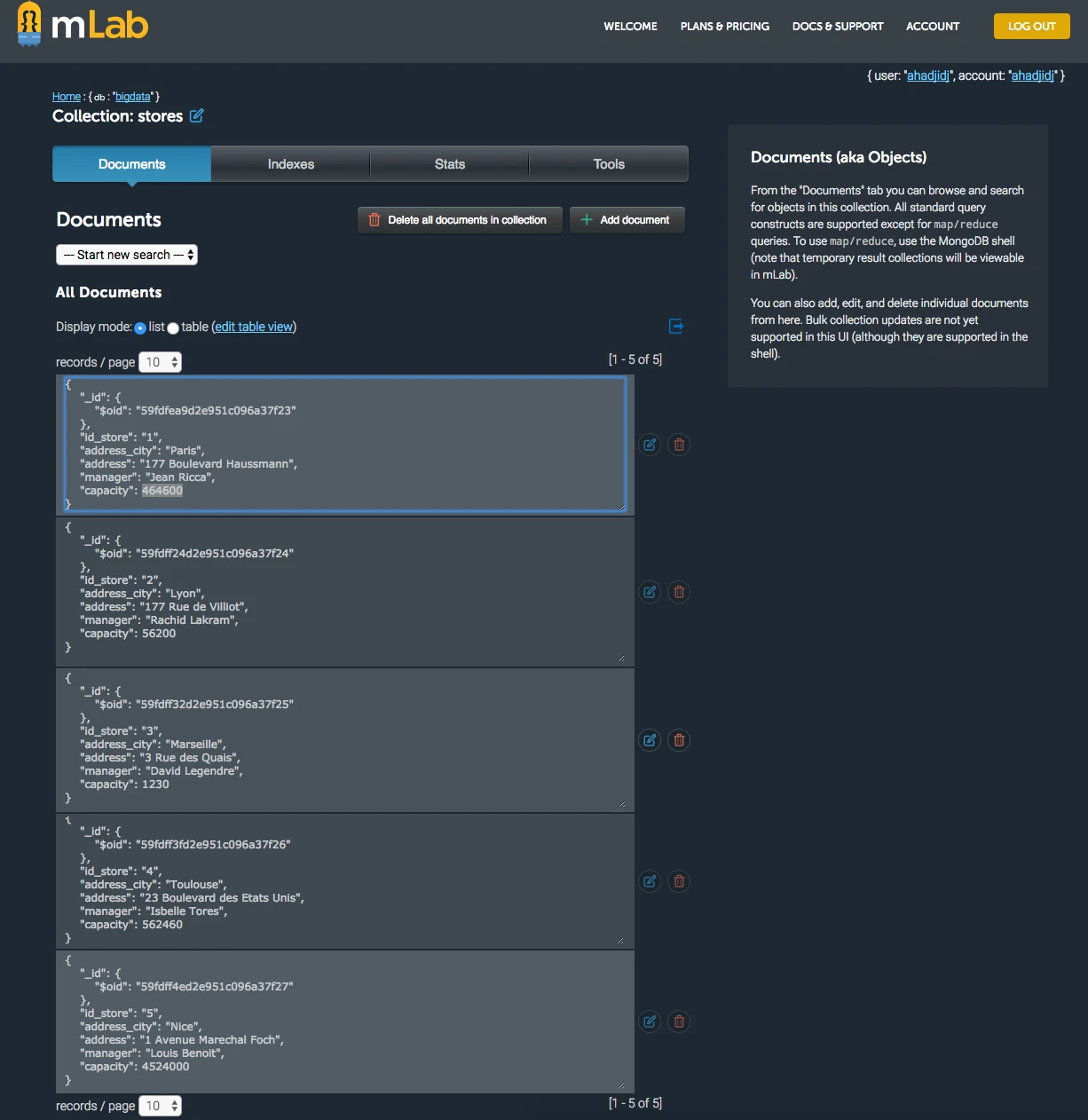
Each Mongo document contains information on a store as described below:
{
"id_store" : 1,
"address_city" : "Paris",
"address" : "177 Boulevard Haussmann, 75008 Paris",
"manager" : "Jean Ricca",
"capacity" : 464600
}
The complete database looks like this:
Implementation
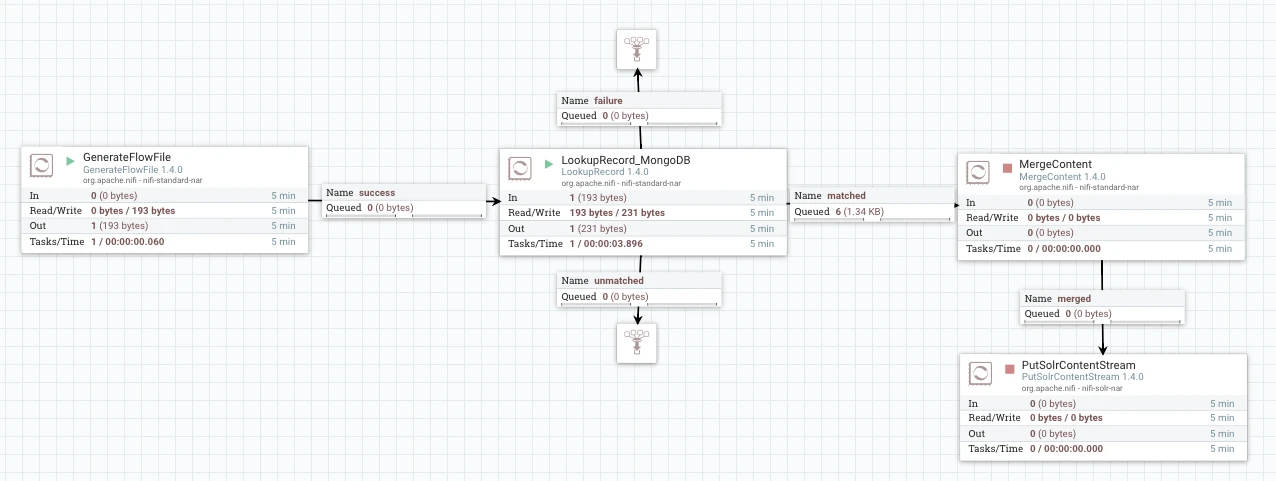
We will be using the exact same flow and processors used in part 1. The only difference is using a MongoDBLookupService instead of SimpleKVLookupService with Lookup record. The configuration of the LookupRecord processor looks like this:
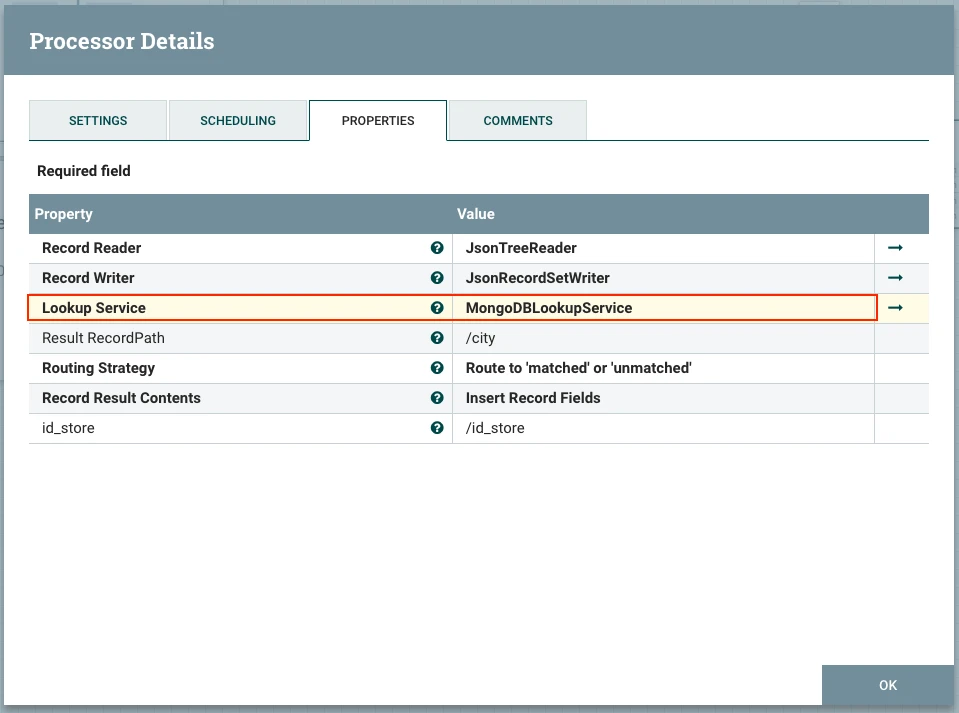
Now let's see how to configure this service to query my MongoDB and get the city of each store. As you can see, I'll query MongoDB by the id_store that I read from each flow file.
Data enrichment
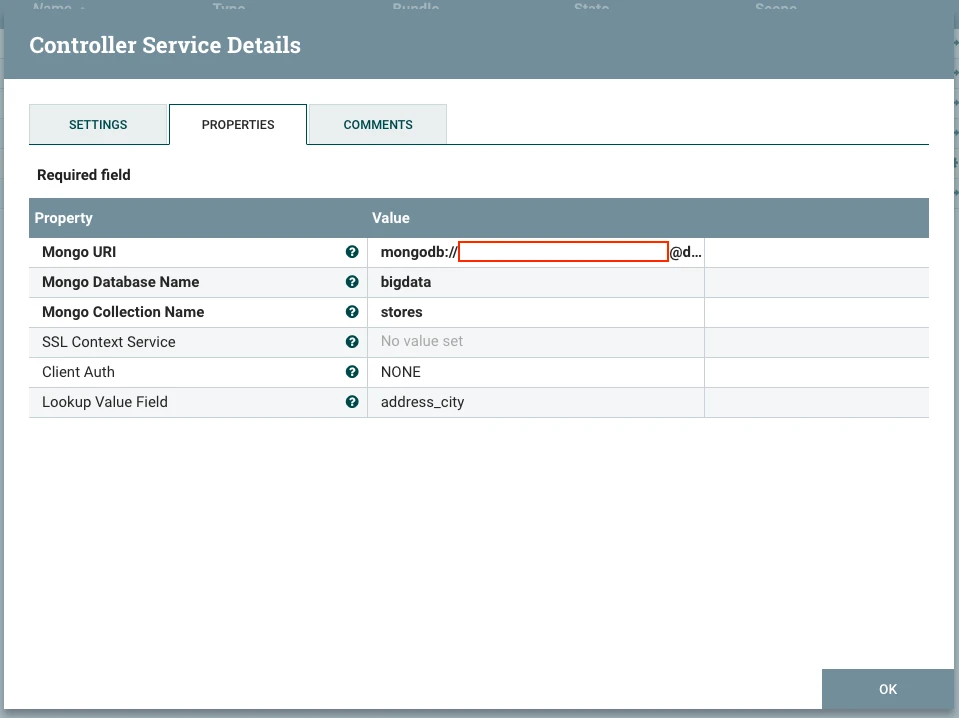
If not already done, add a MongoDBLookupService and configure it as follows:
- Mongo URI: the URI used to access your MongoDB database in the format mongodb://user:password@hostname:port
- Mongo Database Name : the name of your database. It's bigdata in my case
- Mongo Collection Name : the name of the collection to query for enrichment. It's stores in my case
- SSL Context Service and Client Auth : use your preferred security options
- Lookup Value Field : the name of the field you want the lookup service to return. For me, it's address_city since I am looking to enrich my events with the city of each store. If you don't specify which field you want, the whole Mongo document is returned. This is useful if you want to enrich your flow with several attributes.
Results
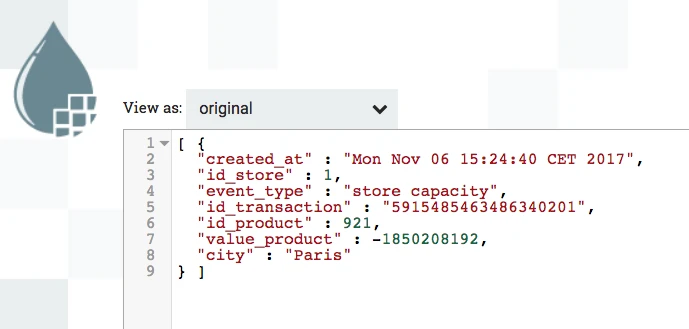
To verify that our enrichment is working, let's see the content of flow files using the data provenance feature in our global flow.
As you can see, the attribute city has been added to the content of my flow file. The city Paris has been added to Store 1 which correspond to my data in MongoDB. What happened here is that the lookup up service extracted the id_store which is 1 from my flow file, generated a query to mongo to get the address_city field of the store having id_store 1, and added the result into the field city in my new generated flow files. Note that if the query has returned several results from Mongo, only the first document is used.
By setting an empty Lookup Value Field, I can retrieve the complete document corresponding to the query { "id_store" : "1" }

Conclusion
Lookup services in NiFi is a powerful feature for data enrichment in realtime. Using Simple Key/Value lookup service is straightforward for non-dynamic scenarios. In addition, it doesn't require external data source. For more complex scenarios, NiFi started supporting lookup from external data source such as MongoDB (available in NiFi 1.4) and HBase (NIFI-4346 available in NiFi 1.5).

