
Decommission and Reconfigure Data Node Disks
Background
Customer attached bigger disks to expand the data node storage. If one disk physical fail, can also use this solution.
Step by Step
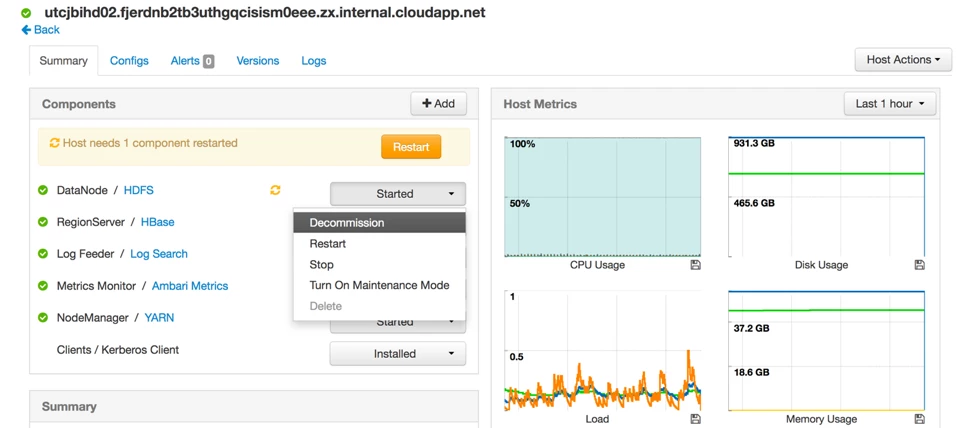
- Decommission HDFS DataNode component on the host
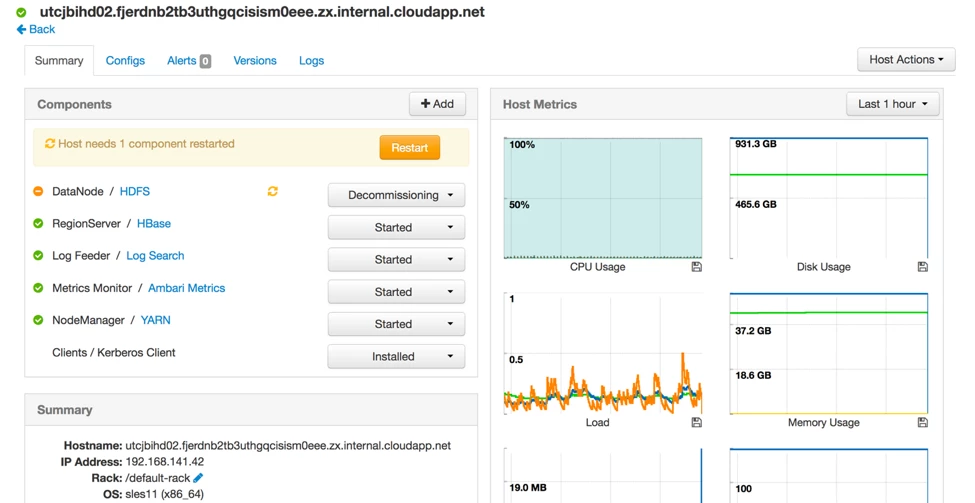
- It takes hours to finish, depends on your existing data size
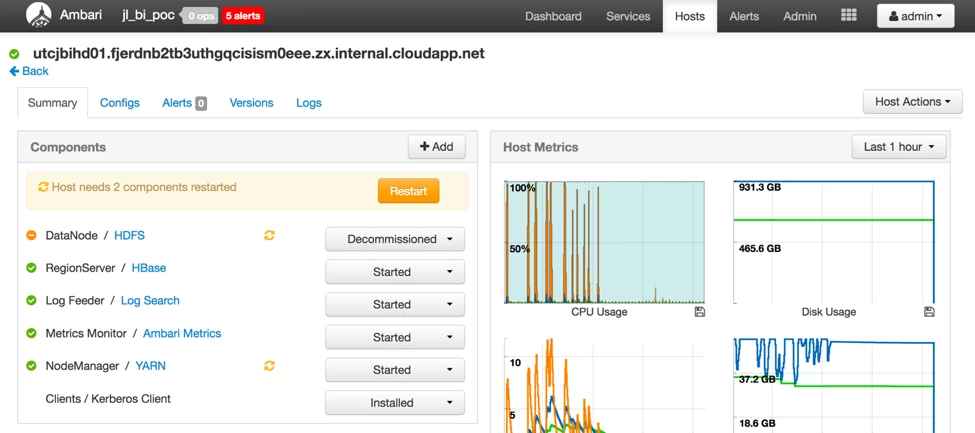
- DataNode is decommissioned
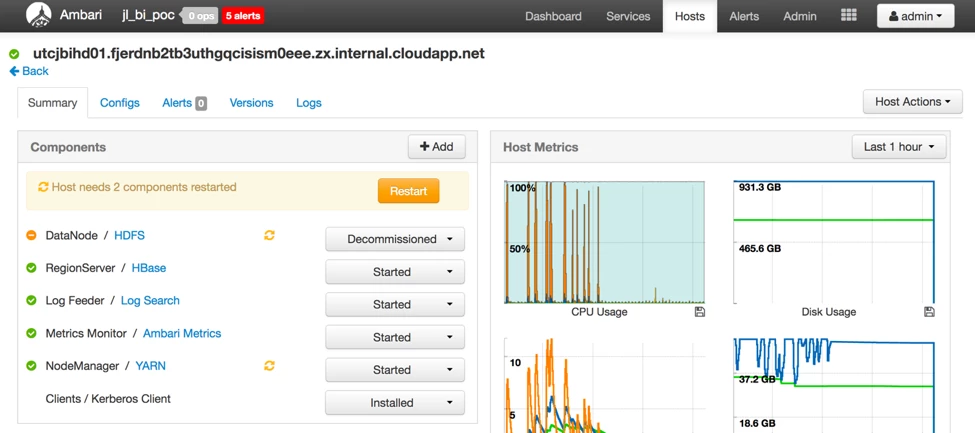
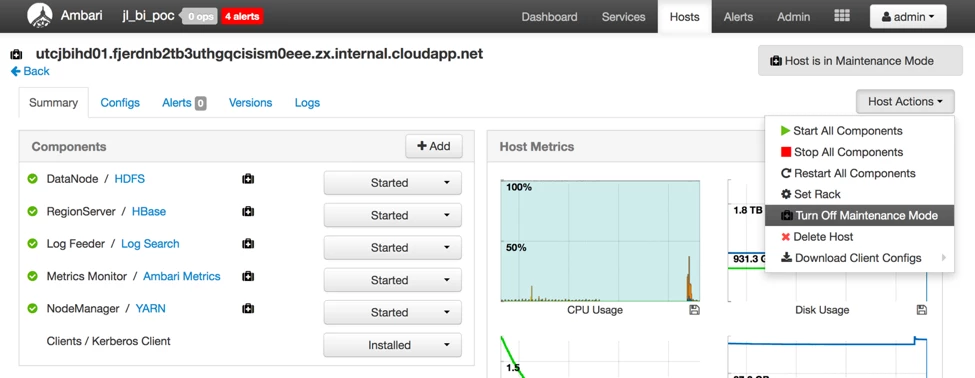
- Turn the host in maintenance
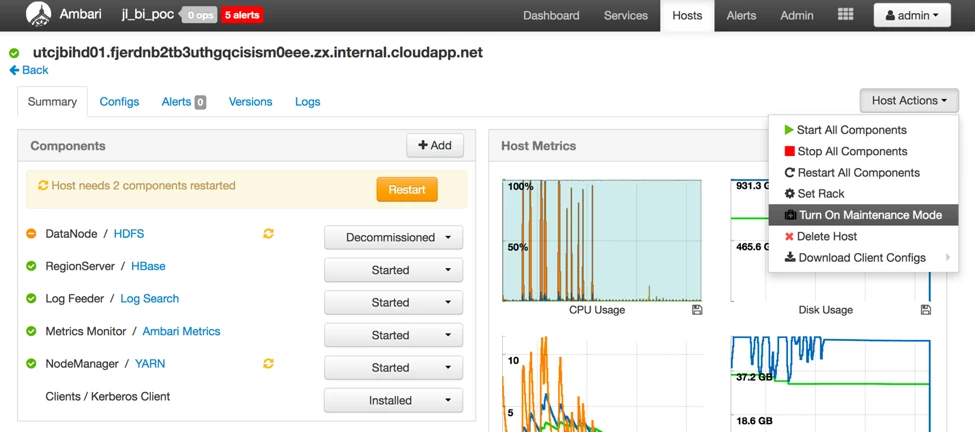
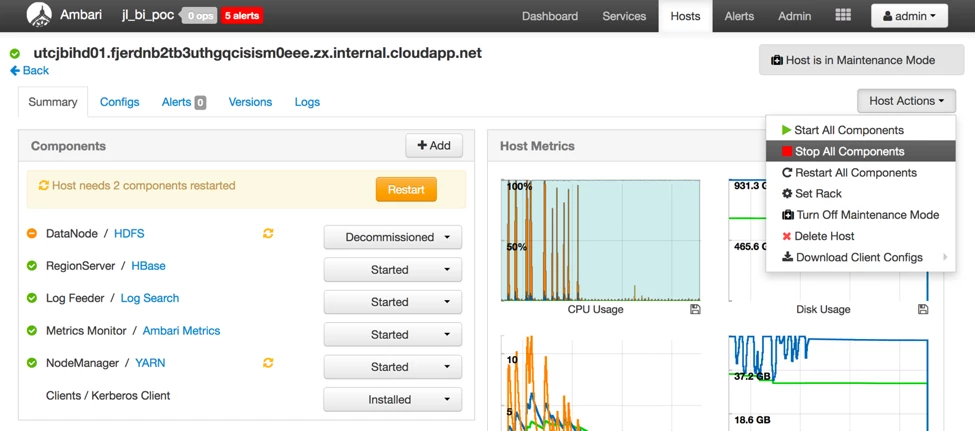
- Stop all components on the host
- Change linux /etc/fstab mount new disks to existing mount points. If possible use uuid rather than disk device. uuid is much stable especially in cloud environment.
- Manually create the yarn log and local folders in the mount points. Because we don't reprovision the host, yarn won't create create these dirs in your configure, but try to reuse them.
# for disk in /hadoop/disk-sd{d..j}/Hadoop
> do
> mkdir ${disk}/yarn/log && chown yarn:hadoop ${disk}/yarn/log
> mkdir ${disk}/yarn/local && chown yarn:hadoop ${disk}/yarn/local
> done
- After change Linux disk mount configuration, start all components on the host
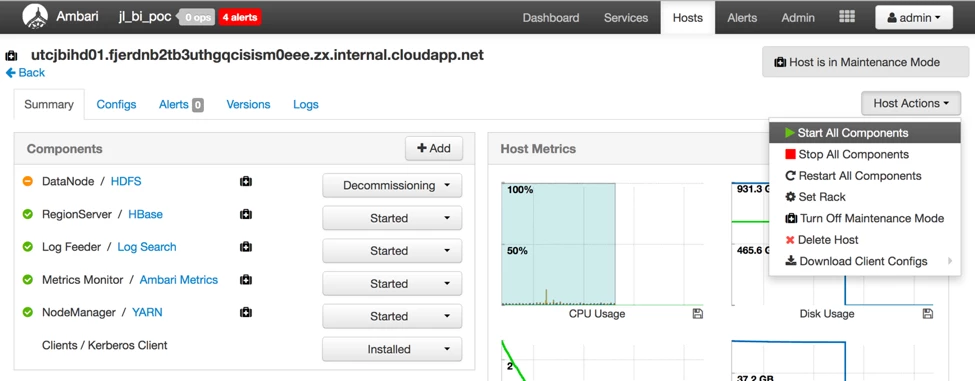
- Recommission DateNode
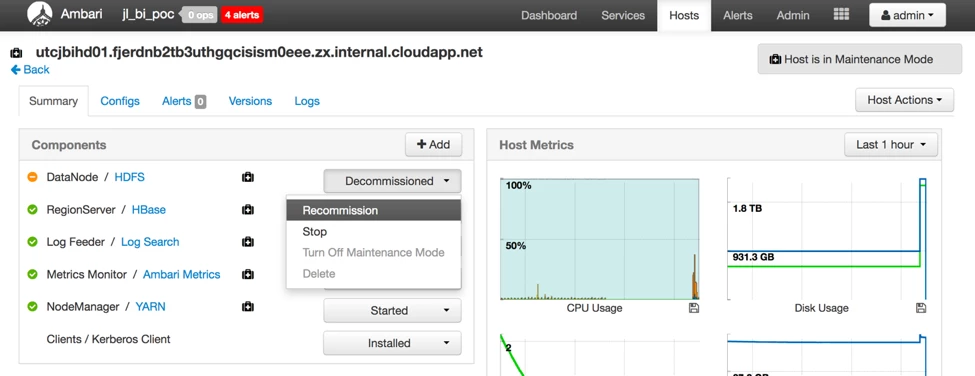
- Turn off maintenance
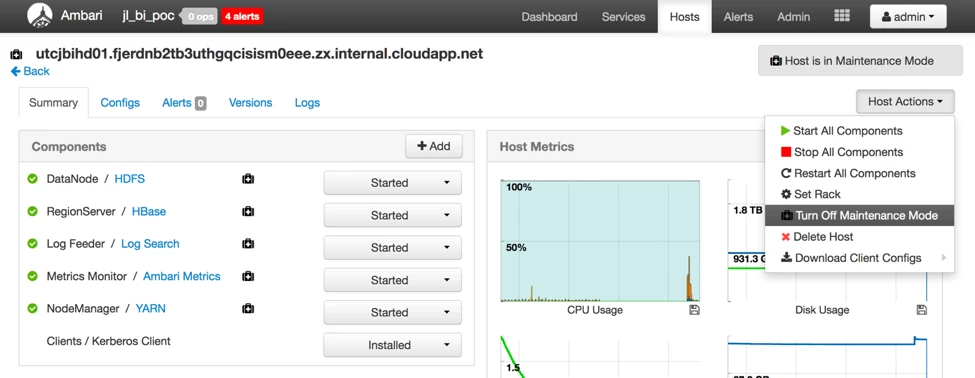
- Check hdfs blocks
$ hdfs fsck / | egrep -v '^\.+$' | grep -v eplica

FSCK started by hdfs (auth:KERBEROS_SSL) from /192.168.141.39 for path / at Tue Nov 29 10:42:34 UTC 20161.............................................................................................Status:
HEALTHY Total size:  769817156313
B (Total open files size: 75189484 B) Total dirs:  4934 Total files:  23693 Total symlinks:  0 (Files currently being written: 30) Total blocks (validated):  27536 (avg. block size 27956753 B) (Total
open file blocks (not validated): 24) Corrupt blocks:  0 Number of data-nodes:  7 Number of racks:  1FSCK ended at Tue Nov 29
10:42:34 UTC 2016 in 433 millisecondsThe filesystem under path
'/' is HEALTHY