


Enable JMX metrics on hadoop using jmxterm
To start pulling jmx metrics from hadoop you need to first enable it via jvm parameters. Go to ambari-->Yarn-->config-->yarn-env
Enable jmx by adding the following params to YARN_RESOURCEMANAGER_OPTS
"-Dcom.sun.management.jmxremote -Dcom.sun.management.jmxremote.authenticate=false -Dcom.sun.management.jmxremote.ssl=false -Dcom.sun.management.jmxremote.port=8001"
Set the port to whatever port is available on your cluster
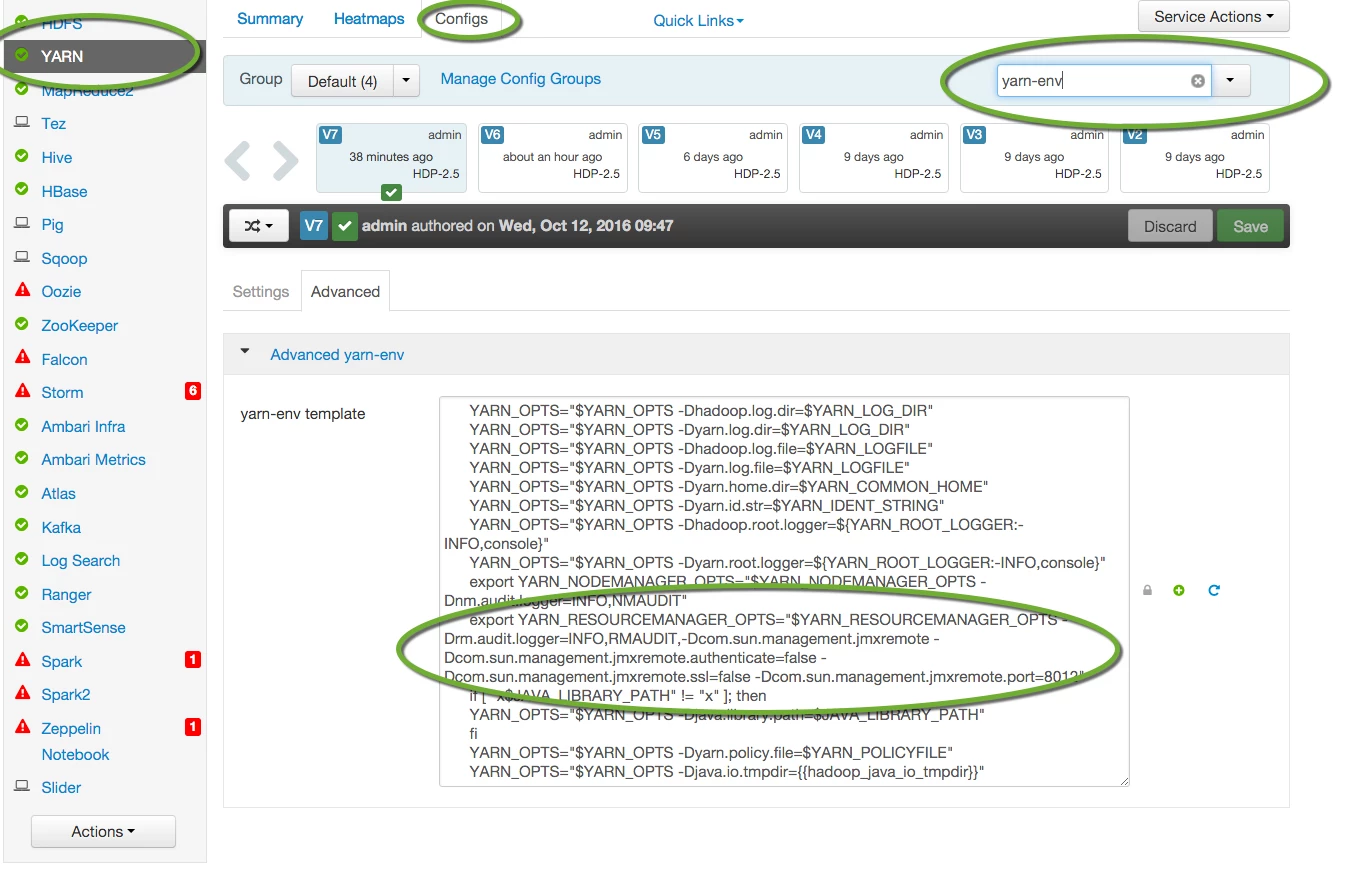
Save the new config. This will require restart of yarn.
Now you have jmx enabled but you need to client to start pulling jmx metrics. Go to your data node and and download (from here http://wiki.cyclopsgroup.org/jmxterm/download.html) the latest jxmterm-xxx-xxx-uber.jar. For this article I use jmxterm-1.0-alpha-4-uber.jar
Once you have the jmxterm client downloaded lets connect to jxm using
java -jar jmxterm-1.0-alpha-4-uber.jar -l service:jmx:rmi:///jndi/rmi://localhost:<YOURPORT>/jmxrmi
In this example I am set port to 8012.
java -jar jmxterm-1.0-alpha-4-uber.jar -l service:jmx:rmi:///jndi/rmi://localhost:8012/jmxrmi

Now I am connected to jxm. Lets look at all the beans available by issuing beans commands
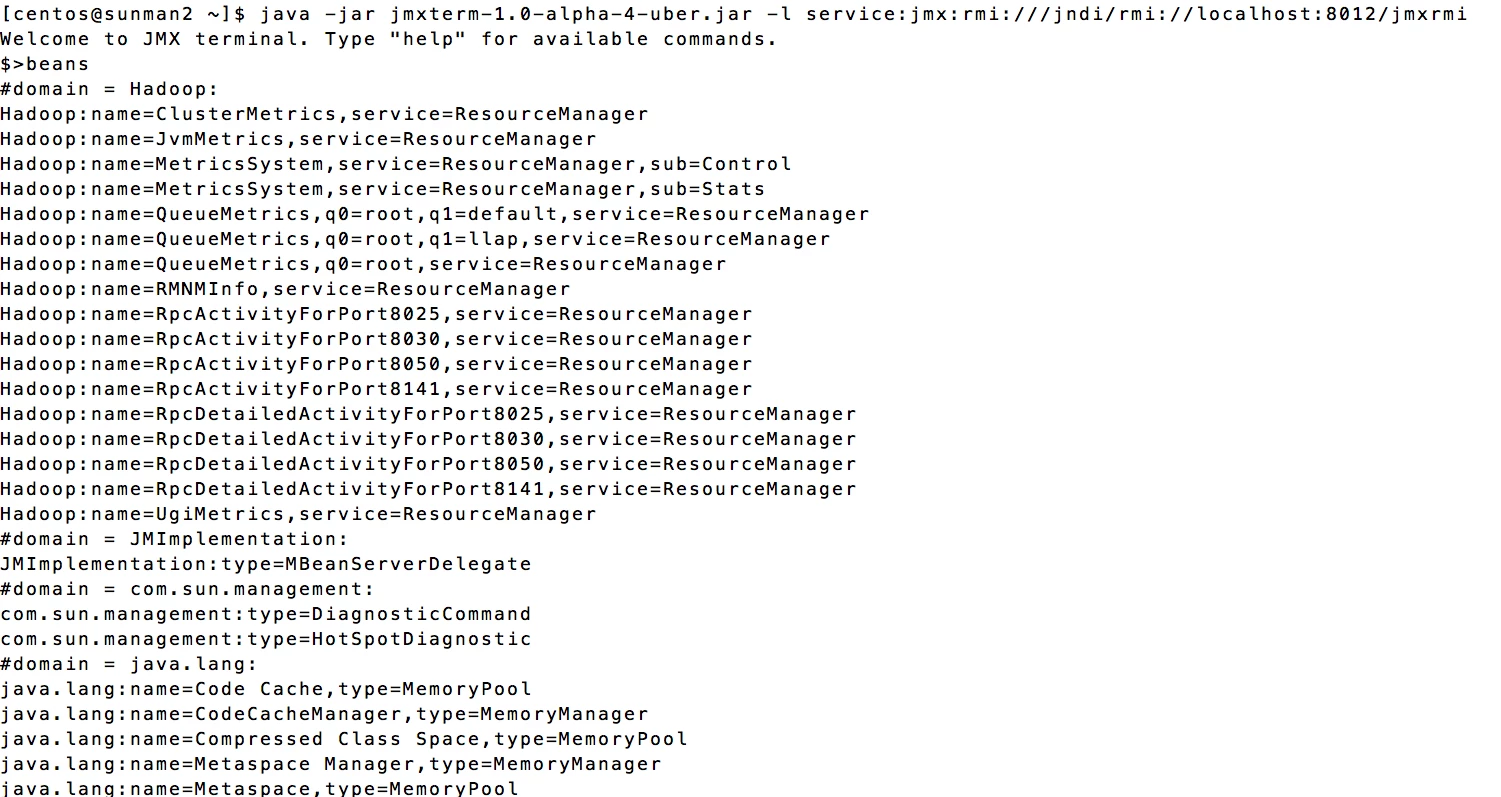
Well now I see all the beans available to pull metrics from. Lets say I want to pull metrics about resourcemanager cluster metrics. That is bean Hadoop:name=ClusterMetrics,service=ResourceManager. Lets find all the attributes available for that beans by issuing info -b Hadoop:name=ClusterMetrics,service=ResourceManager
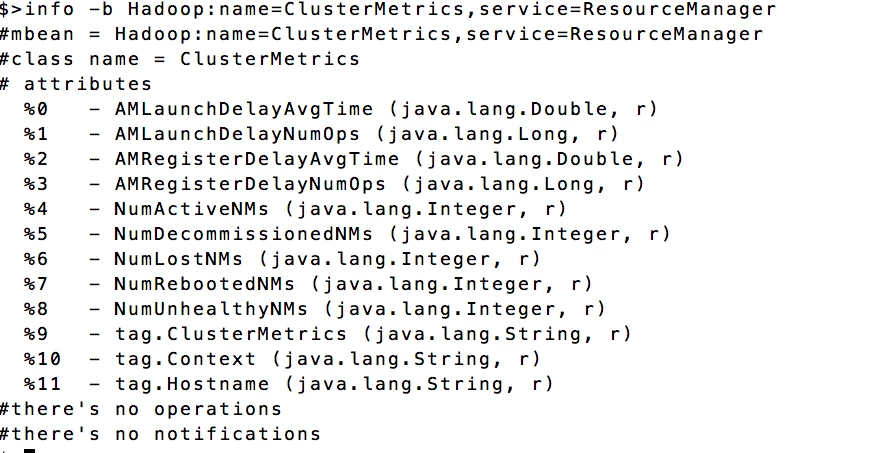
All the attributes are shown and notice there is a notification attribute. You can use this for notification into your enterprise operational system. To pull metrics for a specific attribute within a bean use
get -b bean_name attribute
For this example I want to know number of active Node Managers which is attribute NumActiveNMs.
get -b Hadoop:name=ClusterMetrics,service=ResourceManager NumActiveNMs

So there are 4 active node managers. I want to know how many node managers are down. That is attribute NumLostNMs
get -b Hadoop:name=ClusterMetrics,service=ResourceManager NumLostNMs

Returns 0 meaning all my node managers are available.
Hope this helps you get started on interacting with JMX.

