Enabling JMX monitoring for HiveServer2
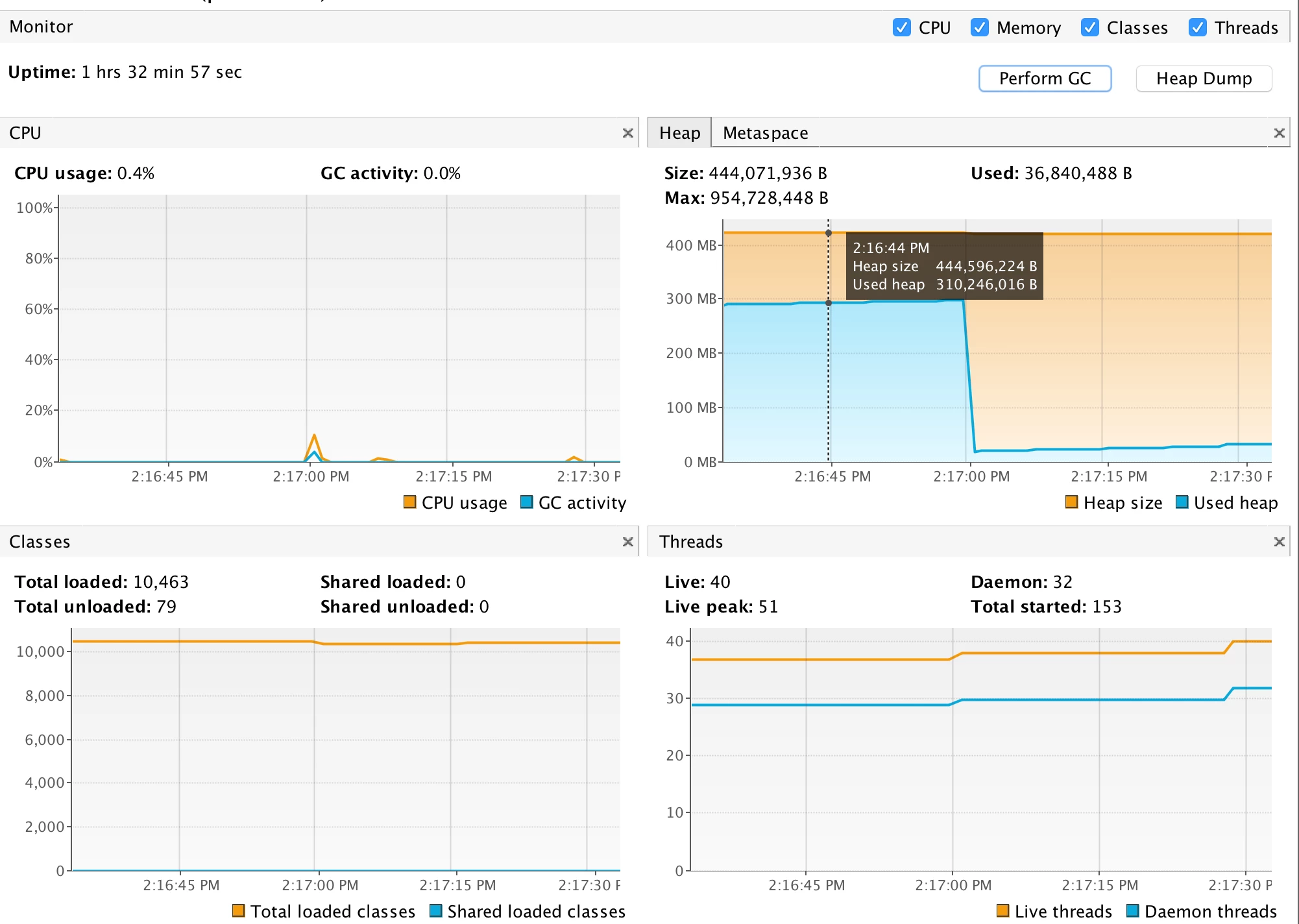
HiveServer2 does not expose jmx or equivalent metrics but often we require to monitor the Hiveserver2 process to know cpu usage, heap usage and state of various thread along with some other params like no of class loaded by hs2 jvm. it is also very useful if you want to run some cpu/memory sampling to profile hiveserver2.
Step 1: login into Ambari and open hive advanced configuration
Step 2: expand advanced hive-env settings and add the following configuration in hive-env template
if [ "$SERVICE" = "hiveserver2" ]; then
  export HADOOP_CLIENT_OPTS="$HADOOP_CLIENT_OPTS  -Dcom.sun.management.jmxremote -Dcom.sun.management.jmxremote.authenticate=false -Dcom.sun.management.jmxremote.ssl=false -Dcom.sun.management.jmxremote.port=8008"
fi
Step 3: Restart HiveServer2
Step 4: on client machine open jvisualvm($JAVA_HOME/bin), once open go to File -> Add JMX Connection -> enter hostname and port no(it's 8008 in this case) and you are good to go.