
Enriching Telemetry Events in Apache Metron.
In previous article of the sereies, Adding a New Telemetry Data Source to Apache Metron, we walked through how to add a new data source squid to Apache Metron. The inevitable next question is how I can enrich the telemetry events in real-time as it flows through the platform. Enrichment is critical when identifying threats or as we like to call it "finding the needle in the haystack". The customers requirement are the following
- The proxy events from Squid logs needs to ingested in real-time.
- The proxy logs has to be parsed into a standardized JSON structure that Metron can understand.
- In real-time, the squid proxy event needs to be enriched so that the domain named are enriched with the IP information
- In real-time, the IP with in the proxy event must be checked against for threat intel feeds.
- If there is a threat intel hit, an alert needs to be raised
- The end user must be able to see the new telemetry events and the alerts from the new data source.
- All of this requirements will need to be implemented easily without writing any new java code.
In this article, we will walk you through how to do 3.
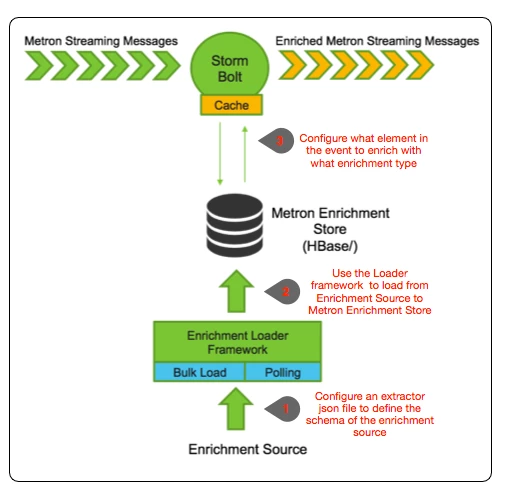
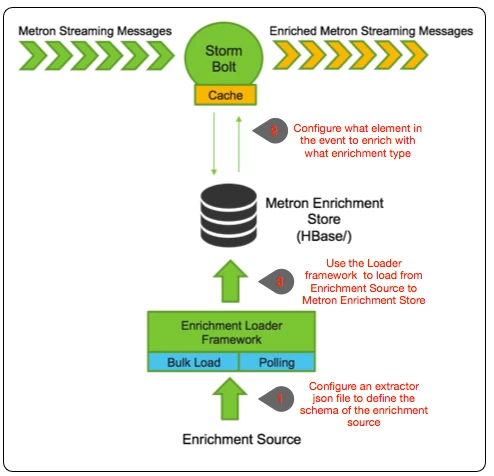
Metron Enrichment Framework Explained
Step 1: Enrichment Source
Whois data is expensive so we will not be providing it. Instead we wrote a basic whois scraper (out of context for this exercise) that produces a CSV format for whois data as follows:
google.com, "Google Inc.", "US", "Dns Admin",874306800000
work.net, "", "US", "PERFECT PRIVACY, LLC",788706000000
capitalone.com, "Capital One Services, Inc.", "US", "Domain Manager",795081600000
cisco.com, "Cisco Technology Inc.", "US", "Info Sec",547988400000
cnn.com, "Turner Broadcasting System, Inc.", "US", "Domain Name Manager",748695600000
news.com, "CBS Interactive Inc.", "US", "Domain Admin",833353200000
nba.com, "NBA Media Ventures, LLC", "US", "C/O Domain Administrator",786027600000
espn.com, "ESPN, Inc.", "US", "ESPN, Inc.",781268400000
pravda.com, "Internet Invest, Ltd. dba Imena.ua", "UA", "Whois privacy protection service",806583600000
hortonworks.com, "Hortonworks, Inc.", "US", "Domain Administrator",1303427404000
microsoft.com, "Microsoft Corporation", "US", "Domain Administrator",673156800000
yahoo.com, "Yahoo! Inc.", "US", "Domain Administrator",790416000000
rackspace.com, "Rackspace US, Inc.", "US", "Domain Admin",903092400000
Cut and paste this data into a file called "whois_ref.csv" on your virtual machine. This csv file represents our enrichment source
The schema of this enrichment source is domain|owner|registeredCountry|registeredTimestamp. Make sure you don't have an empty newline character as the last line of the CSV file, as that will result in a pull pointer exception.
We need to now configure an extractor config file that describes the enrichment source.
{
  "config" : {
    "columns" : {
        "domain" : 0
        ,"owner" : 1
        ,"home_country" : 2
        ,"registrar": 3
        ,"domain_created_timestamp": 4
    }
    ,"indicator_column" : "domain"
    ,"type" : "whois"
    ,"separator" : ","
  }
  ,"extractor" : "CSV"
}
Please cut and paste this file into a file called "extractor_config_temp.json" on the virtual machine. Because copying and pasting from this blog will include some non-ascii invisible characters, to strip them out please run
iconv -c -f utf-8 -t ascii extractor_config_temp.json -o extractor_config.json
Step 2: Configure Element to Enrichment Mapping
We now have to configure what element of a tuple should be enriched with what enrichment type. This configuration will be stored in zookeeper.
The config looks like the following:
{
  "zkQuorum" : "node1:2181"
 ,"sensorToFieldList" : {
    "squid" : {
           "type" : "ENRICHMENT"
          ,"fieldToEnrichmentTypes" : {
             "url" : [ "whois" ]
                                      }
           }
                        }
}
Cut and paste this file into a file called "enrichment_config_temp.json" on the virtual machine. Because copying and pasting from this blog will include some non-ascii invisible characters, to strip them out please run
iconv -c -f utf-8 -t ascii enrichment_config_temp.json -o enrichment_config.json
Step 3: Run the Enrichment Loader
Now that we have the enrichment source and enrichment config defined, we can now run the loader to move the data from the enrichment source to the Metron enrichment Store and store the enrichment config in zookeeper.
/usr/metron/0.1BETA/bin/flatfile_loader.sh -n enrichment_config.json -i whois_ref.csv -t enrichment -c t -e extractor_config.json
After this your enrichment data will be loaded in Hbase and a Zookeeper mapping will be established. The data will be populated into Hbase table called enrichment. To verify that the logs were properly ingested into Hbase run the following command:
hbase shell
scan 'enrichment'
You should see the table bulk loaded with data from the CSV file. Now check if Zookeeper enrichment tag was properly populated:
/usr/metron/0.1BETA/bin/zk_load_configs.sh -z localhost:2181
Generate some data by using the squid client to execute http requests (do this about 20 times)
squidclient http://www.cnn.com
View the Enrichment Telemetry Events in Metron UI
In order to demonstrate the enrichment capabilities of Metron you need to drop all existing indexes for Squid where the data was ingested prior to enrichments being enabled. To do so go back to the head plugin and deleted the indexes like so:
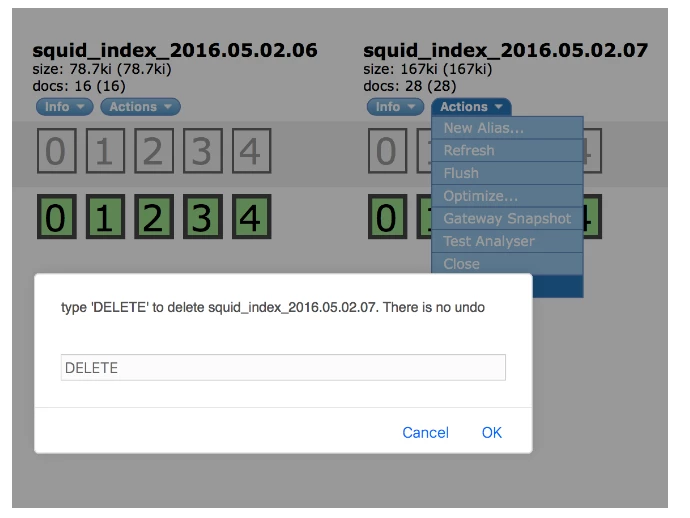
Make sure you delete all Squid indexes. Re-ingest the data (see previous blog post) and the messages should be automatically enriched.
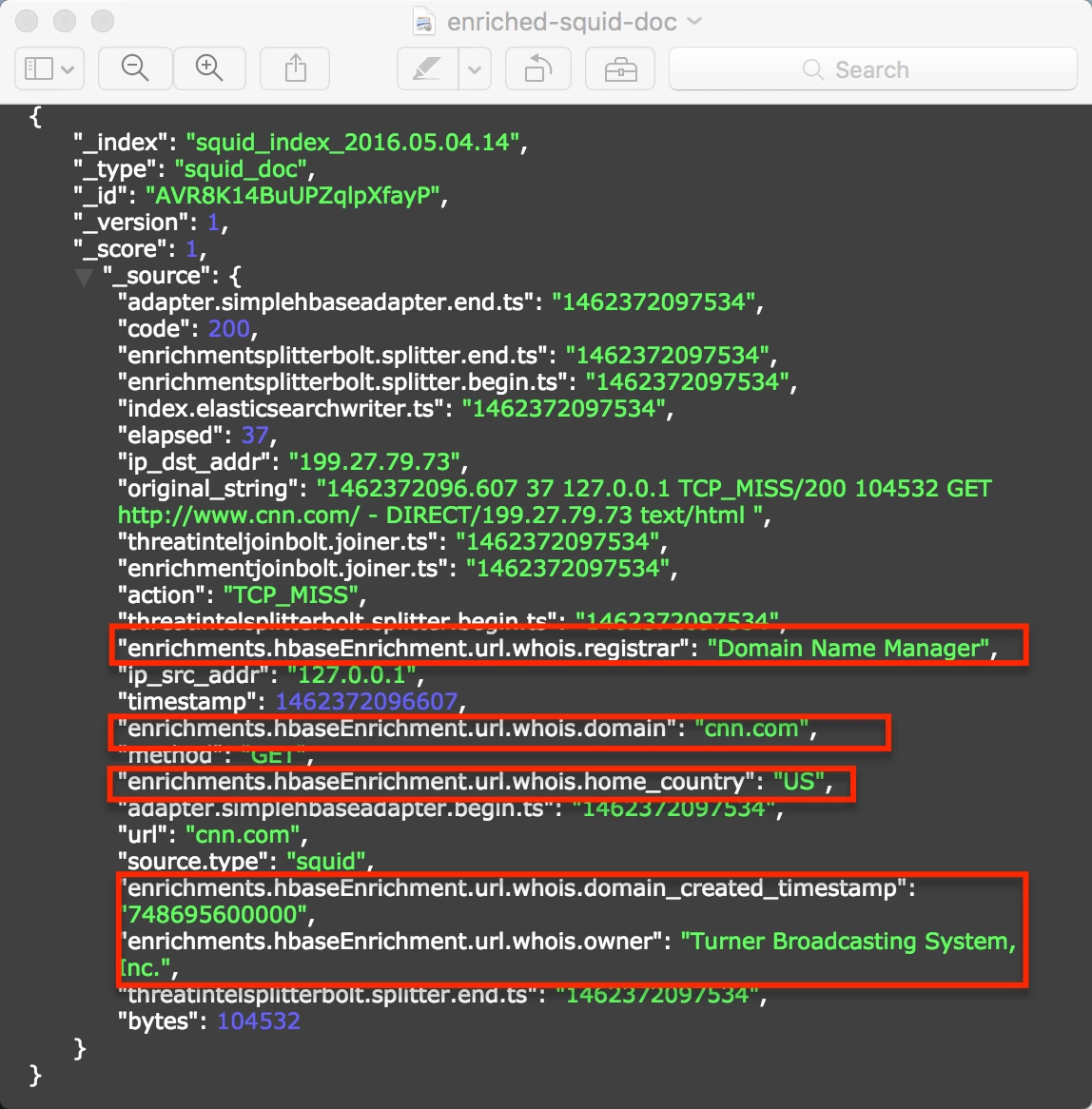
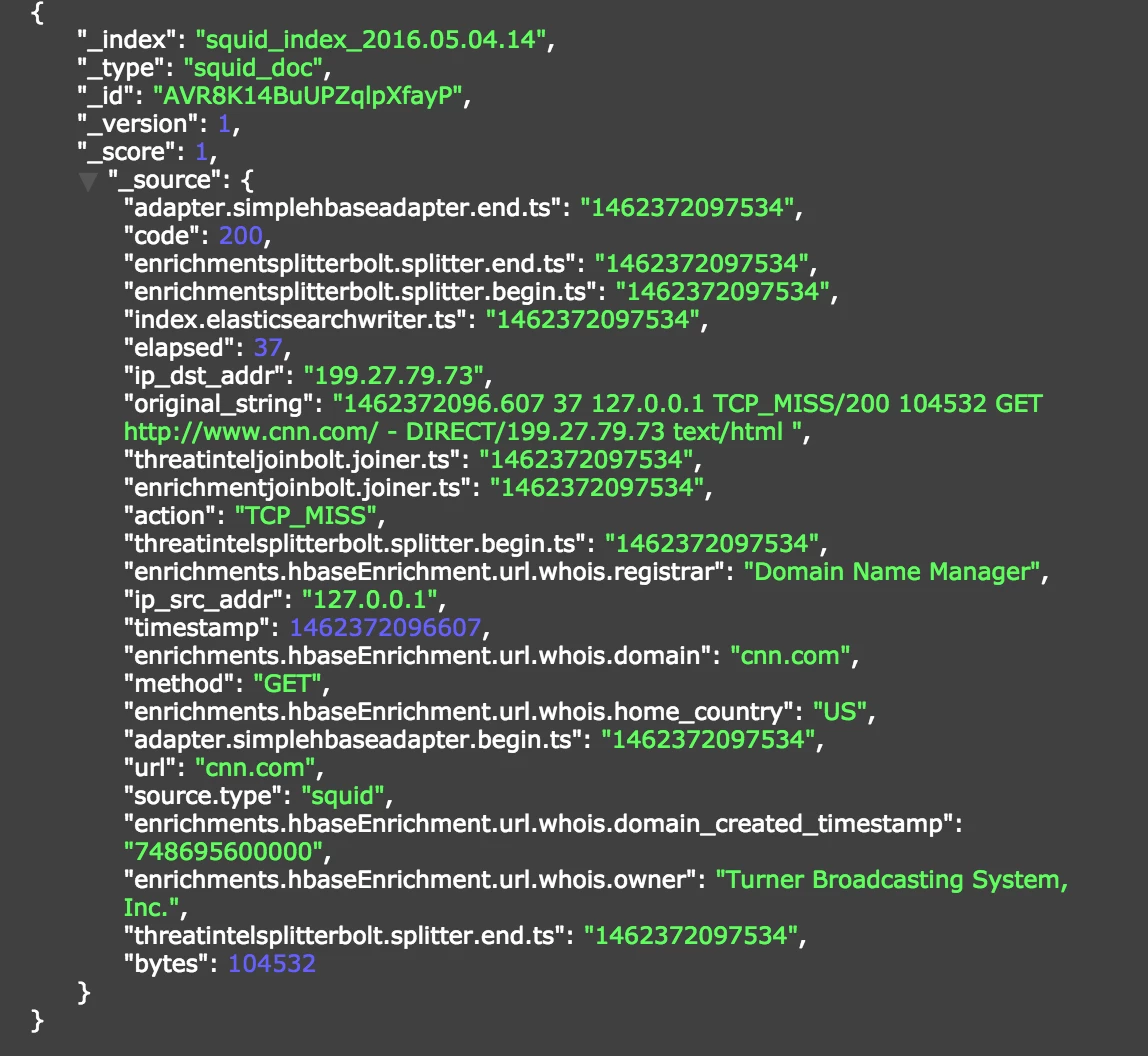
In the Metron-UI, refresh the dashboard and view the data in the Squid Panel in the dashboard:
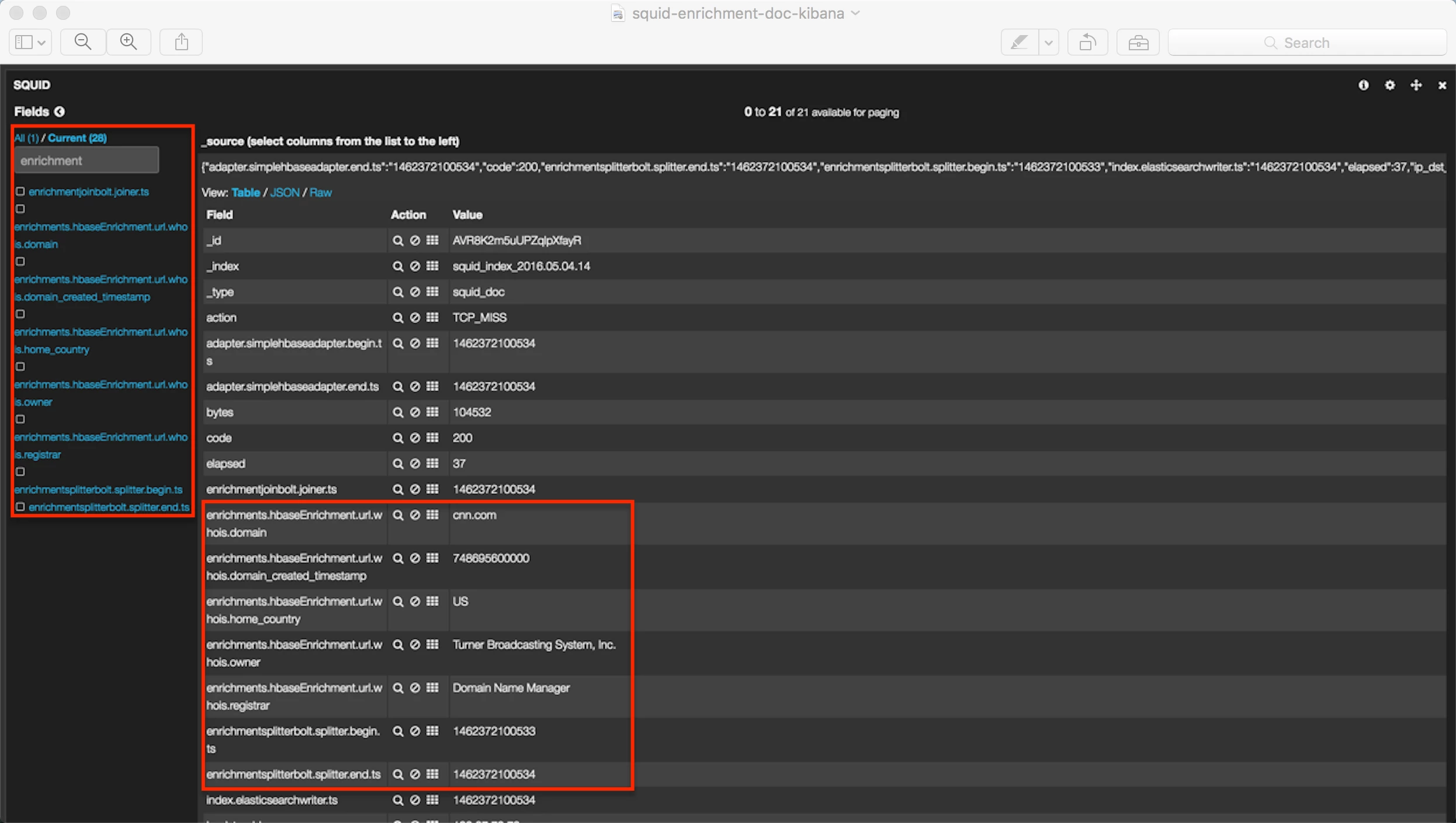
Notice the enrichments here (whois.owner, whois.domain_created_timestamp, whois.registrar, whois.home_country)