


From SAP S/4HANA to Lakehouse: A Practical Guide Using OData API and Apache NiFi
This guide provides a step-by-step approach to extracting data from SAP S/4HANA via OData APIs, processing it using Apache NiFi in Cloudera Data Platform (CDP), and storing it in an Iceberg-based Lakehouse for analytics and AI workloads.
1. Introduction
1.1 Why Move SAP S/4HANA Data to a Lakehouse?
SAP S/4HANA is a powerful ERP system designed for transactional processing, but it faces limitations when used for analytics, AI, and large-scale reporting:
Performance Impact:
Running complex analytical queries directly on SAP can degrade system performance.Limited Scalability:
SAP systems are not optimized for big data workloads (e.g., petabyte-scale analytics).High Licensing Costs:
Extracting and replicating SAP data for analytics can be expensive if done inefficiently.Lack of Flexibility:
SAP’s data model is rigid, making it difficult to integrate with modern AI/ML tools.
A Lakehouse architecture (built on Apache Iceberg in CDP) solves these challenges by:
- Decoupling analytics from SAP –
Reduce operational load on SAP while enabling scalable analytics. - Supporting structured & unstructured data –
Unlike SAP’s tabular model, a Lakehouse can store JSON, text, and IoT data. - Enabling ACID compliance –
Iceberg ensures transactional integrity (critical for financial and inventory data). - Reducing costs –
Store historical SAP data in cheaper object storage (S3, ADLS) rather than expensive SAP HANA storage.
1.2 Why Use OData API for SAP Data Extraction?
SAP provides several data extraction methods, but OData (Open Data Protocol) is one of the most efficient for real-time replication:
| Method | Pros | Cons | Best For |
| OData API | Real-time, RESTful, easy to use | Requires pagination handling | Incremental, near-real-time syncs |
| SAP BW/Extractors | SAP-native, optimized for BW | Complex setup, not real-time | Legacy SAP BW integrations |
| Database Logging (CDC) | Low latency, captures all changes | High SAP system overhead | Mission-critical CDC use cases |
| SAP SLT (Trigger-based) | Real-time, no coding needed | Expensive, SAP-specific | Large-scale SAP replication |
Why OData wins for Lakehouse ingestion?
- REST-based –
Works seamlessly with NiFi’s InvokeHTTP processor. - Supports filtering ($filter) –
Enables incremental extraction (e.g., modified_date gt ‘2024-01-01’). - JSON/XML output –
Easy to parse and transform in NiFi before loading into Iceberg.
1.3 Why Apache NiFi in Cloudera Data Platform (CDP)?
NiFi is the ideal tool for orchestrating SAP-to-Lakehouse pipelines because:
Low-Code UI:
Drag-and-drop processors simplify pipeline development (vs. writing custom Spark/PySpark code).Built-in SAP Connectors:
Use InvokeHTTP for SAP S/4 HANA OData for deeper integrations.Scalability & Fault Tolerance:
Backpressure handling – Prevents SAP API overload.
Automatic retries – If SAP API fails, NiFi retries without data loss.
2. Prerequisites
Before building the SAP S/4HANA → NiFi → Iceberg pipeline, ensure the following components and access rights are in place.
Cloudera Data Platform (CDP) with:
Apache NiFi (for data ingestion)
Apache Iceberg (as the Lakehouse table format)
Storage: HDFS or S3 (via Cloudera SDX)
SAP S/4HANA access with OData API permissions
T-Code SEGW: Confirm OData services are exposed (e.g., API_MATERIAL_SRV).

Permissions:
SAP User Role: Must include S_ODATA and S_RFC authorizations.
Whitelist NiFi IP if SAP has network restrictions.
- Test OData Endpoints
curl -u "USER:PASS" "https://sap-odata.example.com:443/sap/opu/odata/sap/API_SALES_ORDER_SRV/A_SalesOrder?$top=2"Validate:
Pagination ($skip, $top).
Filtering ($filter=LastModified gt '2025-05-01').
Basic knowledge of NiFi flows, SQL, and Iceberg
3. Architecture Overview
Data movement:
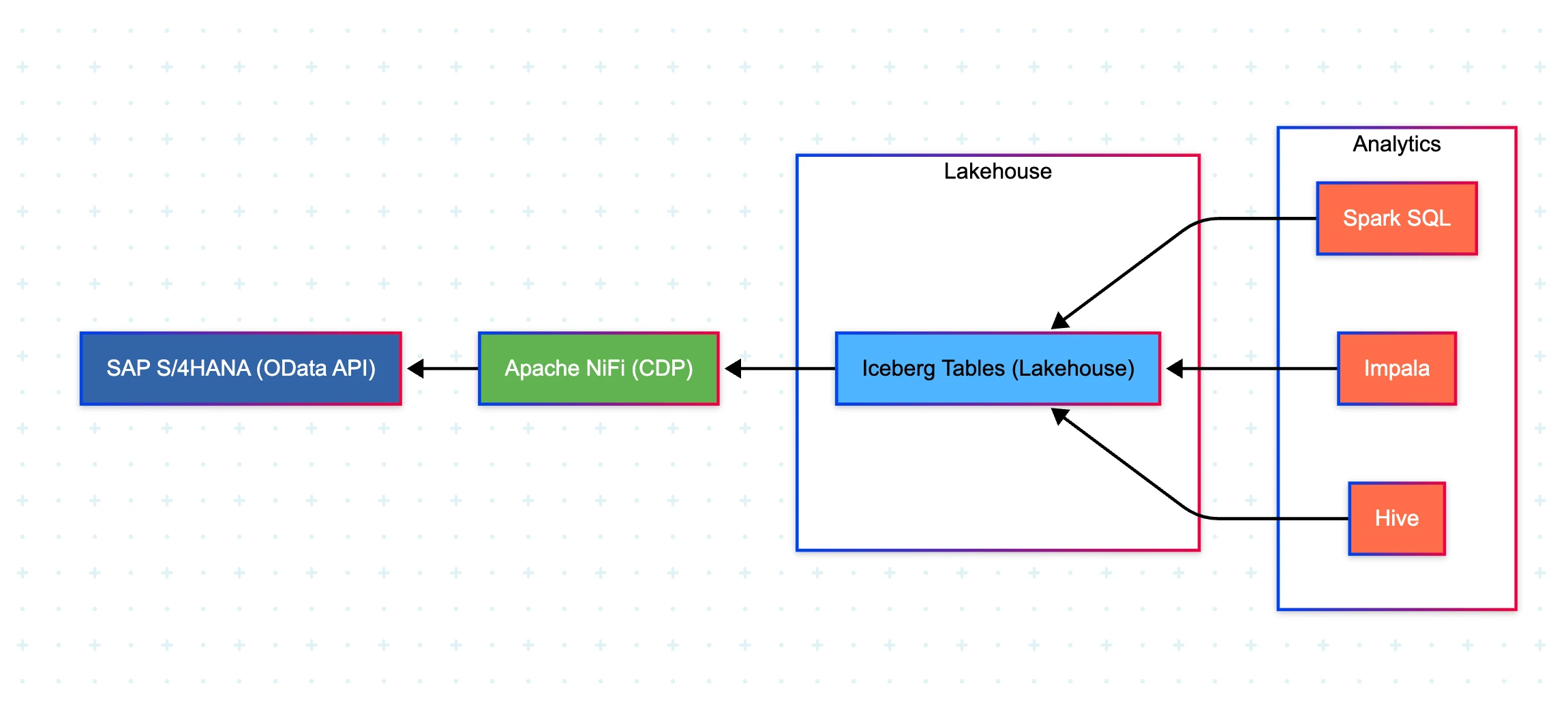
SAP S/4HANA (OData API) → Apache NiFi (CDP) → Iceberg Tables (Lakehouse) → Analytics (Spark, Impala, Hive)
Archtecture Overview :
4. Step-by-Step Implementation
Step 1: Identify SAP OData Endpoints
SAP provides OData services for tables like:
MaterialMaster (MM)
SalesOrders (SD)
FinancialDocuments (FI)
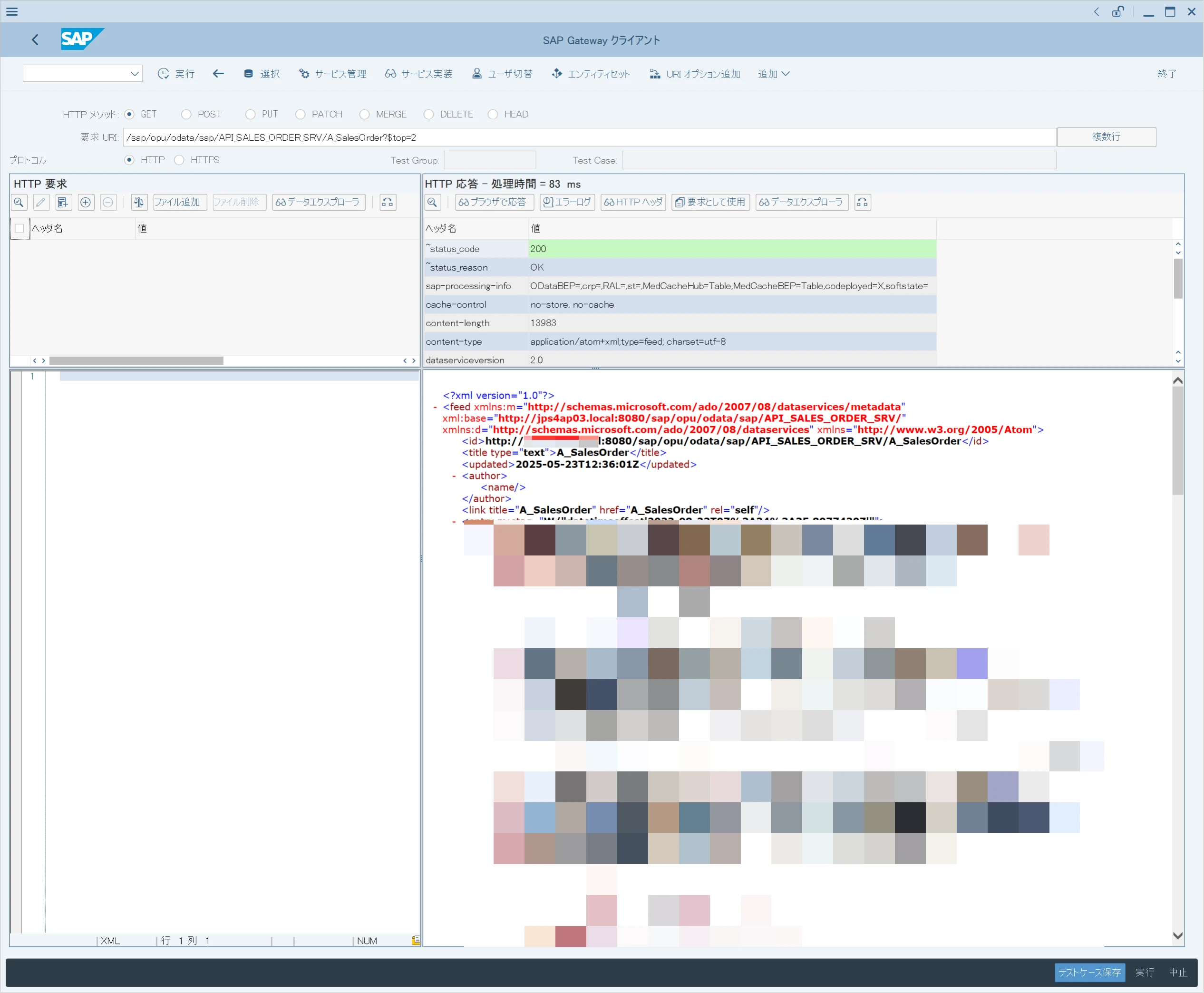
Example endpoint:
https://<SAP_HOST>:<PORT>/sap/opu/odata/sap/API_SALES_ORDER_SRV/A_SalesOrder?$top=2
Step 2: Configure NiFi to Extract SAP Data
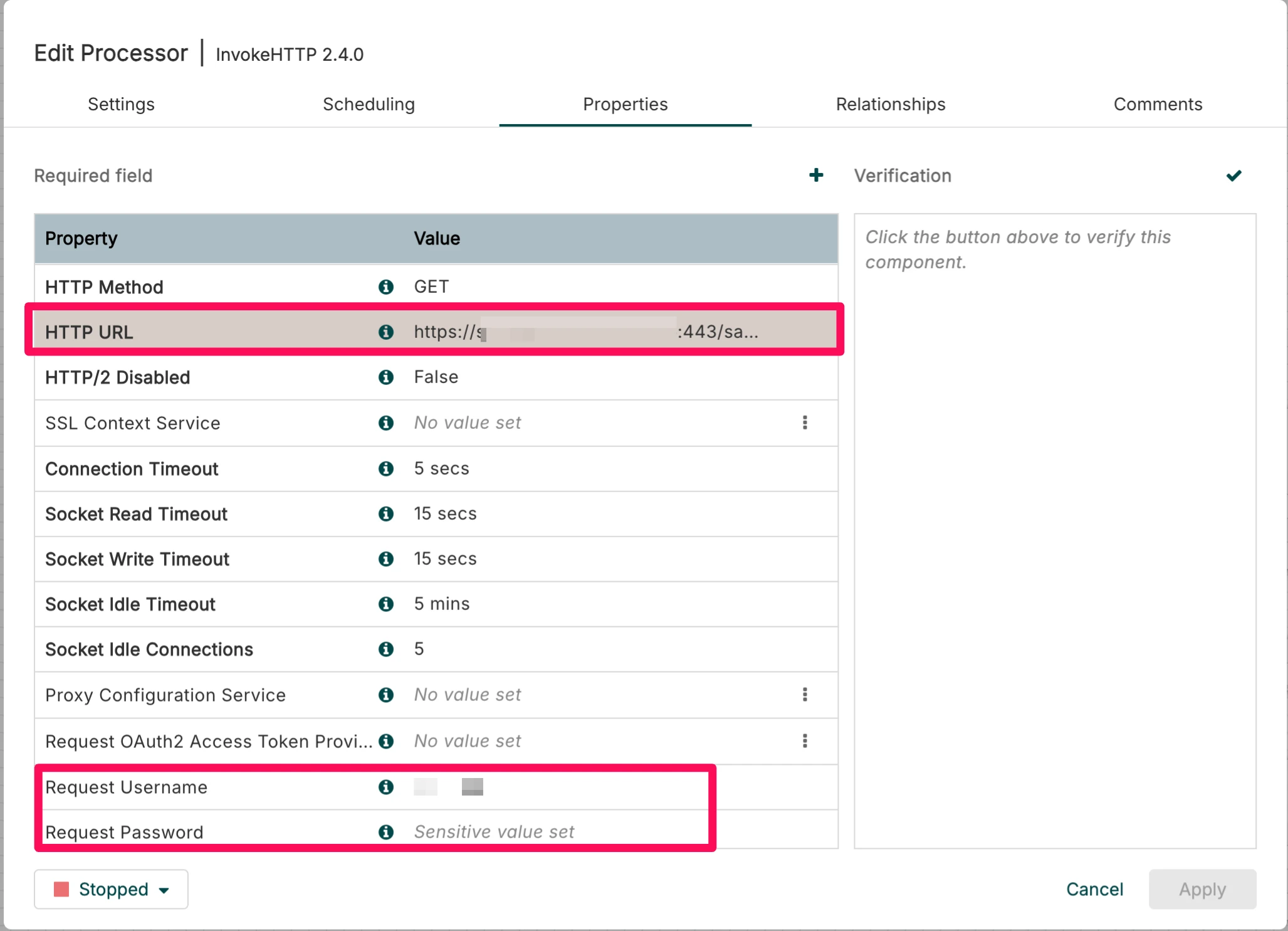
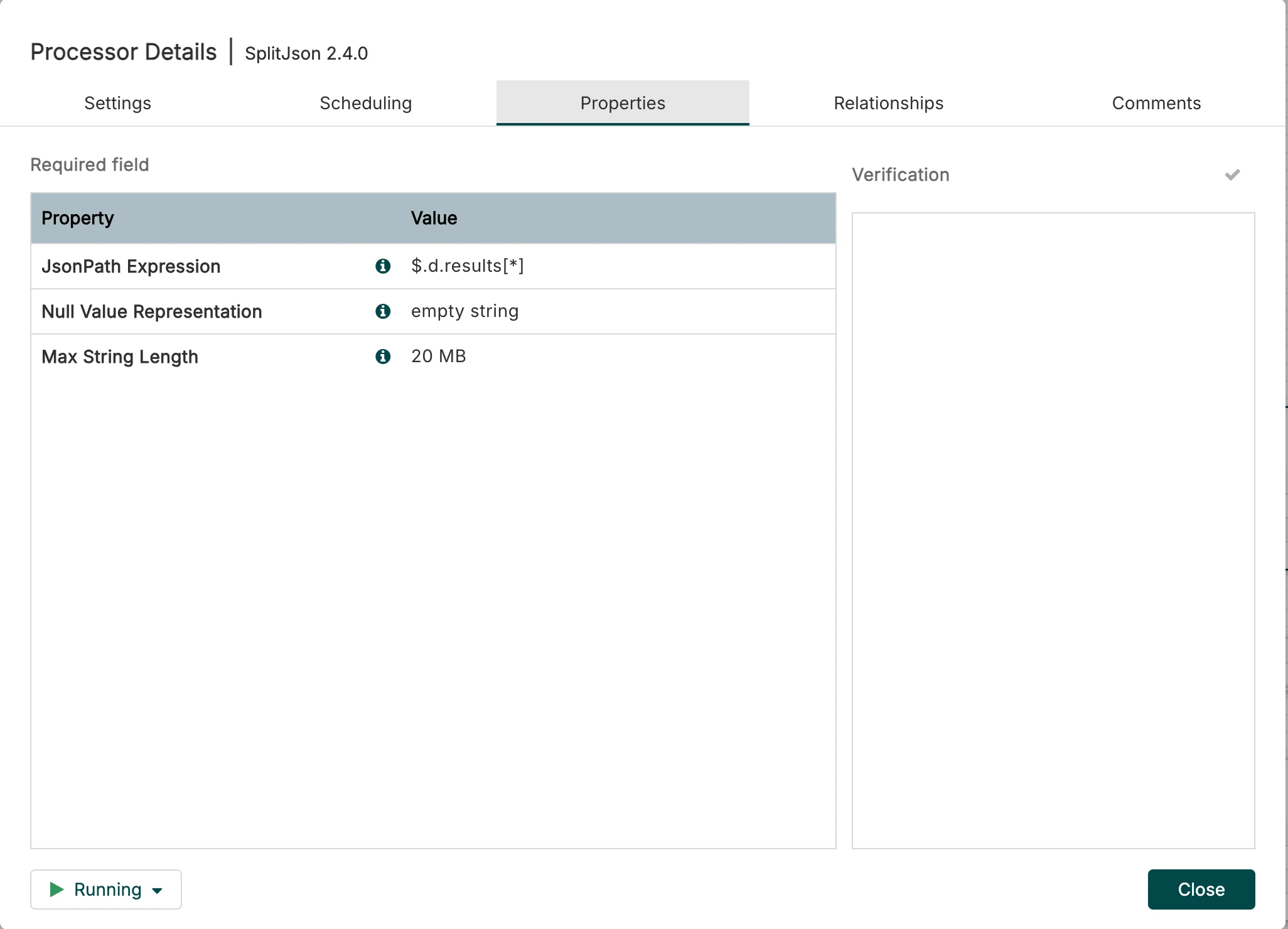
Use InvokeHTTP processor to call SAP OData API.
Configure authentication (Basic Auth).
Handle pagination ($skip & $top parameters).
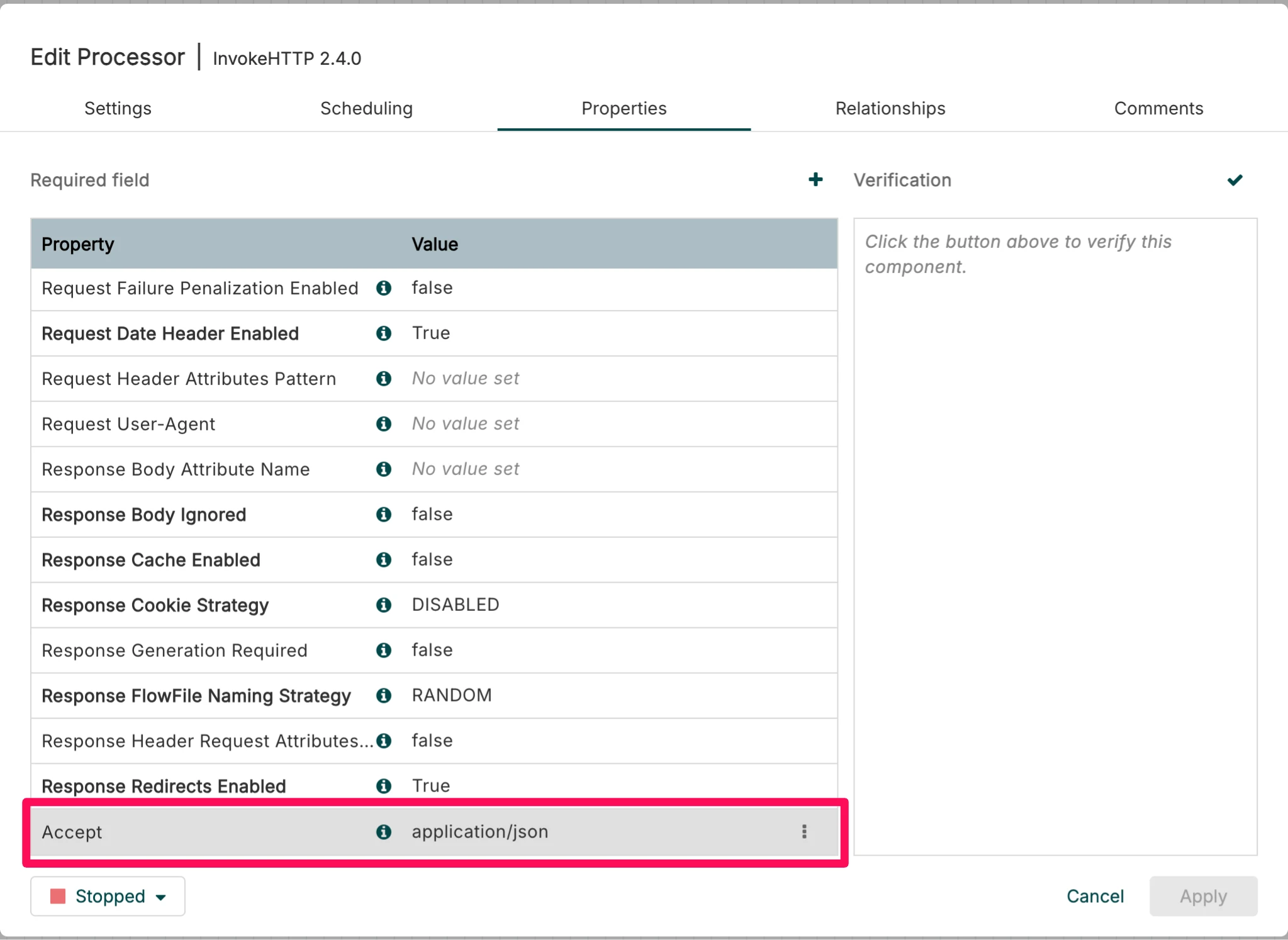
To get the JSON response, I added Accept=application/json Property.
Parse JSON responses using EvaluateJsonPath or JoltTransformJSON.
Step 3: Transform Data in NiFi
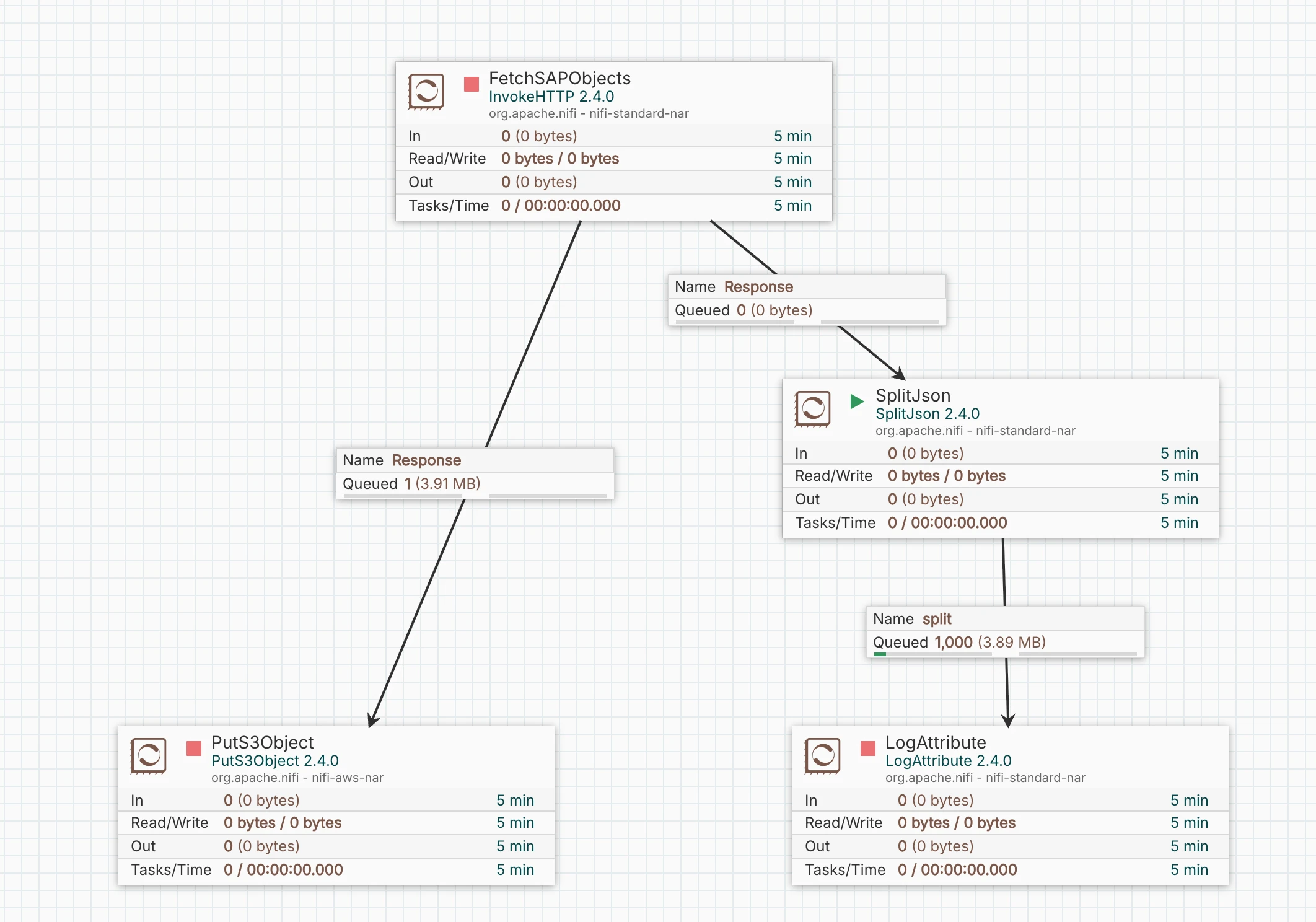
Filter & clean data using:
ReplaceText (for SAP-specific formatting)
QueryRecord (to convert JSON to Parquet/AVRO)
Enrich data (e.g., join with reference tables).
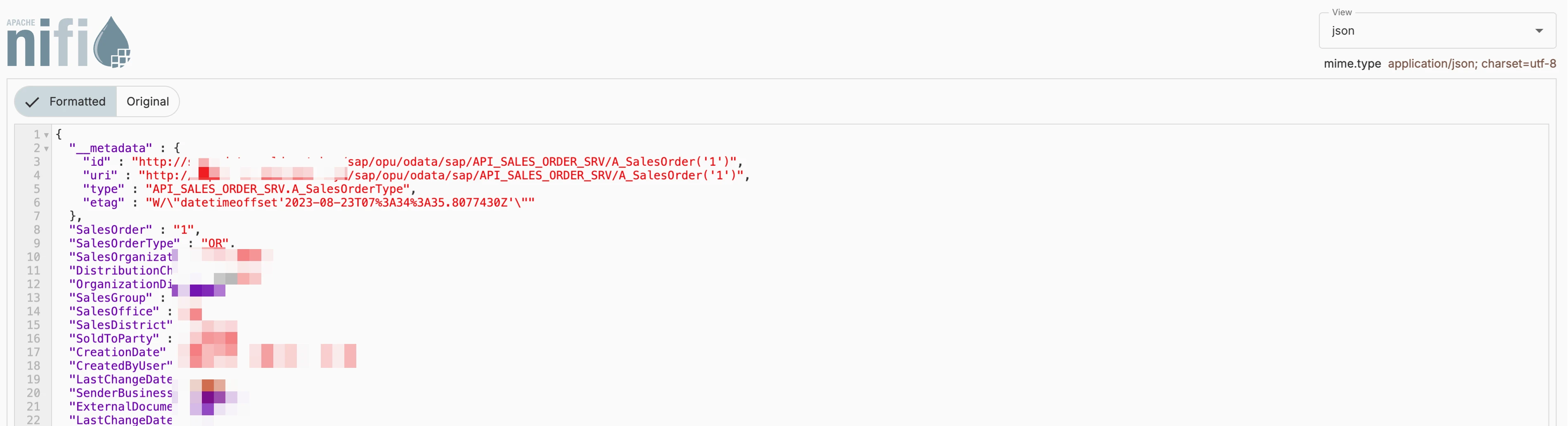
Check the Data using Provinance :
Step 4: Load into Iceberg Lakehouse
Use PutIceberg processor (NiFi 1.23+) to write directly to Iceberg.
Alternative Option: Write to HDFS/S3 as Parquet, then use Spark SQL to load into Iceberg
CREATE TABLE iceberg_db.sap_materials (
  material_id STRING,
  material_name STRING,
  created_date TIMESTAMP
)
STORED AS ICEBERG;
5. Conclusion
By leveraging Cloudera’s CDP, NiFi, and Iceberg, organizations can efficiently move SAP data into a modern Lakehouse, enabling real-time analytics, ML, and reporting without impacting SAP performance.
Next Steps
Explore Cloudera Machine Learning (CML) for SAP data analytics.

