


HDF 2.x - Adding a new NiFi Node to an existing secured NiFi cluster via Ambari
With HDF 2.x, Ambari can be used to deploy a NiFi cluster. Lets say you deployed a 2 node cluster and want to go back at a later time and add an additional NiFi node to the cluster. While the process is very straight forward when your NiFi cluster has been setup non-secure (http), the same is not true if your existing NiFi cluster has been secured (https).
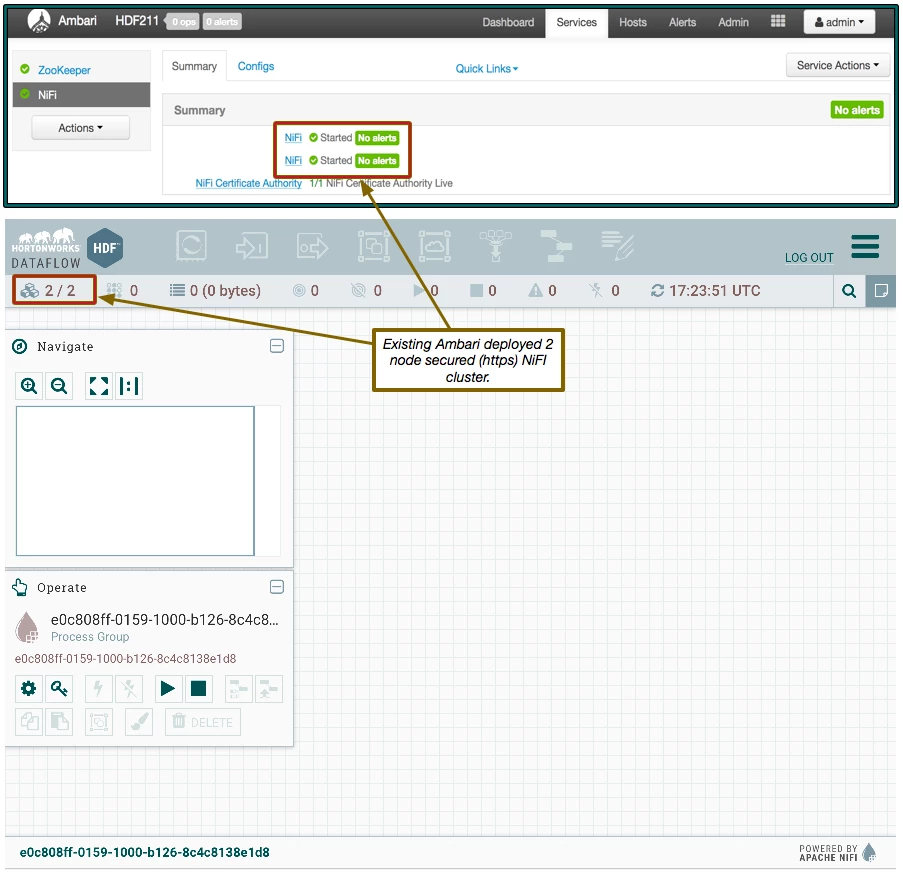
Below you will see an existing 2 node secured NiFi cluster that was installed via Ambari:
STEP 1: Add new host through Ambari. You can skip this step if the host you want to install the additional NiFi node on is already managed by your Ambari.
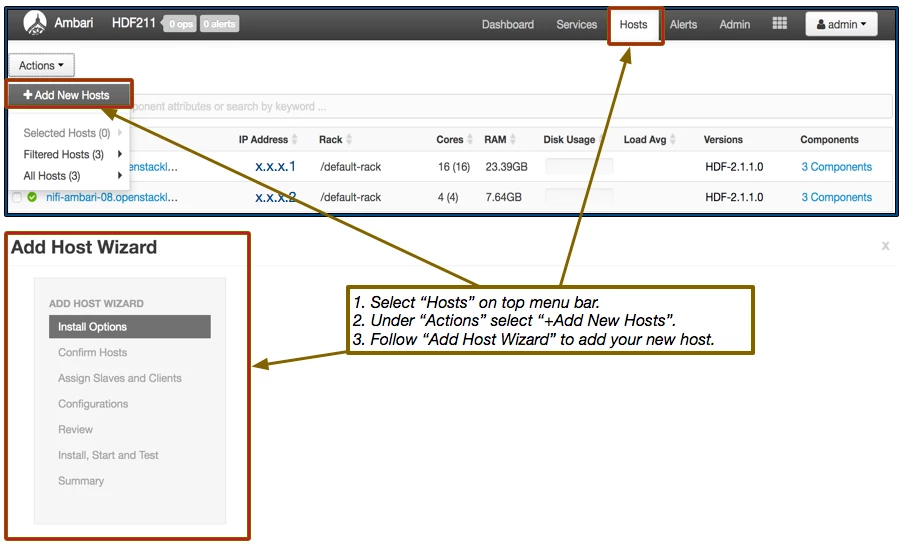
STEP 2: Under "Hosts" in Ambari click on the host form the list where you want to install the new NiFi node.
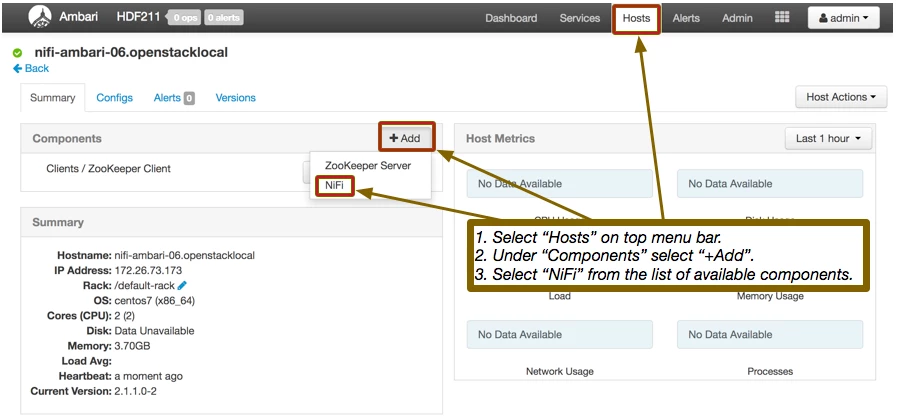
The NiFi component will be in a "stopped" state after it is installed on this new host.
*** DO NOT START NIFI YET ON NEW HOST OR IT WILL FAIL TO JOIN CLUSTER. ***
STEP 3: (This step only applies if NiFi's file based authorizer is being used) Before starting this new node we need to clear out some NiFi Configs. This step is necessary because of how the NiFi application starts. When NiFi starts it looks for the existence of a users.xml and authorizations.xml files. If they do not exist, it uses the configured "Initial Admin Identity" and "Node identities (1,2,3, etc...)" to build the users.xml and authorizations.xml files. This causes a problem because your existing clusters users.xml and authorizations.xml files likely contain many more entires by now. Any mismatches in these files will prevent a node from being able to join the cluster. If these configurations are not present, the new node will grab them from the cluster it joins. Below shows what configs need to be cleared in NiFi:
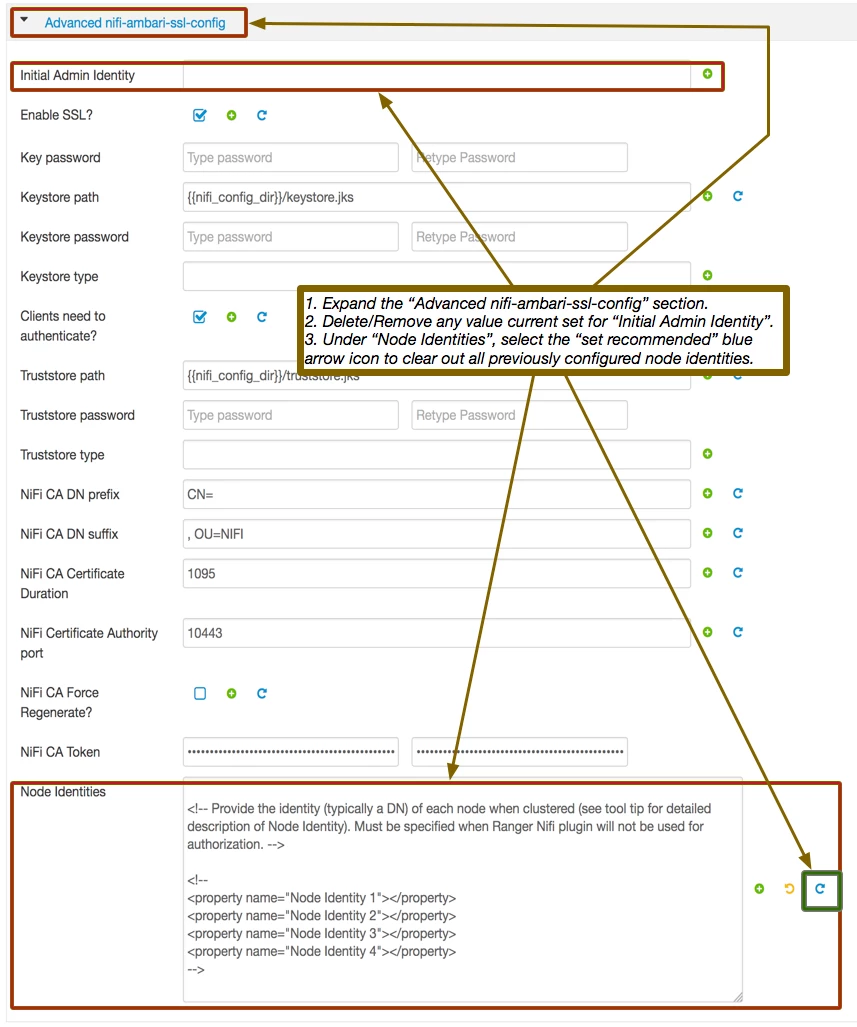
*Note: Another option is to simply copy the users.xml and authorizations.xml files from an existing cluster node to the new node before starting the new node.
STEP 4: (Do this step if using Ambari metrics) When a new node is added by Ambari and Ambari metrics are also enabled, Ambari will create a flow.xml.gz file that contains just the ambari reporting task. Later when this node tries to join the cluster, the flow.xml.gz files between this new node and the cluster will not match. This mis-match will trigger the new node to fail to join cluster and shut back down. In order to avoid this problem the flow.xml.gz file must be copied from one of the cluster's existing nodes to this new node.
STEP 5: Start NiFi on this new node. After the node has started, it should successfully join your existing cluster. If it fails, the nifi-app.log will explain why, but will likely be related to one of the above configs not being cleared out causing the users.xml and authorizations.xml files to get generated rather then inherited from the cluster. If that is the case you will need to fix the configs and delete those files manually before restarting the node again.
STEP 6: While you cluster is now up and running with the additional node, but you will notice you cannot open the UI of that new node without getting an untrusted proxy error screen.
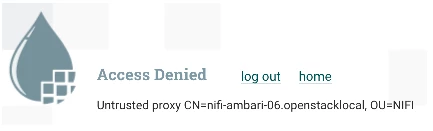
You will however still be able to access your other two node's UIs. So we need to authorize this new node in your cluster.
A. If NiFi handles your authorizations, follow this procedure:
1. Log in to the UI of one of the original cluster nodes.
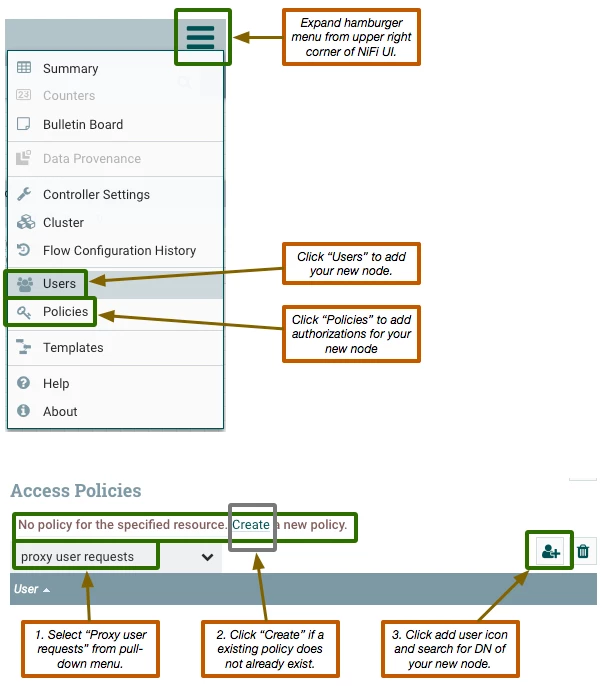
The "proxy user requests" access policies is needed to allow users to access the UI of your nodes.
NOTE: There may be additional component level access policies (such as "view the data" and "modify the data") you may also want to authorize this new node for.
B. If Ranger handles your NiFI authorizations, follow this procedure:
1. Access the Ranger UI:
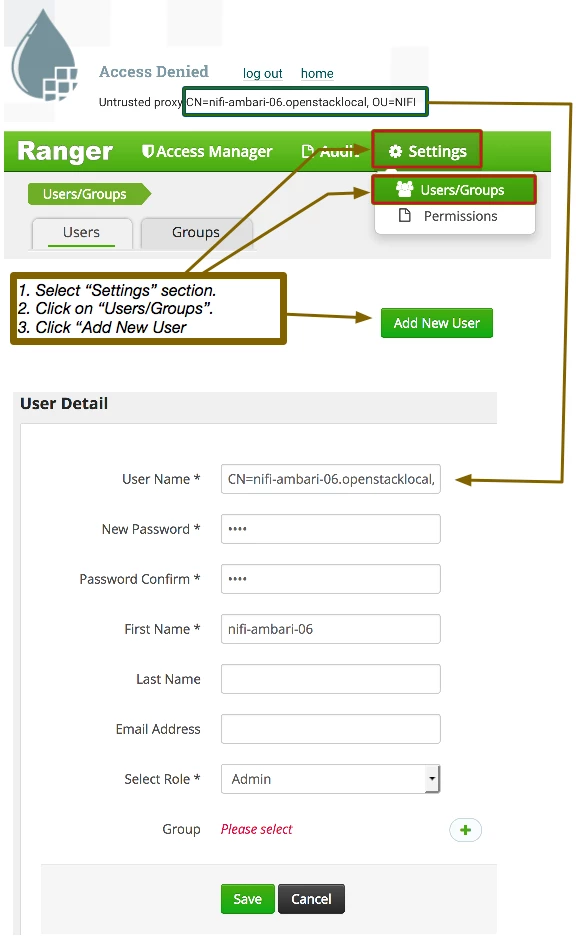
2. Click Save to create this new user for your new node. Username MUST match exactly with the DN displayed in the untrusted proxy error screen.
3. Access the NiFi service Manager in Ranger and authorize your new node to your existing access policies as needed:
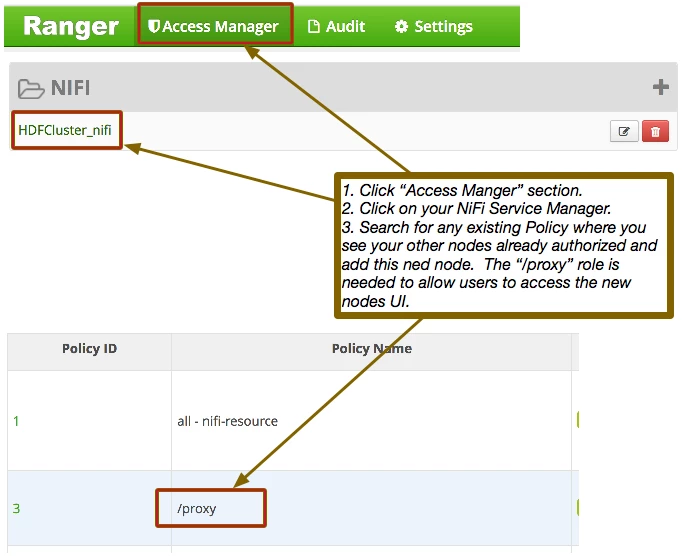
You should now have a full functional new node added to your pre-existing secured NiFi cluster that was deployed/installed via Ambari.

