Hive Row Level Access Restriction Using Ranger
1.Prerequisites
- Enable HDFS location access for the HIve table
- Enable HDFS Policy in Ranger
- Restrict POSIX access in HDFS File system
- Grant Hive table access in Ranger
2. Enable HDFS location access for the user
Login to Ranger and select HDFS Policy
Make sure to mention the Hive table location (In below example “Resource Path” points to default Hive Warehouse location)
Validate the HDFS location access is restricted to ensure Ranger policy is working as expected
3. Create table policy in Hive Access if not exists
Select the Hive Policy
Add a new policy if not exists
Grant table access to required users and validate the access by querying the table
4. Enable table policy in Hive Row Level Filter
Select “Row level filter” under Hive policy
Select “Add New Policy”
Provide the required information in the Policy Details. Enter “Where” clause condition in “Row Level Filter”
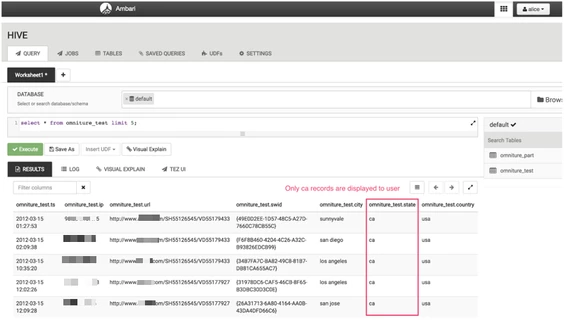
Below example grants access to “Alice” user only to rows that has a condition of “state = ca”
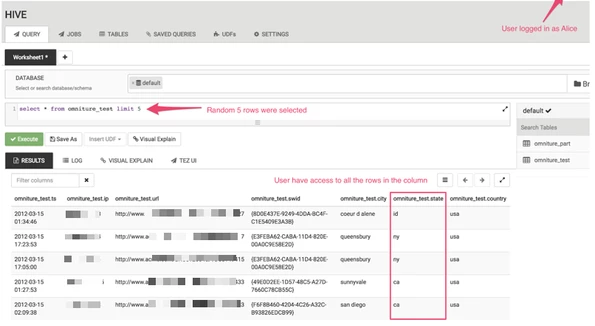
Before applying Row Level Filter
Same query triggered after applying the filter and only “state = ca” records are displayed to user Alice