

zzeng
Gold ⭐️⭐️
Gold ⭐️⭐️
February 3, 2018

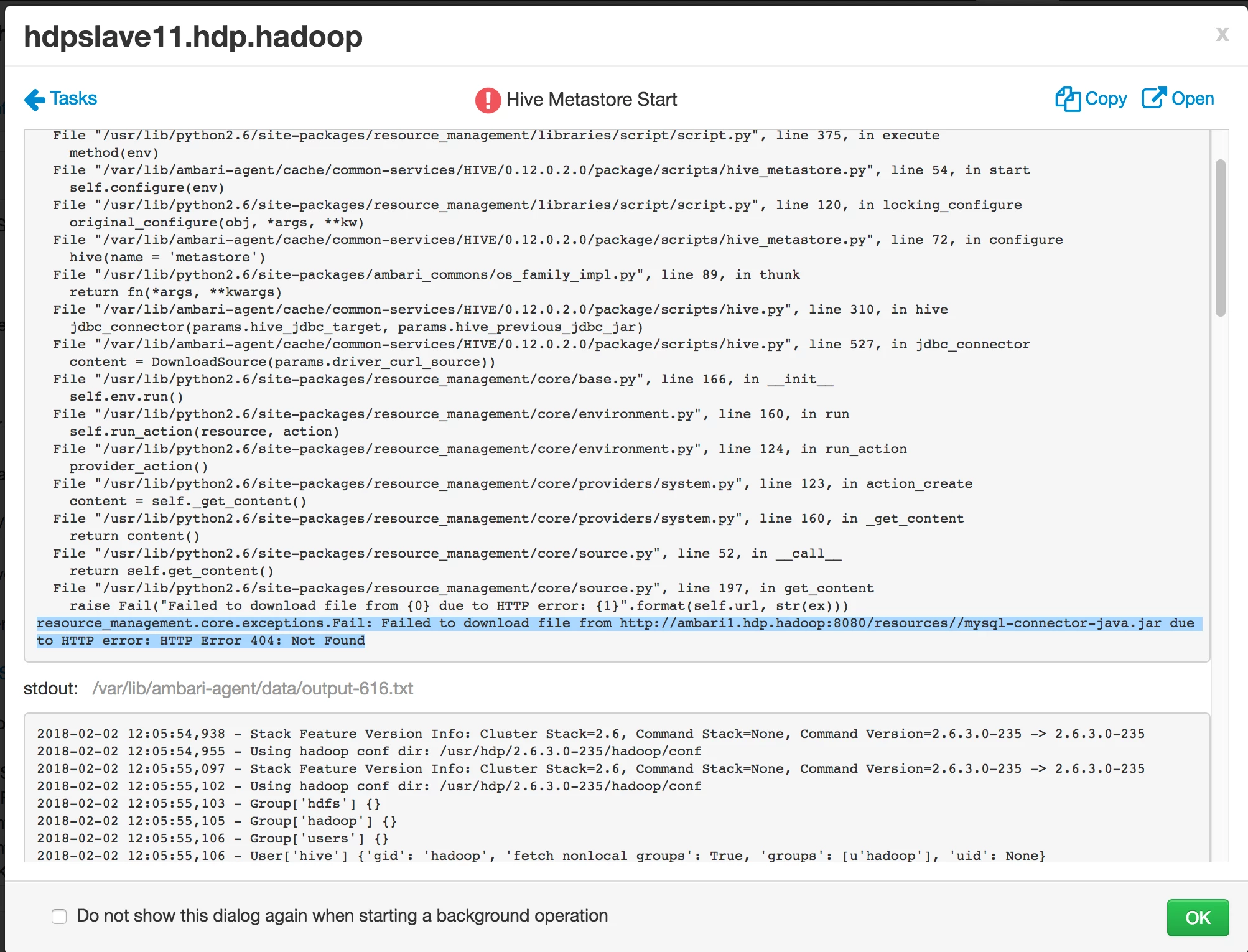
Hive start failed because of ambari error: mysql-connector-java.jar due to HTTP error: HTTP Error 404: Not Found
  • October 5, 2026 at 9:13 AM
  • 1 reply
  • 17398 views
  • Translate All

59430-screen-shot-2018-02-03-at-22432.png

resource_management.core.exceptions.Fail: Failed to download file from http://ambari1.hdp.hadoop:8080/resources//mysql-connector-java.jar due to HTTP error: HTTP Error 404: Not Found

By the following command, the problem is fixed:

Ambari Server:(Ref: https://discuss.pivotal.io/hc/en-us/articles/115001611807-Hive-Services-Fail-to-Start-giving-Error-HTTP-Error-404-Not-Found- )

sudo yum install mysql-connector-java*
ls -al /usr/share/java/mysql-connector-java.jar
cd /var/lib/ambari-server/resources/
ln -s /usr/share/java/mysql-connector-java.jar mysql-connector-java.jar


1 reply

sameerneo24
Gold ⭐️
February 14, 2018

In same scenario on AWS cloud. First check on ambari server host that directory (/var/lib/ambari-server/resources/) contains the mysql-connector-java.jar file. If not download it and follow below steps.

1. Download mysql connector jar from here

2. Untar the file and rename mysql connector jar to mysql-connector-java.jar

3. Copy the file under directory (/var/lib/ambari-server/resources/)

4. Restart Hive services.

Above troubleshoot helped me where I was installing test HDP cluster on AWS.

Translate