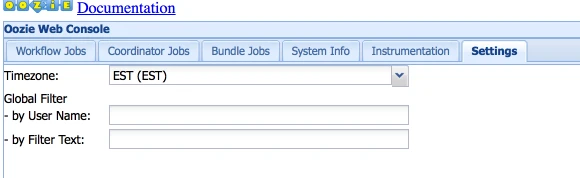
How to change Oozie timezone from GMT to EST
Steps:
Oozie server timezone
- For Ambari users, login and navigate to Custom Oozie-site.
Ambari > Oozie > configs > custom oozie-site
- Add Property "oozie.processing.timezone=GMT-0500"
oozie.processing.timezone Default value=UTC
Oozie server timezone. Valid values are UTC and GMT(+/-)####, for example 'GMT+0530' would be India timezone. All dates parsed and generated dates by Oozie Coordinator/Bundle will be done in the specified timezone. The default value of 'UTC' should not be changed under normal circumstances. If for any reason is changed, note that GMT(+/-)#### timezones do not observe DST changes.
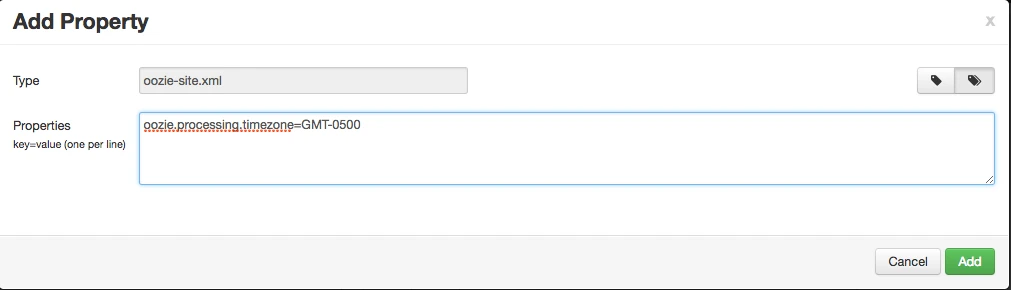
- Save and Restart Oozie Service
Oozie Web Console
To View the Job in EST Timezone on Oozie Web Console, follow below steps.