Here is a fun one: how do you connect from Python in Cloudera Machine Learning to our Kafka datahub cluster?
The documentation is pretty thorough, but it does not have an example of a python client. That's what I'm going to highlight in this article.
The good news is that since CML and Datahub run in the same network, you don't need to worry about opening the broker ports, therefore you just need to follow these steps:
- Step 1: Get and upload your freeIPA certificate
- Step 2: Find your broker hostnames
- Step 3: Setup your client
Step 1: Get and upload your freeIPA certificate
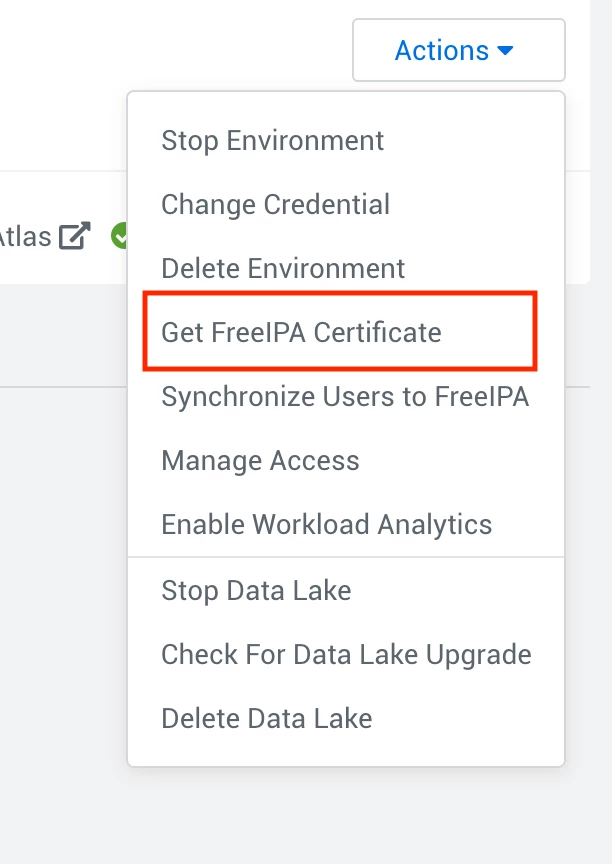
- Go to your management console > your environment > Actions > Get FreeIPA Certificate:
- Once downloaded, go to your CML workspace, and upload your file (e.g. /home/cdsw/ca.crt).
Step 2: Find your broker hostnames
For this, go to your
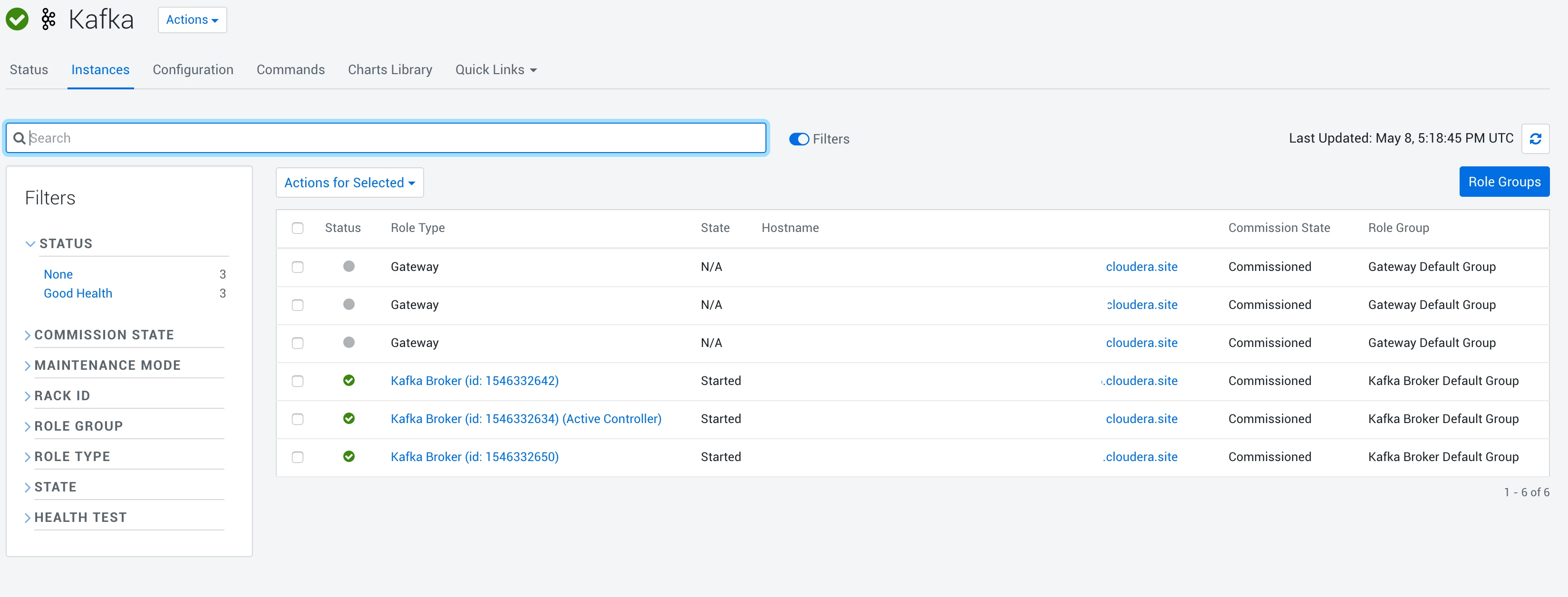
Kafka Datahub Cluster > CM UI > Kafka > Instances; you can find the broker hosts here:
Step 3: Setup your client
Then, open a session in CML, and use the following parameters:
from kafka import KafkaProducer
producer = KafkaProducer(bootstrap_servers=['<YOUR_BROKER_URL>:9093','<YOUR_BROKER_URL>:9093','<YOUR_BROKER_URL>:9093'],
security_protocol="SASL_SSL",
sasl_mechanism="PLAIN",
ssl_check_hostname=True,
ssl_cafile='/home/cdsw/ca.crt',
sasl_plain_username="<YOUR_WORKLOAD_USER>",
sasl_plain_password="<YOUR_WORKLOAD_PASSWORD>",
api_version_auto_timeout_ms=30000)




