


How to connect to CDW (Impala) to return actively running query progress
It's all about simplicity and cohesion. With the multiple services within CDP, today I'll focus on finding actively running queries in CDW (Impala) from CML. With the three steps below, you'll be able to find actively running query progress:
Step 1: Find the coordinator URL within CDW (Impala)
- Within CDW, go to your Virtual Warehouse and select "Edit":

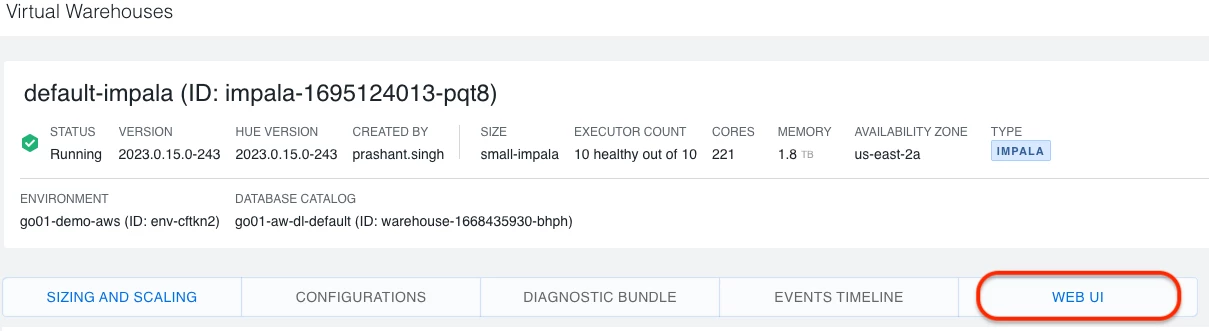
- Within the Virtual Warehouse, go to the "WEB UI" page:
- Copy the Coordinator Web UI address, in my example I'll remove the https://
"coordinator-web-default-impala.dw-go01-demo-aws.ylcu-atmi.cloudera.site"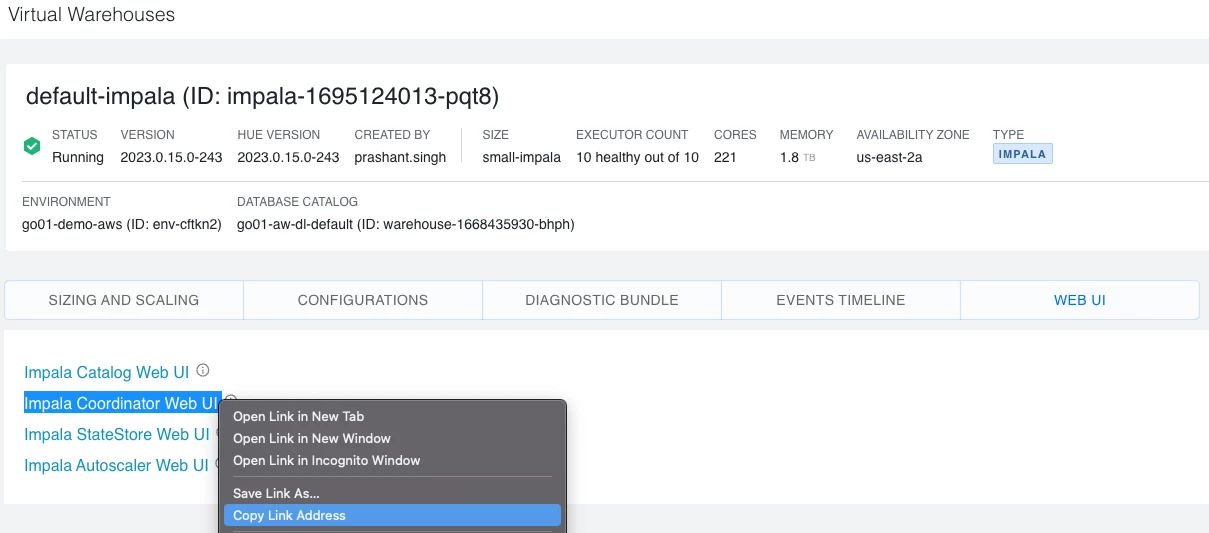
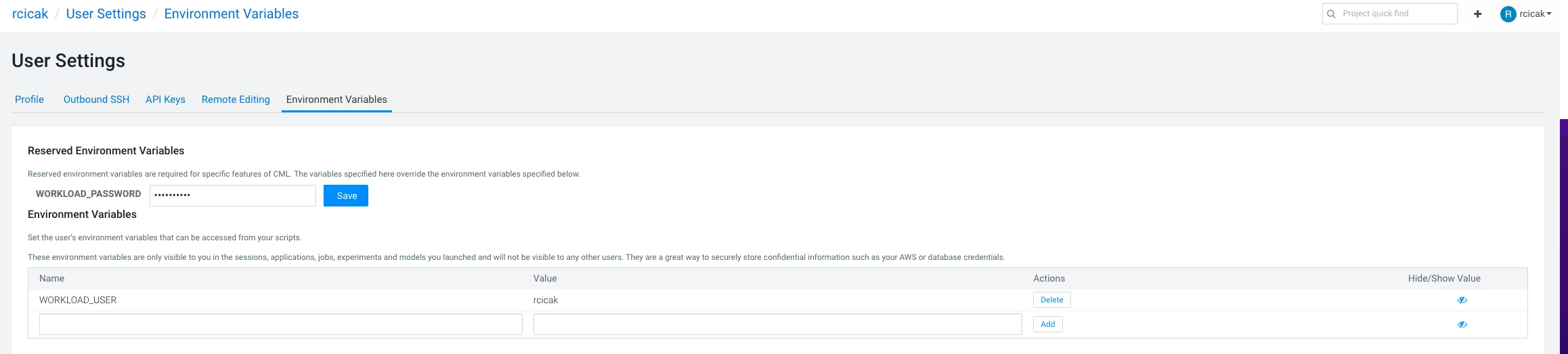
Step 2: Since we're connecting to CDW (Impala) from within CML, I'll set my project's Environment Variables to include my username/password
- Setting the WORKLOAD_PASSWORD to my workload password
- Setting the variable WORKLOAD_USER to my username
Step 3: Within my CML Notebook (in my case PBJ), I'll copy the following code, replacing the coordinator with the coordinator from Step 1:
import os
import requests
import pandas as pd
from tabulate import tabulate

ic = ['coordinator-web-default-impala.dw-go01-demo-aws.ylcu-atmi.cloudera.site']

for c in ic:
    r = requests.get('https://{}/queries?json'.format(c),auth=(os.environ["WORKLOAD_USER"], os.environ["WORKLOAD_PASSWORD"]))
    running_queries = r.json()['in_flight_queries']

    if len(running_queries) > 0:
        df = pd.DataFrame(running_queries)
        print(tabulate(df[['progress','query_id','stmt','executing','start_time']],headers='keys',tablefmt='psql'))
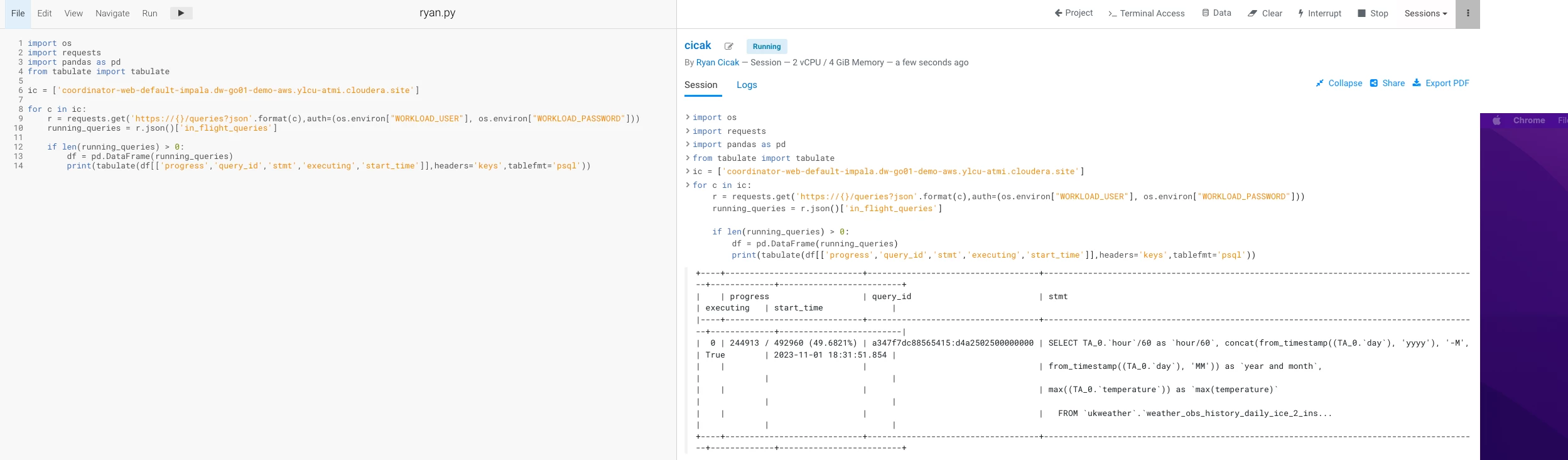
I can add more columns if necessary such as 'stmt_type','resource_pool','state','default_db','effective_user'.
It's just that easy!

