


How to create and register custom ambari alerts ?
This article talks about two things:
1. How to develop a simple python script which returns the result_code like 'CRITICAL', 'WARN', 'OK', 'UNKNOWN' based on certain conditions matching our requirement.
2. How to write an alert definition in json format so that we can install those alerts to the Ambari Server in order to get the alerts.
The scripts/files attached to this article are "test_alert_disk_space.py" and "alerts.json" that we are going to use as part of the following steps:
Step-1). Create a python script as attached "test_alert_disk_space.py"
that finds the list of mount points and the it returns the disk usage status of those mount points. The based on the percentages specified it returns the return code as
'CRITICAL', 'WARN', 'OK', 'UNKNOWN'
Step-2). Place the file "test_alert_disk_space.py" in the following Path on the ambari-server : "/var/lib/ambari-server/resources/host_scripts/"
Example:
cp -f test_alert_disk_space.py /var/lib/ambari-server/resources/host_scripts
Step-3). Now restart the Ambari-Server.
Also we will need to restart the ambari-agents on each hosts so that it (agents) can pull the script from the ambari server. In this case when we restart ambari agents then the file "test_alert_disk_space.py" will be fetched by agents and will be stored inside the ambari-agent cache dir: "/var/lib/ambari-agent/cache/host_scripts" on agent hosts.
Step-4). Run the following command to list all the existing alerts:
curl -u admin:admin -i -H 'X-Requested-By:ambari' -X GET http://node1.example.com:8080/api/v1/clusters/ClusterDemo/alert_definitions
Here Ambari Server Host & port is : "node1.example.com:8080" and Cluster name is : "ClusterDemo"
Step-5). Install the custom alert using Curl command as following:
curl -u admin:admin -i -H 'X-Requested-By:ambari' -X POST -d @alerts.json http://node1.example.com:8080/api/v1/clusters/ClusterDemo/alert_definitions
The output of the above command execution should have the response code as 201 (created). If the response code is 500 (Internal Server Error) or 404 ( Resource not fount) then please double check the command URL/json file.
Check the ambari console to find if the alerts are getting triggered fine or not. Alternatively run the command mentioned in Step-4 to verify of the custom alert is registered fine or not. If needed please do "ambari-server restart".
In the "test_alert_disk_space.py" script users can change the values of "PERCENT_USED_WARNING_KEY" and "PERCENT_USED_CRITICAL_KEY" as per their requirement.
# script parameter keys
MIN_FREE_SPACE_KEY = "minimum.free.space"
PERCENT_USED_WARNING_KEY = "percent.used.space.warning.threshold"
PERCENT_USED_CRITICAL_KEY = "percent.free.space.critical.threshold"

PERCENT_USED_WARNING_KEY = 60
PERCENT_USED_CRITICAL_KEY = 80
Any changes if we make in this file then the ambari-server restart is needed so that ambari-server can push those changes to the agent hosts.
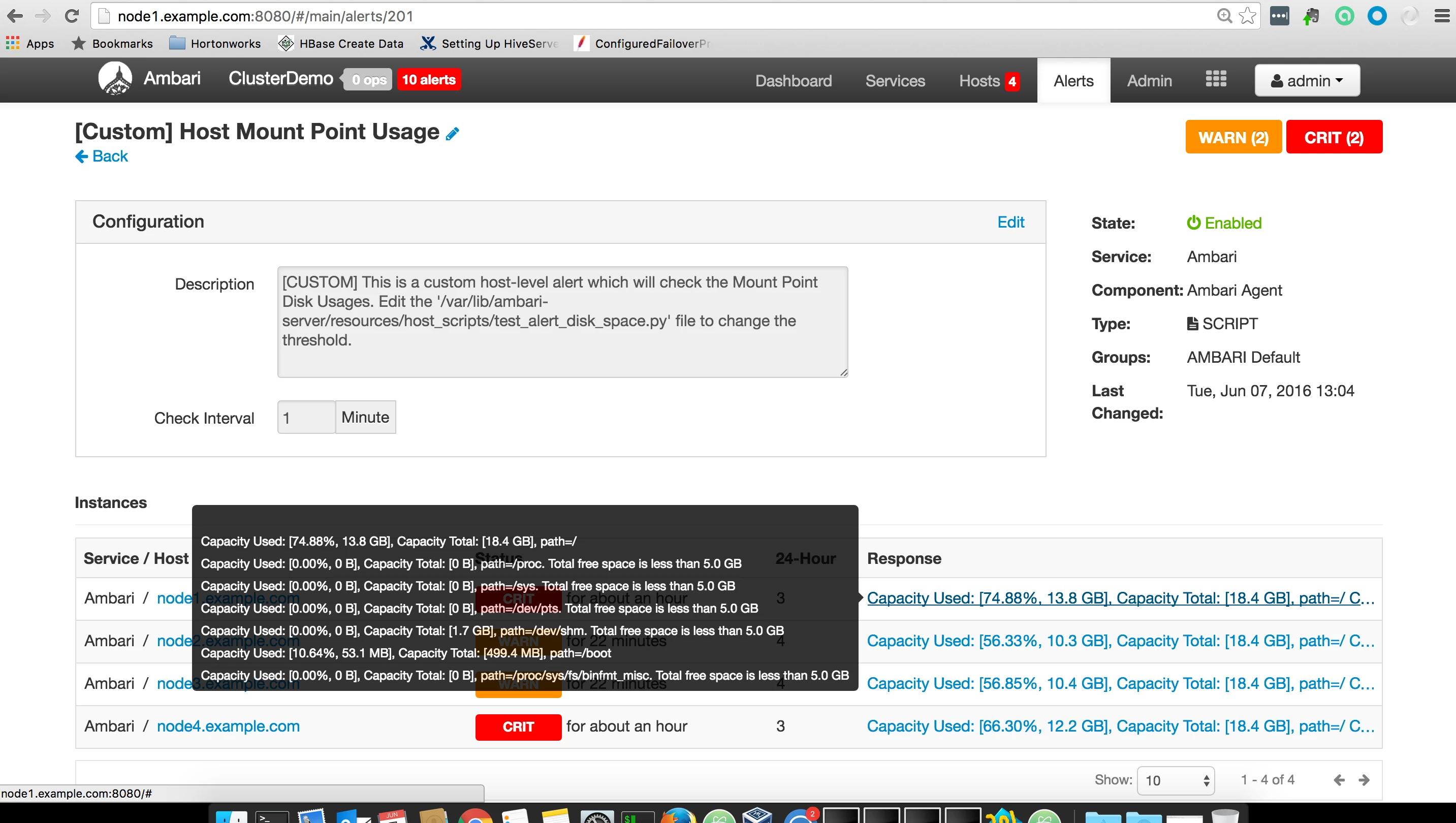
We should be able to see the following kind of alerts based on the the should we have set:
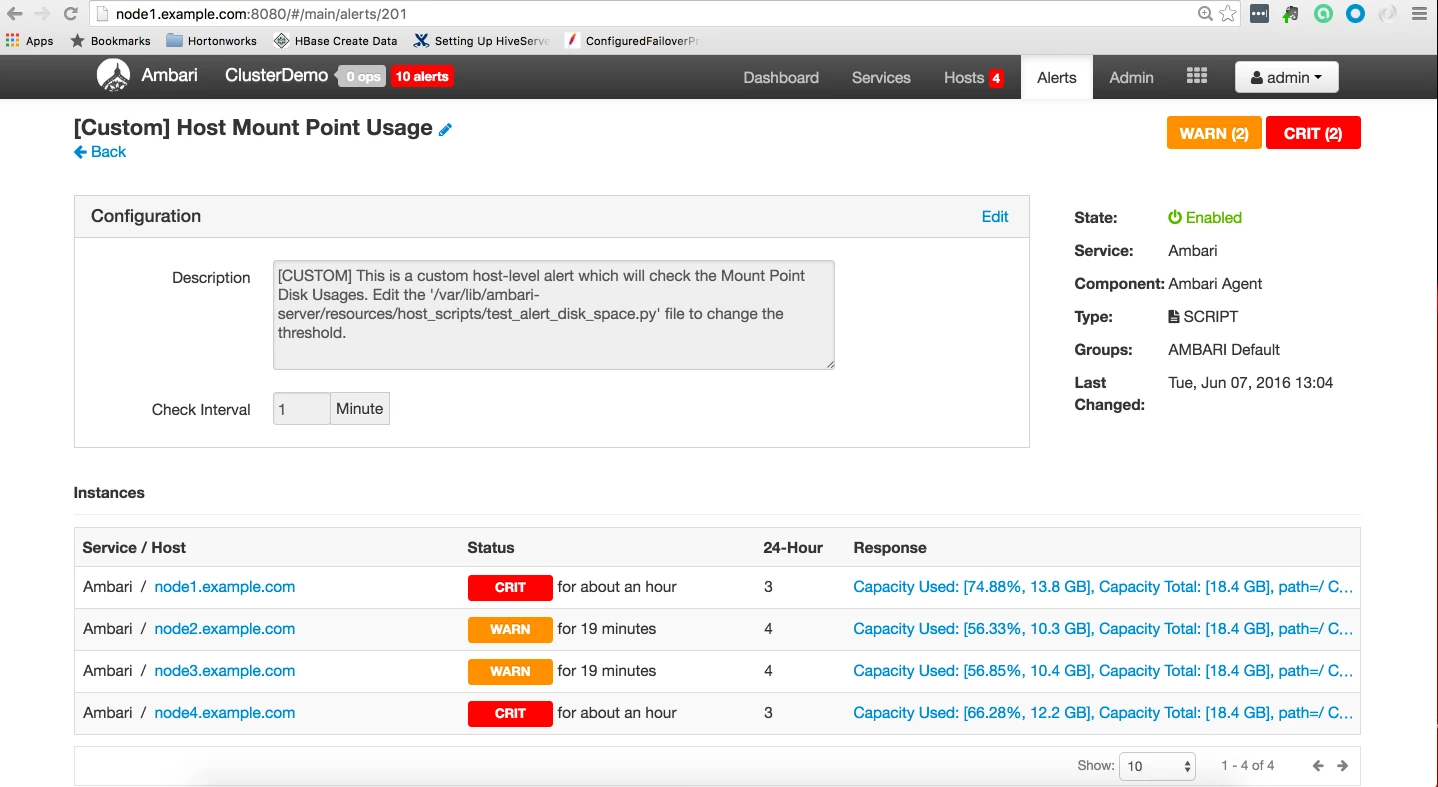
List of every mount point and it's disk usage percentage.
[OPTIONAL]
Manually Running Alert
If we want to manually run the alert then do the following (Notice the "?run_now=true" part in the url)
curl -u admin:admin -i -H 'X-Requested-By:ambari' -X PUT http://node1.example.com:8080/api/v1/clusters/ClusterDemo/alert_definitions/151?run_now=true
Notice here the "151 is the "alert id" which we can get from the ambari console alert definitions page. or using the curl GET command from Step-4.
Deleting the Alertscurl -u admin:admin -i -H 'X-Requested-By:ambari' -X DELETE http://node1.example.com:8080/api/v1/clusters/ClusterDemo/alert_definitions/151
Reference: https://cwiki.apache.org/confluence/display/AMBARI/Creating+a+Script-based+Alert+Dispatcher
Attachments: custom-alerts.zip

