

How To Install ELK Stack (6.3.2) in Ambari
In Hortworks HCP they use an ElasticSearch Mpack for version 5.x of Elasticsearch and Kibana:
I have taken this and expanded it to include version 6.3.2 of ElasticSearch, Logstash, Kibana, FileBeat, and MetricBeat.
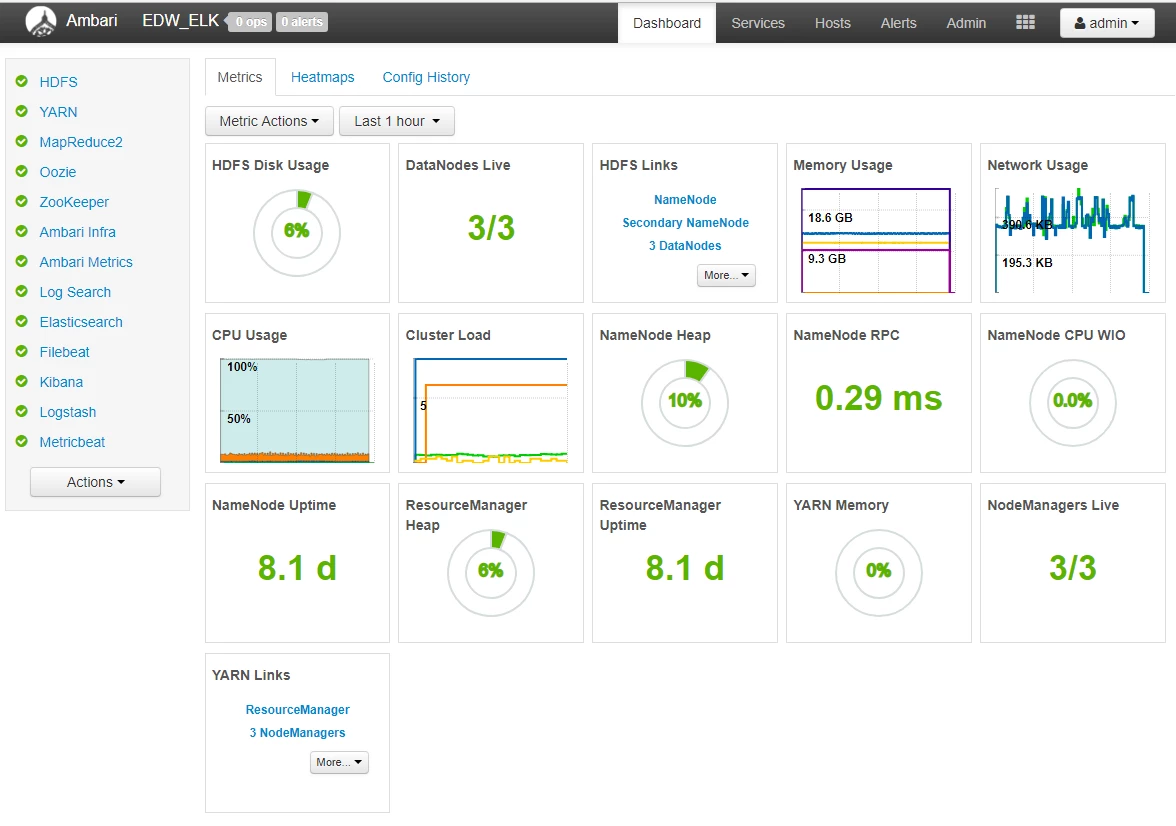
My cluster is 6 nodes.
ElasticSearch is installed on Nodes 4,5,6(4 Master & 5,6 Data Nodes).
Logstash is Installed on Node 3.
FileBeat & MetricBeat are installed on all 6 nodes.
Kibana is installed on Node 4.
The rest of the cluster is configured normally for a minimal Install.
Downloads
Orginal HCP Mpack
elasticsearch-mpack-1600-7.tar.gz
My MPack 6.3.0 - Version Change + Logstash + Beats
elasticsearch-mpack-2500-9.tar.gz
My Mpack 6.3.2 - Version Change + Logstash (multi-node & jvm settings config) + sudo non root capabilities
elasticsearch-mpack-2600-9.tar.gz
Installation Steps
1. Deliver Management Pack tar.gz to local filesystem on Ambari-Server
upload to hdfs view Files View
download to ambari-server node (/home/root)
2. Install Management Pack
sudo ambari-server install-mpack --mpack=/home/root/elasticsearch_mpack-2.6.0.0-9.tar.gz --verbose
Uninstall is: sudo ambari-server uninstall-mpack --mpack-name=elasticsearch-ambari.mpack
3. Restart Ambari Server
sudo ambari-server restart
4. Use Ambari Add Service to Install ELK Stack Components
The following settings will be required during the Install Wizard
ES_URL:
example: http://node4.hostname.com:9200
KIBANA_URL:
example: http://node4.hostname.com:5000
LOGSTASH_URL:
example: http://node3.hostname.com:5044
ElasticSearch Zen Discovery Hosts:
example: [ node4.hostname.com, node5.hostname.com, node6.hostname.com ]
Configuration
Post installation Ambari handles the configuration of all components including logstash (input, output, and filters) and FileBeat and MetricBeat configuration files.
- ElasticSearch configuration should work out of the box without any changes other than Zen Discovery Hosts.
- Logstash filters are setup for beats input, file FileBeat filter, and elasticsearch output.
- FileBeat is setup to use Logstash.
- MetricBeat is setup to send metrics directly to Elasticsearch.
Summary
Learning this Elasticsearch MPack is a good example of how to create your own custom stack using a Management Pack to define services not normally found in an Ambari Cluster. Ambari Administrators looking to understand how to create their own Management Pack should take some time to diff the Mpacks attached below. Creating custom services controlled via Ambari is pretty easy if you mimic the folder structure, make the necessary xml file changes, and adjust the python package scripts accordingly.

