


How to remove all previous version HDP directories from /usr/hdp using Ambari.
Post HDP upgrade you will observe all previous version HDP directories will be exist under /usr/hdp/ directory (Including current active). Once upgrade is finalized you can clear those older version directories using Ambari. use following "curl" command.
- Ssh to ambari server and run following command. (You can use any linux box in network which has curl installed and able to access ambari console URL).
curl 'http://<$AMBARI_SERVER>:8080/api/v1/clusters/<$MyClusterName>/requests' -u admin:<Password> -H "X-Requested-By: ambari" -X POST -d'{"RequestInfo":{"context":"remove_previous_stacks", "action" : "remove_previous_stacks", "parameters" : {"version":"<$Current_Active_version>"}}, "Requests/resource_filters": [{"hosts":"<$ClusterNode1>, <$ClusterNode2>"}]}'
- $MBARI_SERVER => Ambari server name and port. If you are using SSL use the SSL port no.
- $MyClusterName => Enter cluster name you want to remove directories.
- $ Current_Active_version => Enter current active version. (It will remove all previous versions directory.) It will remove all older versions of mentioned current.
- $ClusterNode1 => Enter your cluster node HostName/IP. (Using hostname is recommended)
for e.g
curl 'http://myambariserver.test.com:8080/api/v1/clusters/myprodcluster1/requests' -u admin:xxxxxx -H "X-Requested-By: ambari" -X POST -d'{"RequestInfo":{"context":"remove_previous_stacks", "action" : "remove_previous_stacks", "parameters" : {"version":"2.6.1.0-129"}}, "Requests/resource_filters": [{"hosts":"datanode1.test.com, datanode2.test.com,mstr1.test.com"}]}'
Output:
{
"href" : "http:// myambariserver.test.com:8080/api/v1/clusters/myprodcluster1/requests/830",
"Requests" : {
"id" : 830,
"status" : "Accepted"
}
}
2. Track the progress for each cluster nodes from running operations.
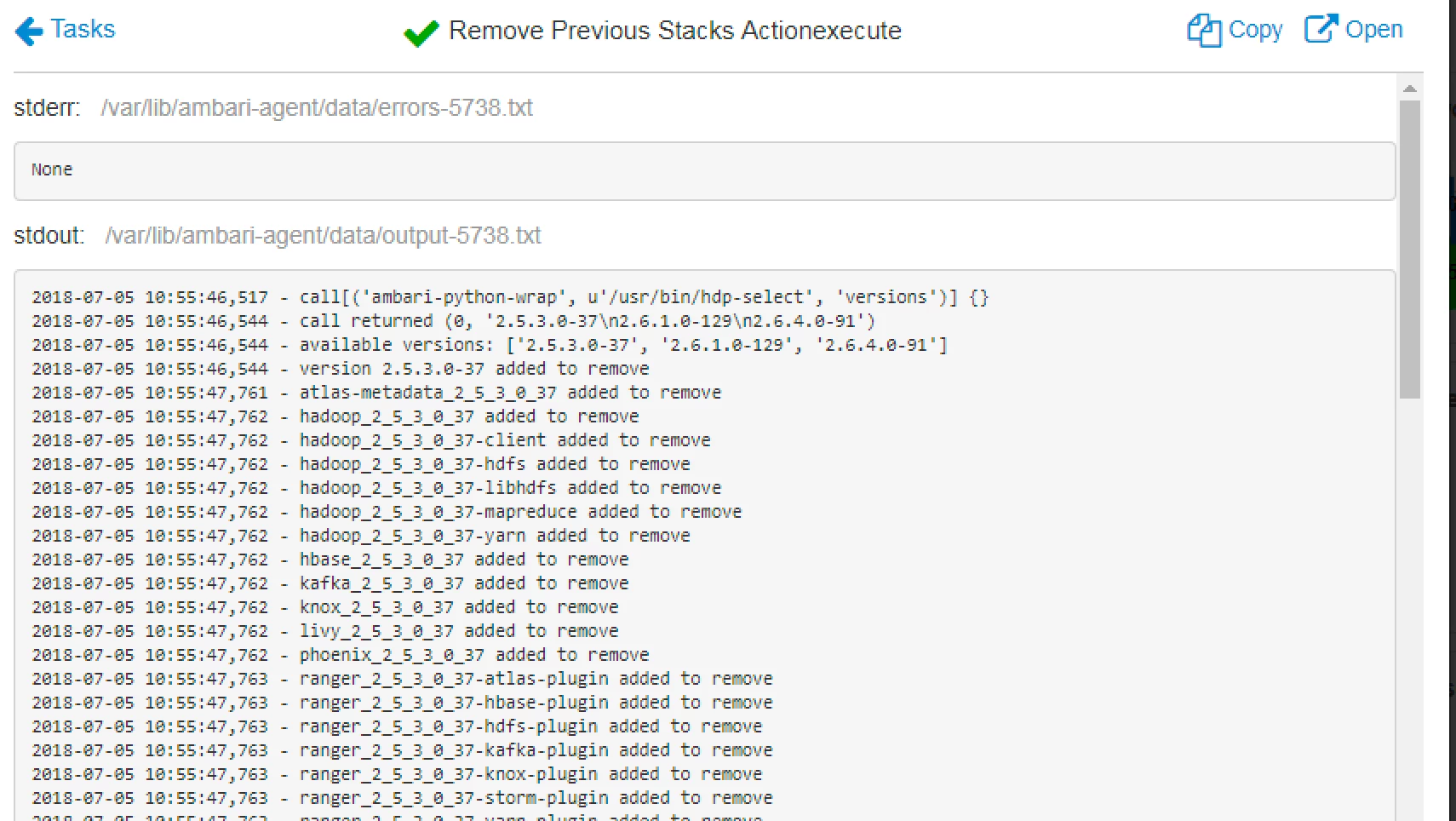
Login to Ambari console=>click on ops (Right corner near cluster name). You will see running operation "remove_previous_stacks".
NOTE: If you have long list of cluster nodes, you can specify list of nodes in one file and provide full path of file to the host directive.
for e.g.
[{"hosts":"/var/tmp/clusternodes1.txt"}]}'

