


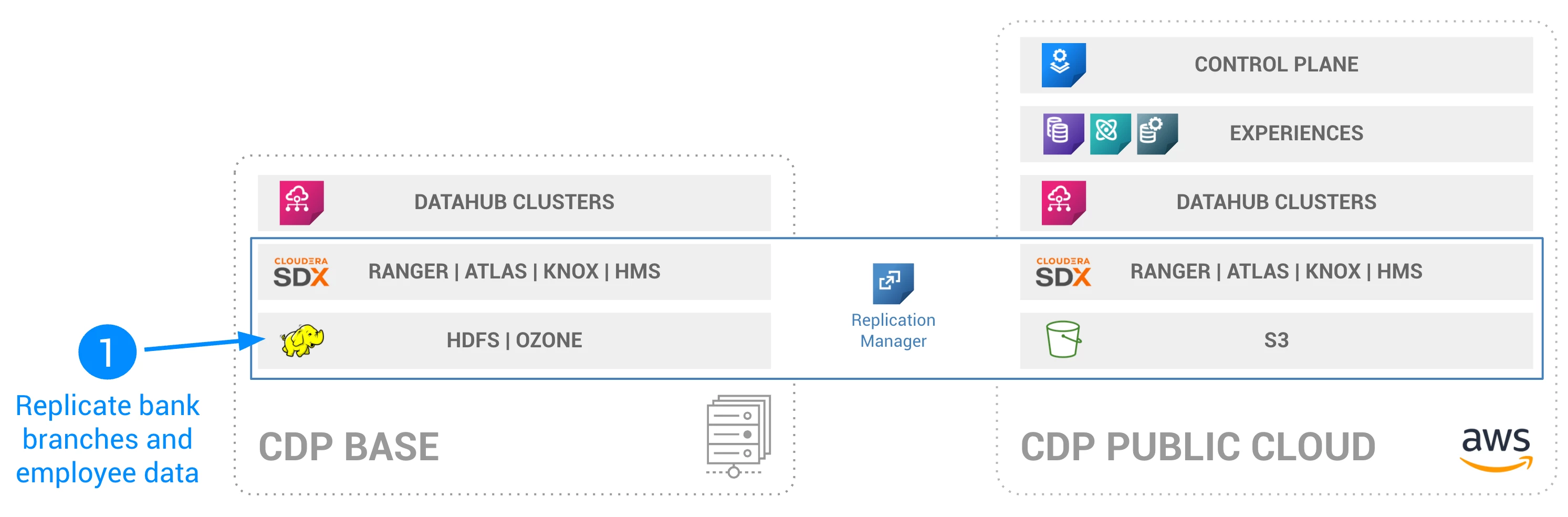
How to use CDP Replication Manager to replicate data from HDFS to S3

$ scp -i [your_key_location] ssh_tunnel_setup_files.zip [your_user_with_sudo_privileges]@[your_host]:/home/[your_user_with_sudo_privileges]
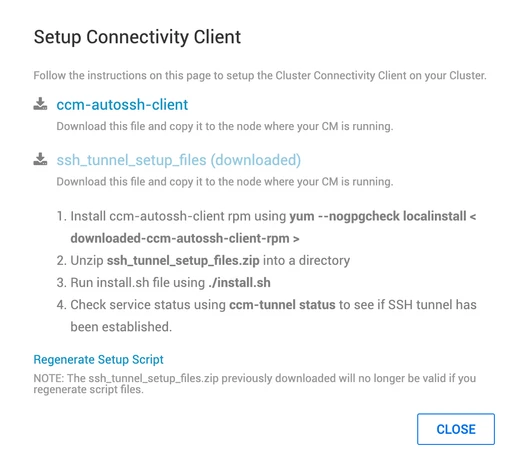
- SSH to CM node and instal ccm autossh
$ ssh -i [your_key_location] [your_user_with_sudo_privileges]@[your_host]
$ sudo su
$ wget https://archive.cloudera.com/ccm/0.1/ccm-autossh-client-0.1-20191023211905gitd03880c.x86_64.rpm
$ yum -y --nogpgcheck localinstall ccm-autossh-client-0.1-20191023211905gitd03880c.x86_64.rpm
- Install Tunnel
$ unzip ssh_tunnel_setup_files.zip
$ ./install.sh
- Post the installation you should see a message like this:
==========================================================================================
SSH tunnel for CM established successfully.
Run 'ccm-tunnel status' for status
Run 'journalctl -f -u ccm-tunnel@CM.service' or 'journalctl -xe' for logs.
==========================================================================================
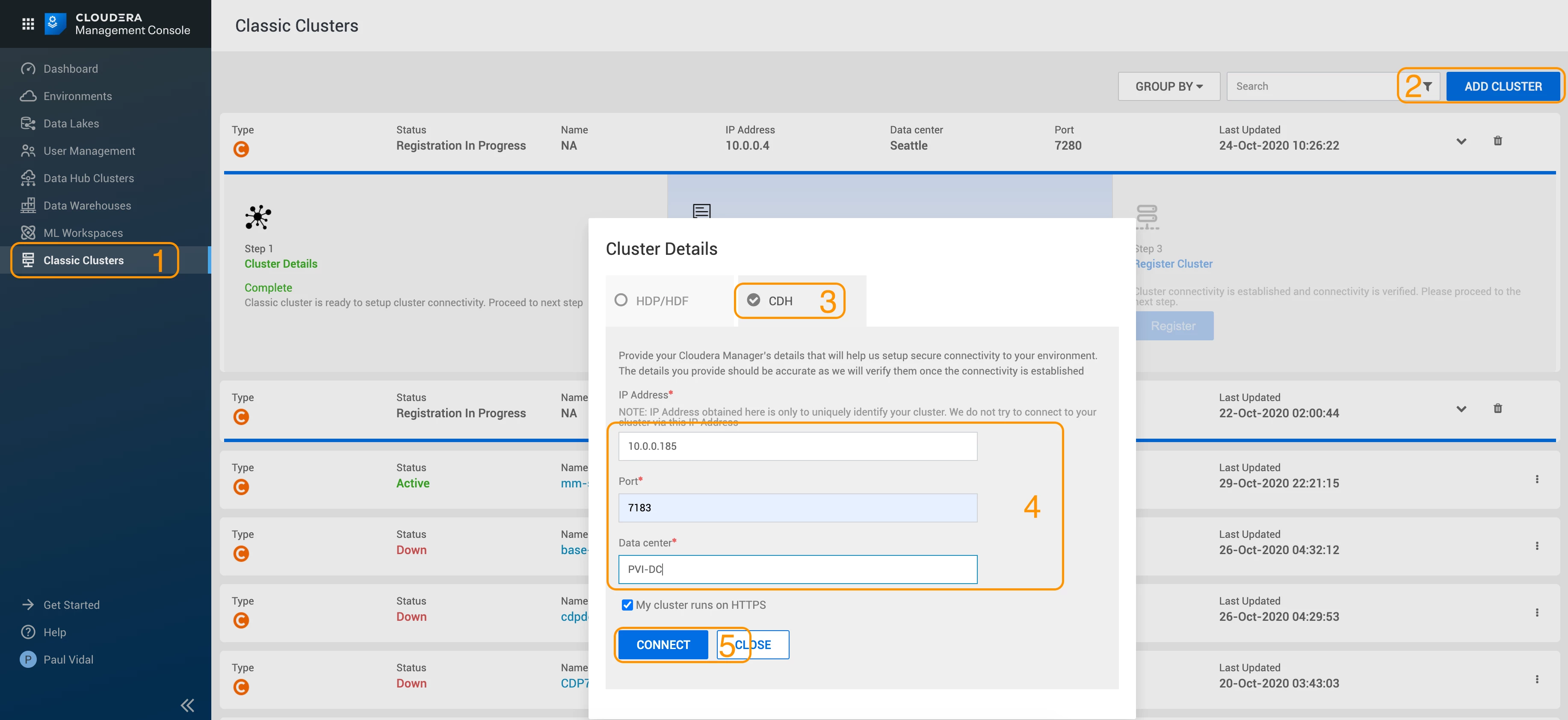
Finish Registration
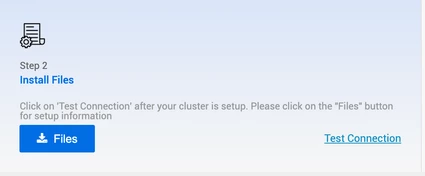
- In your Management console, click on Test Connection:
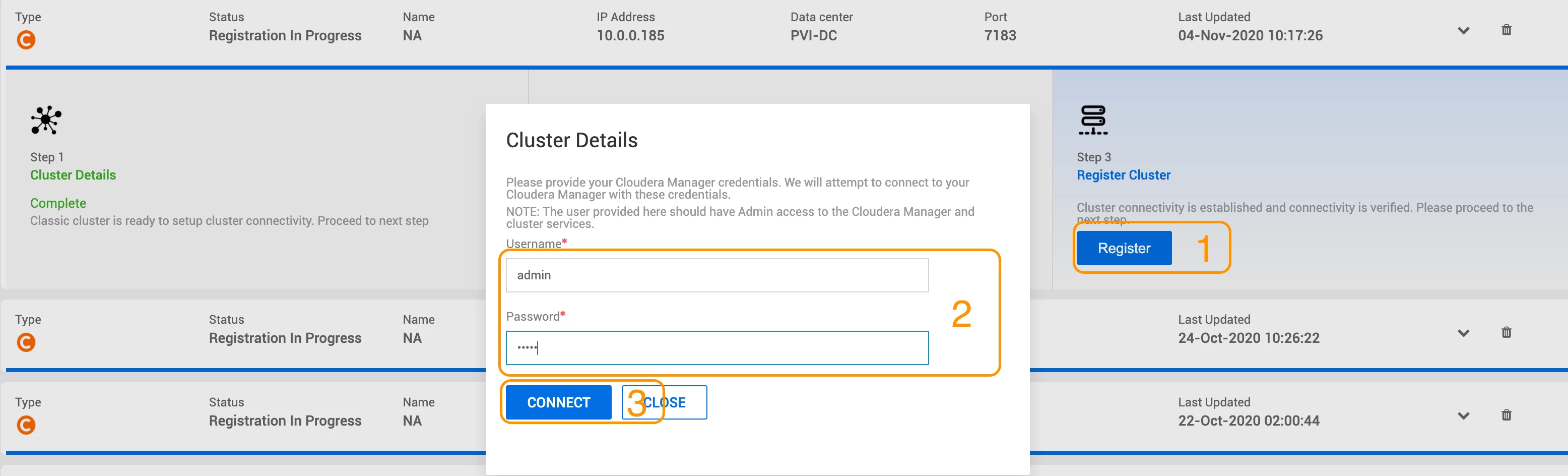
- Once the connection is successful, you can click on Register, add your CM user/pw and connect:
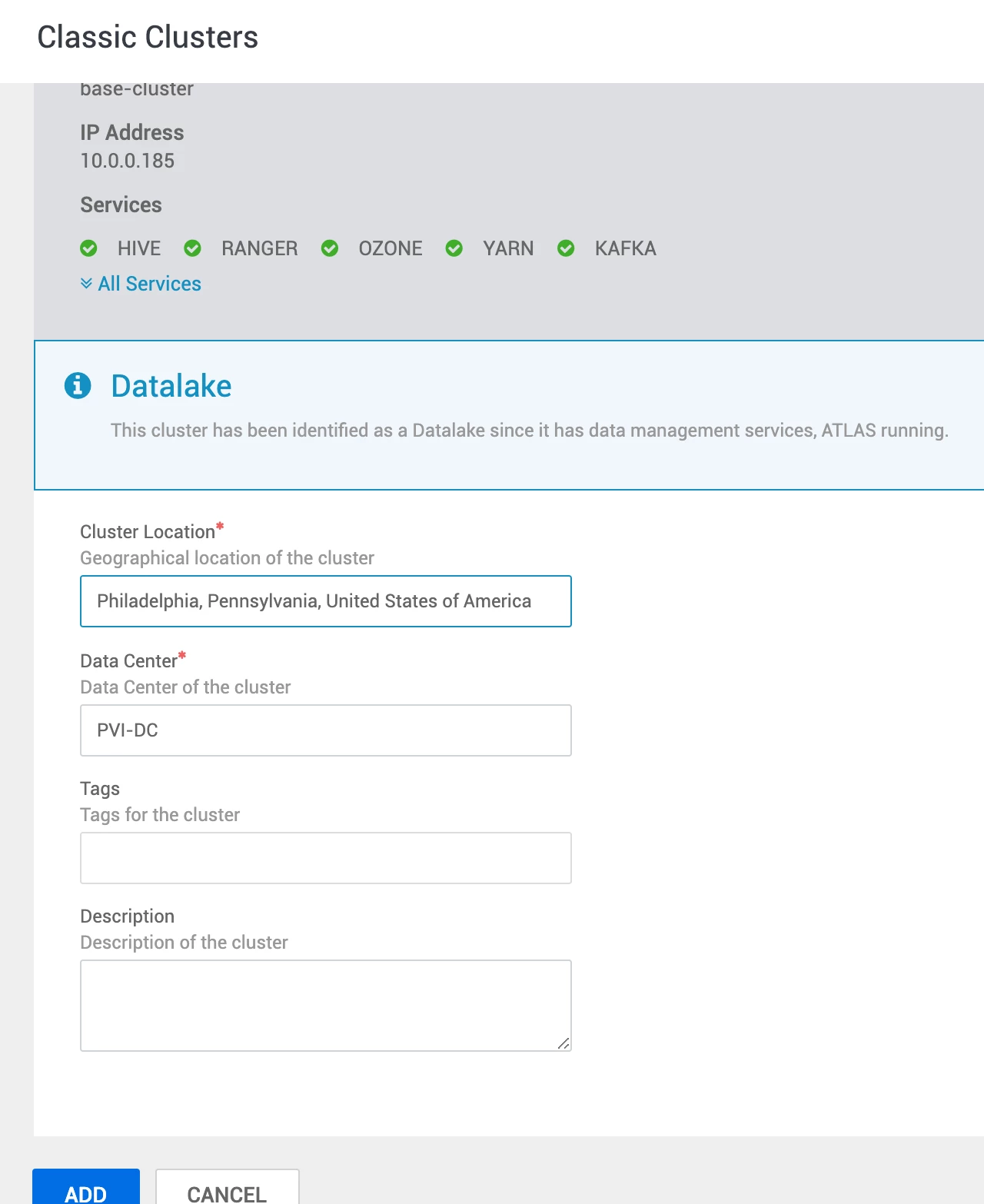
- Finally, enter the location of your base cluster (to display on dashboard map):
- You have now successfully established a secure tunnel between CDP Base and CDP Public Cloud:

Step 2: Create a Replication Policy
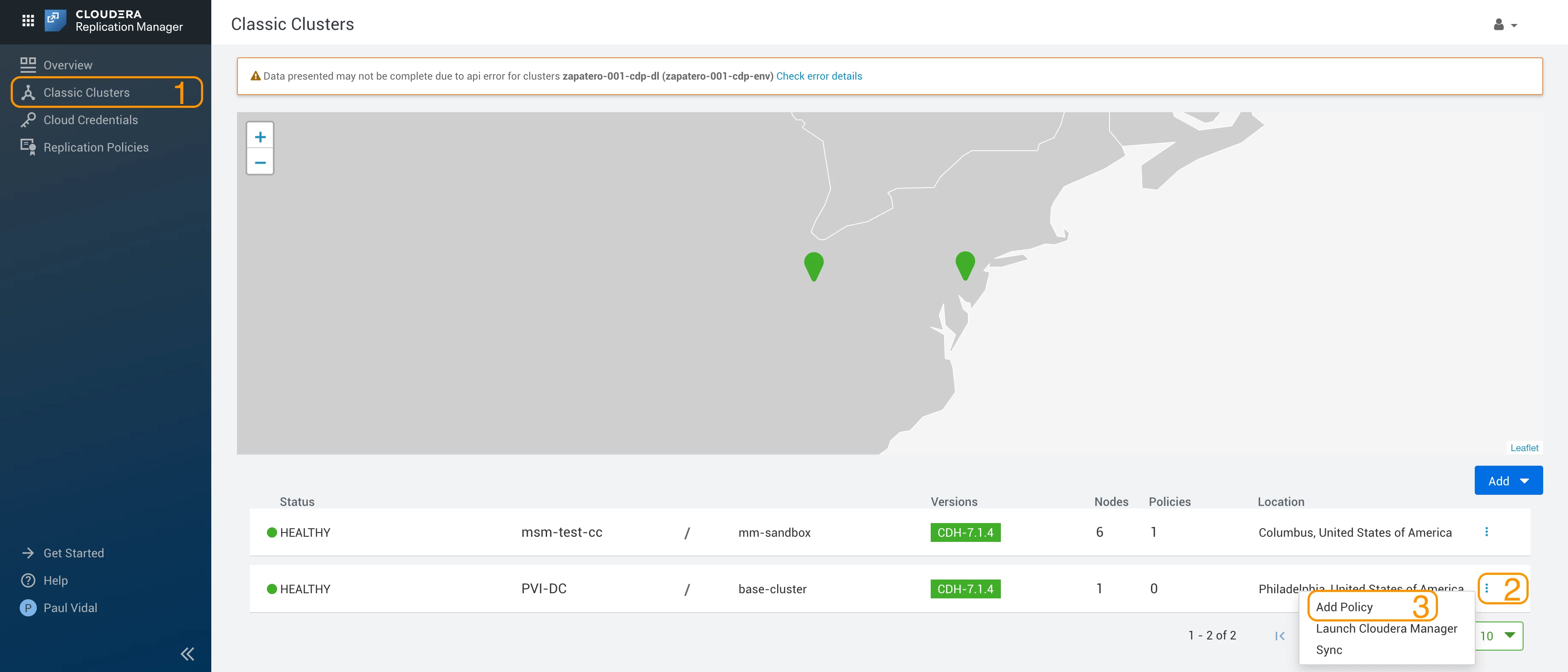
- Navigate to Replication Manager > Classic Clusters > 3 dots on your cluster > Add Policy:
- In our case, we are going to replicate 2 datasets from HDFS:
- Employee data
- Bank location data
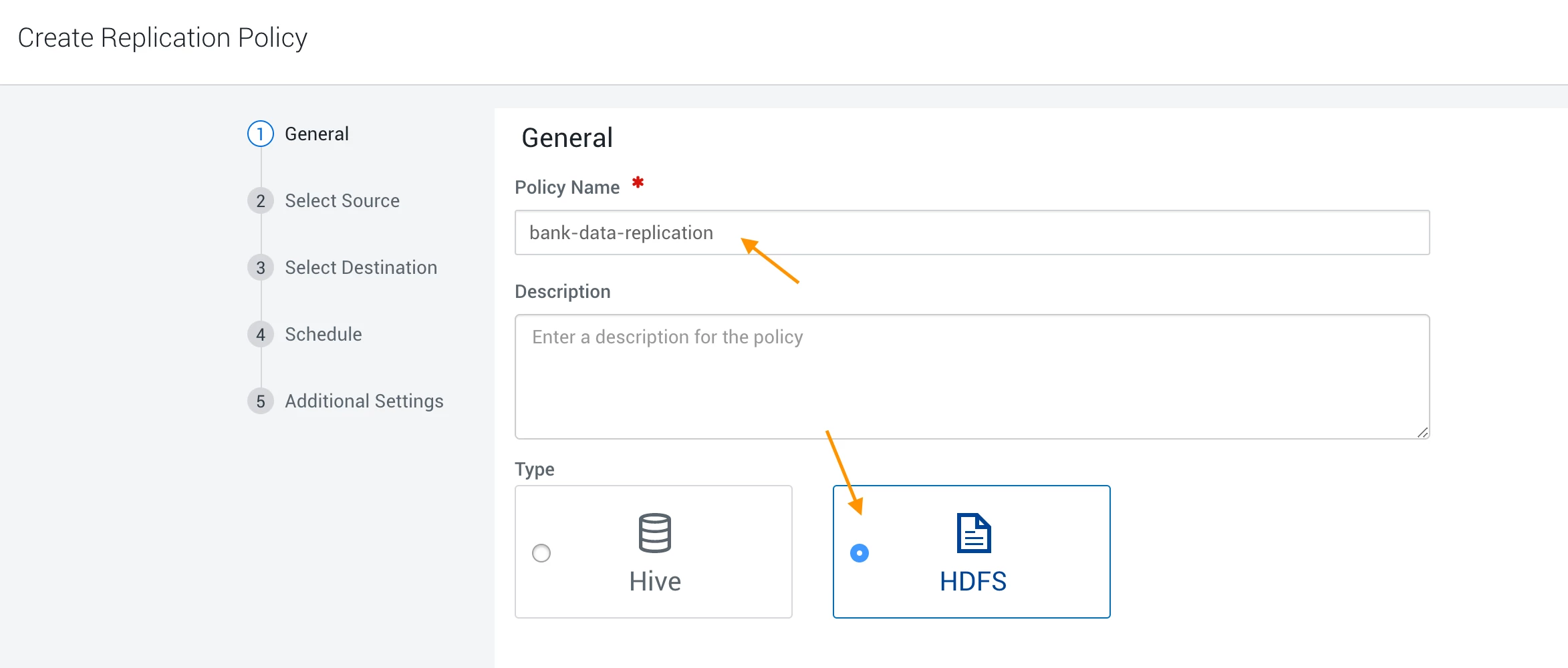
- In Step 1, give a policy name and select HDFS:
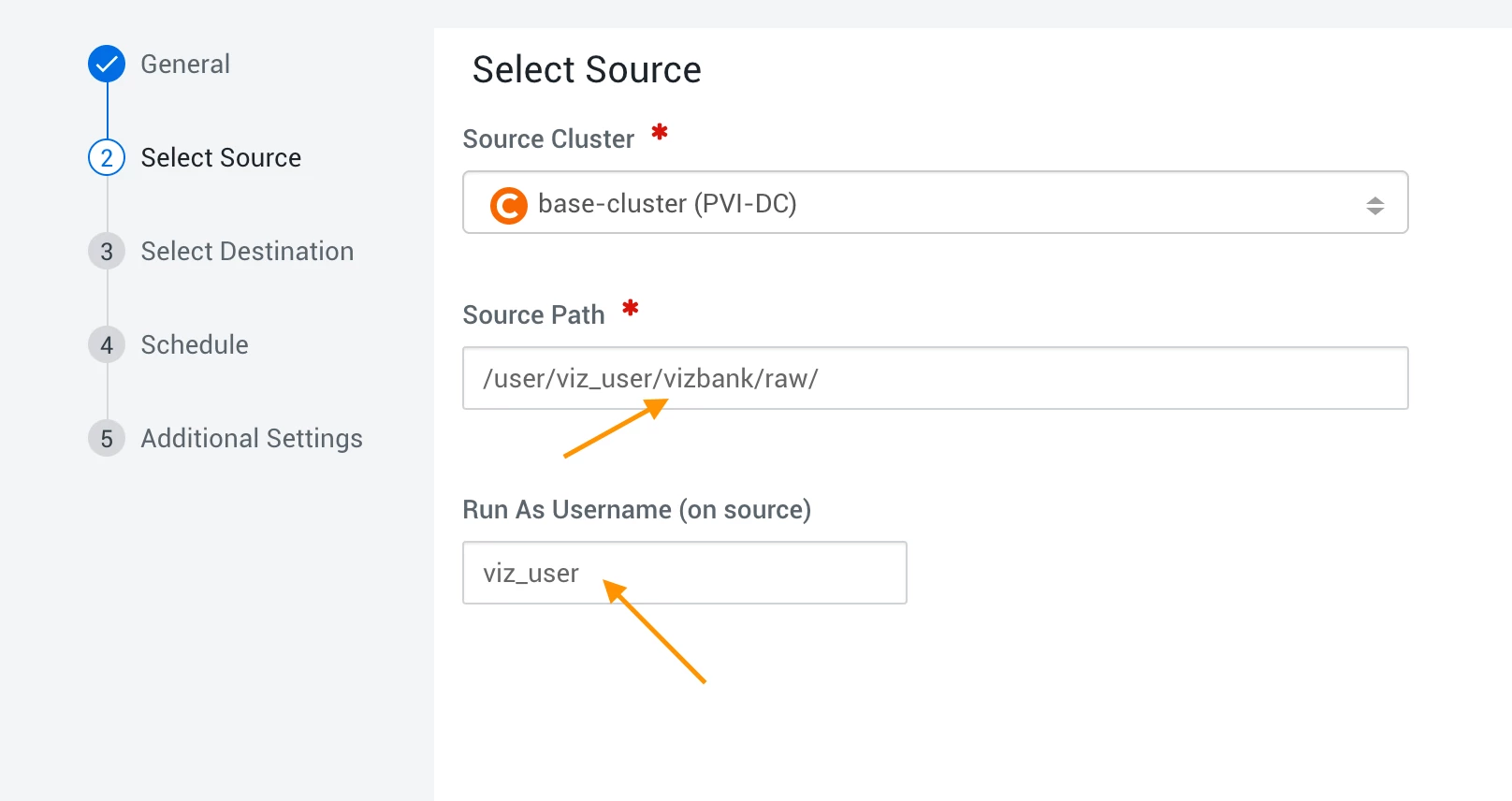
- In Step 2, add the location of your dataset and name of your superuser:
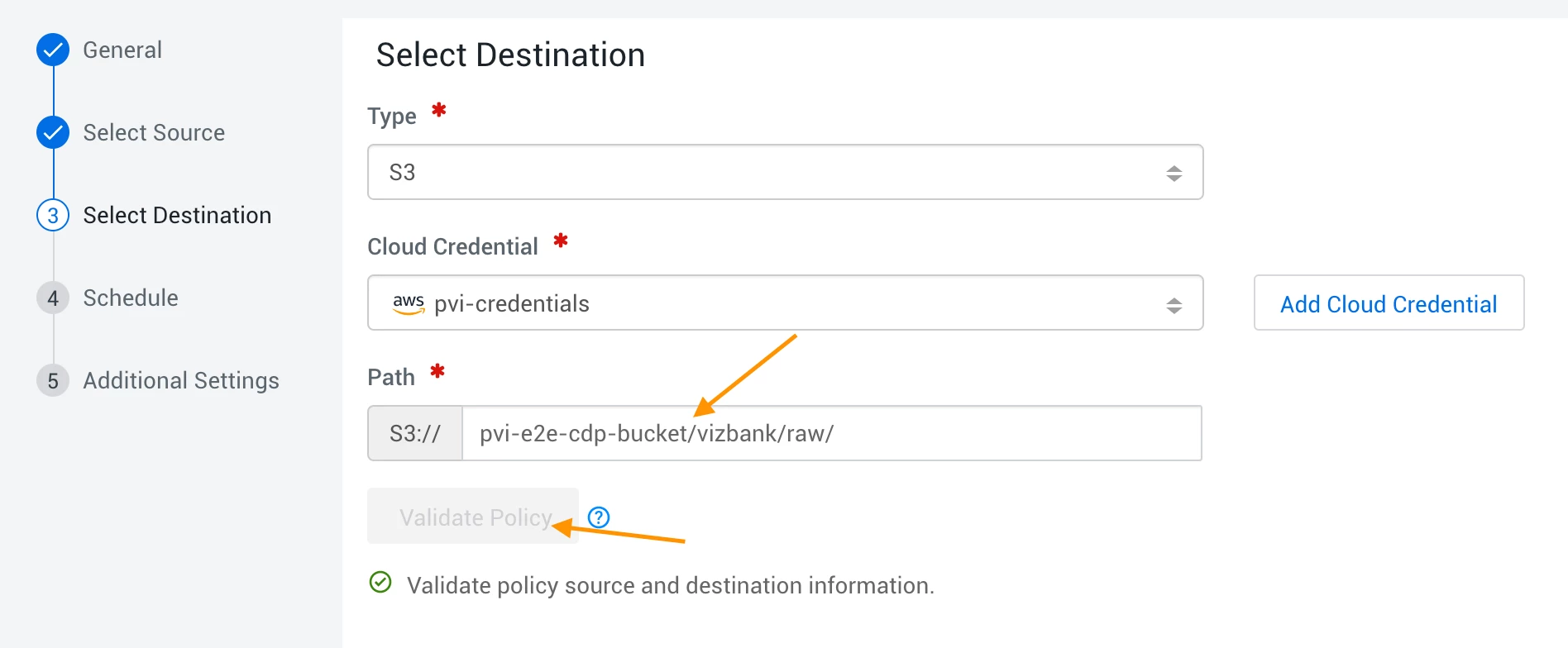
- In Step 3, select s3 add your AWS credentials:
- In Step 1, give a policy name and select HDFS:
- After validation, enter the target bucket (your environment cloud storage) and validate:
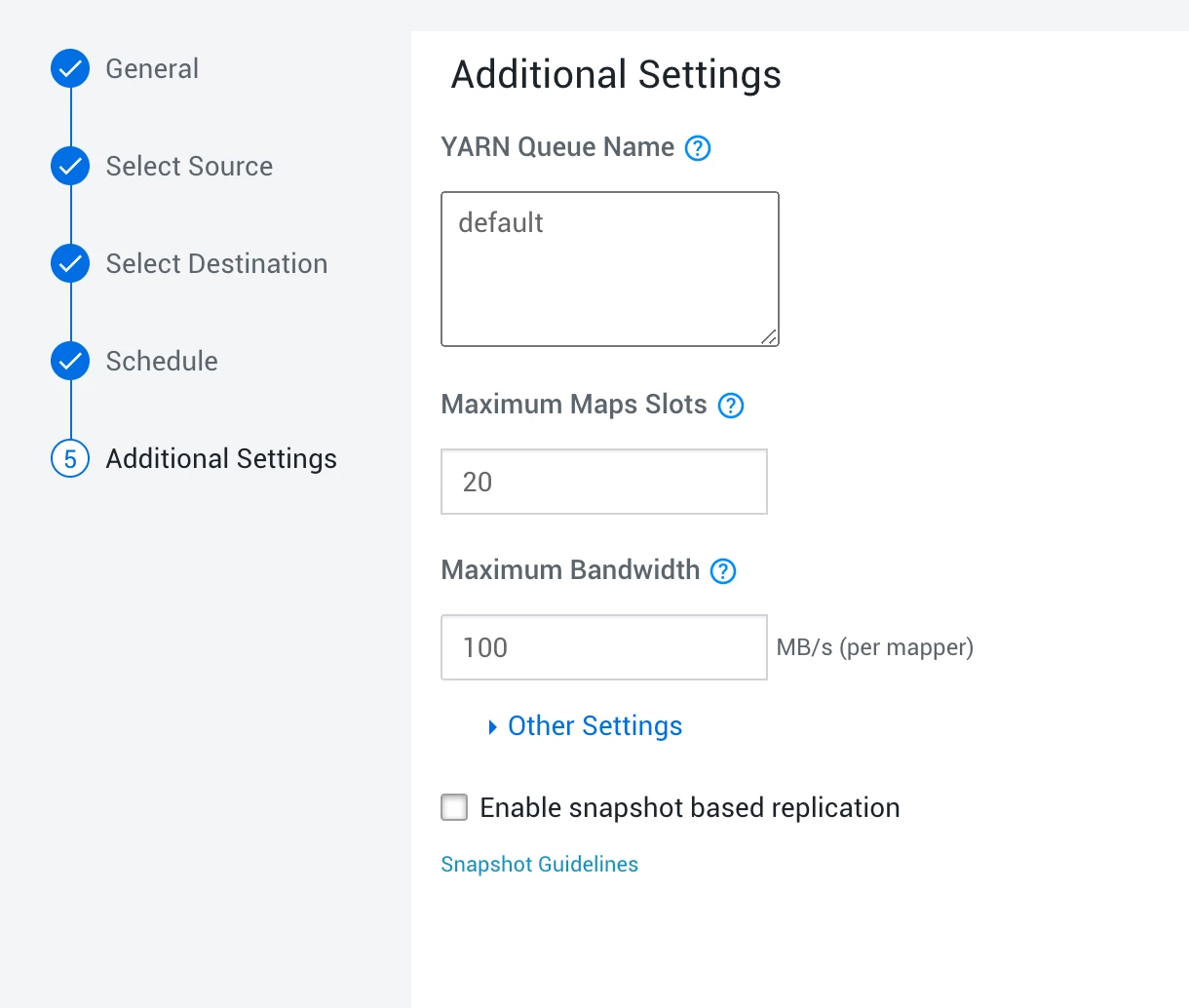
- For the next two steps, use default settings:
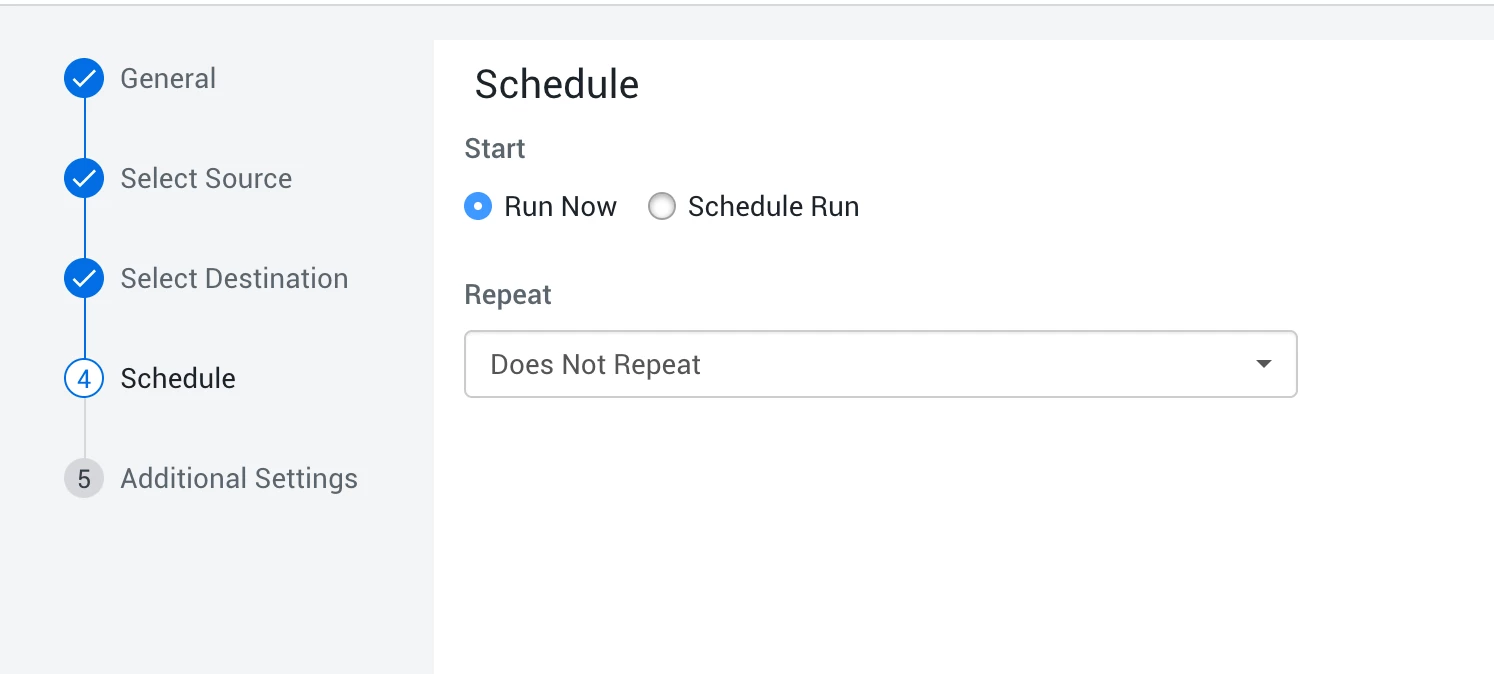
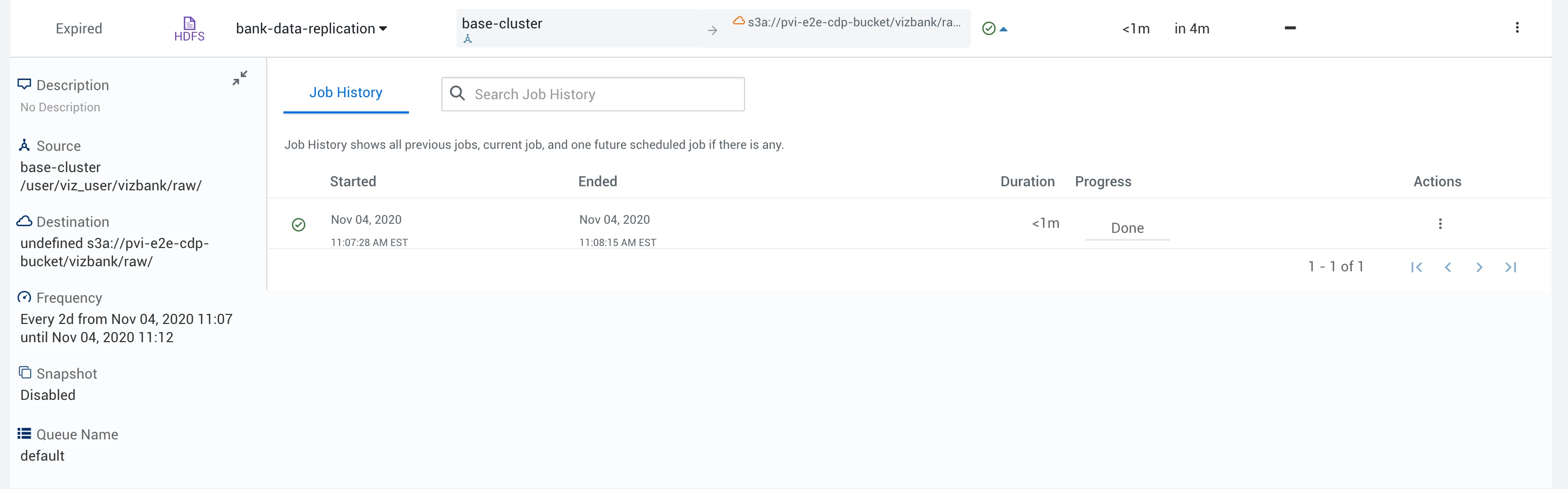
- After you click create, you will see the replication policy progressing.
- Wait for it to complete successfully then move on to the next step:
Step 3: Create external and managed tables in CDW
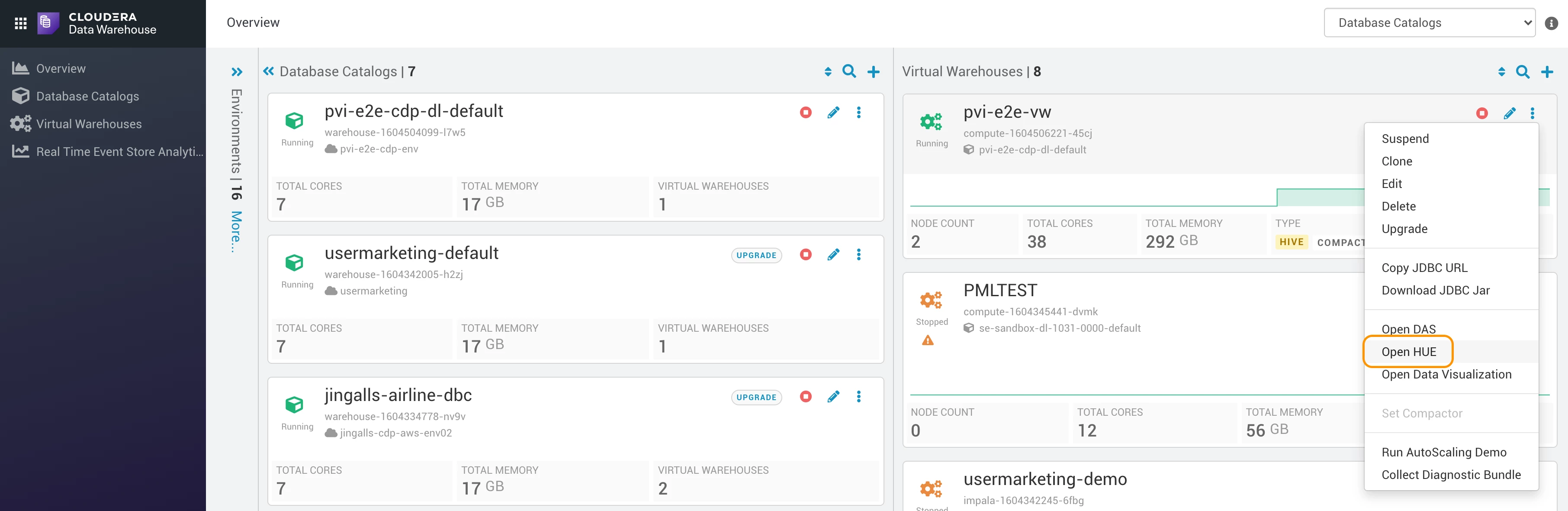
- Navigate to CDW > 3 dots of your virtual warehouse > Open Hue:
- In your query editor, run the following queries (adapting to your s3 path of course):
create database if not exists worldwidebank;


use worldwidebank;

CREATE EXTERNAL TABLE if not exists worldwidebank.employees_ext(
 number int,
 location int,
 gender string,
 title string,
 givenname string,
 middleinitial string,
 surname string,
 streetaddress string,
 city string,
 state string,
 statefull string,
 zipcode string,
 country string,
 countryfull string,
 emailaddress string,
 username string,
 password string,
 telephonenumber string,
 telephonecountrycode string,
 mothersmaiden string,
 birthday string,
 age int,
 tropicalzodiac string,
 cctype string,
 ccnumber string,
 cvv2 string,
 ccexpires string,
 ssn string,
 insuranceid string,
 salary string,
 bloodtype string,
 weight double,
 height int)
ROW FORMAT DELIMITED FIELDS TERMINATED BY ','
STORED AS TEXTFILE
LOCATION 's3a://pvi-e2e-cdp-bucket/vizbank/raw/employees/'
tblproperties("skip.header.line.count"="1");


CREATE EXTERNAL TABLE if not exists worldwidebank.locations_ext(
    LOCATION_ID int,
    ADDRESS string,
    BKCLASS string,
    CBSA string,
    CBSA_DIV string,
    CBSA_DIV_FLG string,
    CBSA_DIV_NO string,
    CBSA_METRO string,
    CBSA_METRO_FLG string,
    CBSA_METRO_NAME string,
    CBSA_MICRO_FLG string,
    CBSA_NO string,
    CERT string,
    CITY string,
    COUNTY string,
    CSA string,
    CSA_FLG string,
    CSA_NO string,
    ESTYMD string,
    FI_UNINUM string,
    MAINOFF string,
    NAME string,
    OFFNAME string,
    OFFNUM string,
    RUNDATE string,
    SERVTYPE string,
    STALP string,
    STCNTY string,
    STNAME string,
    UNINUM string,
    ZIP int)
ROW FORMAT DELIMITED FIELDS TERMINATED BY ','
STORED AS TEXTFILE
LOCATION 's3a://pvi-e2e-cdp-bucket/vizbank/raw/locations/'
tblproperties("skip.header.line.count"="1");


create table worldwidebank.employees as select * from worldwidebank.employees_ext;
create table worldwidebank.locations as select * from worldwidebank.locations_ext;

CREATE MATERIALIZED VIEW worldwidebank.employees_per_state as select locations.stname, count(*) as num_employees from employees, locations where employees.location=locations.location_id GROUP BY locations.stname;
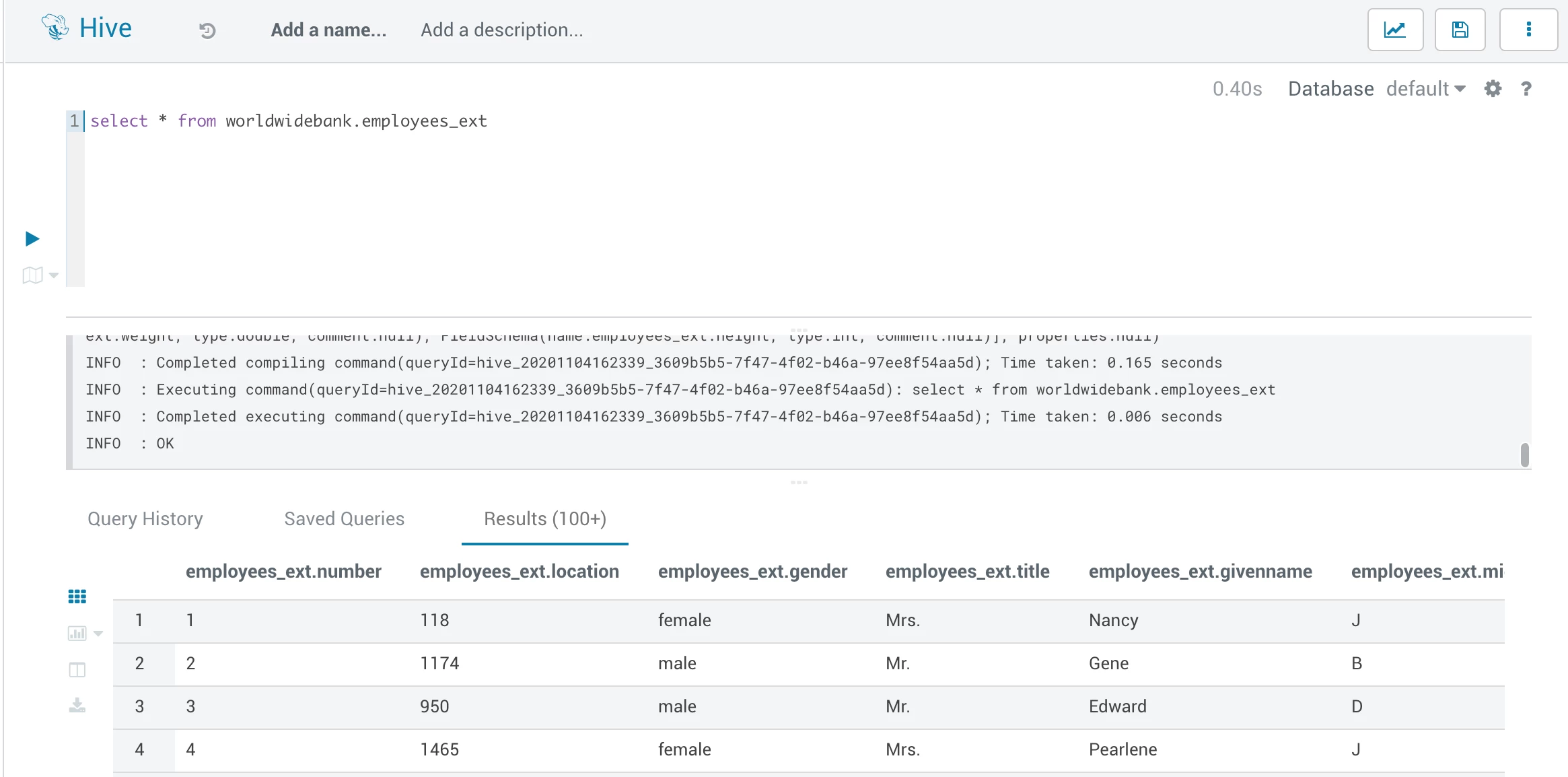
- And that's it, you now have replicated data from your base cluster to CDP:
The next step will be to profile sensitive data to protect our employees' data.

