


Silver ⭐️⭐️⭐️
November 13, 2020
How to use CDP SDX to profile and protect sensitive data
- October 5, 2026 at 8:54 AM
- 0 replies
- 2979 views
- Translate All
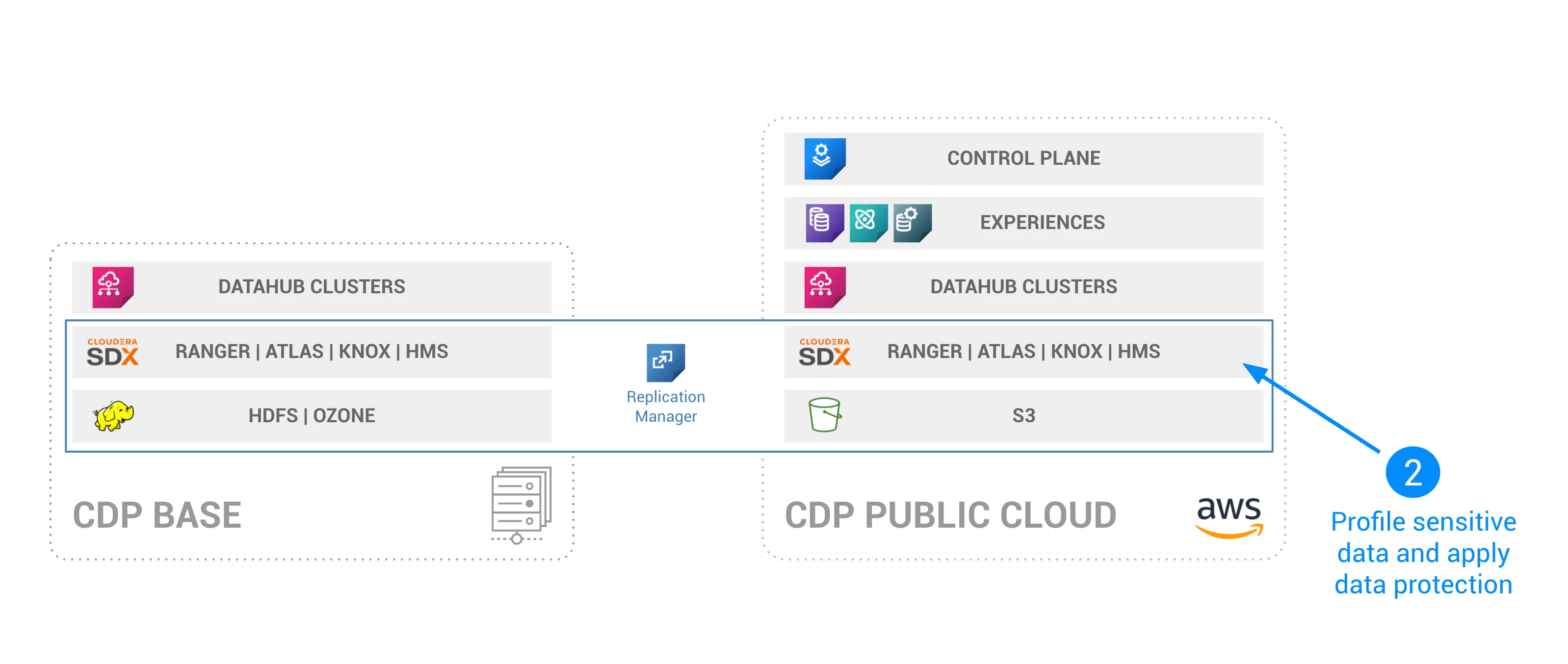
Welcome to Part 2 of our harness the hybrid cloud series. In this tutorial, we will learn how to use Data Catalog, Atlas, and Ranger to profile and protect sensitive data in CDP Public Cloud, as depicted below:
Prerequisites
- Complete Part 1 of the series
Step 1: Launch Data Profiling
CDP Data Catalog comes with data profilers out of the box. You can of course customize them, but in our datasets, we will use the standard data profilers.
Launch Profiler Cluster
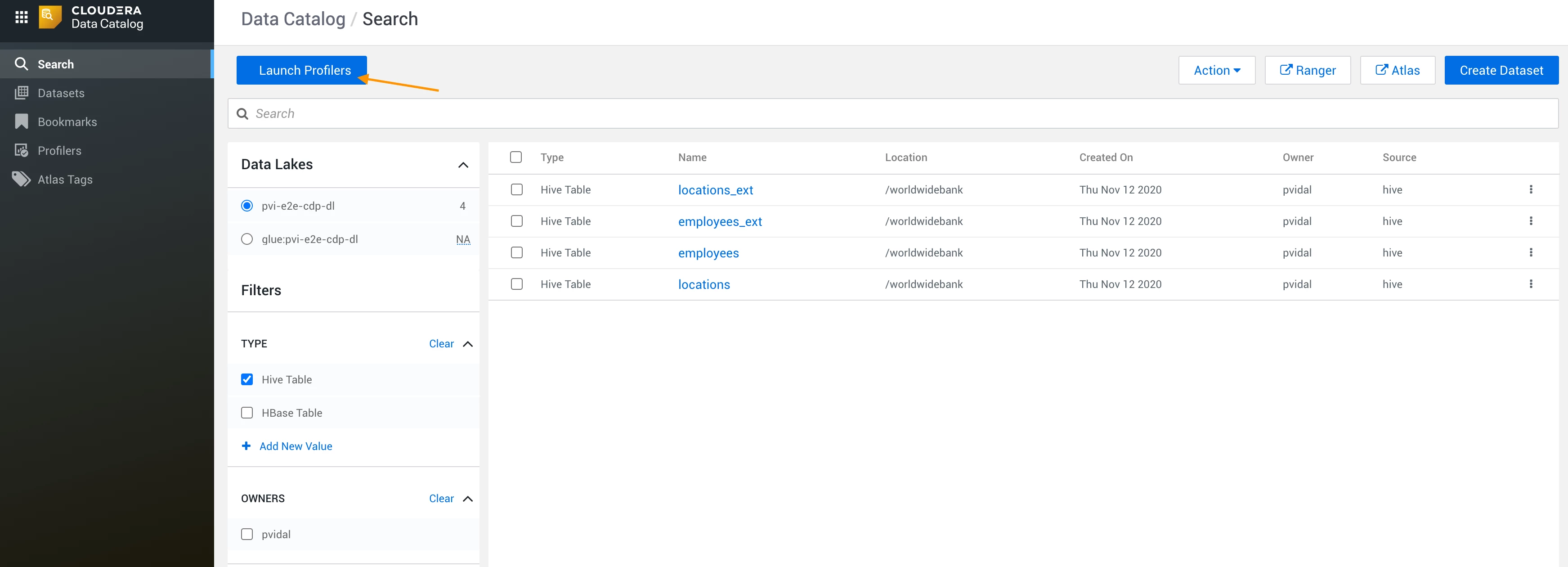
- Navigate to your CDP Management Console > Data Catalog > Select your environment > Launch Profilers:
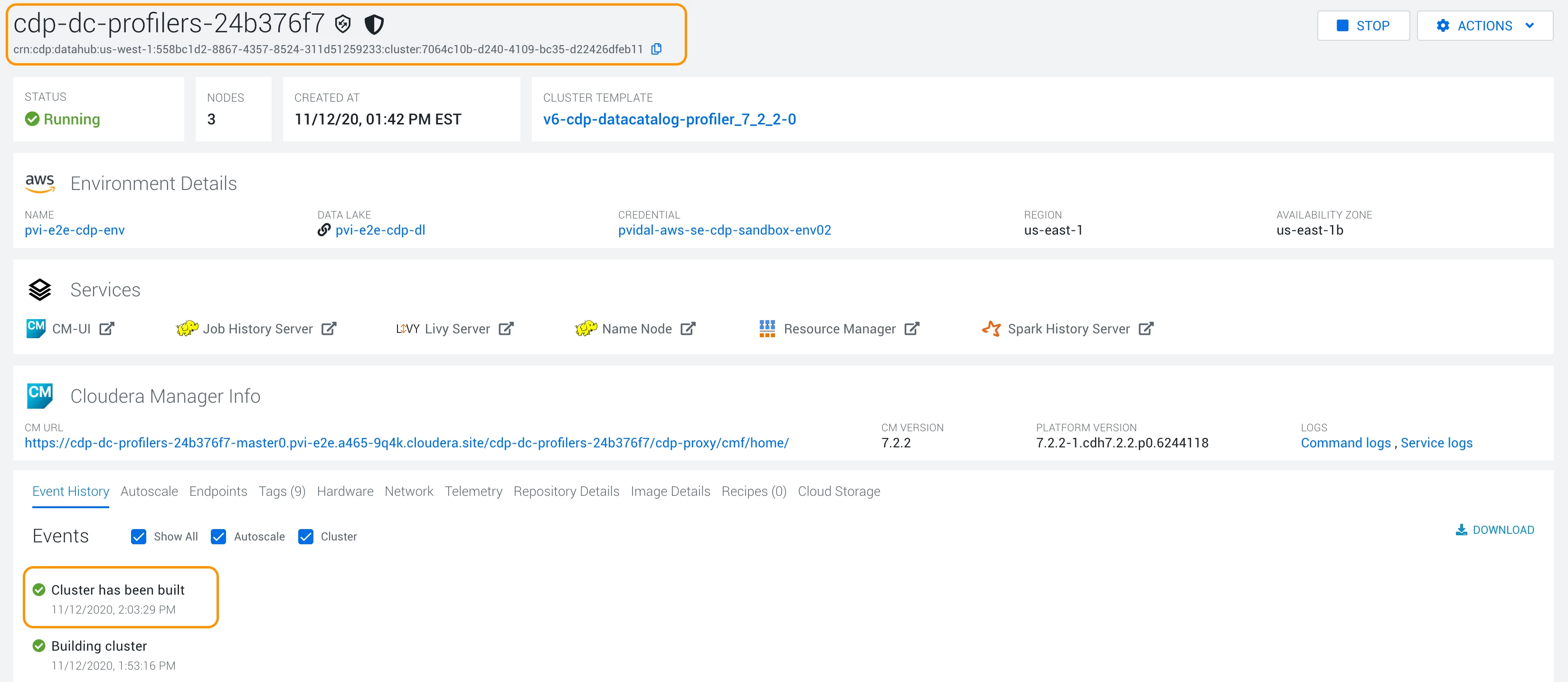
- This will launch a datahub cluster to run the data profiling spark jobs. Wait for the cluster to be built, like in the following screenshot:
Verify Profiler execution
Navigate back to your Data Catalog > Profilers > Select your env > Cluster Sensitivity Profiler, and verify that profilers have run successfully: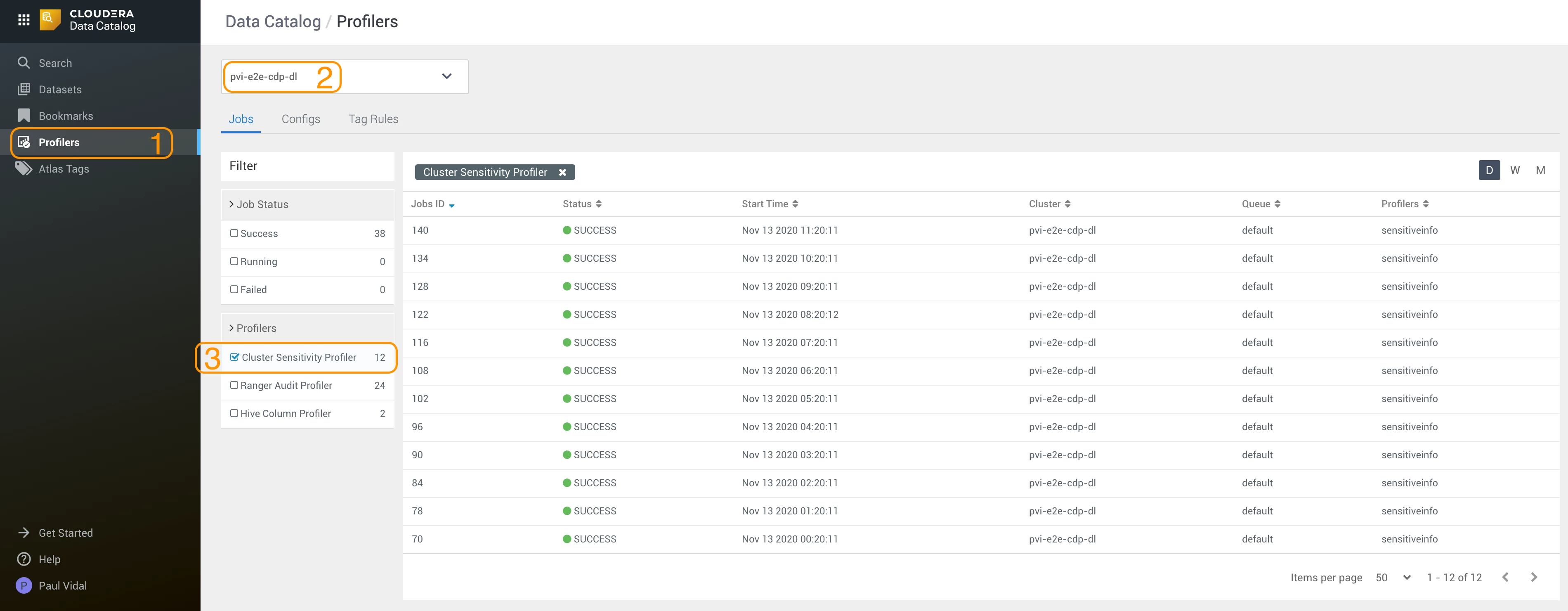
Check profiled data
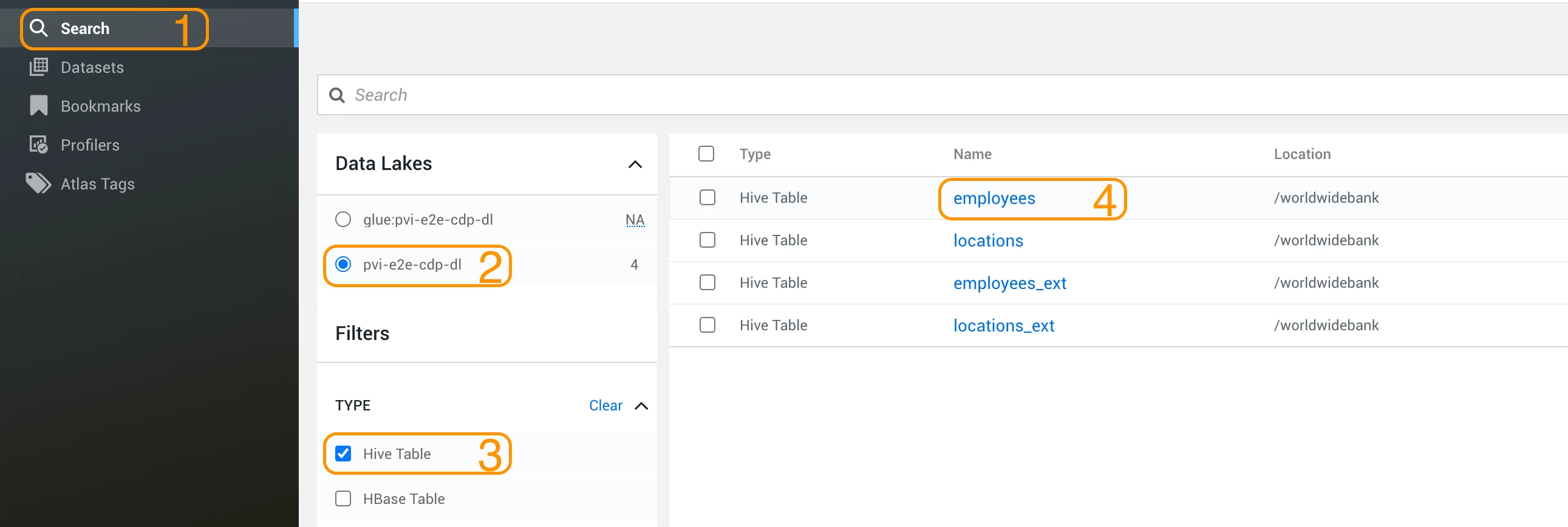
- Go to Search and find the employees Hive table:
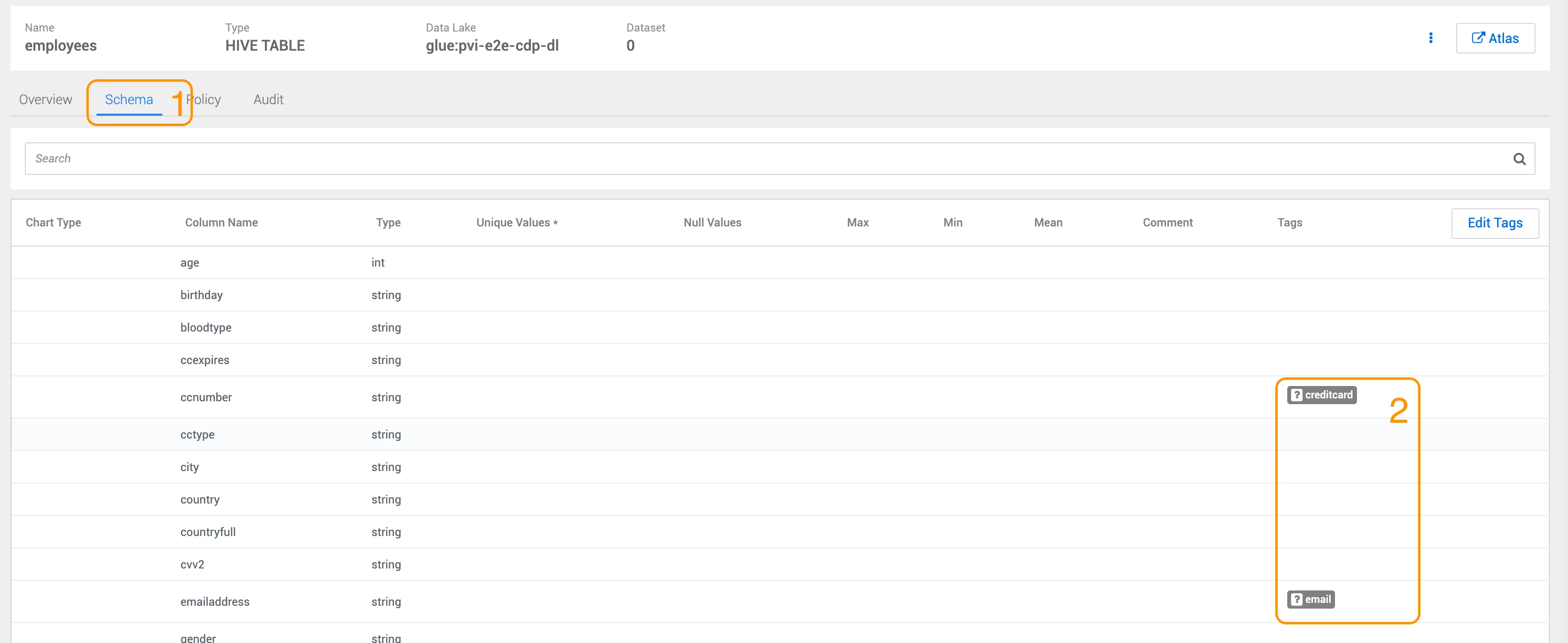
- In the employees table, go to Schema and check the automated tags created:
Step 2: Create Tag Based Policy
Navigate to Ranger
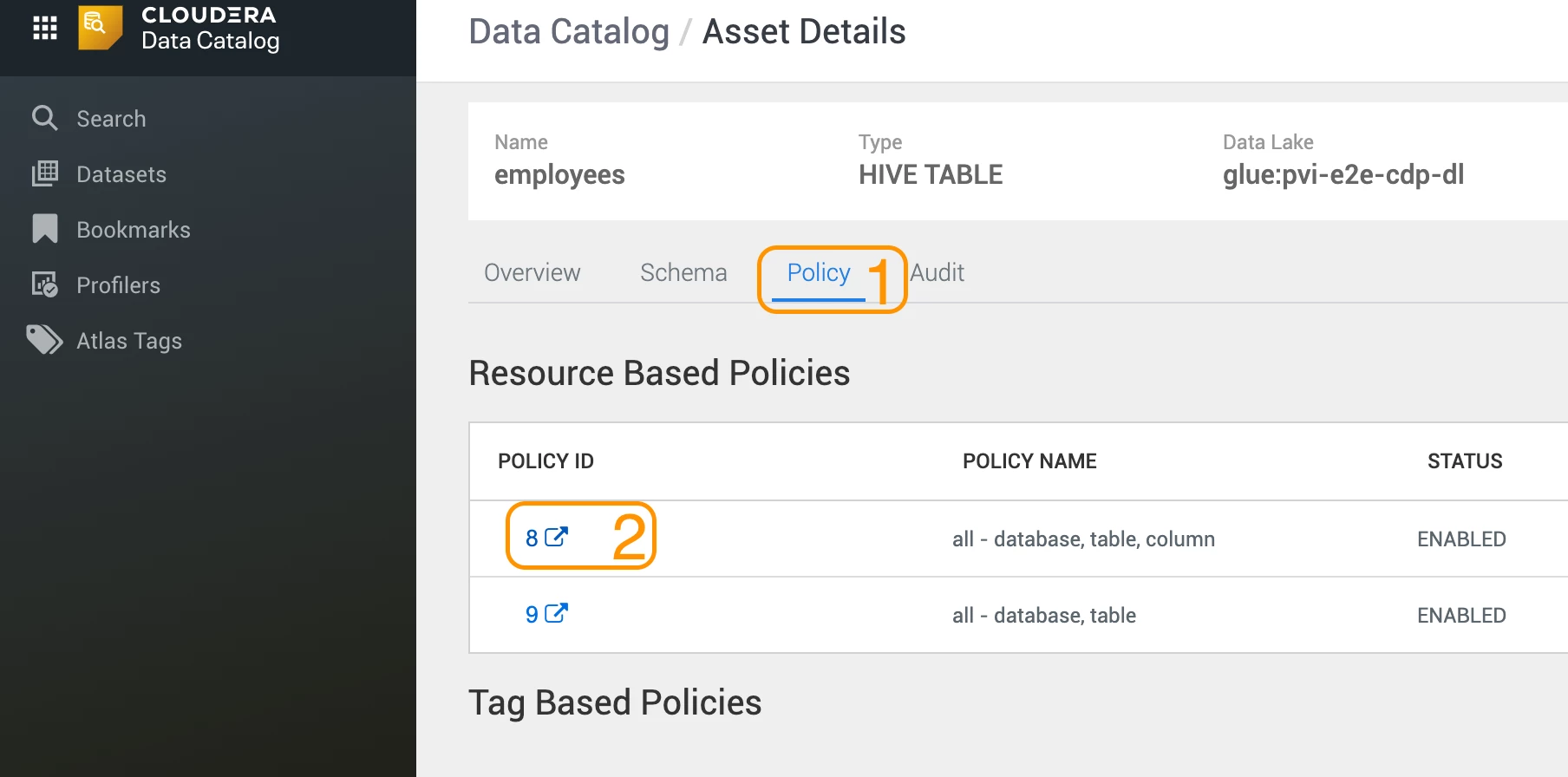
- In Data Catalog, go to the Policy tab and navigate to a policy to open Ranger:
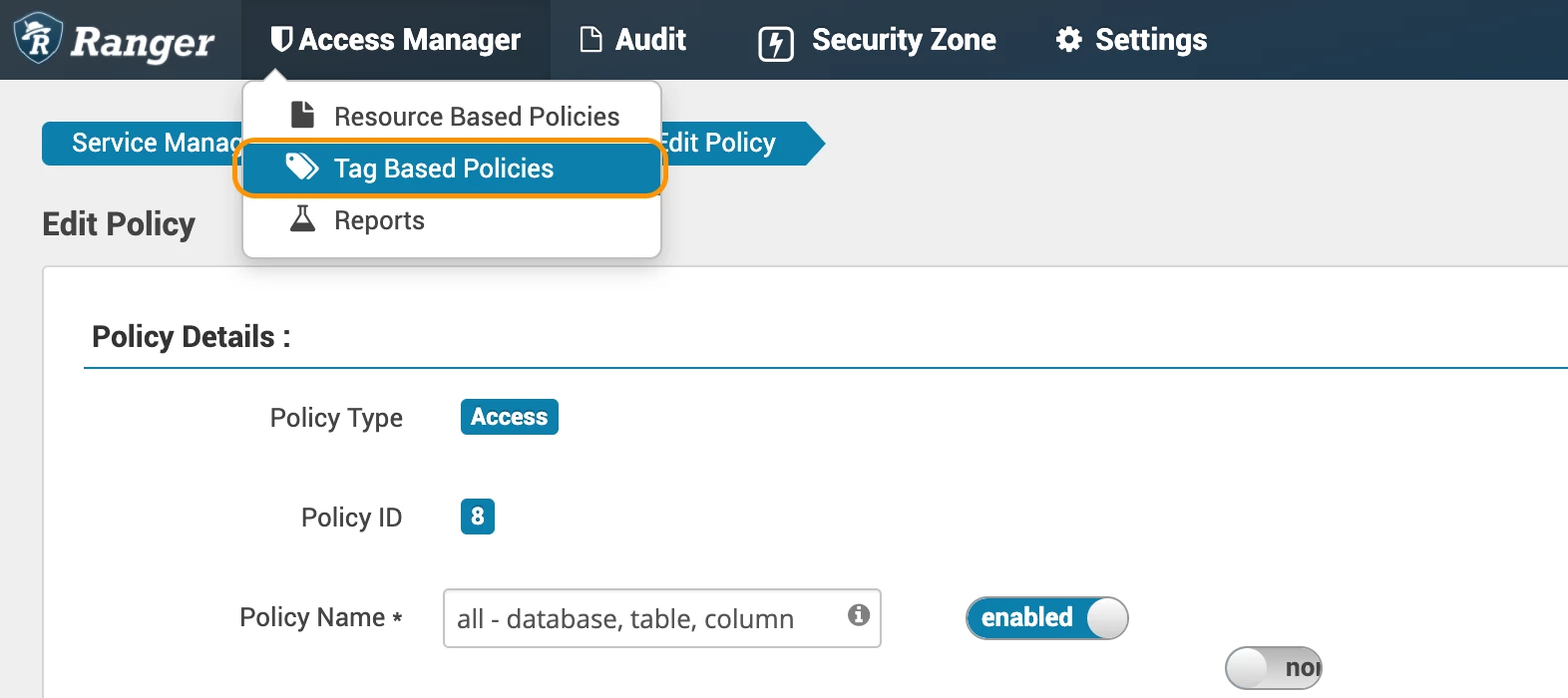
- In Ranger, go to Tag based Policies:
- Open the cm_tags service:
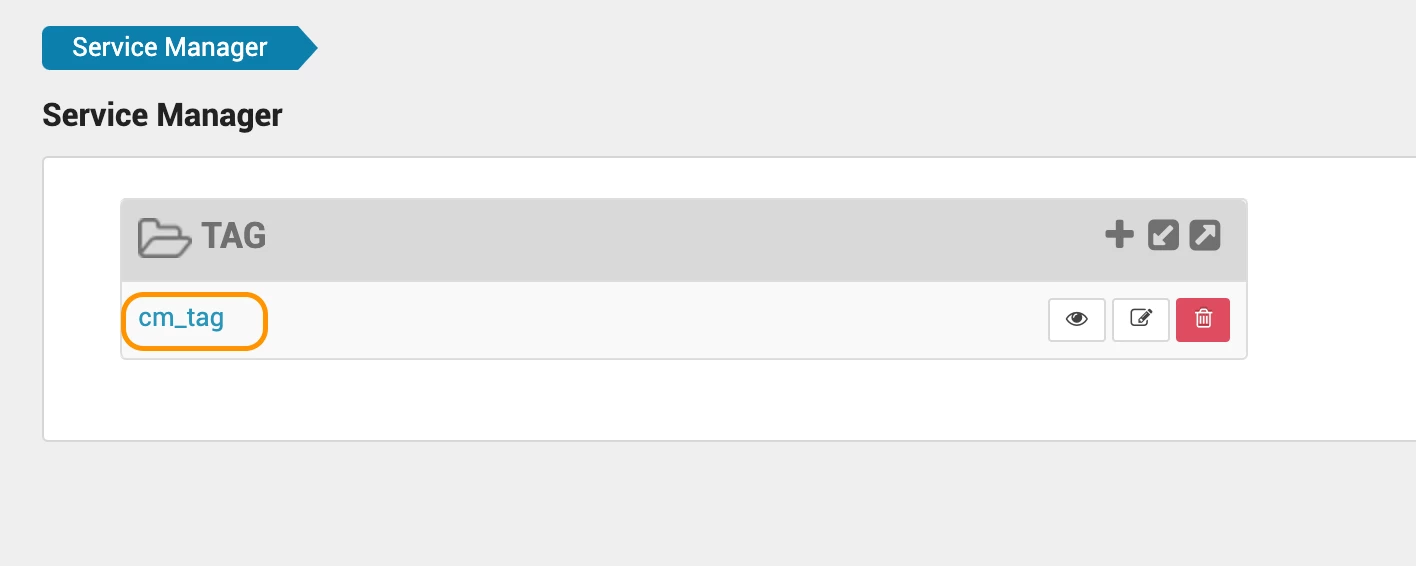
- Navigate to Masking to Add a new policy:

Create Masking Rule
Configure the masking rule as depicted in the following screenshot:
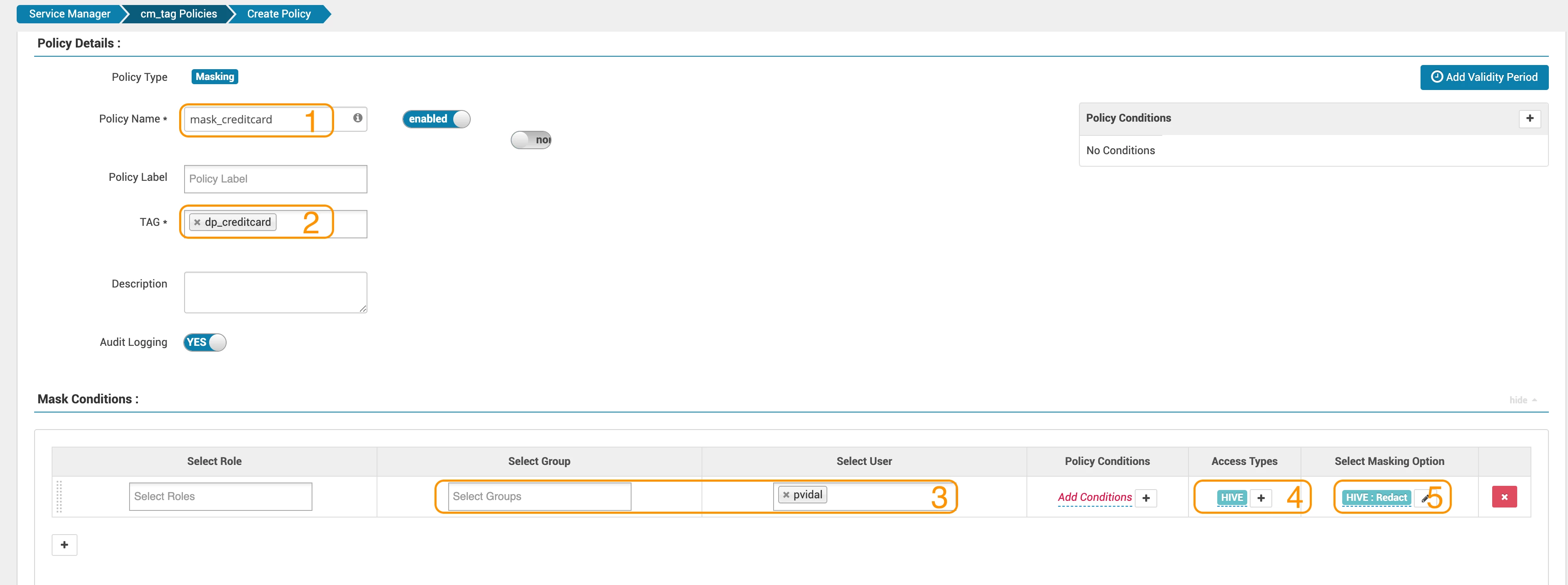
- Give it a name (for example, mask_creditcard)
- Select the dp_credicard tag (dp prefix standing for data profiler)
- Select the Group or user for which this policy should apply (here pvidal)
- Select Access Type: Hive, Select
- Select Masking Option: Redact
Step 3: Verify Security Rule
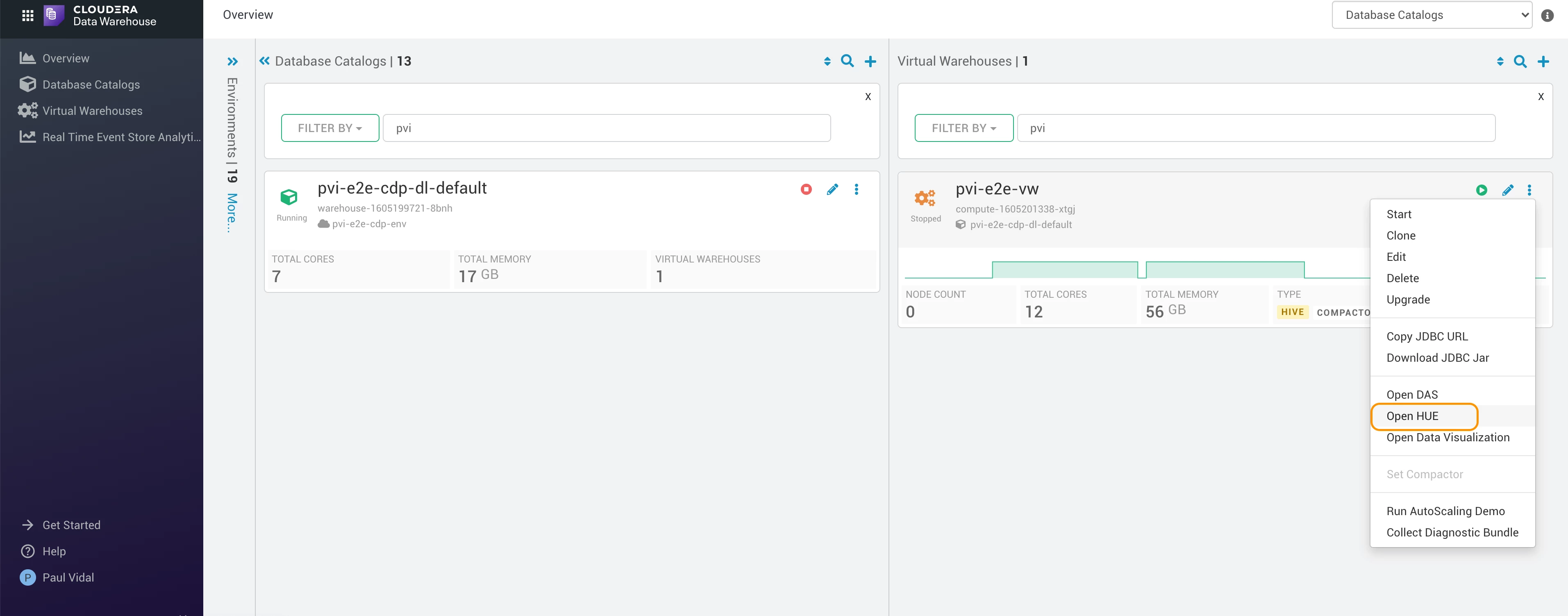
- Go back to your management console Data Warehouse and open Hue for your virtual warehouse:
- Run the following query and observe masked results:
select ccnumber from worldwidebank.employees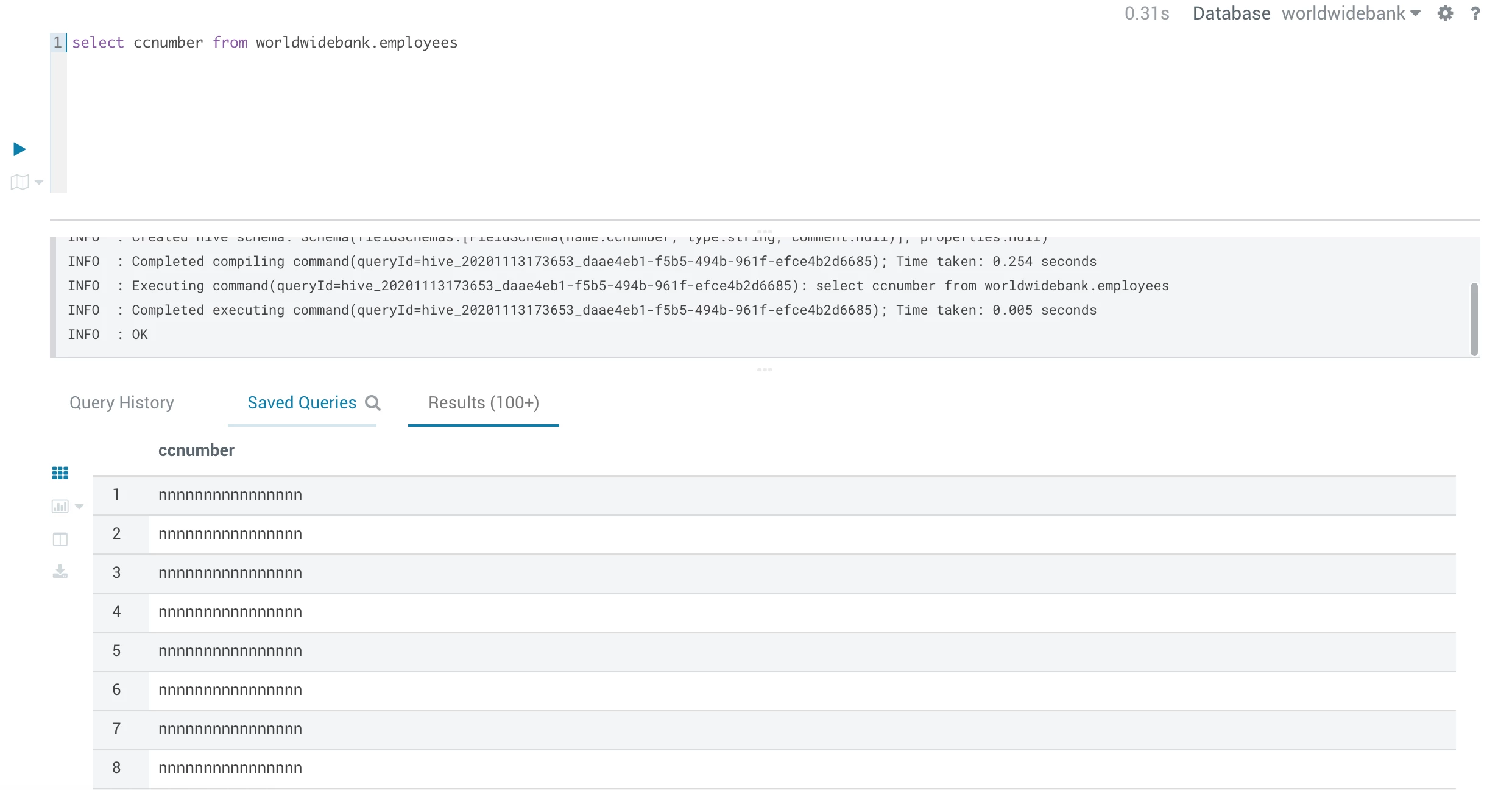
- As you observed, CDP makes it very easy to secure your data in the cloud. Next step, enrich this data with NiFi!

