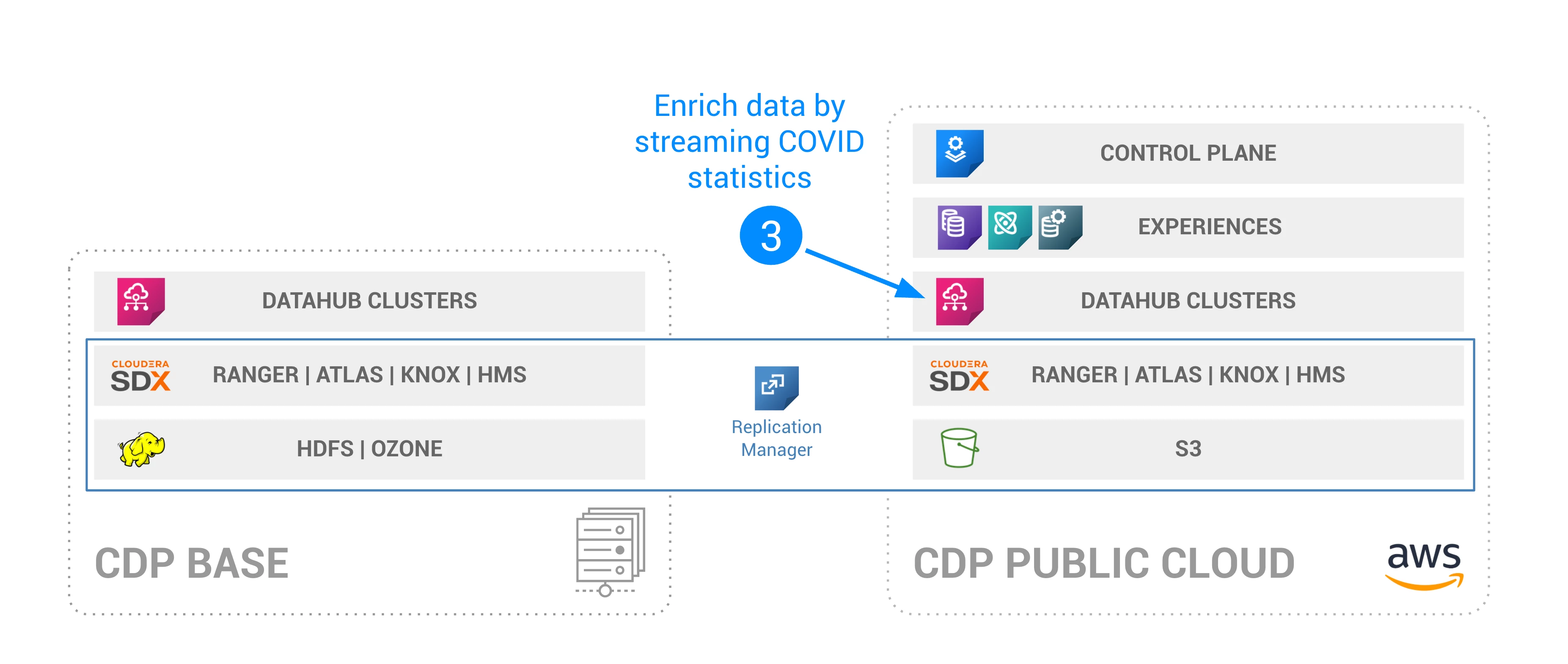
How to use NiFi to write API data to CDP CDW
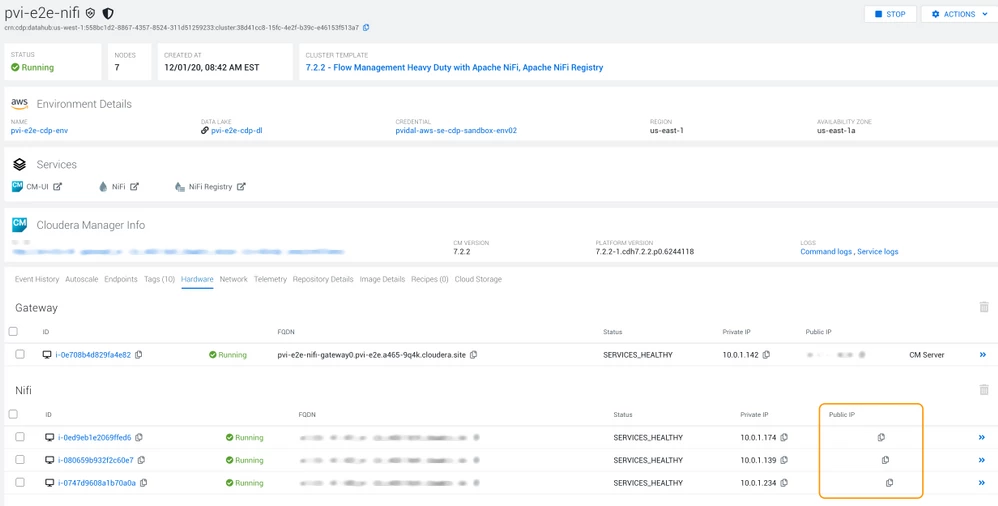
$ scp hive-jdbc-3.1.0-SNAPSHOT-standalone.jar [YOUR_USER]@[NODE_1]:/tmp/
$ scp hive-jdbc-3.1.0-SNAPSHOT-standalone.jar [YOUR_USER]@[NODE_2]:/tmp/
$ scp hive-jdbc-3.1.0-SNAPSHOT-standalone.jar [YOUR_USER]@[NODE_3]:/tmp/

$ ssh [YOUR_USER]@[NODE_1] chmod a+rw /tmp/hive-jdbc-3.1.0-SNAPSHOT-standalone.jar
$ ssh [YOUR_USER]@[NODE_2] chmod a+rw /tmp/hive-jdbc-3.1.0-SNAPSHOT-standalone.jar
$ ssh [YOUR_USER]@[NODE_3] chmod a+rw /tmp/hive-jdbc-3.1.0-SNAPSHOT-standalone.jar
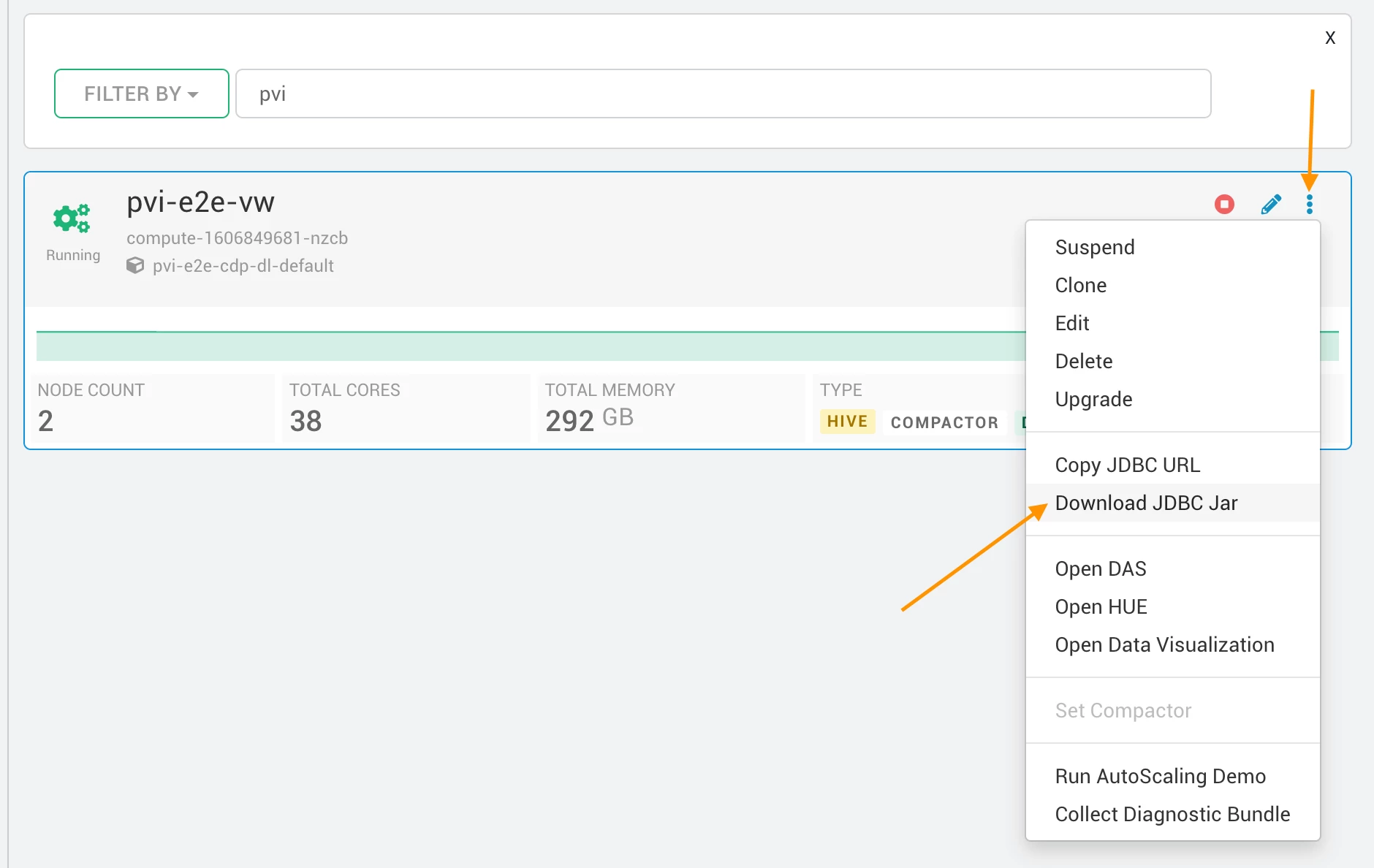
Copy the JDBC URL
Navigate to your Management console > Data Warehouse > find your virtual warehouse and copy the JDBC URL:
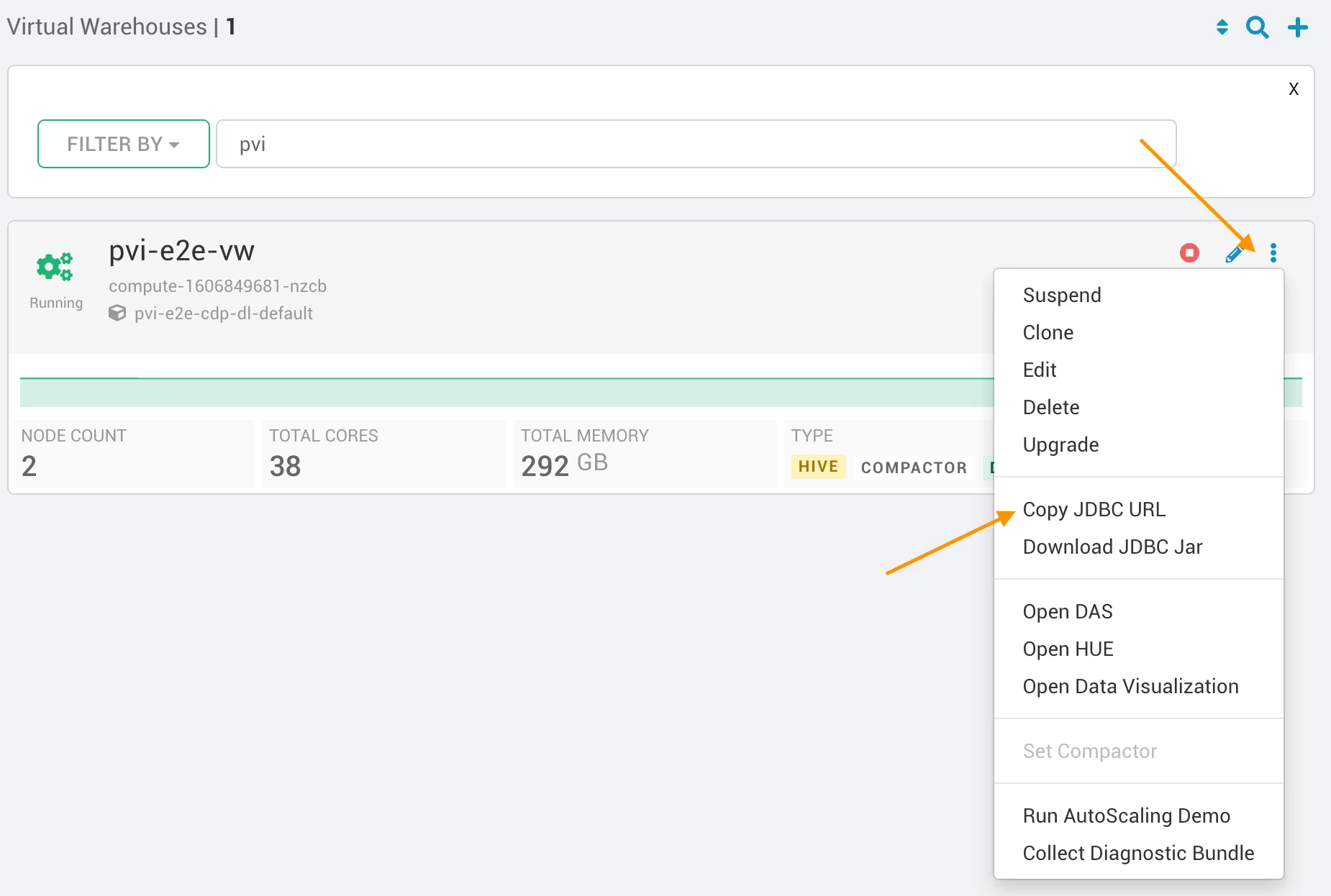
You should get something along these lines:
jdbc:hive2://[YOUR_CDW_HOST]/default;transportMode=http;httpPath=cliservice;ssl=true;retries=3
Step 2: Configure the NiFi flow
This tutorial requires the creation of two NiFi flow (one to map zip codes to attitude and longitude, and one to get the latest covid cases numbers):
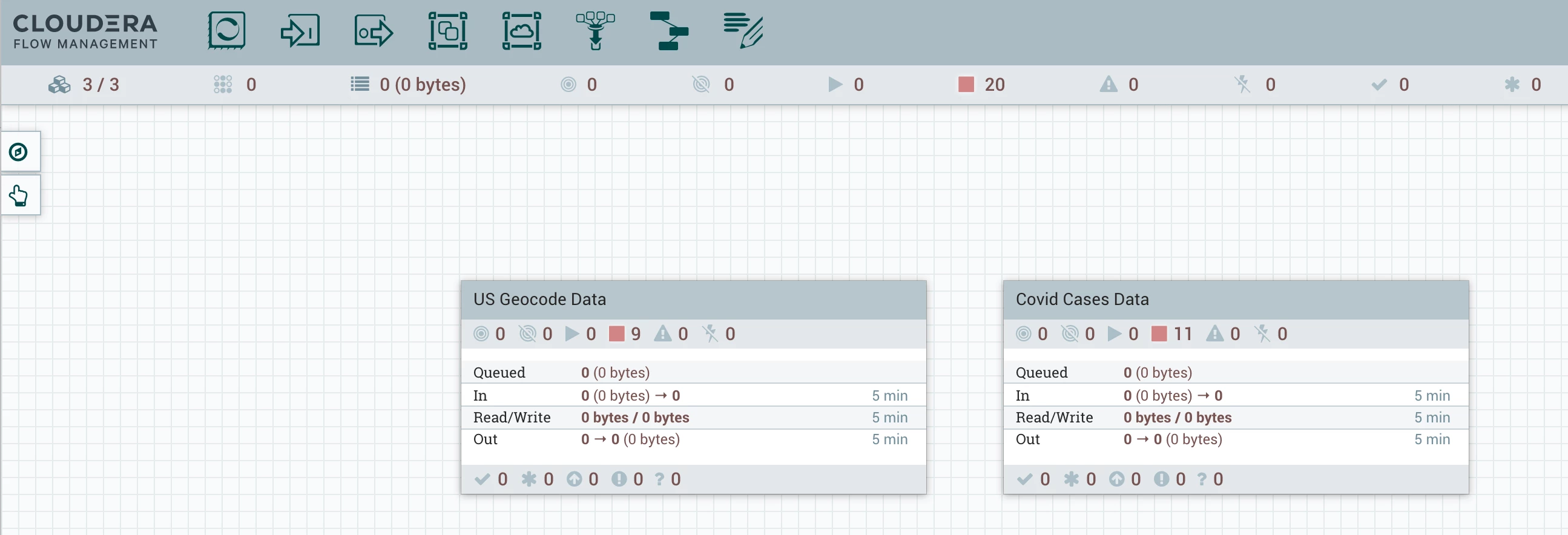
In this tutorial, I will only detail the configuration of one of the two flows as they are almost identical except for file/table/field names. The full example code is in this gist. Here is the overview of the US Geocode flow:
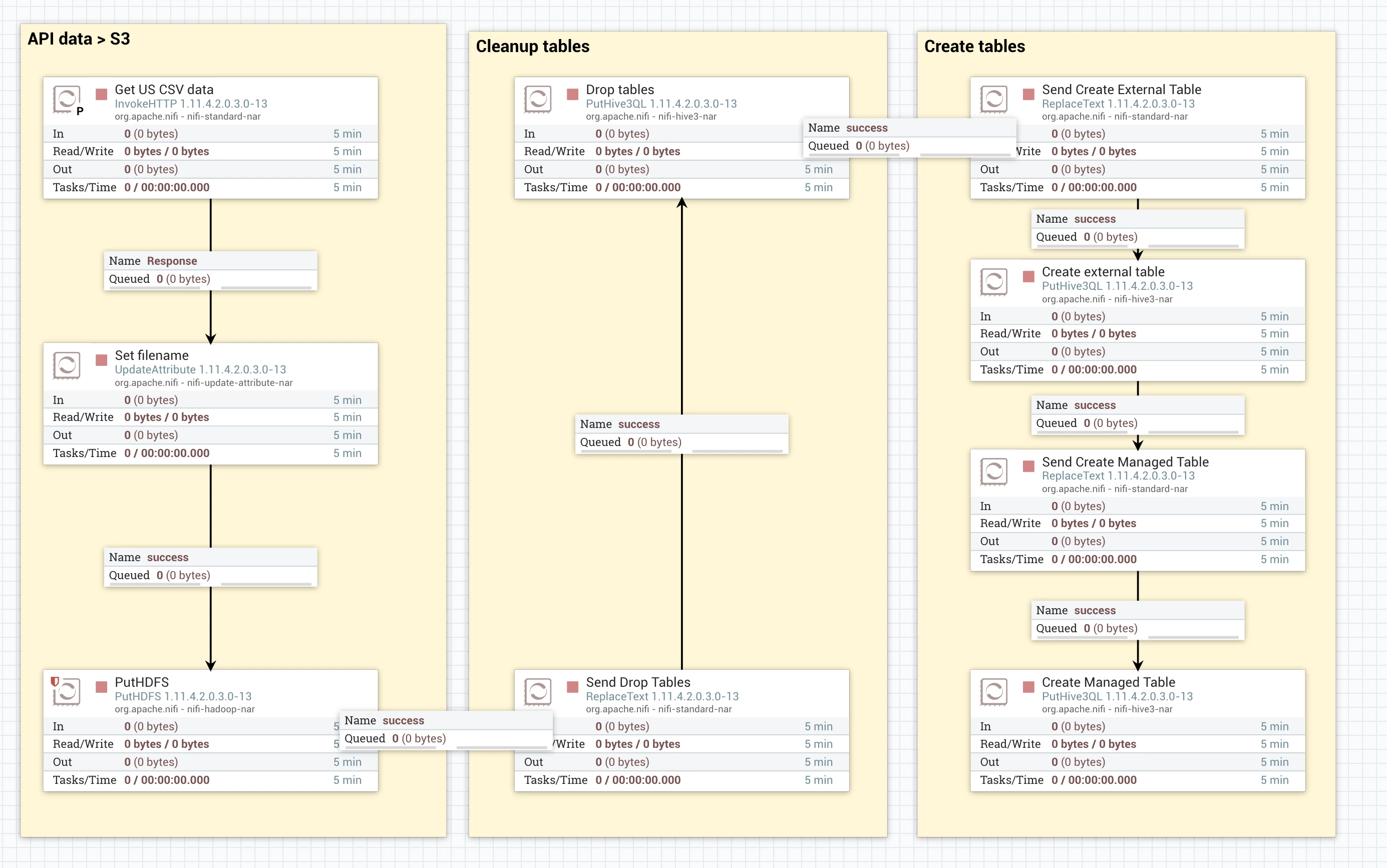
Get data from API to secure S3 using SDX
For this part, we first use a simple configuration of an invoke http:
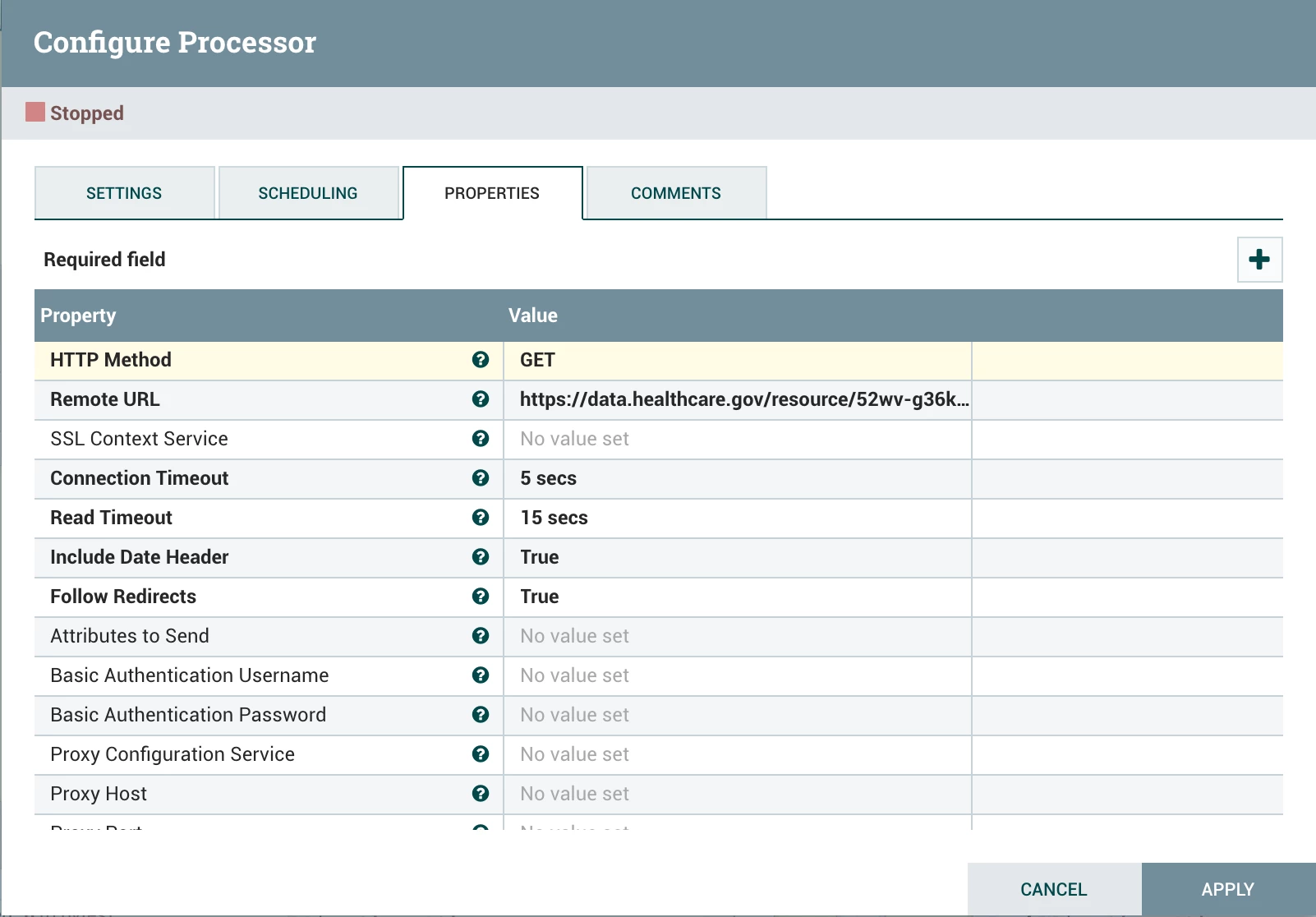
The remote URL called is:
https://data.healthcare.gov/api/views/52wv-g36k/rows.csv?accessType=DOWNLOAD&api_foundry=true
Then, we use a replace attribute to replace the filename and make sure we override data:
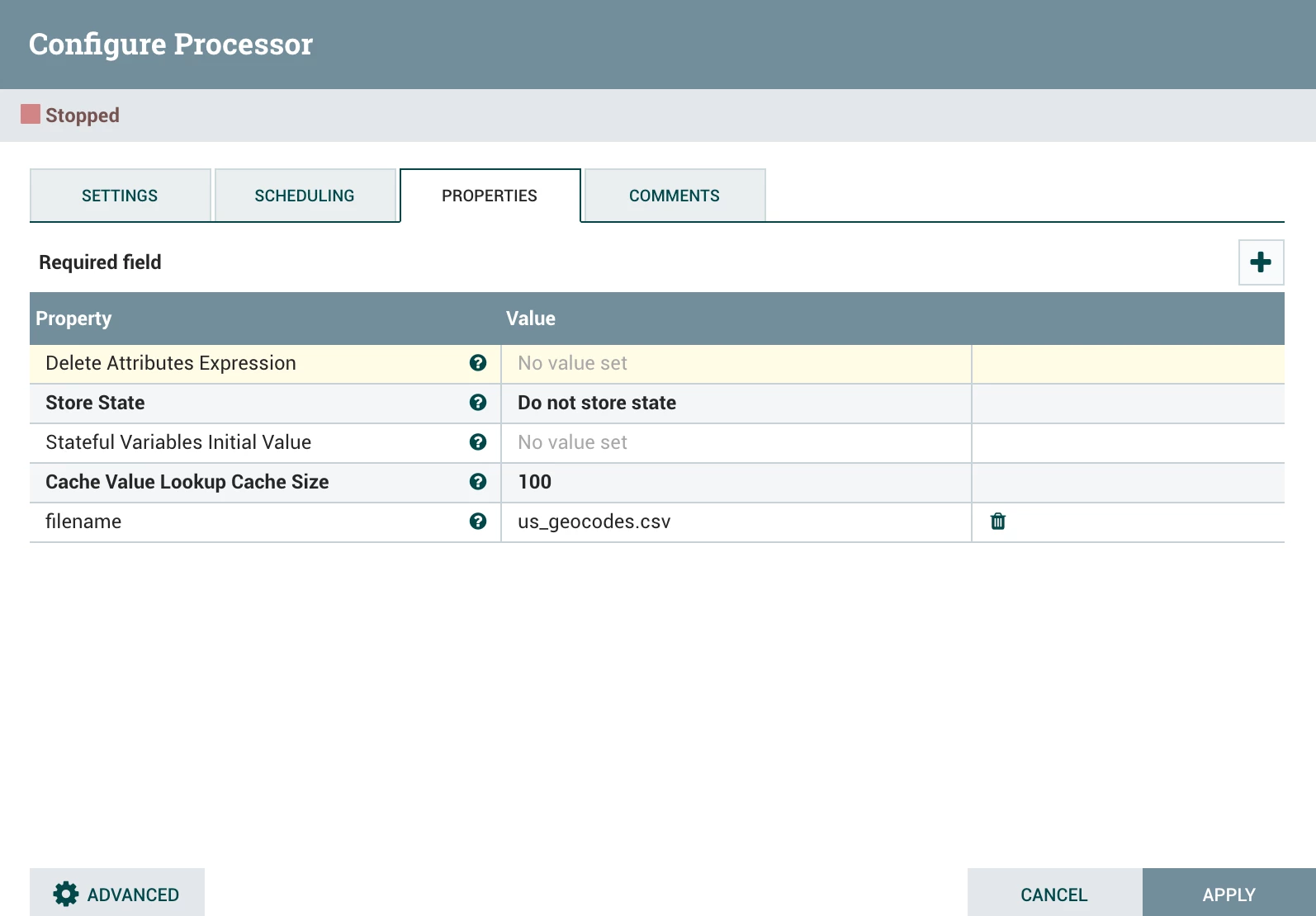
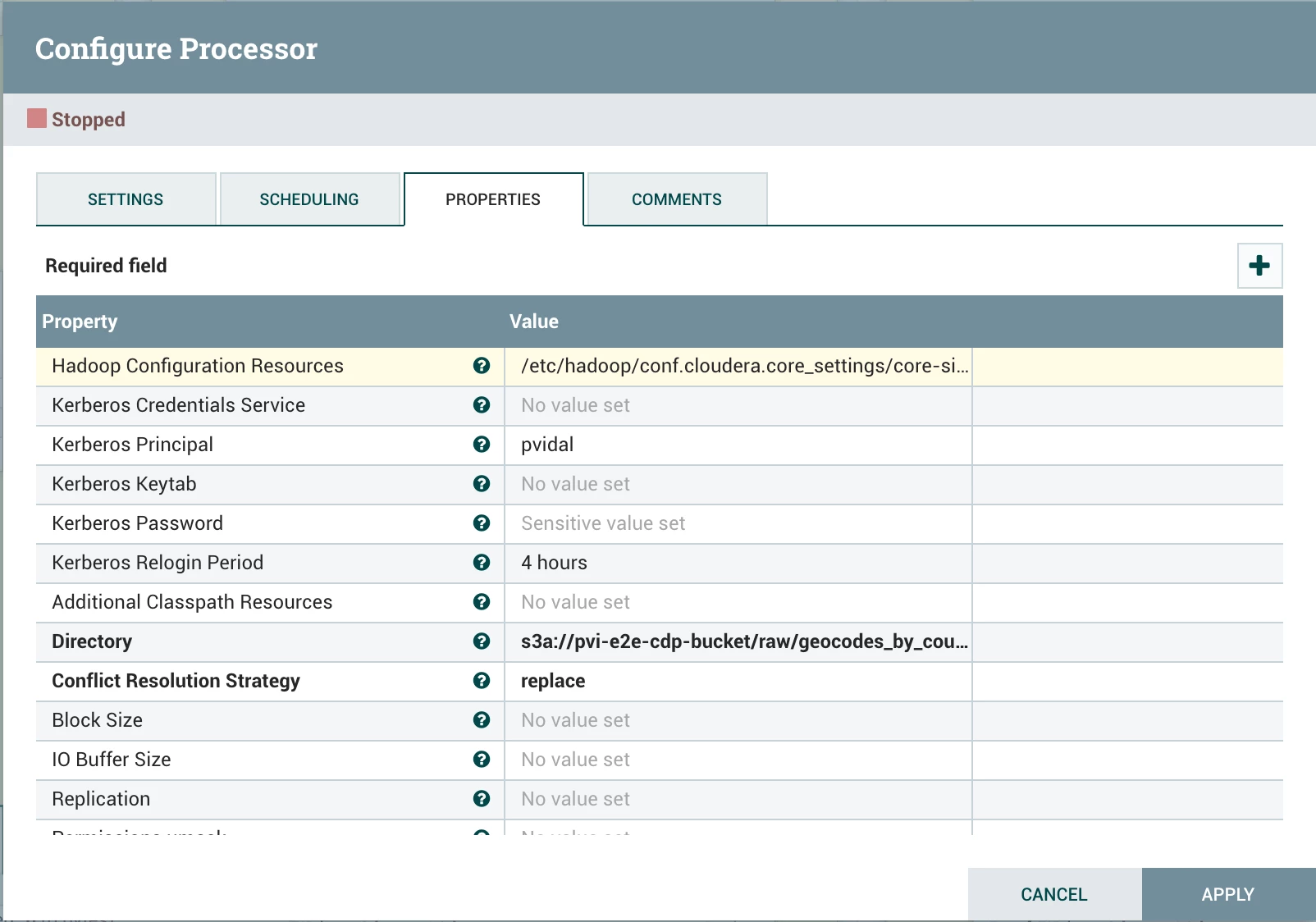
Finally, we use a put HDFS with the following parameters:
- Hadoop Configuration Resources: /etc/hadoop/conf.cloudera.core_settings/core-site.xml
- Kerberos Principal: [your workload user]
- Kerberos Password: [your workload password]
- Directory: s3a://[your env bucket]/raw/geocodes_by_county/
- Conflict Resolution Strategy: replace
Drop and create tables
For both drop and create tables, we first use a Replace Text to send the query. For example:
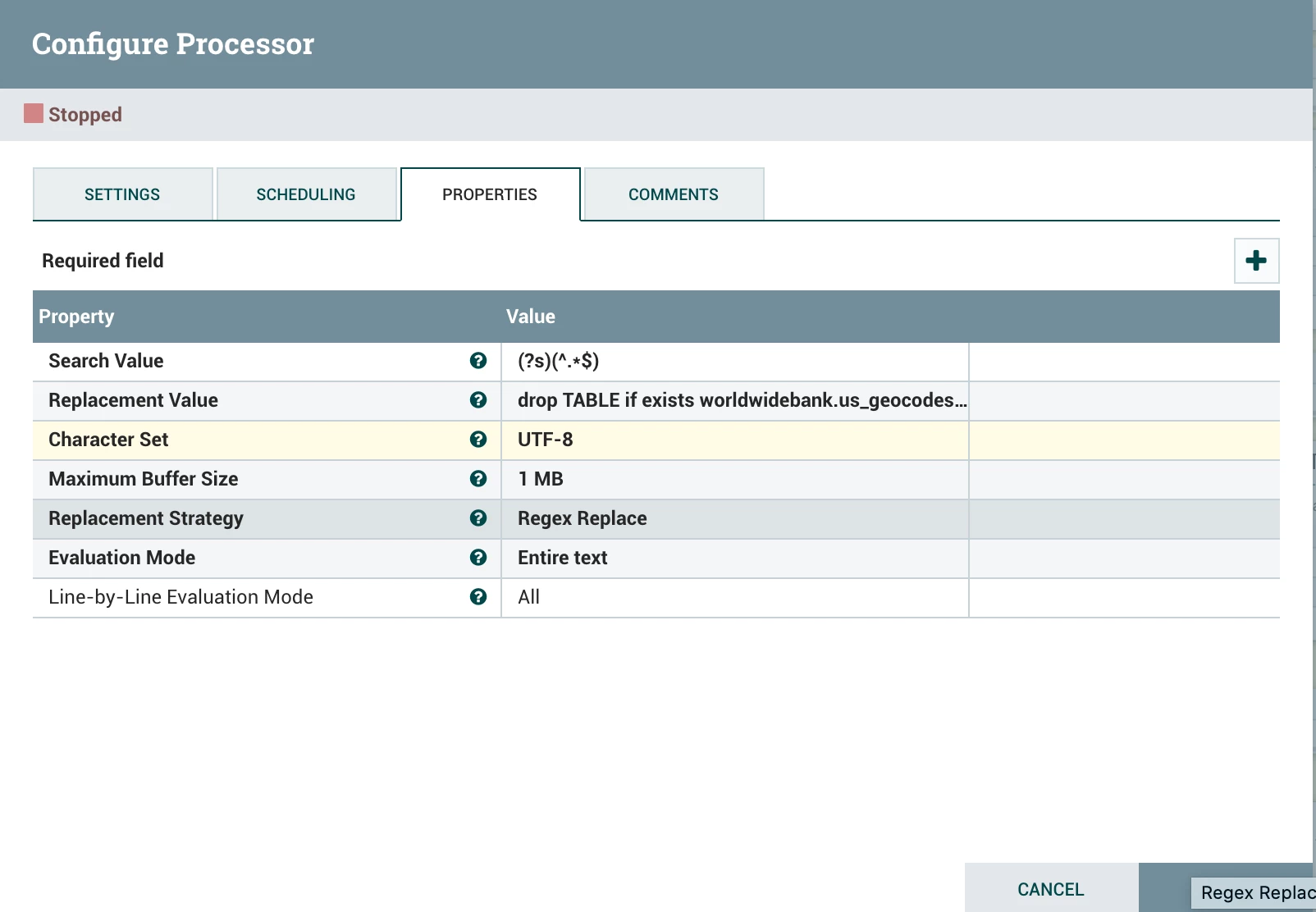
with replacement value of:
drop TABLE if exists worldwidebank.us_geocodes_by_county;
drop TABLE if exists worldwidebank.us_geocodes_by_county_ext;
Then we use a puthive3QL with default parameters:
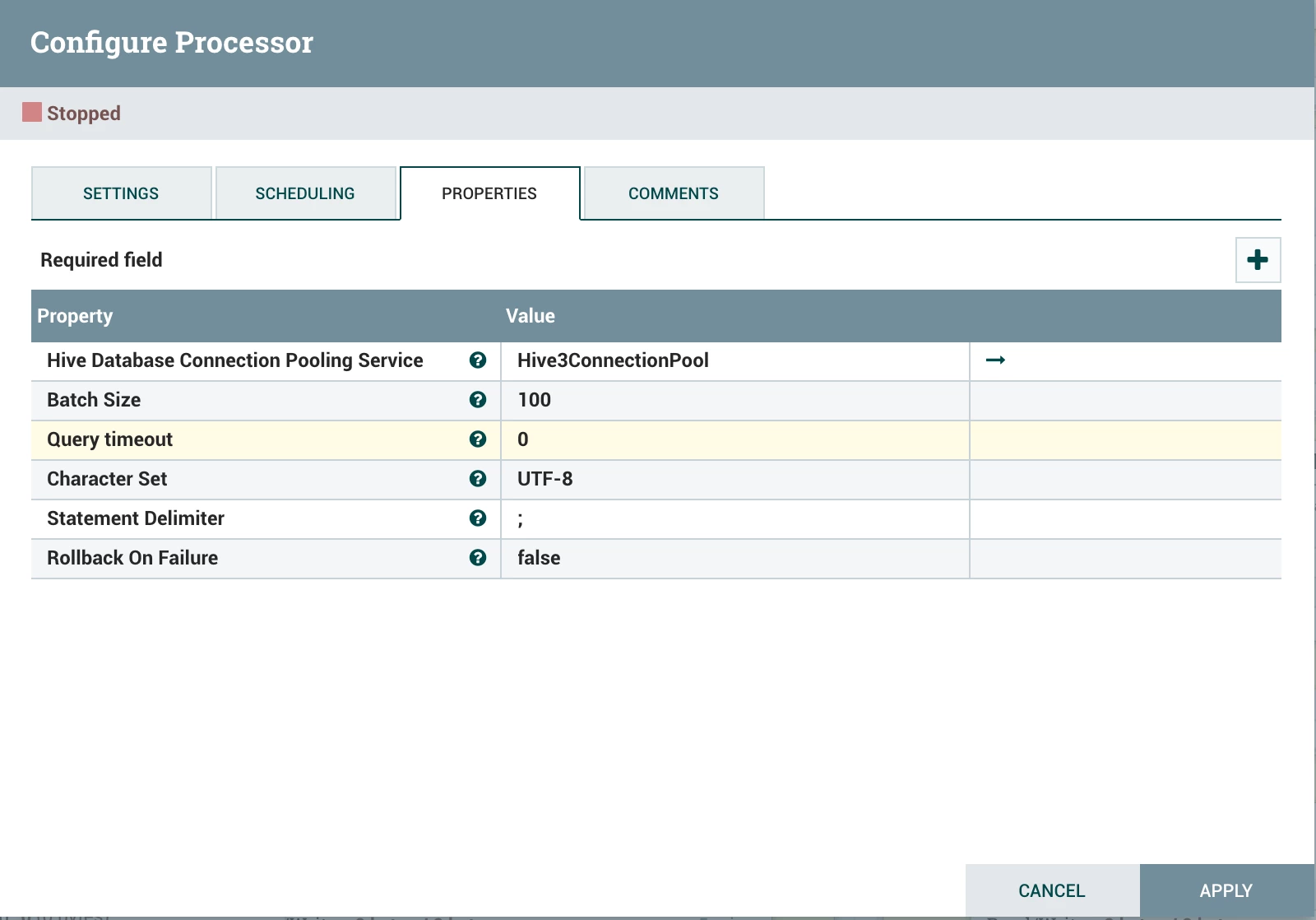
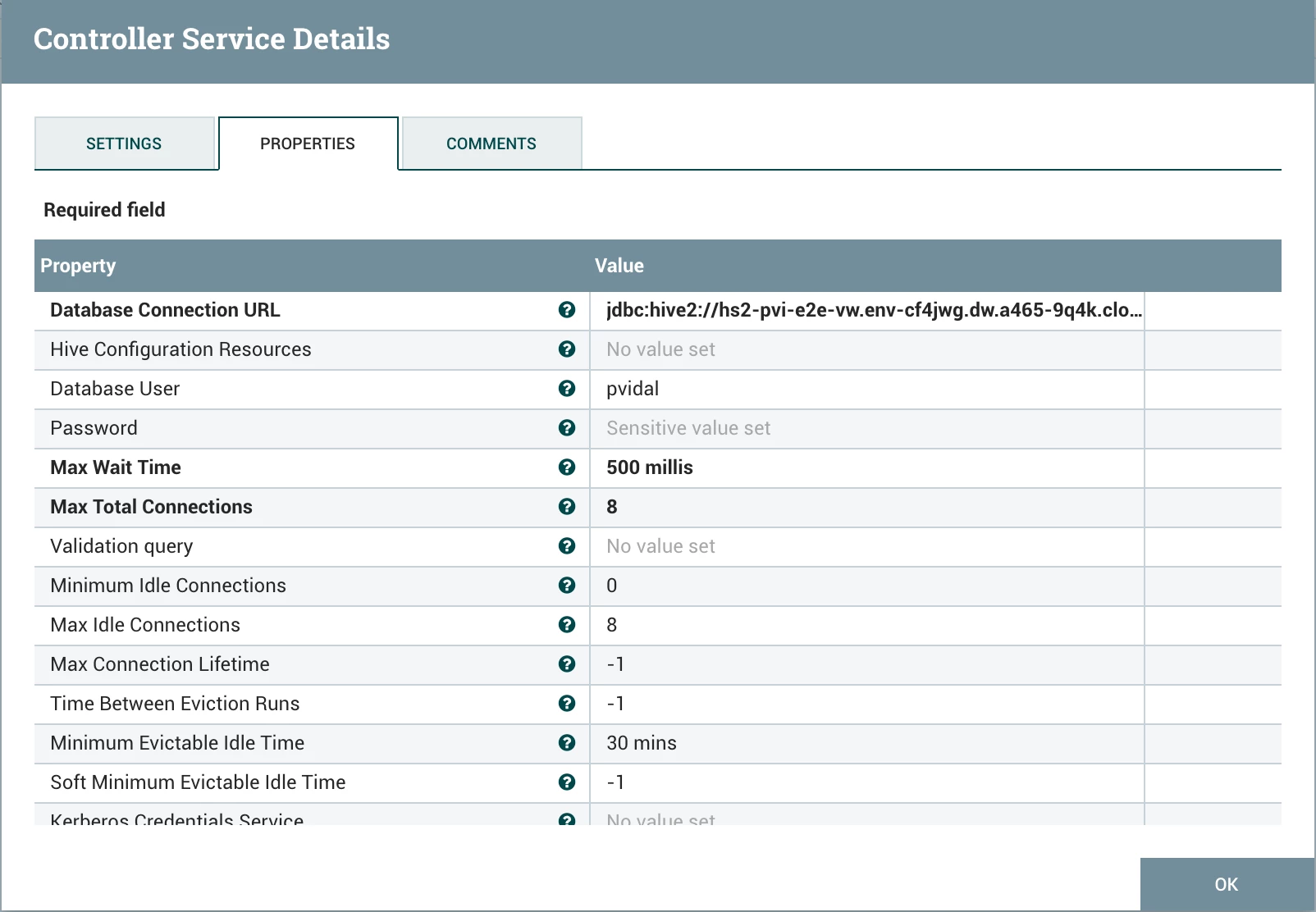
The only thing needed to configure to make this work is the Hive3ConnectionPool, configured as follows:
- Database Connection URL: [your JDBC URL]
- Database User: [your workload user]
- Password: [your workload password]
Step 3: Verify Data Creation
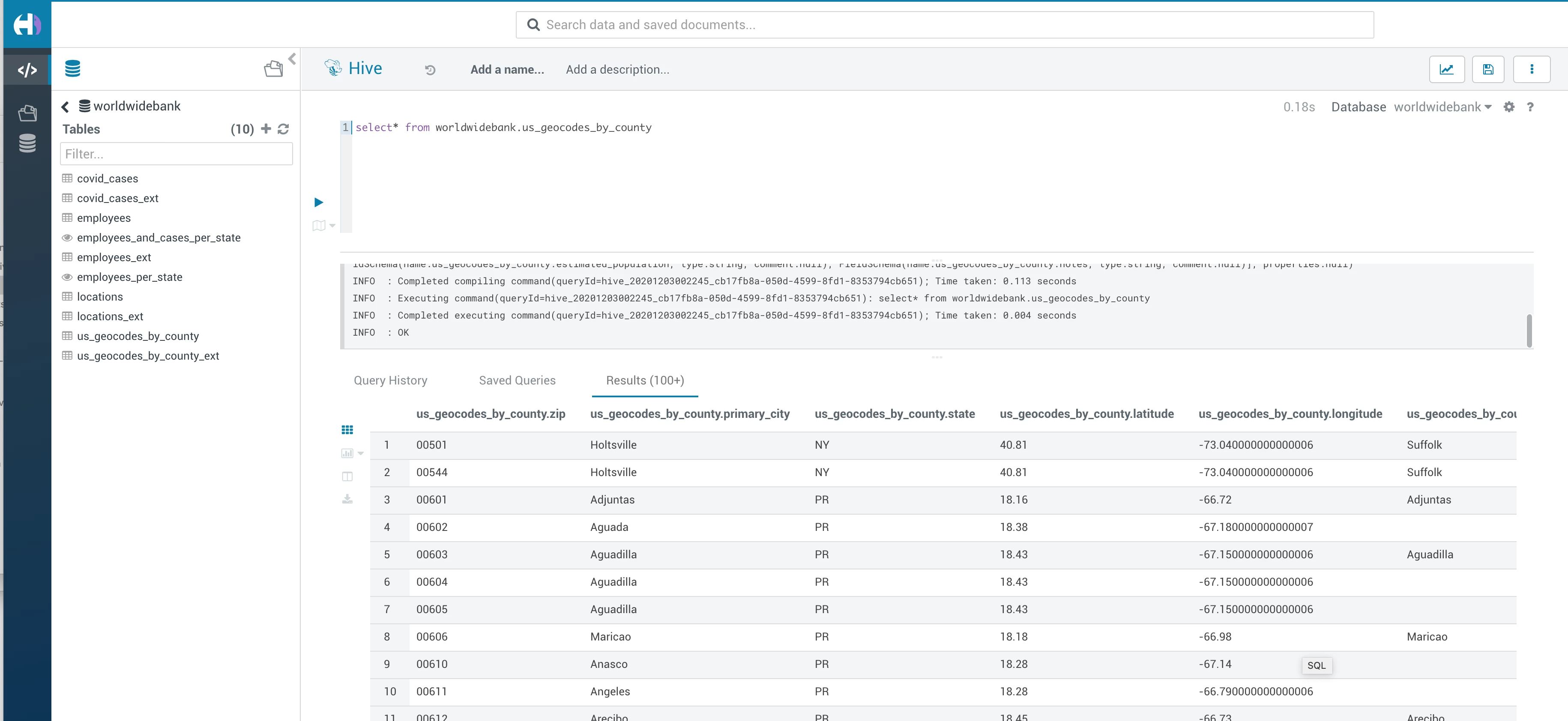
After executing both flow, navigate to Hue from CDW and look at the data, as such: