


Incremental Fetch in NiFi with QueryDatabaseTable
NiFi is most effectively used as an "always-on" system, meaning that the data flows are often always operational (running). Doing batch processing is a more difficult task and usually requires some user intervention (such as stopping a source processor).
For relational databases (RDBMS), a common use case is to migrate, replicate, or otherwise move the data from the source RDBMS to some target. If ExecuteSQL were used to get all data from a table (for example), then the processor will execute the query each time it is triggered to run, and will return whatever results correspond to the query.
If the goal is to simply move all rows to some target, then ExecuteSQL could be started then immediately stopped, such that it would only execute once, and all results will be sent down the flow.
However a more common use case is that the source database is being updated from some external process (user, webapp, ERP/CRM/etc. system). In order to get the new rows, the table needs to be queried again. However assuming the "old" rows had already been moved, then many duplicate rows would continue to be processed in the flow.
As an alternative the QueryDatabaseTable processor allows you to specify column(s) in a table that are increasing in value (such as an "ID" or "timestamp" column), and the processor will only retrieve rows from the table whose values in those columns are greater than the maximum value(s) observed so far.
To illustrate, consider the following database table called "users":
| id | name | age | |
| 1 | Joe | joe@fakemail.com | 42 |
| 2 | Mary | mary@fakemail.com | 24 |
| 3 | Matt | matt@fakemail.com | 38 |
Here, QueryDatabaseTable would be configured to use a table name of "users" and a "Maximum-Value Column" of "id". When the processor runs the first time, it will not have seen any values from the "id" column and thus all rows will be returned. The query executed is:
SELECT * FROM users
However after that query has completed, QueryDatabaseTable stores the maximum value for the "id" column that it has seen; namely, 3.
Now let's say QueryDatabaseTable has been scheduled to run every 5 minutes, and the next time it runs, the table looks like this:
| id | name | age | |
| 1 | Joe | joe@fakemail.com | 42 |
| 2 | Mary | mary@fakemail.com | 24 |
| 3 | Matt | matt@fakemail.com | 38 |
| 4 | Armando | armando@fakemail.com | 20 |
| 5 | Jim | jeff@fakemail.com | 30 |
Because QueryDatabaseTable had stored the maximum value of 3 for the "id" column, this time when the processor runs it executes the following query:
SELECT * FROM users WHERE id > 3
Now you will see just the last two rows (the recently added ones) are returned, and QueryDatabaseTable has stored the new maximum value of 5.
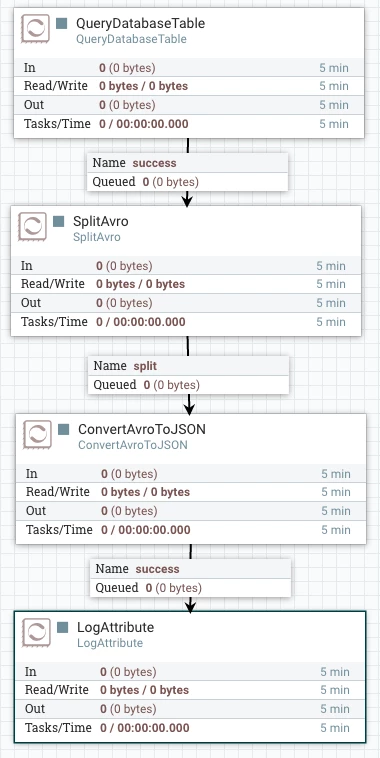
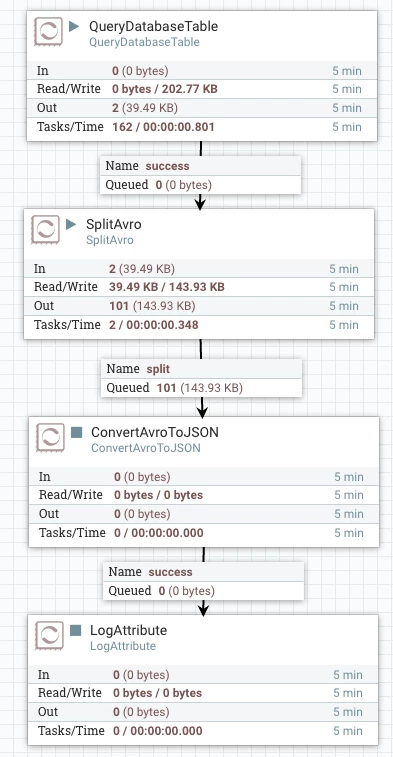
Here is the concept applied to a NiFi flow:
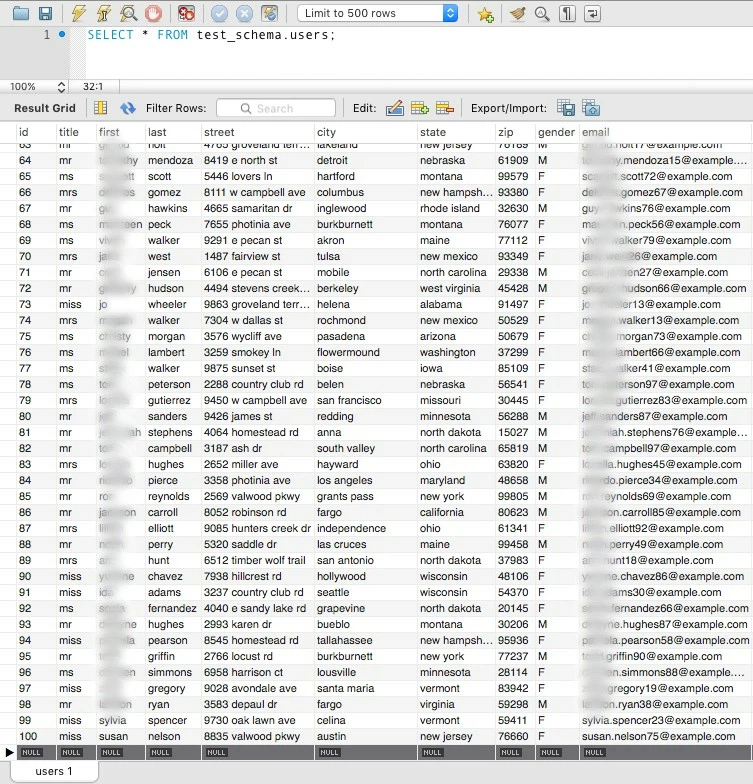
For this example, I have a "users" table containing many attributes about randomly-generated users, and there are 100 records to start with:
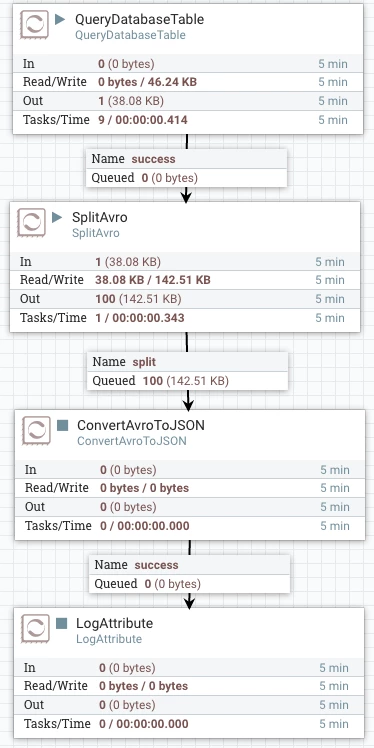
If we run QueryDatabaseTable, we see that after the SplitAvro we get 100 separate flow files:
The flow remains this way until new data comes in (with an "id" value larger than 100). Adding one:
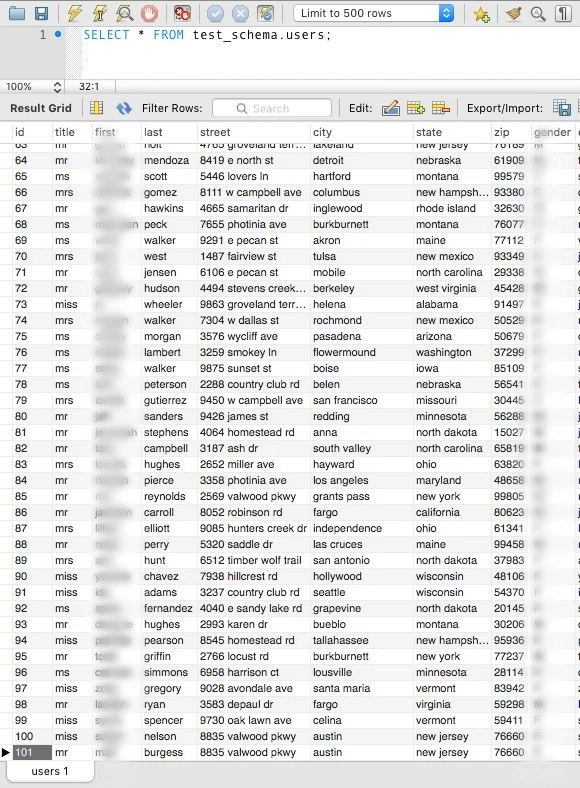
Once this row is added, you can see the additional record move through the flow:
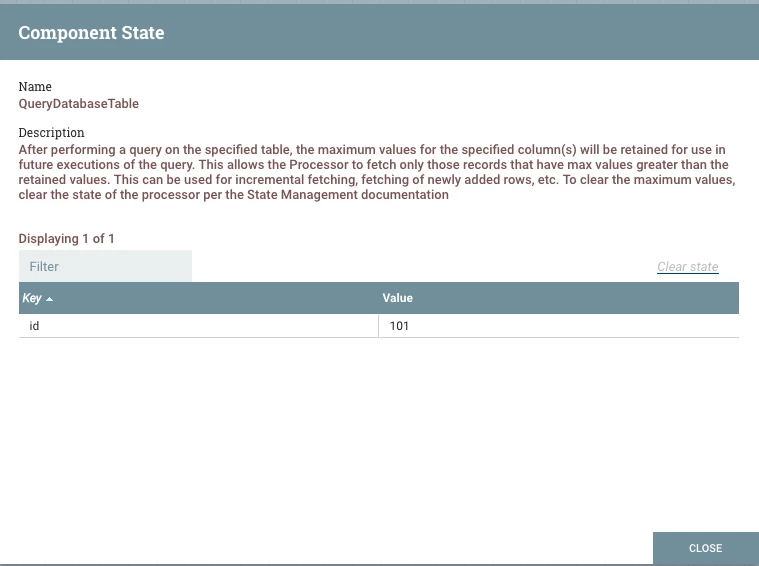
This approach works for any column that has increasing values, such as timestamps. If you want to clear out the maximum value(s) from the processor's state, right click on the processor and choose View State. Then you can click "Clear State" on the dialog:
Hopefully this article has shown how to use QueryDatabaseTable to do incremental fetching of database tables in NiFi. Please let me know how/if this works for you. Cheers!

