


Install New DataNodes In a Mix OS Cluster
Perform below steps on the servers chosen for Datanodes having different OS version
1. Prerequisites
- Minimum Software Requirements:
- Check and set the maximum Open File descriptors on new host
- Check DNS and NSCD
- Disable THP
- Disable SELinux
- Enable NTP
- Swappiness
- Install same Python version
- Install same JDK Version
2. Manage Stack Version
Go to Ambari Versions page:
3.Manually download and Install Ambari agent
3.1 Download Ambari repo
wget -nv http://public-repo-1.hortonworks.com/ambari/centos7/2.x/updates/2.6.1.5/ambari.repo -O /etc/yum.repos.d/ambari.repo
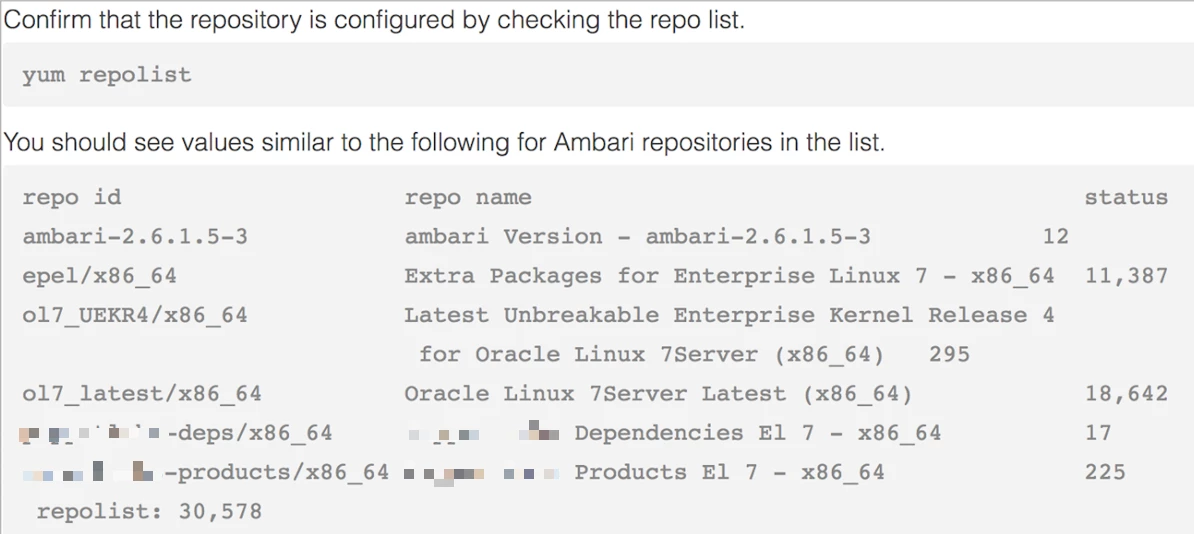
3.2 Install Ambari Agent
4. Manually register the hosts in Ambari
5. Validate the OS Family for stack and versions in Ambari
6. Complete the installation and validate the host in the hosts list
7.Test with a Job
7.1 Testing with a Terasort job
/usr/hdp/current/hadoop-client/bin/hadoop \
jar /usr/hdp/current/hadoop-mapreduce-client/hadoop-mapreduce-examples-*.jar \
terasort /tmp/teragenout /tmp/terasortout
7.2 Validate by checking with a Terasort job
When you run a new job, the recently added Datanode will have most resources available and some containers from your new job will land on this new host.
From Yarn RM UI, validate if any container landed on this new host and confirm that they finish their execution successfully.

