


Introducing Cloudbreak 2.8.0 TP
Cloudbreak 2.8.0 Technical Preview release is now available!
New features
Cloudbreak 2.8.0 TP introduces the following new features:
| Feature | Description | Documentation |
| AWS GovCloud | Cloudbreak supports installing Cloudbreak and creating Cloudbreak-managed clusters on AWS GovCloud. | Deploying on AWS vs AWS GovCloud |
| EBS volume encryption on AWS | You can optionally configure encryption for EBS volumes attached to cluster instances running on EC2. Default or customer-managed encryption keys can be used. | EBS encryption on AWS |
| GCP volume encryption | By default, Compute Engine encrypts data at rest stored on disks. You can optionally configure encryption for the encryption keys used for disk encryption. Customer-supplied (CSEK) or customer-managed (CMEK) encryption keys can be used. | Disk encryption on GCP |
| User authorization | Cloudbreak introduces a new authorization model, which allows resource sharing via organizations. | User authorization |
| Operations audit logging | Cloudbreak records an audit trail of the actions performed by Cloudbreak users as well as those performed by the Cloudbreak application. | Operations audit logging |
| Updating long-running cluster | Cloudbreak supports updating base image's operating system and any third party packages that have been installed. | Updating long-running clusters |
| Data lake HA and Atlas support | Cloudbreak includes two data lake blueprints:
| |
| Multiple existing security groups on AWS | Multiple existing security groups can be specified when creating a cluster via CLI on AWS. | Multiple existing security groups on AWS |
| Shebang in Python recipes | Cloudbreak supports using shebang in Python scripts run as recipes. | Writing recipes |
| HDF 3.2 | Cloudbreak can be used to deploy HDF 3.2 clusters by using one of the two default HDF 3.2 blueprints:
|
For more information on what changed in Cloudbreak 2.8.0 TP, refer to Release Notes.
Redesigned documentation
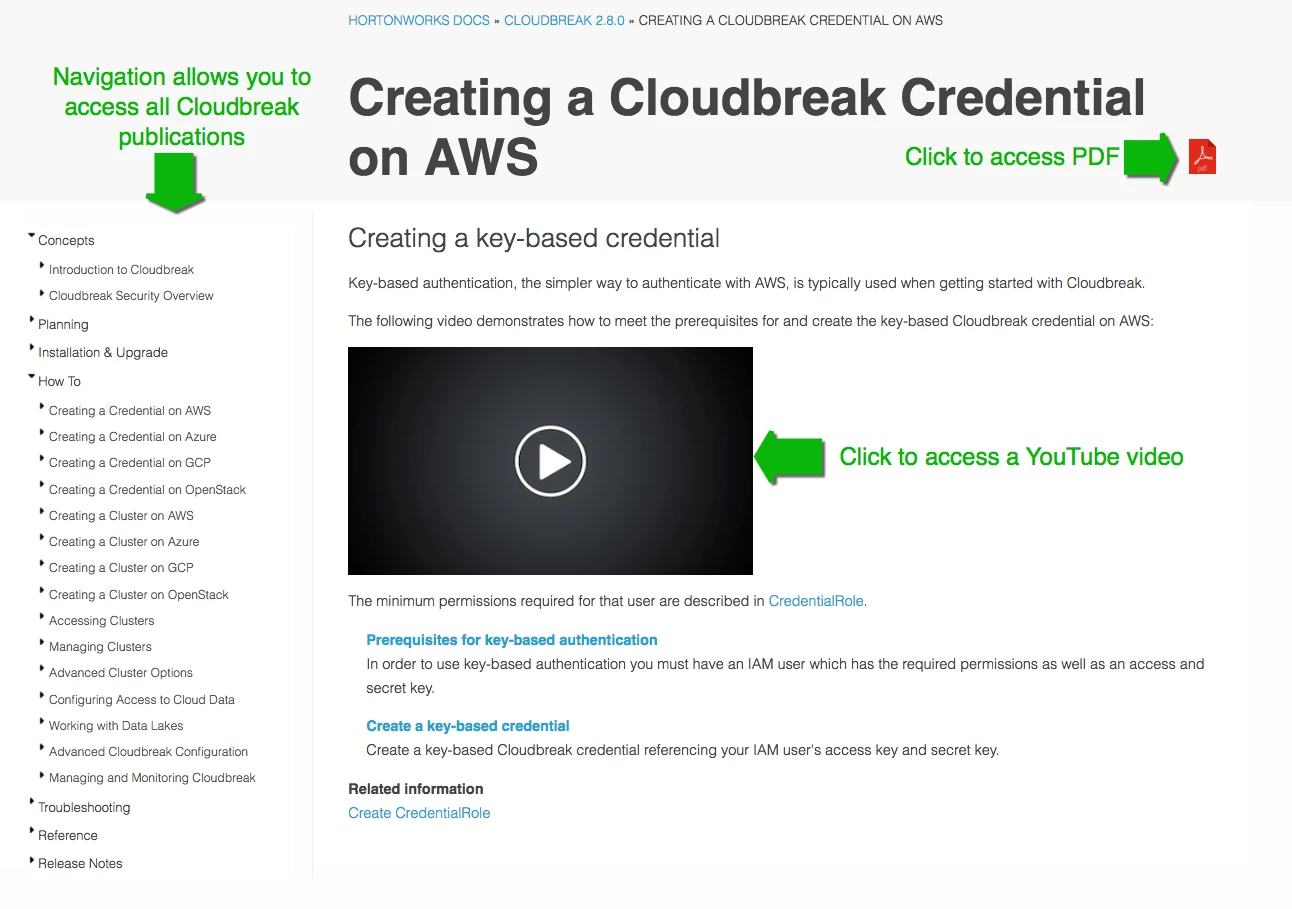
Starting with Cloudbreak 2.8.0, Cloudbreak documentation is published in the same format (HTML and PDF) as other Hortonworks documentation. You can access the available publications here: https://docs.hortonworks.com/HDPDocuments/Cloudbreak/Cloudbreak-2.8.0/index.html
Here is what you should expect to find in each publication:
RELEASE NOTES
- Release Notes: New features, behavioral changes, known issues, fixed issues, and image catalog updates.
CONCEPTS
- Introduction to Cloudbreak: High-level conceptual information about Cloudbreak.
- Cloudbreak Security Overview: High-level conceptual information related to security in Cloudbreak.
INSTALLATION & UPGRADE
- Cloudbreak Deployment Options: Introduction to Cloudbreak and cluster installation options, helping you decide which option to use.
- Quickstart on AWS/Azure/GCP: Instructions for how to install Cloudbreak from a template. This is typically not suitable for production.
- Installing Cloudbreak on AWS/Azure/GCP/OpenStack: Instructions for how to install Cloudbreak on your own VM. This is typically used for production.
- Upgrading Cloudbreak: Instructions for how to upgrade your Cloudbreak instance. Always refer to upgrade documentation for the Cloudbreak version that you are upgrading to.
- Installing Cloudbreak CLI: Instructions for installing and configuring Cloudbreak CLI.
HOW TO
- Creating a Cloudbreak Credential on AWS/Azure/GCP/OpenStack: Cloud provider-specific instructions for creating a Cloudbreak credential.
- Creating a Cluster on AWS/Azure/GCP/OpenStack: Cloud provider-specific instructions for creating HDP and HDF clusters and an overview of advanced cluster options.
- Accessing Clusters: Information about user accounts and instructions for accessing Cloudbreak-managed clusters.
- Managing Clusters: Instructions for how to perform cluster management tasks such as resizing, stopping, configuring autoscaling, configuring an SSL certificate, and updating OS on cluster VMs.
- Advanced Cluster Options: Instructions for how to configure advanced cluster options such as custom images, recipes, Kerberos security, disk encryption, external databases, LDAP/AD, and more.
- Configuring Access to Cloud Data: Instructions for how to configure access from a cluster created via Cloudbreak to Amazon S3, ADLS, WASB, or GCS.
- Working with Data Lakes: Introduction to data lakes and data lake setup-steps.
- Advanced Cloudbreak Configuration: Instructions on how to set up an external Cloudbreak database, LDAP/AD or Cloudbreak, and other advanced Cloudbreak configurations.
- Managing and Monitoring Cloudbreak: (NEW) Information about Cloudbreak’s user authentication model and operational audit logging.
TROUBLESHOOTING
- Troubleshooting Cloudbreak: Steps for troubleshooting Cloudbreak. Also includes the location of Cloudbreak logs.
REFERENCE
- CLI Reference: Cloudbreak CLI reference, including command examples.
- Developer Documentation: Links to API and other developer docs.'
Get started with Cloudbreak
Use the following links to install or upgrade Cloudbreak:

