


Launching a NiFi Docker Instance
This article describes how to launch Apache NiFi 1.0.0 on docker. To launch Apache NiFi 1.1.0 on docker go here.
During my development of the Json2CSV processor here, I quickly found a need for an environment to test my processor. I don't want to build and install NiFi from my laptop since I need all my applications isolated from each other for ease of maintenance. Docker to the rescue! Similar to how I launch a PyCharm IDE from a docker image here which will rerender back to my laptop. Isolation! I like to keep it simply. Put everything in a Dockerfile and allow myself to quickly launch a NiFi Docker image. Here are the steps to get you up and running
Prerequisites
- Download latest virtualbox from here.
- To run docker containers or build images a docker machine is required. Download docker machine from here.
First pull the prebuilt and complied docker image (https://hub.docker.com/r/sunileman/dockernifi/) by running this command:
docker pull sunileman/dockernifi
Now you have the docker image simply run it
docker run -it --rm -p 8080-8081:8080-8081 sunileman/dockernifi
Here you are exposing ports 8080 and 8081 and mapping to your local ports 8080 and 8081 respectively.
During my development of this docker image I found sometimes virtualbox will not create port-forwarding rules even though I have created them during my docker run.
To simplify this process grab portforward shell script from here.
- Name it portforward.sh
- Verify you can execute script by issuing chmod on it
- then run this command
- ./portforward.sh 8080
- ./portforward.sh 8081
If you do not want to download and execute the script, simply go to virtualbox and create a port forwarding rules for the 8080 and 8081 ports
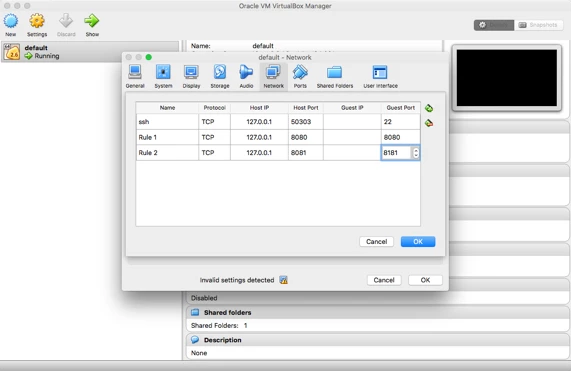
Your done. Go to localhost:8080/nifi/
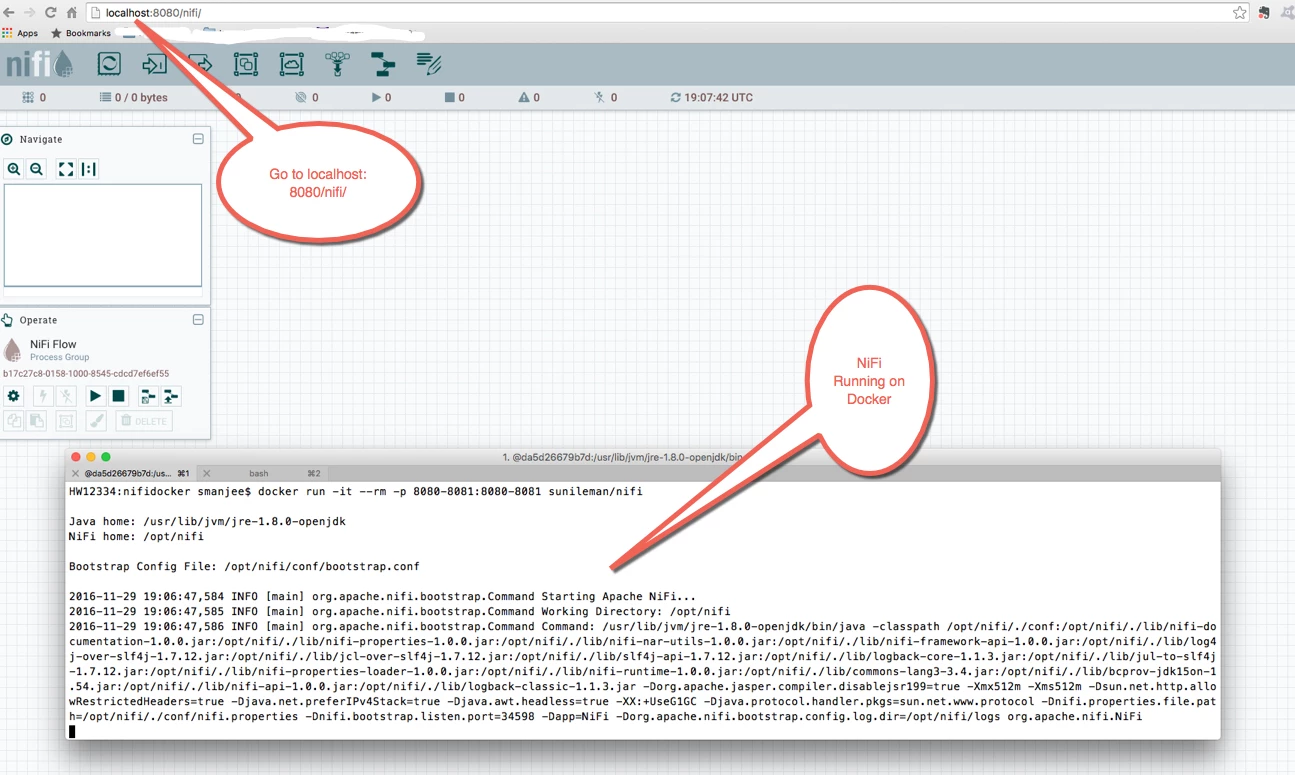
To shut down nifi simply hit control+c and nifi will shut down gracefully. That is too easy. Now go build some cool stuff!

