

Manually resetting offset for a Kafka topic
If you’re using Apache Kafka, you know it persists all the messages on disk as a distributed commit log. You might sometimes want to take advantage of that and reprocess some of the messages. Assuming that you want to reprocess all the messages currently stored on your brokers and you set auto.offset.reset to smallest, you can just delete your consumers’ data from Zookeeper. After restarting, your consumers should start from the beginning. But what if you forgot or didn’t want to set auto.offset.reset in you consumers to smallest? Then you can manually set the offsets for each partition for your consumers to the smallest currently available offset.
List all topics
kafka-topics --list --zookeeper localhost:2181

Get Offsets for the topic
kafka-run-class kafka.tools.GetOffsetShell --broker-list localhost:9092 -topic vital_signs --time -1

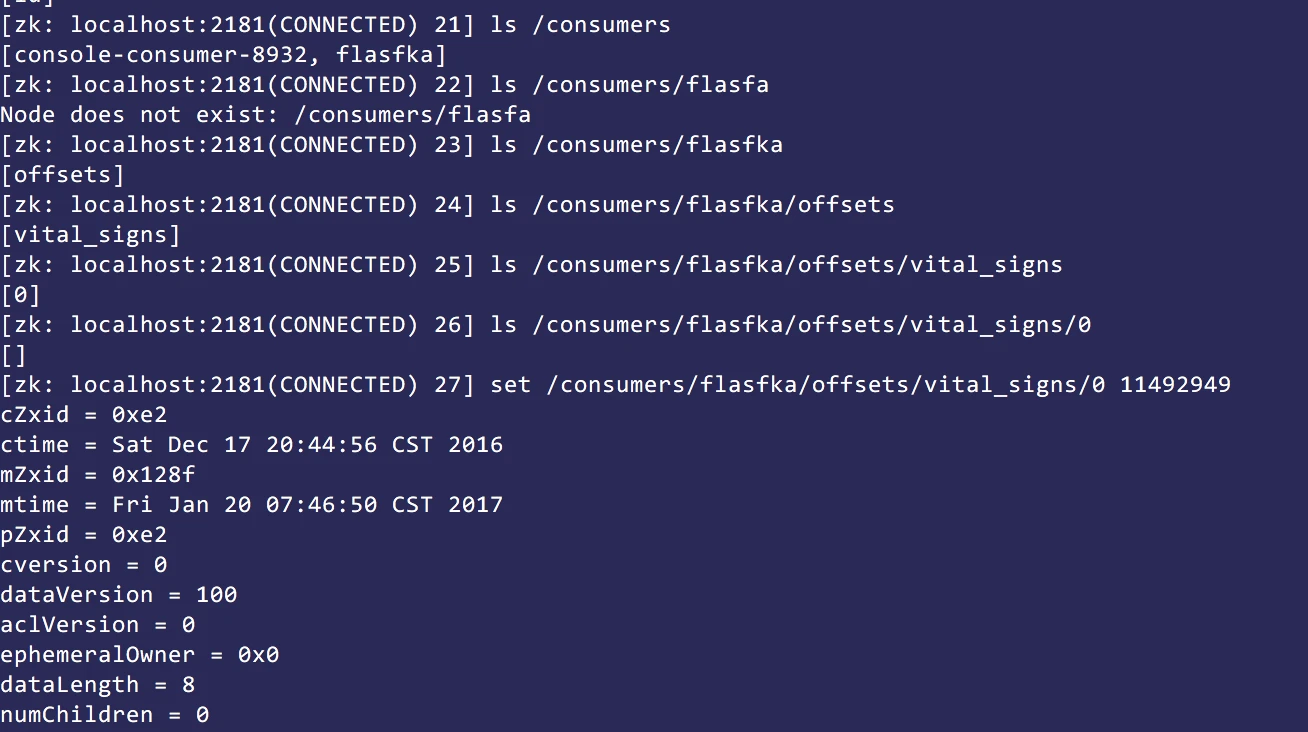
Set the offset manually
$ ZOOKEEPER_HOME/zkCli
$ ls /consumers/flasfka/offsets/vital_signs

$ set /consumers/flasfka/offsets/vital_signs/0 11492949
Verify the new offset
kafka-run-class kafka.tools.GetOffsetShell --broker-list localhost:9092 -topic vital_signs --time -1


