Mount VirtualBox Shared Folder
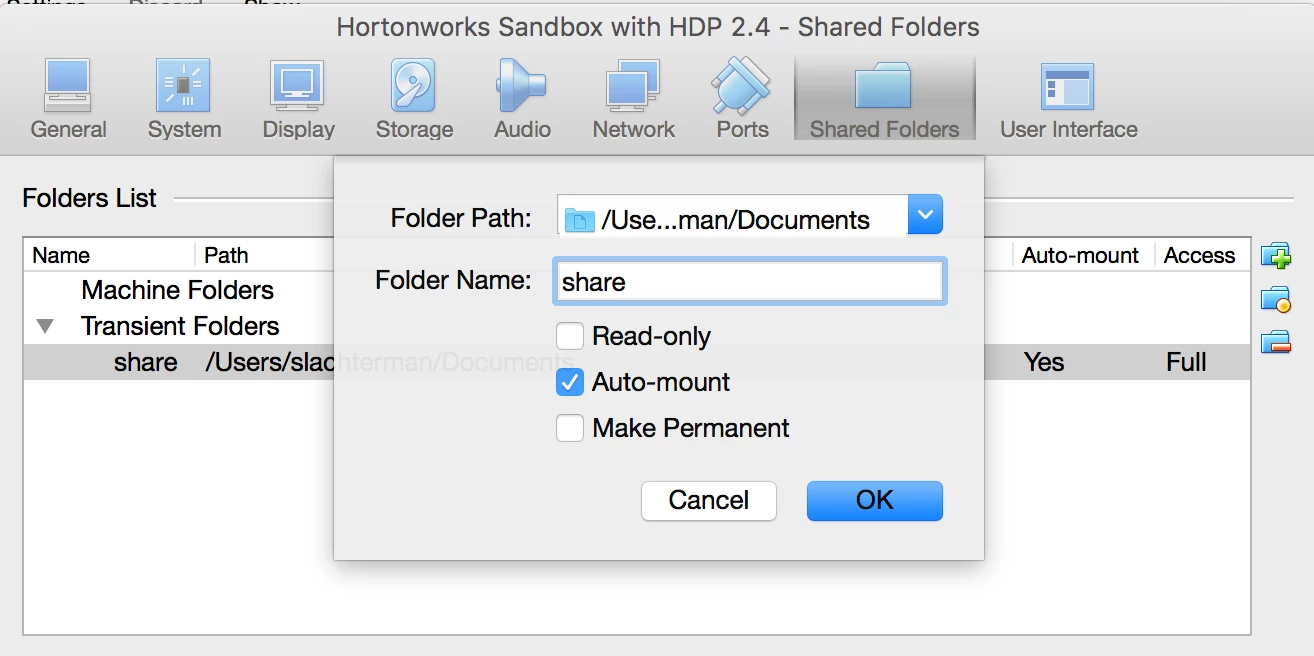
Within VirtualBox, navigate to Settings > Shared Folders. Choose a directory path on the host machine, give the directory a name and choose applicable options (such as Auto Mount). For this example, I used the name 'share'.
Note this doesn't require restarting your VM.
Now establish an SSH session to your guest. Run the following command (see this article) to mount the shared directory to the local directory ~/host on the guest. You can now access and transfer files from guest to host and vice versa.
sudo mount -t vboxsf share ~/host