


NFS Disk migration for Cloudera Machine Learning - Private Cloud
If there is a necessity for migrating the existing NFS workspace in CML to a new NFS storage, do the following:
- Mount the existing NFS directory and the destination NFS directory and manually copy all the data.
- [Alternative to Step1] Execute the projectCopy.sh script following the instruction in the README file. (Note: The script, by default, will do only the NFS swap. (script and readme files attached))
- Modify the NFS mount in the existing helm install:
- Save the existing helm values
helm get values mlx-<namespace-name> -n <namespace-name> -o yaml
> old.yaml - Modify the NFSServer and ProjectsExport in the old.yaml file.
Example :
NFSServer: 10.102.47.132
ProjectsExport: /eng-ml-nfs-azure/ageorge
→
NFSServer: 10.102.47.134
ProjectsExport: /ageorge-netapp-volume-v3 - In my case, I changed NFS server 10.102.47.132:/eng-ml-nfs-azure/ageorge to10.102.47.134:/ageorge-netapp-volume-v3
- Save the existing helm values
- Get the release name from old.yaml:
grep GitSHA old.yaml

Example:
GitSHA: 2.0.35-b1 - Get the release name from old.yaml:
grep GitSHA old.yaml - Get the release chart cdsw-combined-<GitSHA>.tgz
- This is available in ‘dp-mlx-control-plane-app’ pod in the namespace at folder /app/service/resources/mlx-deploy/
- Or contact Cloudera support to download the chart.
- Delete the jobs and stateful sets (these will get recreated after the helm install)
- kubectl --namespace <namespace-name> delete jobs --all
- kubectl --namespace <namespace-name> delete statefulsets --all
example:
kubectl --namespace ageorgeocbc3 delete jobs --all
kubectl --namespace ageorgeocbc3 delete statefulsets --all
- Do a helm upgrade to the same release
- helm upgrade mlx-<namespace-name> ./cdsw-combined-2.0.35-b1.tgz --install -f./old.yaml --wait --namespace <namespace-name> --debug --timeout 1800s
Example

helm upgrade mlx-ageorgeocbc3 ./cdsw-combined-2.0.35-b1.tgz --install -f
./old.yaml --wait --namespace ageorgeocbc3 --debug --timeout 1800s
- helm upgrade mlx-<namespace-name> ./cdsw-combined-2.0.35-b1.tgz --install -f./old.yaml --wait --namespace <namespace-name> --debug --timeout 1800s
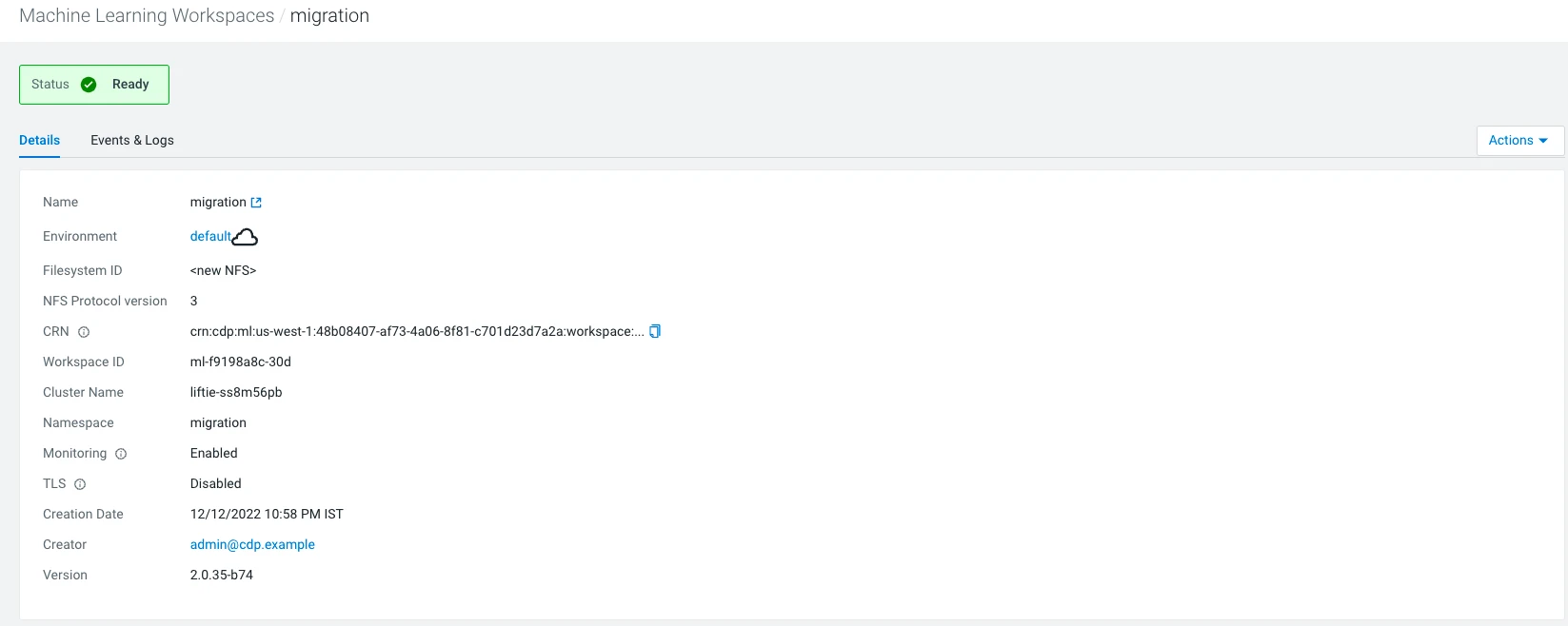
- After the migration is done, you will need to update the NFS mount information in the CML control plane DB.
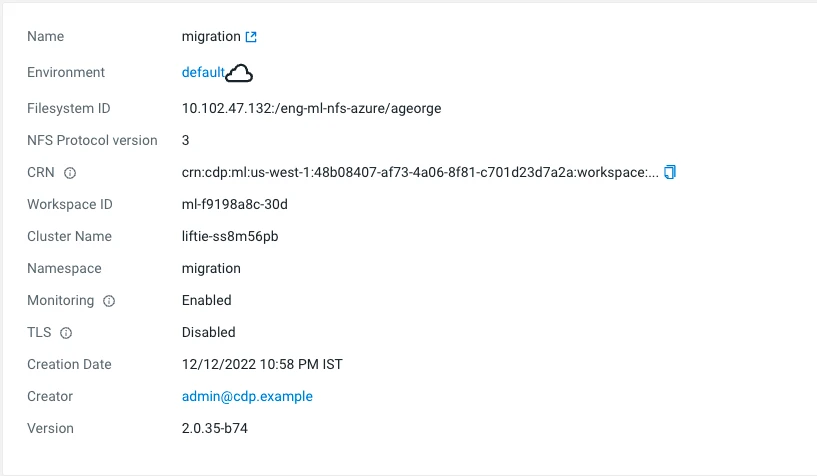
- Copy the CRN from the above window.
- If using an external DB, skip to the Updating the DB entry section below.
- See the existing NFS configuration using the below common:
select filesystem_id from storage where id = (select storage_id from
mlx_instance where crn='<workspace CRN>');
db-mlx=# select filesystem_id from storage where id = (select
storage_id from mlx_instance where
crn='crn:cdp:ml:us-west-1:48b08407-af73-4a06-8f81-c701d23d7a2a:work
space:c3c883dd-3b23-4561-abcd-0cc5f68ed377');
filesystem_id
-----------------------------------------

10.102.47.132:/eng-ml-nfs-azure/ageorge - Update the NFS configuration using the command:
update storage set filesystem_id='<new NFS>' where id = (select
storage_id from mlx_instance where crn='<workspace CRN>');
db-mlx=# update storage set filesystem_id='<new NFS>' where id =
(select storage_id from mlx_instance where
crn='crn:cdp:ml:us-west-1:48b08407-af73-4a06-8f81-c701d23d7a2a:work
space:c3c883dd-3b23-4561-abcd-0cc5f68ed377');
UPDATE 1
db-mlx=# select filesystem_id from storage where id = (select
storage_id from mlx_instance where
crn='crn:cdp:ml:us-west-1:48b08407-af73-4a06-8f81-c701d23d7a2a:work
space:c3c883dd-3b23-4561-abcd-0cc5f68ed377');
filesystem_id
---------------
<new NFS>
.

