


NiFi ADLS Enabled Cluster Via CloudBreak
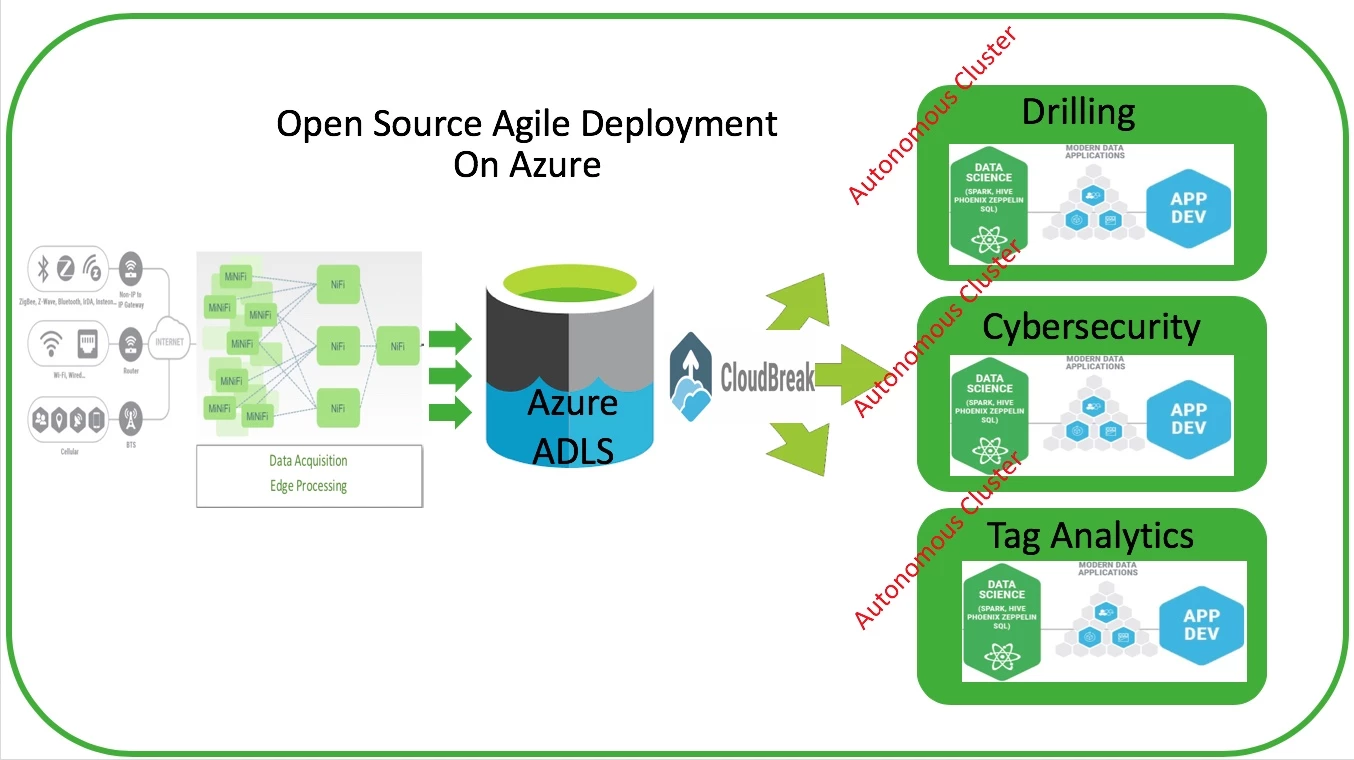
I came across an article on how to setup NiFi to write into ADLS which required cobbling together various integration pieces and launching HDI. Since then there have been many updates in NiFi enabling a much easier integration. Combined with CloudBreak's rapid deployment of a HDF clusters provides an incredible ease of user experience. ADLS is Azure's native cloud storage (Look and feel of HDFS) and the capability to read/write via NiFi is key. This article will demonstrate how use use a CloudBreak Recipe to rapidly deploy a HDF NiFI "ADLS Enabled" cluster.
Assumptions
- A CloudBreak instance is available
- Azure Credentials available
- Moderate familiarity with Azure
- Using HDF 3.2+
From Azure you will need:
- ADLS url
- Application ID
- Application Password
- Directory ID
NiFi requires ADLS jars, core-site.xml, and hdfs-site.xml. The recipe I built will fetch these resources for you. Simply download the recipe/script from:
https://s3-us-west-2.amazonaws.com/sunileman1/scripts/setAdlsEnv.sh
Open it and scroll all the way to the bottom

Update the following:
Your_ADLS_URL: with your adls url

Your_APP_ID: with your application ID

Your_APP_Password: with your application password

Your_Directory_ID: with your directory id

Once the updates are completed, simply add the script under CloudBreak Recipes. Make sure to select "post-cluster-install"
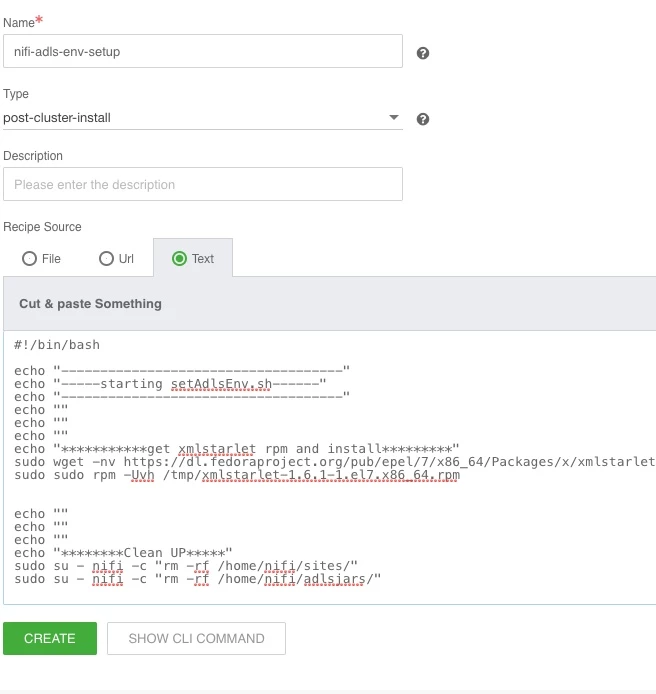
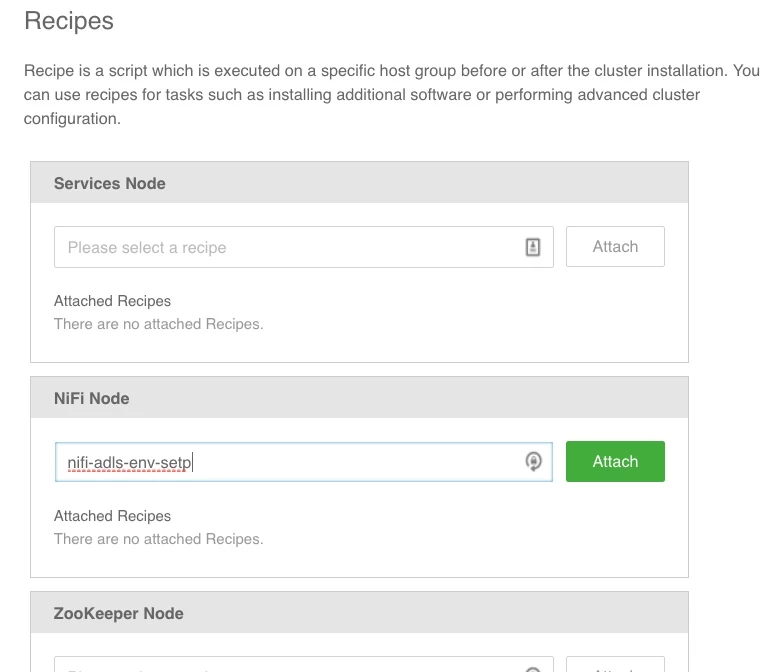
Begin provisioning a HDF cluster via CloudBreak. Once the Recipes page is shown, add the recipe to run on the NiFi nodes.
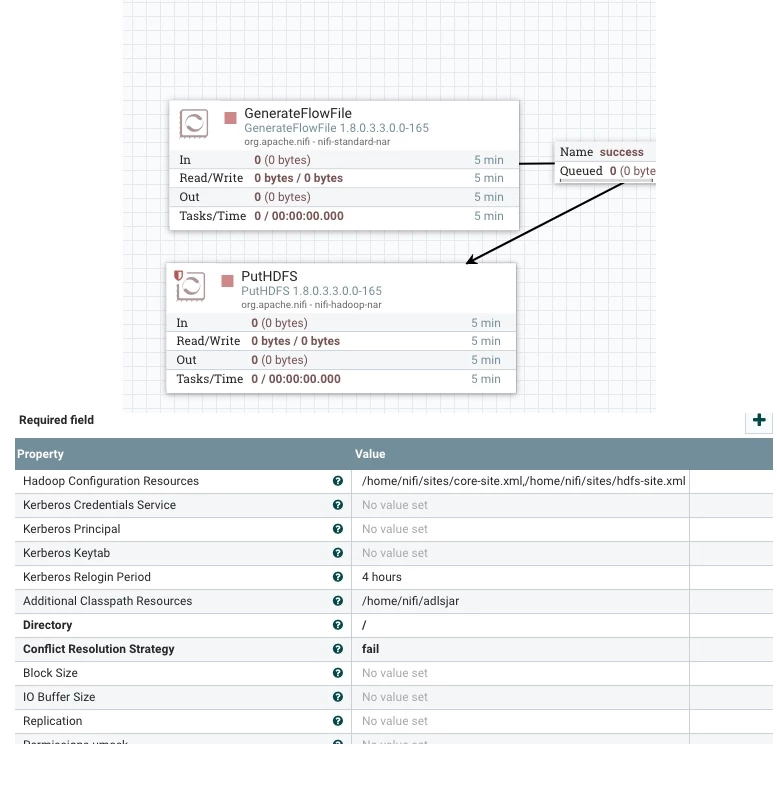
Once cluster is up use the PutHDFS processor to write to ADLS.
Configure PutHDFS Properties
Hadoop Configuration Resources: /home/nifi/sities/core-site.xml,/home/nifi/sites/hdfs-sites.xml

Additional Classpath Resources: /home/nifi/adlsjars

Directory: /
The above resources are all available on each node due to the recipe. All you have to do is call the location of the resources in the PutHDFS processor.
That's it! Enjoy

