Offload NiFi Cluster Nodes using the NiFi Toolkit CLI (NiFi 1.8.0)
Objective
In a separate HCC article, I detailed how to offload nodes using the NiFi UI. This article covers how to perform the same operation using the NiFi Toolkit CLI.
Note: This tutorial assumes you have already setup a running NiFi cluster. The examples included are for a 2 node NiFi cluster.
Environment
This tutorial was tested using the following environment and components:
- Mac OS X 10.11.6
- Apache NiFi 1.8.0
- Apace NiFi Toolkit 1.8.0
Offload Nodes via CLI Tutorial
Queue FlowFiles
First, generate some queued flowfiles:
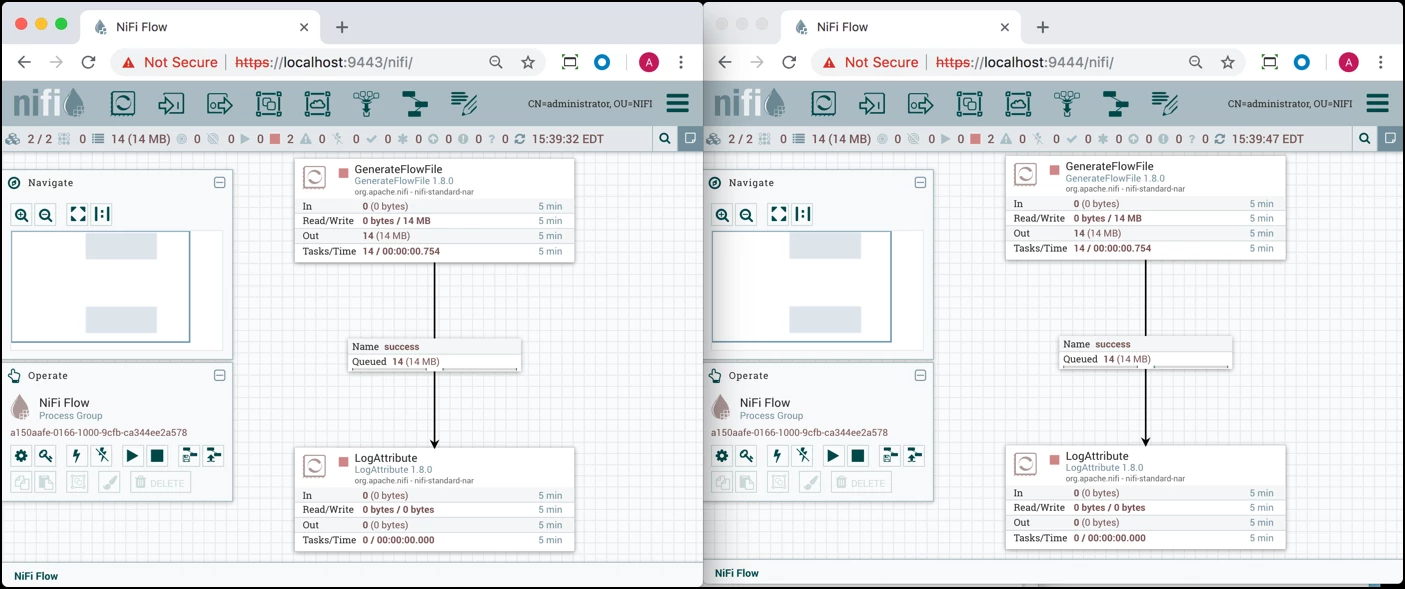
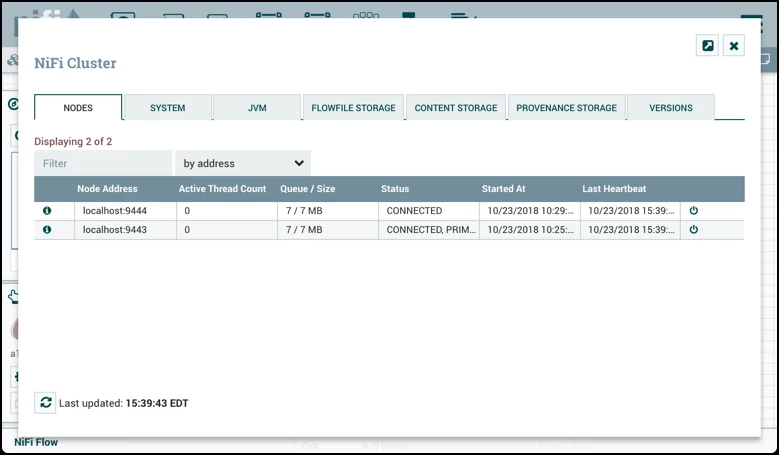
The queued flowfiles are distributed between both nodes in the cluster:
Disconnect Node
From a terminal window, navigate to the directory where the NiFi Toolkit was installed. From the /nifi-toolkit-1.8.0/bin directory, run:
./cli.sh
Enter the command nifi get-nodes to retrieve the node IDs:
#> nifi get-nodes
#   Node ID                                Node Address   API Port   Node Status
-   ------------------------------------   ------------   --------   -----------
0   dfa62636-479b-4456-aa16-3bfc19f35cb5   localhost      9443       CONNECTED
1   20a68479-e8dc-46c9-8612-872200e2fdab   localhost      9444       CONNECTED
Note: If you see the error "ERROR: Error executing command 'get-nodes' : Error retrieving node status: Unable to view the controller. Contact the system administrator." You need to add "CN=localhost, OU=NIFI" to the "access the controller" view policy.
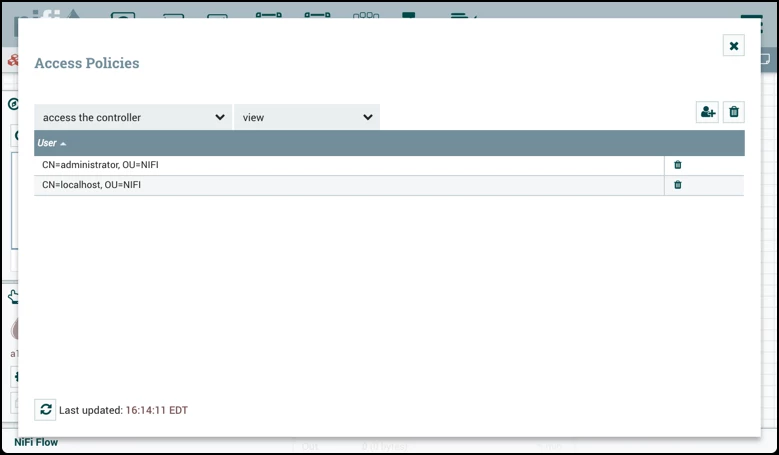
Use the command nifi disconnect-node to disconnect the node on Port 9444:
#> nifi disconnect-node -nnid 20a68479-e8dc-46c9-8612-872200e2fdab
Node ID: 20a68479-e8dc-46c9-8612-872200e2fdab
Node Address: localhost
API Port: 9444
Node Status:DISCONNECTED~
The node is disconnected:
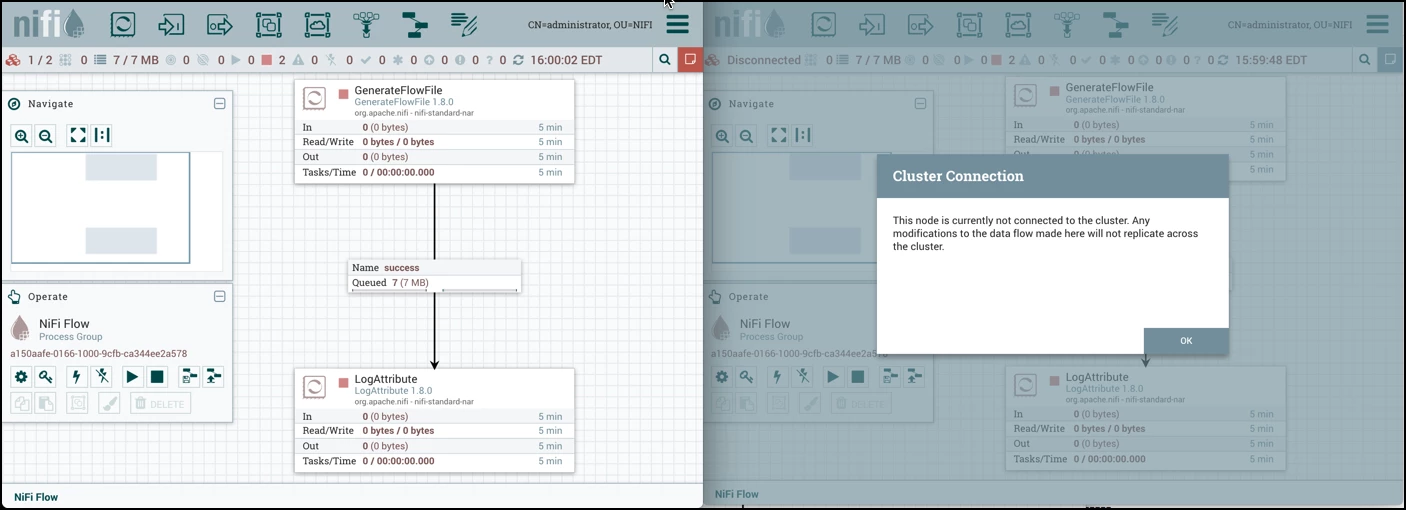
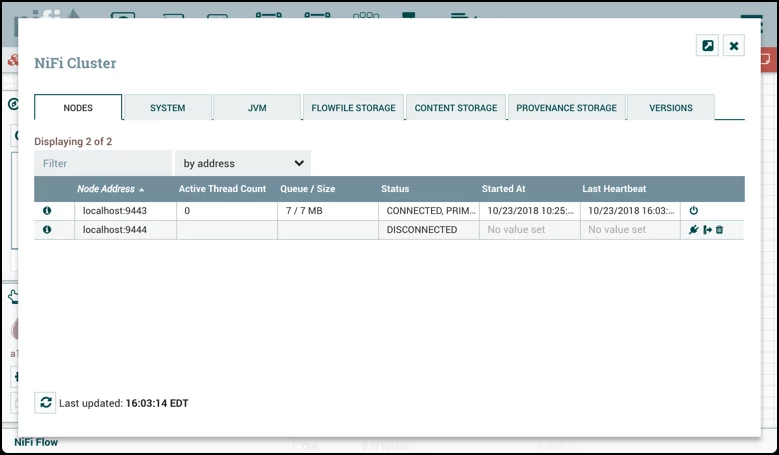
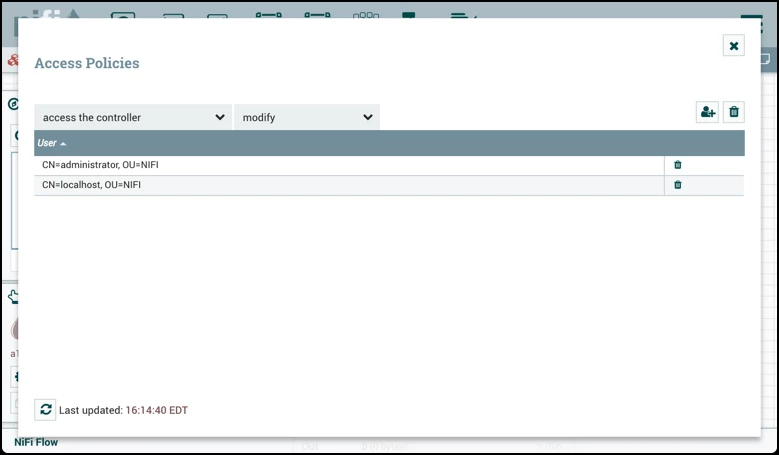
Note: If you see the error "ERROR: Error executing command 'disconnect-node' : Error disconnecting node: Unable to modify the controller. Contact the system administrator." You need to add "CN=localhost, OU=NIFI" to both the "access the controller" modify policy.
Offload Node
Use the command nifi offload-node to offload the flowfiles on port 9444:
#> nifi offload-node -nnid 20a68479-e8dc-46c9-8612-872200e2fdab
Node ID: 20a68479-e8dc-46c9-8612-872200e2fdab
Node Address: localhost
API Port: 9444
Node Status:OFFLOADING~
Repeating the command returns the current status of the node:
#> nifi offload-node -nnid 20a68479-e8dc-46c9-8612-872200e2fdab
Node ID: 20a68479-e8dc-46c9-8612-872200e2fdab
Node Address: localhost
API Port: 9444
Node Status:OFFLOADED~
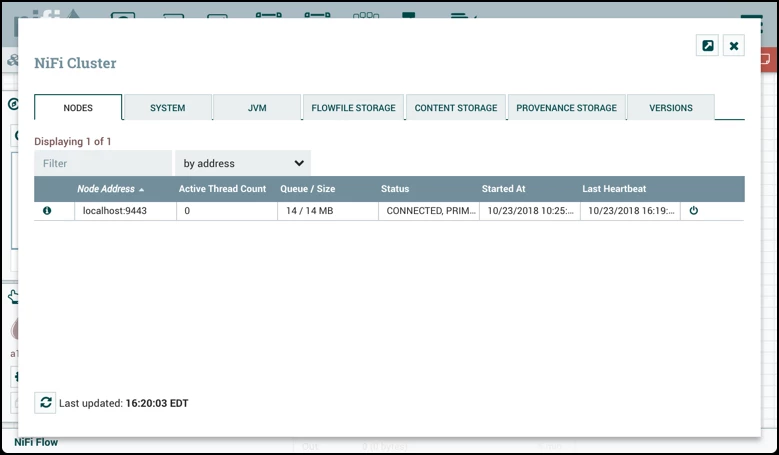
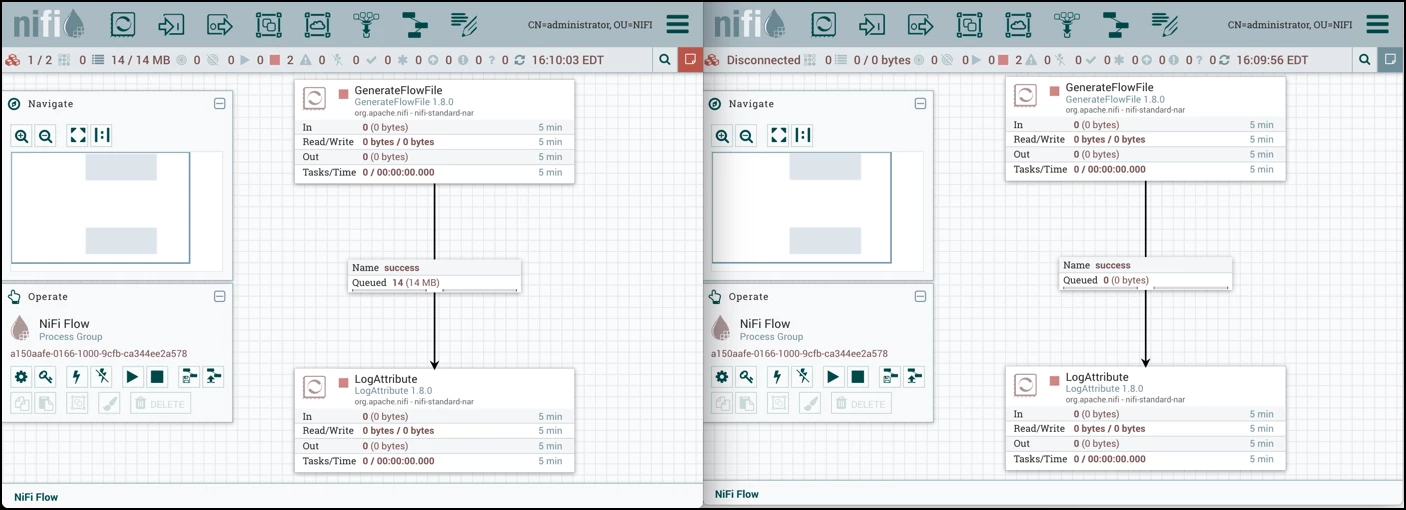
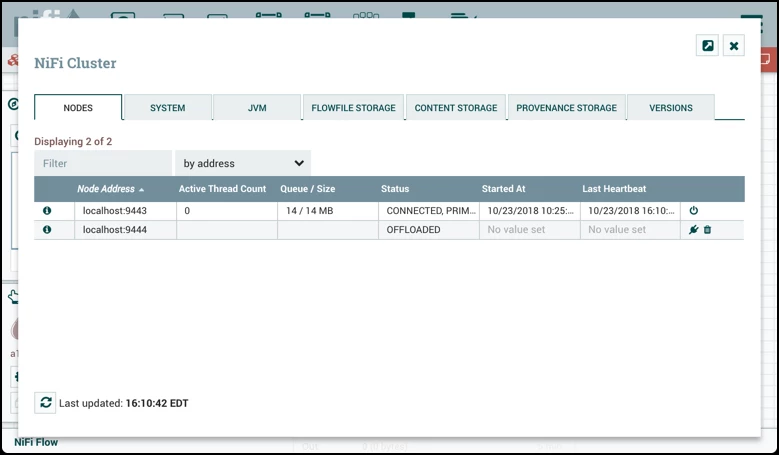
In the UI, it is confirmed that all the flowfiles have been offloaded to the active node:
Delete & Decommission Node
An offloaded node can be either connected back to the cluster ( nifi connect-node) or deleted. If the goal is to to decommission the node, use the nifi delete-node command:
#> nifi delete-node -nnid 20a68479-e8dc-46c9-8612-872200e2fdab
OK
Then after the node is deleted, stop/remove the NiFi service on the host.