


Oozie sqoop action
Short Description:
How to run sample Oozie sqoop action to get data from Mysql table to HDFS.
Article
Below are the steps to run sample sqoop action to get data from Mysql table on HDFS.
Note - Please refer this to create sample Mysql table with dummy data.
.
1. Configure job.properties
Example:
nameNode=hdfs://<namenode-host>:8020
jobTracker=<rm-host>:8050
queueName=default
examplesRoot=examples
oozie.use.system.libpath=true
oozie.wf.application.path=${nameNode}/user/${user.name}
oozie.libpat=/user/root
.
2. Configure Workflow.xml
Example:
<?xml version="1.0" encoding="UTF-8"?>
<!--
  Licensed to the Apache Software Foundation (ASF) under one
  or more contributor license agreements.  See the NOTICE file
  distributed with this work for additional information
  regarding copyright ownership.  The ASF licenses this file
  to you under the Apache License, Version 2.0 (the
  "License"); you may not use this file except in compliance
  with the License.  You may obtain a copy of the License at
       http://www.apache.org/licenses/LICENSE-2.0
  Unless required by applicable law or agreed to in writing, software
  distributed under the License is distributed on an "AS IS" BASIS,
  WITHOUT WARRANTIES OR CONDITIONS OF ANY KIND, either express or implied.
  See the License for the specific language governing permissions and
  limitations under the License.
-->
<workflow-app xmlns="uri:oozie:workflow:0.2" name="sqoop-wf">
    <start to="sqoop-node"/>
    <action name="sqoop-node">
        <sqoop xmlns="uri:oozie:sqoop-action:0.2">
            <job-tracker>${jobTracker}</job-tracker>
            <name-node>${nameNode}</name-node>
            <configuration>
                <property>
                    <name>mapred.job.queue.name</name>
                    <value>${queueName}</value>
                </property>
            </configuration>
            <command>import --connect jdbc:mysql://<mysql-server-hostname>:3306/<database-name> --username <mysql-database-username> --table <table-name> --driver com.mysql.jdbc.Driver --m 1</command>
        </sqoop>
        <ok to="end"/>
        <error to="fail"/>
    </action>
    <kill name="fail">
        <message>Sqoop failed, error message[${wf:errorMessage(wf:lastErrorNode())}]</message>
    </kill>
    <end name="end"/>
</workflow-app>
.
3. Upload workflow.xml and shell script to "oozie.wf.application.path" defined in job.properties
.
4. Follow below command to run Oozie workflow
oozie job -oozie .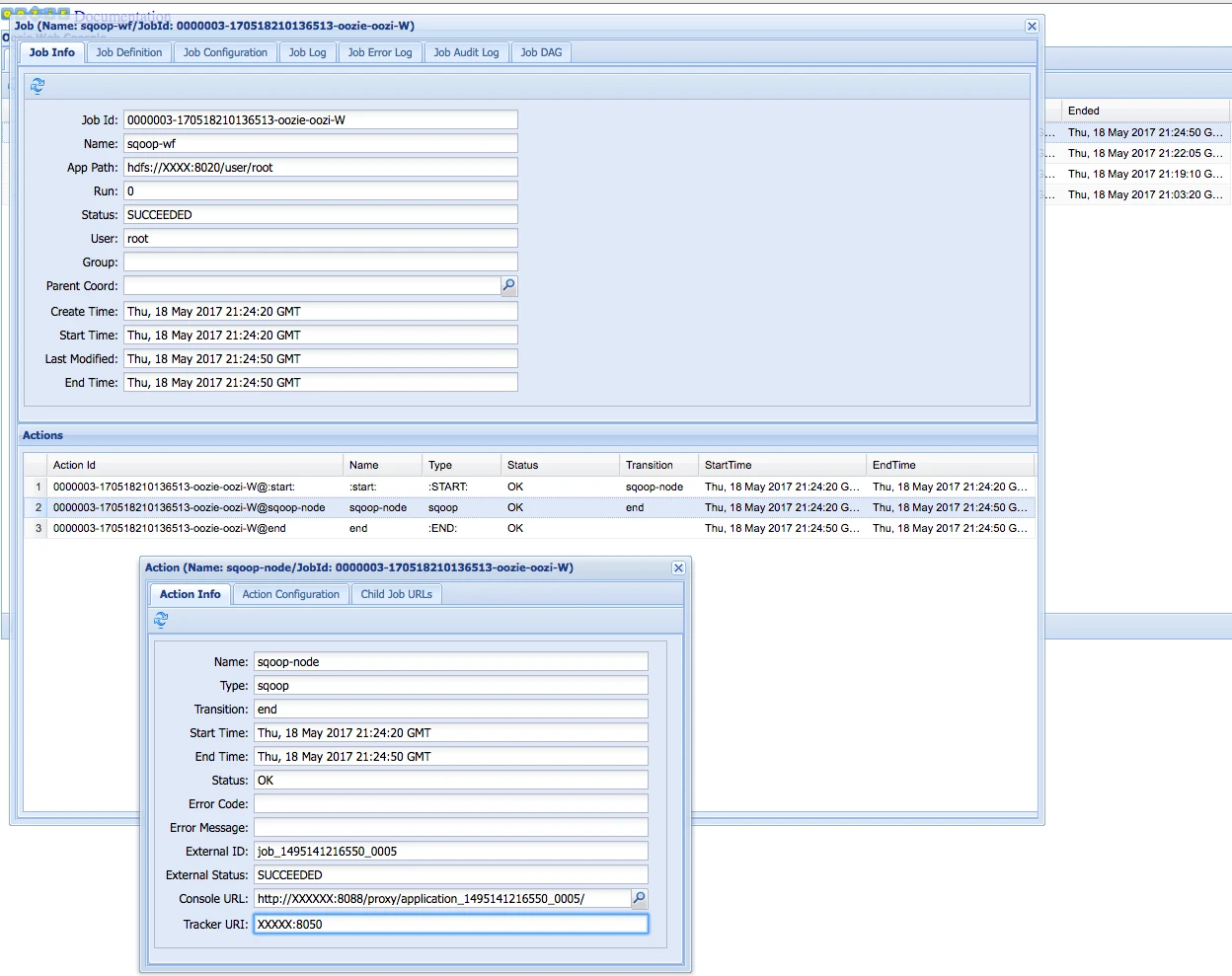
Please comment if you have any question! Happy Hadooping!! 🙂

