


Setup CDE CLI with Git Bash on Windows
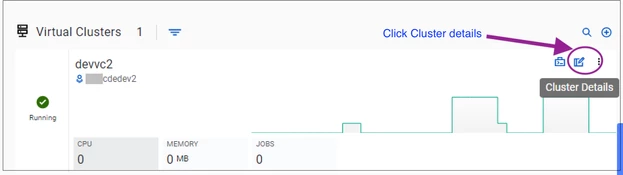
- Download the Cloudera Data Engineering CLI from the Cloudera Data Engineering > CDE Services > Virtual Clusters.
- Click the Cluster details page, and click the CLI TOOL button to download the CDE CLI.
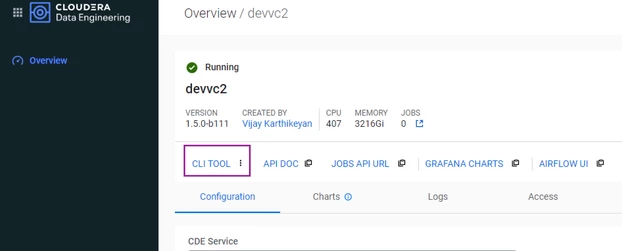
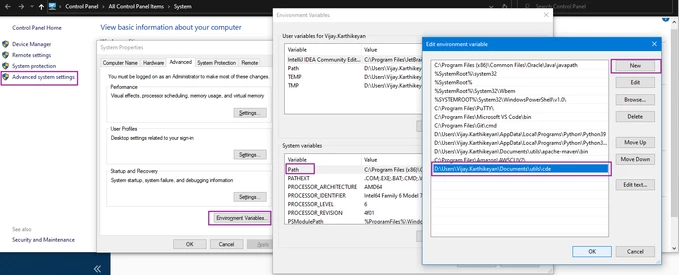
- Move the CLI to the desired directory. Here, it is moved to D:\Users\Vijay.Karthikeyan\Documents\utils\cde.

- Add this directory to PATH, as shown as follows:
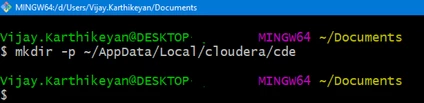
- Create the directory ~/AppData/Local/cloudera/cde to store the CDE configuration files.
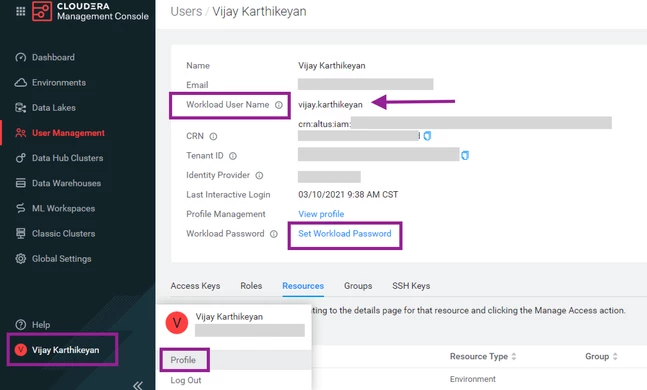
- Make a note of your workload username from the profile page of the CDP control plane, and set workload password for the environment if not done already.
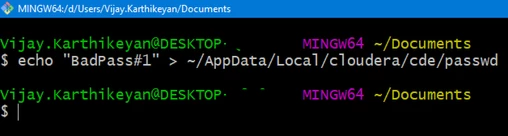
- Create a file containing the workload password
- Create the certificate file ca.pem holding the root certificates. Get the certificates here.
- Concatenate them and save them as ~/AppData/Local/cloudera/cde/ca.pem.
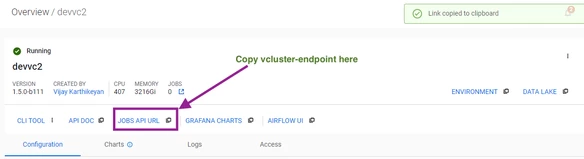
- Get the virtual cluster endpoint (This will be entered as the value vcluster-endpoint in the config.yaml file)
- Create a file config.yaml with the following contents under ~/AppData/Local/cloudera/cde
user: <Workload username>
vcluster-endpoint: <URL copied in step 8>
auth-pass-file: <path to file created in step 6>
tls-ca-certs: <File created in step 7>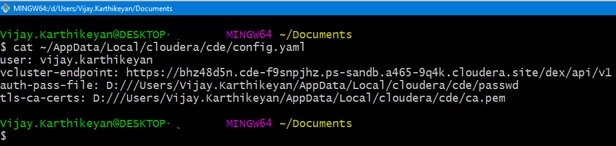
- Set the environment variable CDE_CONFIG to point to the config.yaml file created in the previous step.
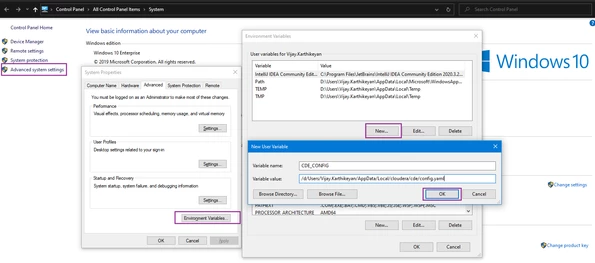
- Now that PATH is updated and a new environment variable is set, you should relaunch Git Bash for the changes to take effect.
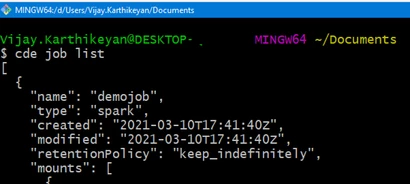
- Run any CDE command to validate connectivity.
- You can also submit spark-submit commands using cde spark submit.
cde spark submit ./insurance-cde-app.jar \
s3a://devbucket/data/files/insurance_fraud \
--class org.cloudera.cde.app.Application \
--driver-cores 1 --driver-memory 3g \
--executor-cores 1 --executor-memory 3g --num-executors 3 \
--job-name insurance_fraud_job \
--log-level INFO \
--hide-logs

- If you want to connect to another virtual cluster, you can export the CDE_CONFIG at a session-level to point to another file.
- For CDE CLI usage, refer to the Cloudera official documentation.

