


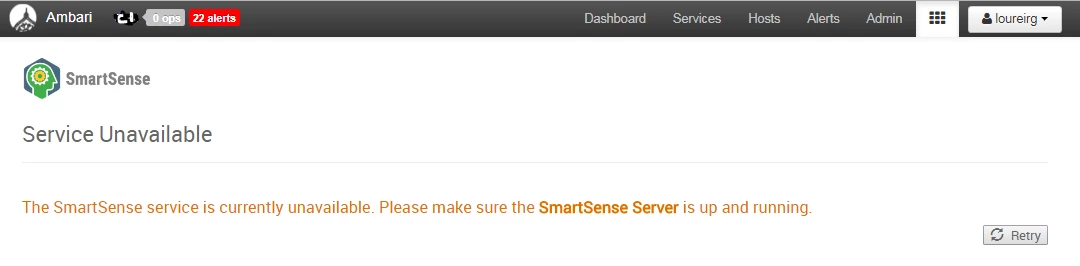
Smartsense view displays "Service Unavailable" "The SmartSense service is currently unavailable. Please make sure the SmartSense Server is up and running" after Ambari upgrade
(I think) this occurred after upgrading from Ambari 2.4.2 to 2.5.0.3 (only looked for this when on Ambari 2.5.1.0)
Here are the messages in SmartSense View
Found these messages in /var/log/ambari-server/ambari-server.log when clicking on launch SmartSense View
14 Jul 2017 11:14:05,523 ERROR [ambari-client-thread-467377] ServerProxy:162 - Failed to execute GET /recommendations. Reason: Connection refused
14 Jul 2017 11:14:13,695 ERROR [ambari-client-thread-467507] ServerProxy:162 - Failed to execute GET /context. Reason: Connection refused
14 Jul 2017 11:14:14,900 ERROR [ambari-client-thread-467507] ServerProxy:162 - Failed to execute GET /checkconfig. Reason: Connection refused
Diff'ing current hst-server.ini versus a previous (think it was from Ambari 2.4.2) yields
# diff conf/hst-server.ini conf_13_04_17_04_17.save/
2,4d1
< enable.flex.subscription = false
< smartsense.id=X-00000000-X-00000000
< flex.subscription.id =
6a4
> smartsense.id=X-00000000-X-00000000
27,28d24
< url = http://:9000
< max.heap = 2048
30d25
< run.as.user =
33d27
< version = 1.4.0.2.5.0.3-7
52,57d45
< [recommendation]
< auto.download.interval = 300
< feedback.push.maxentries = 50
< feedback.push.interval = 1800
< expiry = 30
<
The issue was the missing HST server name in the [server] url property (ie server.url in Ambari if you can find it - this was the issue - and still is - this ghosted into and then out of view in Ambari SmartSense Config tab)
Managed to change the server.url property to http://<hst server name>:9000 in Ambari (when it reappeared)
Restarted SmartSense server
And retried the SmartSense view and it now works fine.
TBC - work out why server.url property is not always visible in the SmartSense Config tabs all the time.

