


Using An ASUS TinkerBoard with TensorFlow and Python to Ingest Data to Hadoop with Apache NiFi
Raspberry Pi Killer?
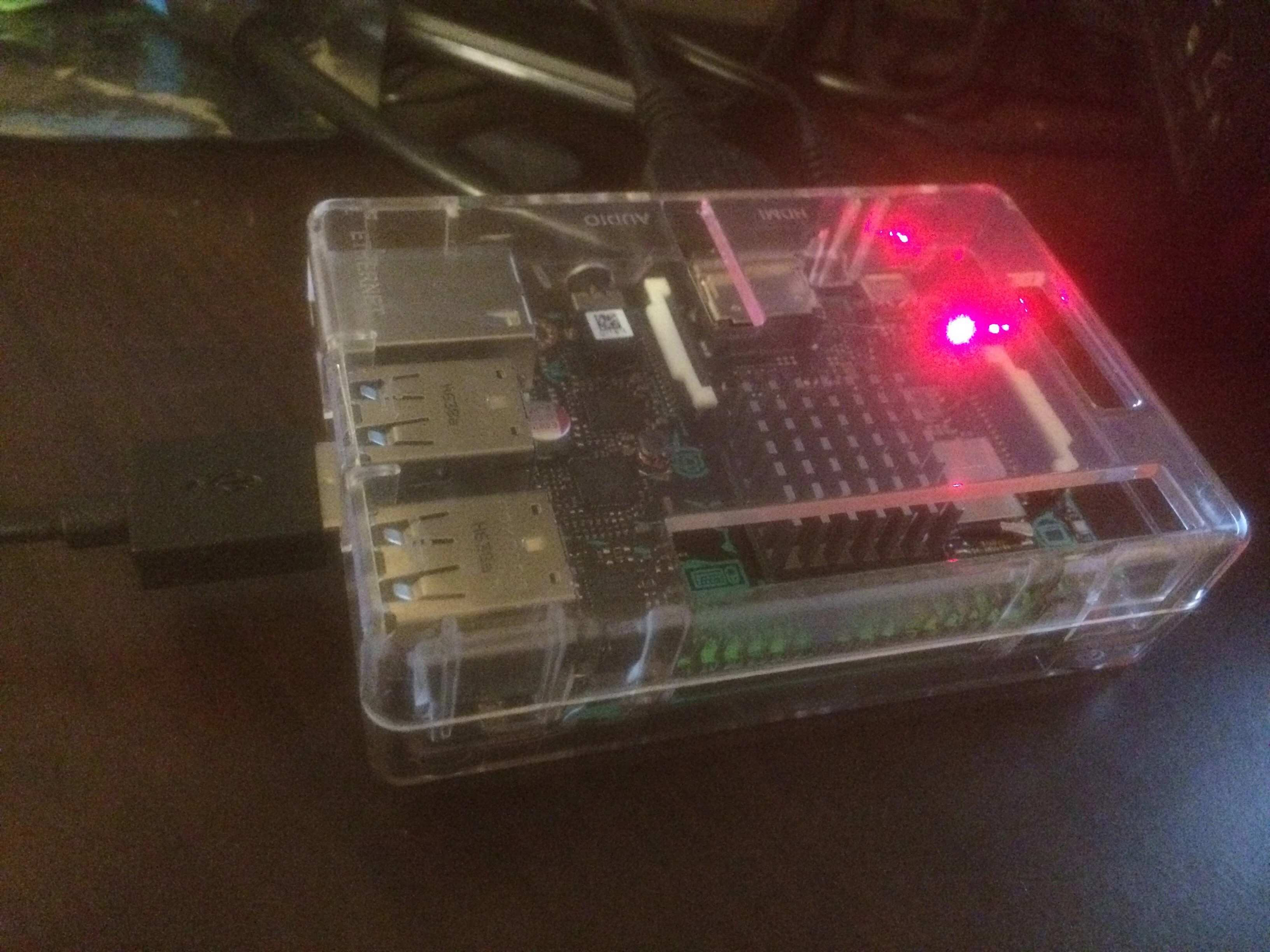
Nope, but this device has twice the RAM and a bit more performance. It's mostly compatible with Pi, but not fully. It is very new and has little ecosystem but can get the job done.

Device Setup
It is easy to install Python and all the libraries required for IoT and some deep learning. I found most instructions worked for Raspberry Pi on this device. It has more RAM which helps on some of these activities.
I downloaded and burned with Etcher a MicroSD image of TinkerOS_Debian V1.8 (Beta version). It's a Debian variant close enough to Raspian for most IoT developers and users to be comfortable. An Android OS is now available for download as well and that may be worth trying, I am wondering if Google will add this device to the AndroidThings supported devices? Perhaps.
One quirk, make sure you remember this: TinkerOS default username is “linaro”, password is “linaro”. Connect to the device via ssh linaro@SOMEIP.
Python Setup
sudo apt-get update
sudo apt-get install cmake gcc g++  libxml2 libxml2-* leveldb*
sudo apt-get install python-dev python3-dev
sudo apt-get install python-setuptools
sudo apt-get install python3-setuptools
pip install twython
pip install numpy
pip install wheel
pip install --user numpy scipy matplotlib ipython jupyter pandas sympy nose
sudo pip install -U nltk
python
import nltk
nltk.download()
quit()
pip install -U spacy
python -m spacy.en.download all
sudo python -m textblob.download_corpora


# TensorFlow
get https://github.com/samjabrahams/tensorflow-on-raspberry-pi/releases/download/v1.0.1/tensorflow-1.0.1-cp27-none-linux_armv7l.whl
sudo pip install tensorflow-1.0.1-cp27-none-linux_armv7l.whl


# For Python 3.4
wget https://github.com/samjabrahams/tensorflow-on-raspberry-pi/releases/download/v1.0.1/tensorflow-1.0.1-cp34-cp34m-linux_armv7l.whl
sudo pip3 install tensorflow-1.0.1-cp34-cp34m-linux_armv7l.whl


# For Python 2.7
sudo pip uninstall mock
sudo pip install mock


# For Python 3.4
sudo pip3 uninstall mock
sudo pip3 install mock
sudo apt-get install git
git clone https://github.com/tensorflow/tensorflow.git


# PAHO for MQTT
pip install paho-mqtt


# Flask for Web Apps
pip install flask
Python 2.7 and 3.4 both work fine on this device, I was also able to install the major NLP libraries including SpaCy and NLTK. TensorFlow installed using the Raspberry PI build and ran without incident. I believe it's a bit faster than the RPI version. I will have to run some tests on that.
Run The Regular TensorFlow Inception V3 Demo
python -W ignore /tensorflow/models/tutorials/image/imagenet/classify_image.py --image_file /opt/demo/tensorflow/TimSpann.jpg
I hacked that version to add code to send the results to MQTT so I could process with most IoT hubs and Apache NiFi with ease. JSON is a very simple format to work with.
Custom Python to Call NiFi
# .... imports
import paho.mqtt.client as paho
import os
import json

# .... later in the code
    top_k = predictions.argsort()[-FLAGS.num_top_predictions:][::-1]
    for node_id in top_k:
      human_string = node_lookup.id_to_string(node_id)
      score = predictions[node_id]
      print('==> %s (score = %.5f)' % (human_string, score))
      row = [ { 'human_string,': str(human_string),  'score,': str(score)} ]
      json_string = json.dumps(row)
      client = paho.Client()
      client.connect("192.168.1.151", 1883, 60)
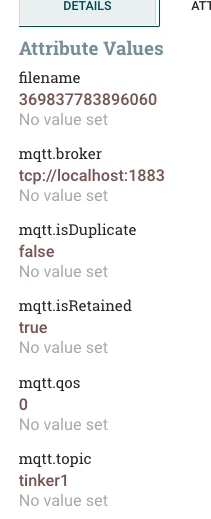
      client.publish("tinker1", payload=json_string, qos=0, retain=True)
NIFI Ingest
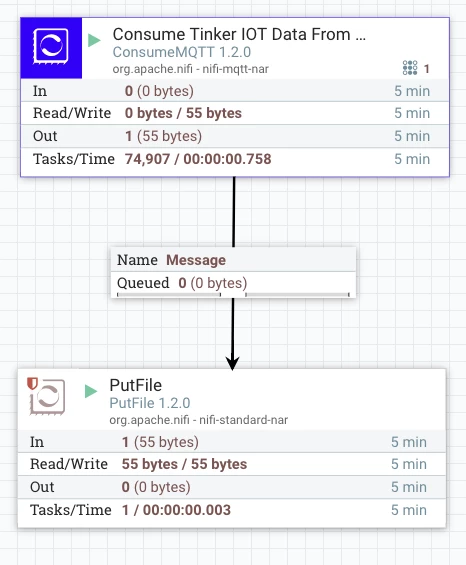
Ingesting MQTT is easy and again that's our choice from the TinkerBoard. I have formatted the TensorFlow data as JSON and we quickly ingest and drop to a file. We could do anything with this flow file include store in Hadoop, Hive, Phoenix, HBase or send it to Kafka or transform it.
So now we have yet another platform that can be used for IoT and basic Deep Learning and NLP. All enabled by a small fast linux device that runs Python.
Enjoy your SBC! I am hoping that they add hats, a hard drive and some other ASUS accessories. Make your own mini Debian laptop would be cool.
The next device I am looking at is NVIDIA's powerful GPU SBCs. There's a couple options from 192 GPU cores up to 256 with smoking high-end specs.
Example Data
[{"score,": "0.034884", "human_string,": "neck brace"}]
Downloads
Modified TensorFlow example /models/tutorials/image/imagenet/classify_image.py

