


Using PublishKafkaRecord_0_10 (CSVReader/JSONWriter) in Apache NiFi 1.2+
Objective
This tutorial walks you through a NiFi flow that utilizes the PublishKafkaRecord_0_10 processor to easily convert a CVS file into JSON and then publish to Kafka. The tutorial is based on the blog "Integrating Apache Nifi with Apache Kafka", updated with the more recent record-oriented processors and controller services available in NiFi.
Note: The record-oriented processors and controller services were introduced in NiFi 1.2.0. As such, the tutorial needs to be done running Version 1.2.0 or later.
Environment
This tutorial was tested using the following environment and components:
- Mac OS X 10.11.6
- Apache NiFi 1.3.0
- Apache Kafka 0.10.2.1
PublishKafkaRecord_0_10 (CSV to JSON)
Support Files
Here is a template of the flow discussed in this tutorial: publishkafkarecord.xml
Demo Configuration
Kafka Download & Install
The flow in this demo utilizes the PublishKafkaRecord_0_10 processor, which as the name implies, utilizes the Kafka 0.10.x Producer API. As a result, a 0.10.x version of Kafka is required for this tutorial. For my environment, I downloaded and installed Kafka 0.10.2.1 (Scala 2.11).
Kafka Configuration & Startup
In the bin directory of your Kafka install:
Start ZooKeeper: ./zookeeper-server-start.sh ../config/zookeeper.properties
Start Kafka: ./kafka-server-start.sh ../config/server.properties
Create Kafka Topic: ./kafka-topics.sh --create --zookeeper localhost:2181 --replication-factor 1 --partitions 1 --topic Movies
Start Kafka Consumer: ./kafka-console-consumer.sh --zookeeper localhost:2181 --topic Movies --from-beginning
Import Template
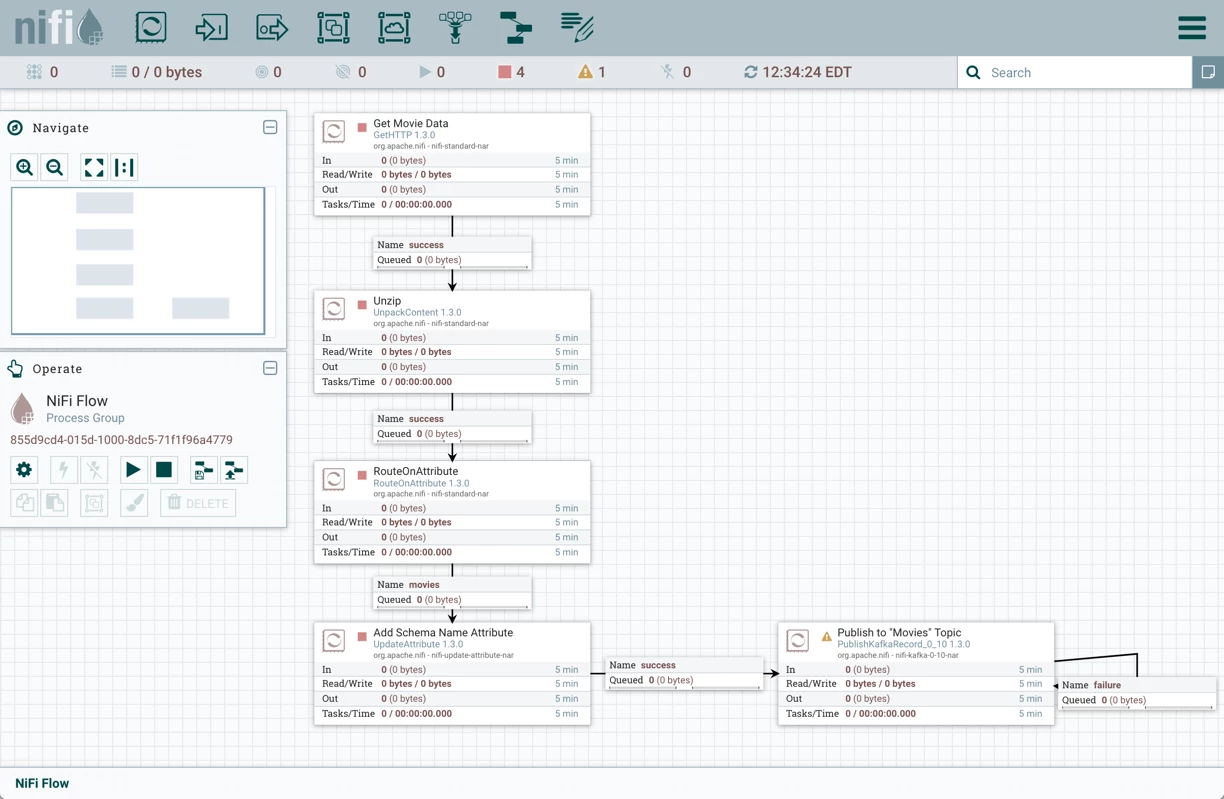
Start NiFi. Import the provided template and add it to the canvas. You should see the following flow on your NiFi canvas:
Enable Controller Services
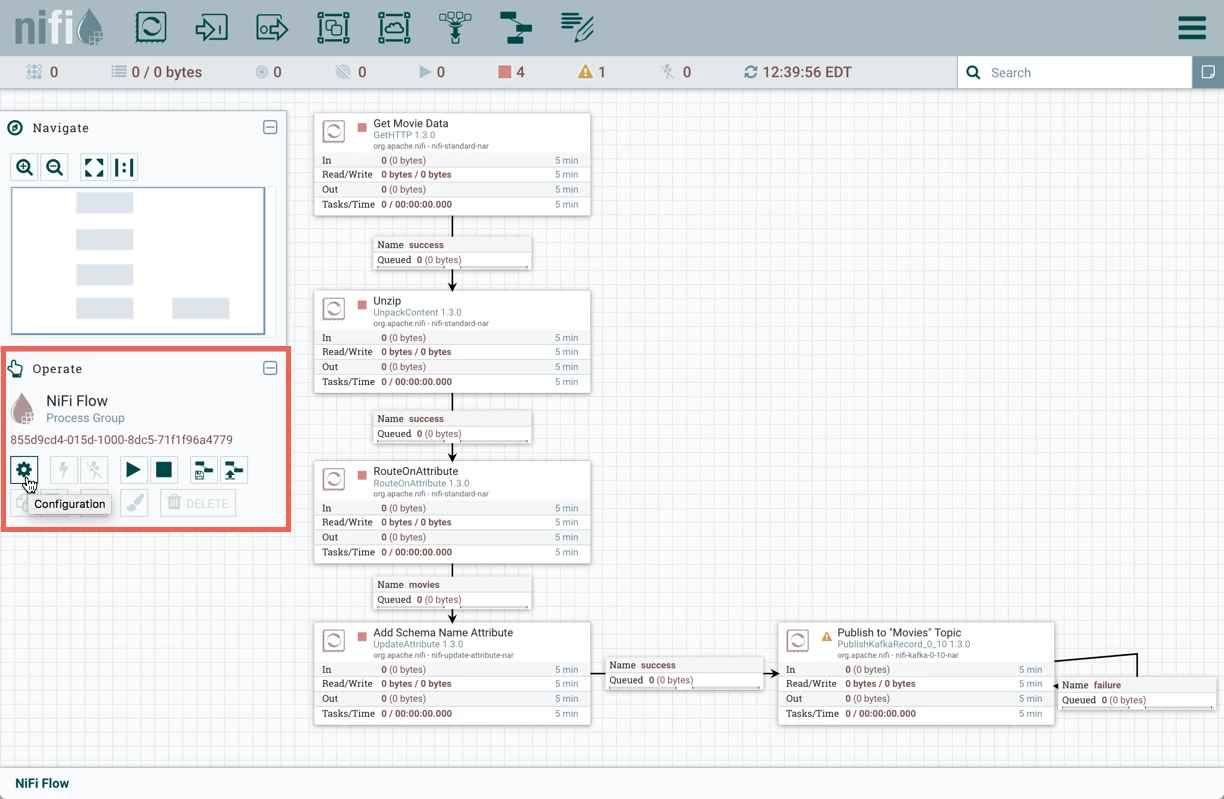
Select the gear icon from the Operate Palette:
This opens the NiFi Flow Configuration window. Select the Controller Services tab:
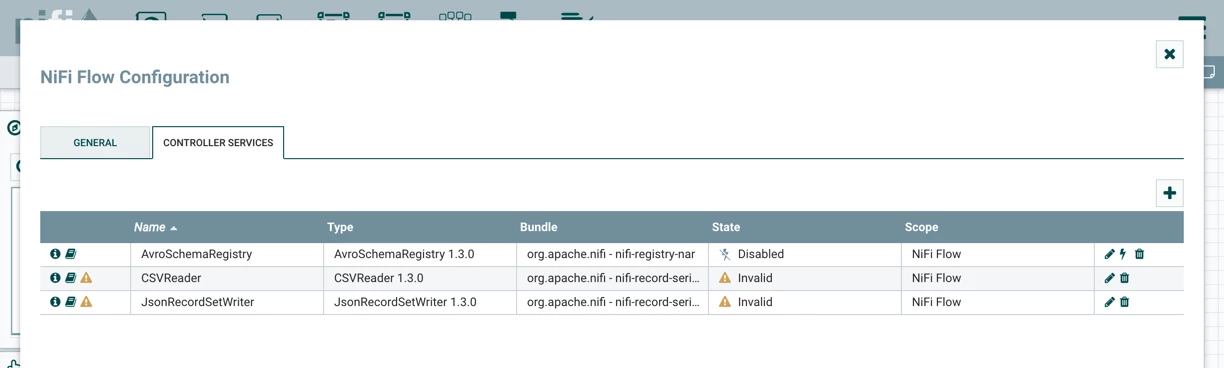
Enable AvroSchemaRegistry by selecting the lightning bolt icon/button. This will then allow you to enable the CSVReader and JSONRecordSetWriter controller services. Select the lightning bolt icons for both of these services. All the controller services should be enabled at this point:
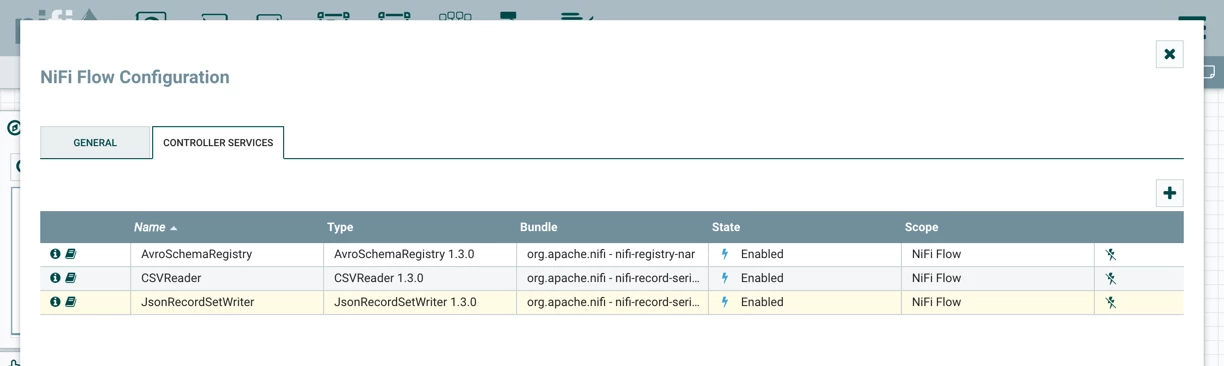
The flow is now ready to run.
Flow Overview
Here is a quick overview of the flow:
1. GetHTTP pulls a .zip file of movie data (titles, tags, ratings, etc.) from a website
2. UnpackContent unzips the file
3. RouteOnAttribute sends just the movie title information on in the flow
4. UpdateAttribute adds Schema Name "movies" as an attribute to the flowfile
5. PublishKafkaRecord_0_10:
- Converts the flowfile contents from CSV to JSON
- Publishes the JSON data to the Kafka topic "Movies"
Flow Details
Let's look at each of the processors in the flow in detail:
Get Movie Data (GetHTTP Processor)
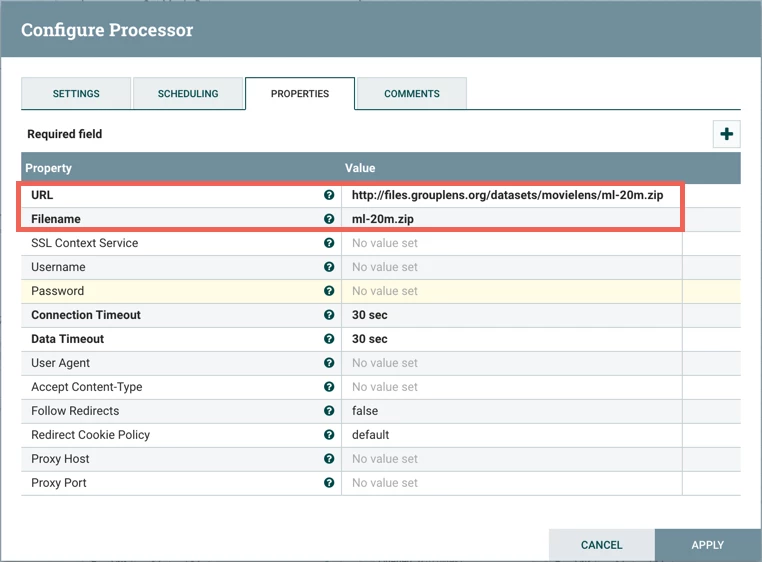
This processor pulls a zip file from the website MovieLens, a movie recommendation service. The dataset (ml-20m.zip) contains 20,000,263 ratings and 465,564 tag applications across 27,278 movies.
Looking at the processor's configuration:
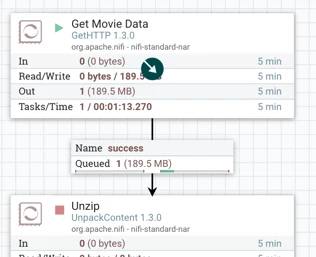
Start the processor to retrieve the file:
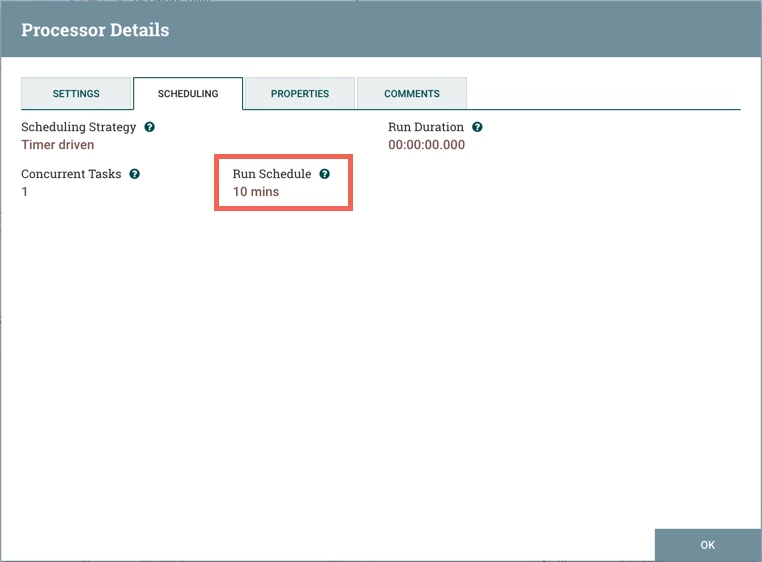
Note: On the Scheduling tab, the Runs Schedule is set to 10 minutes instead of the default 0 secs, so the processory only periodically checks to see if the data file has been updated instead of constantly:
Unzip (UnpackContent Processor)
The next processor is UnpackContent which unzips the "ml-20m.zip" file:
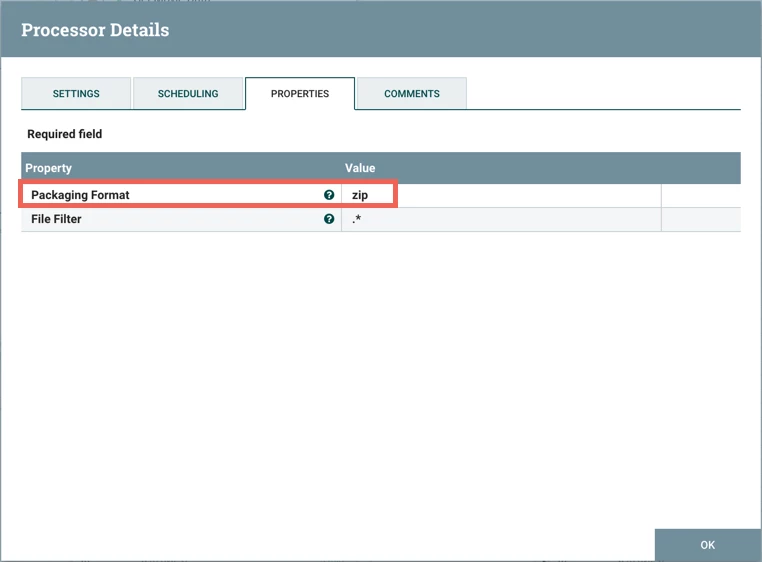
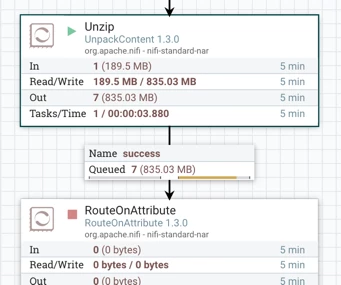
Running the processor unzips the file into 7 separate csv files (movies.csv, ratings.csv, tags.csv, links.csv, genome-scores.csv, genome-tags.csv, and README.txt):
RouteOnAttribute Processor
RouteOnAttribute is next. Looking at its configuration:
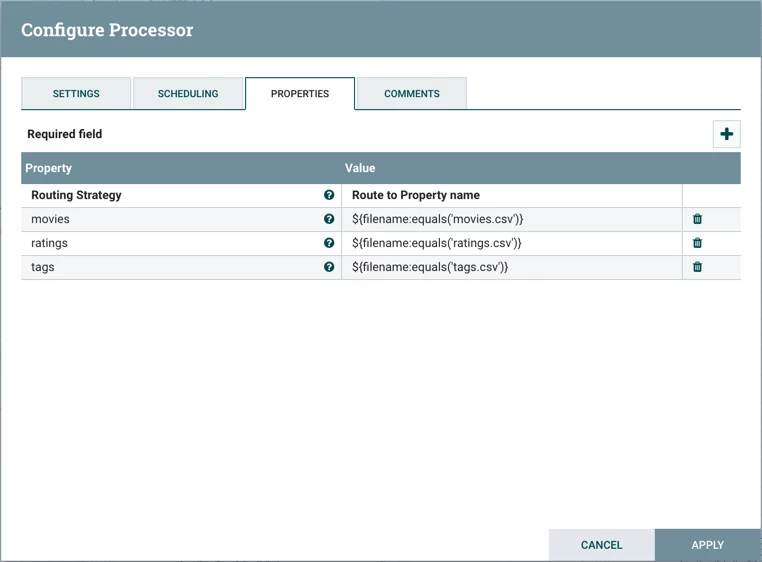
the processor routes the flowfiles to different connections depending on the file name (movies.csv, ratings.csv, tags.csv).
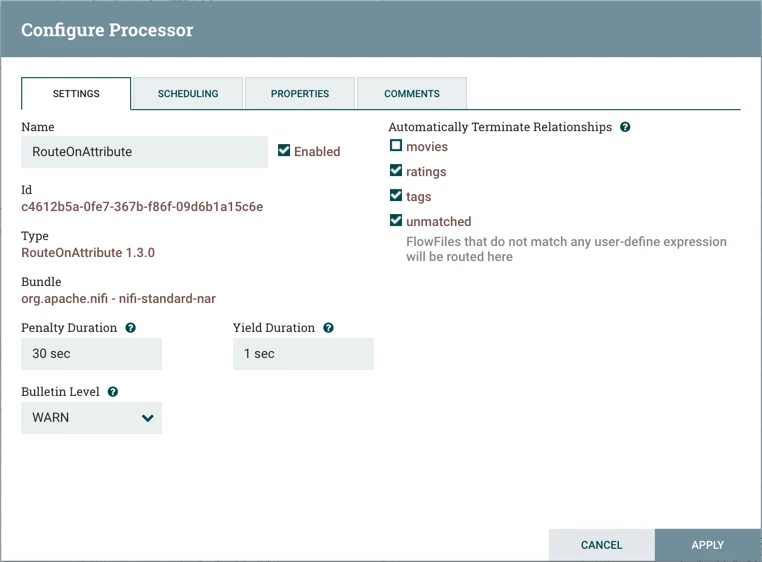
For the purposes of this demo, we are only interested in publishing the movie title data to Kafka. As such, we make the connection to the next processor (UpdateAttribute) using the "movies" relationship and auto-terminate the others:
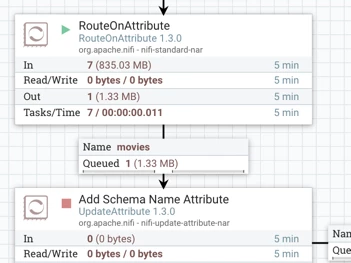
Run the RouteOnAttributeProcessor to send only the movie title data:
Add Schema Name Attribute (UpdateAttribute Processor)
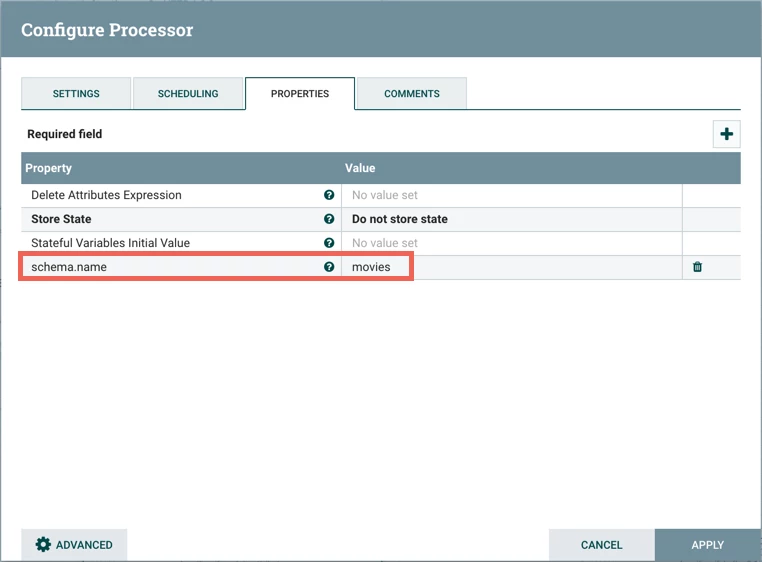
The next step in the flow is an UpdateAttribute processor which adds the schema.name attribute with the value of "movies" to the flowfile:
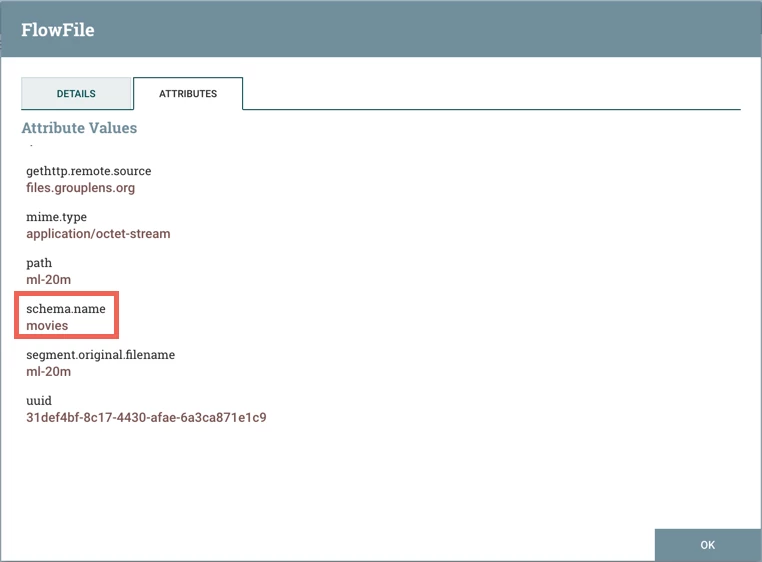
Start the processor, and view the attributes of the flowfile to confirm this:
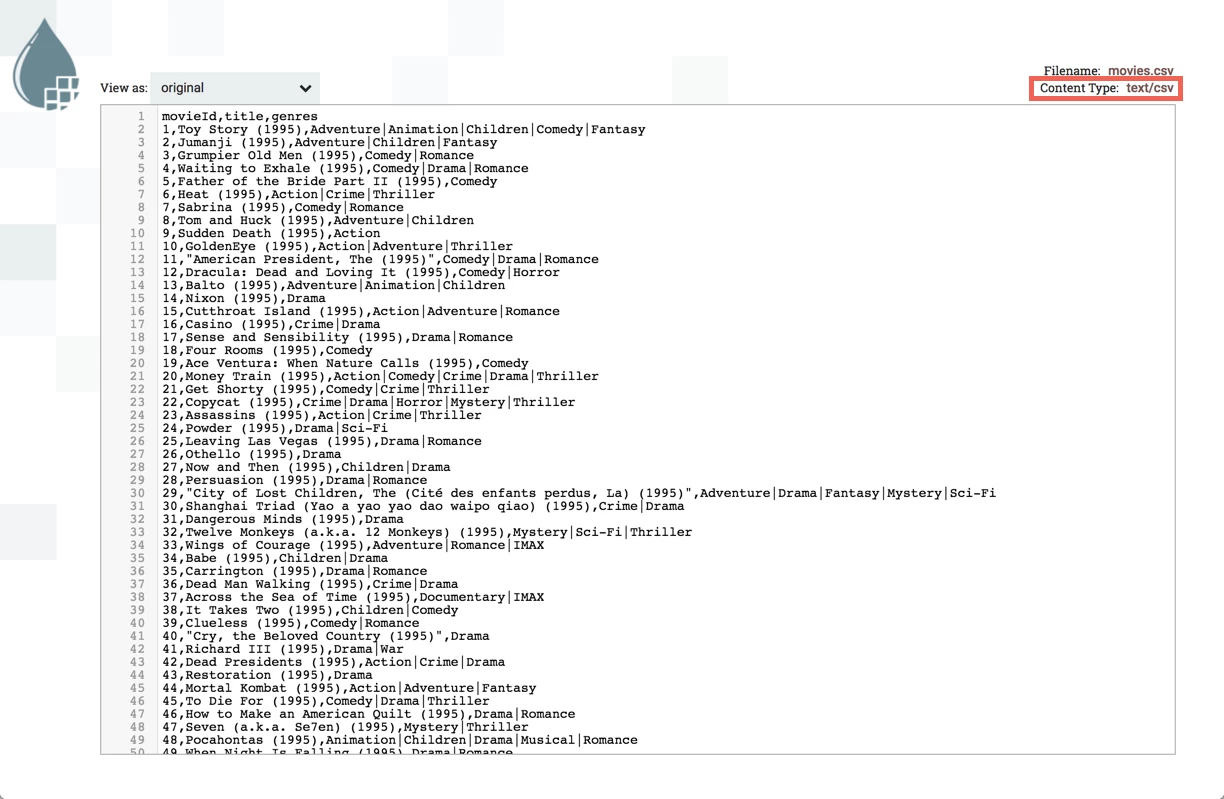
You can also confirm the contents of the flowfile is in CSV format at this point in the flow:
Publish to "Movies" Topic (PublishKafkaRecord_0_10 Processor)
The final processor is PublishKafkaRecord_0_10. Looking at its configuration:
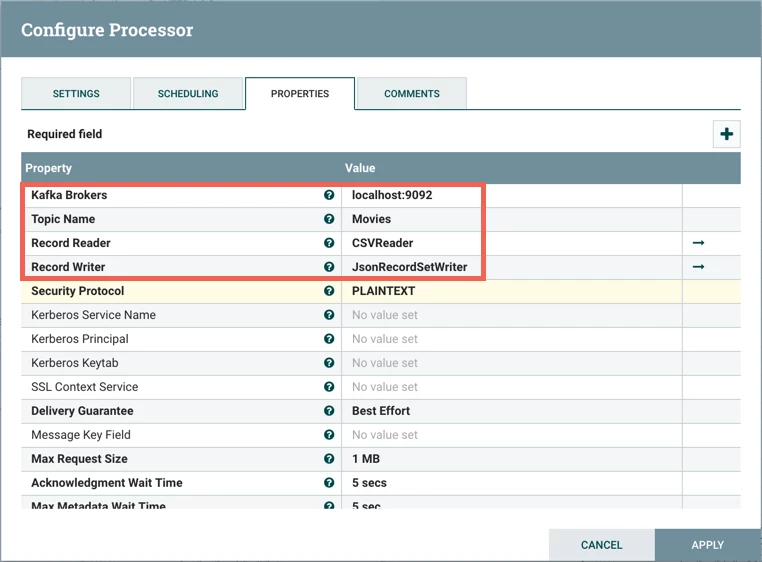
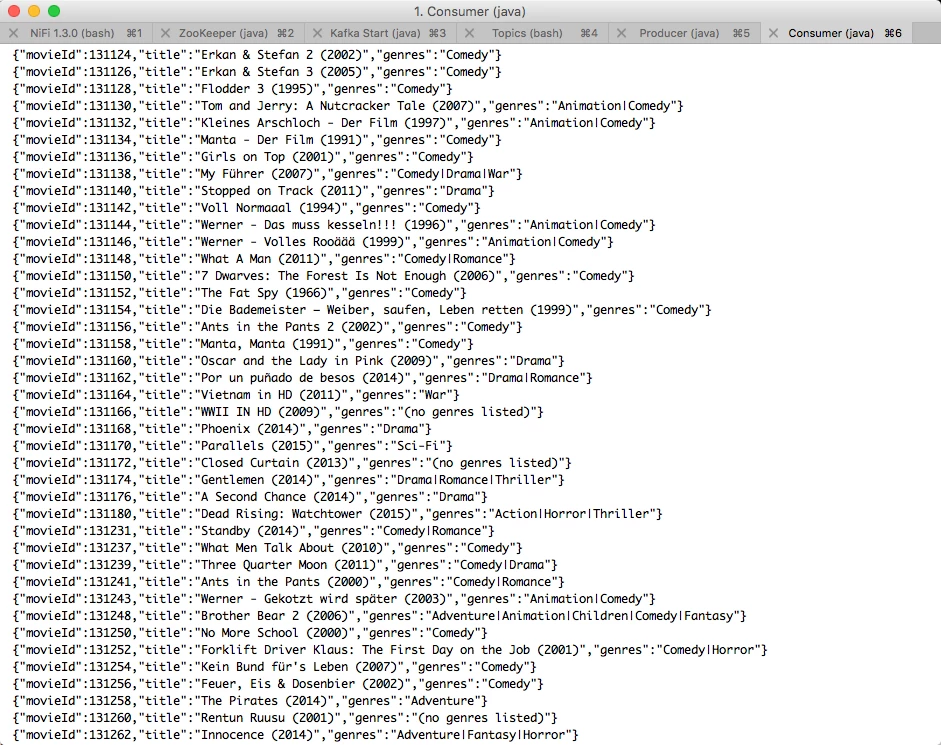
Kafka Brokers property is set to "localhost:9092" and Topic Name property is set to "Movies". Record Reader is set to "CSVReader" and Record Writer is set to "JsonRecordSetWriter". The "CSVReader" controller service parses the incoming CSV data and determines the data's schema. The "JsonRecordSetWriter" controller service determines the data's schema and writes that data into JSON.
CSVReader Controller Service
Select the arrow icon next to the "CSV Reader" which opens the Controller Services list in the NiFi Flow Configuration. "CSVReader" should be highlighted in the list. Select the View Details button ("i" icon) to see the properties:
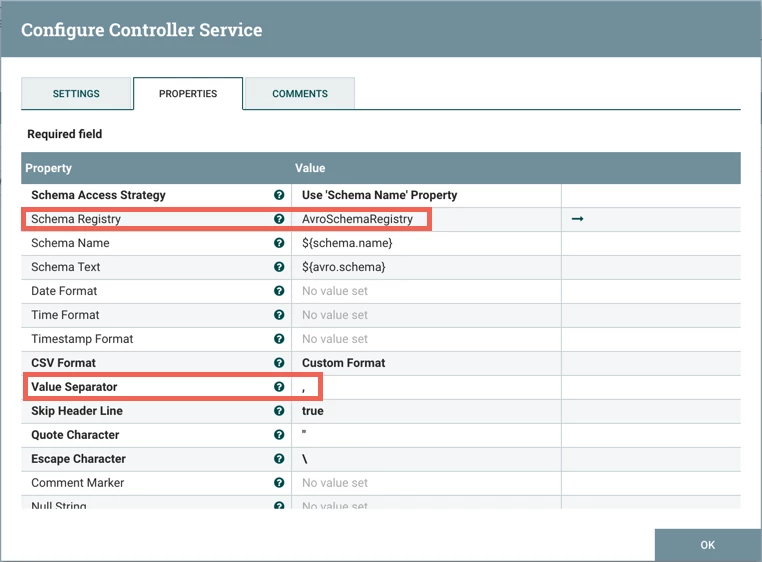
With Schema Access Strategy property set to "Use 'Schema Name' Property", the reader specifies the schema expected in an attribute, which in this flow is schema.name. The Schema Registry property is set to the AvroSchemaRegistry Controller Service which defines the "movies" schema. Select the arrow icon next to "AvroSchemaRegistry" and select the View Details button ("i" icon) to see its properties:
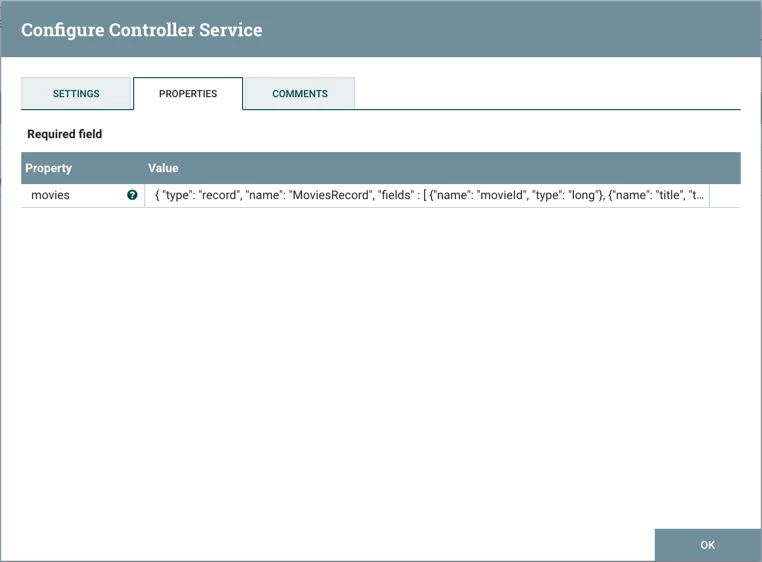
The schema is defined as:
{
  "type": "record",
  "name": "MoviesRecord",
  "fields" : [
   {"name": "movieId", "type": "long"},
   {"name": "title", "type": ["null", "string"]},
   {"name": "genres", "type": ["null", "string"]}
  ]
}
JsonRecordSetWriter Controller Service
Close the window for the AvroSchemaRegistry. Select the View Details button ("i" icon) next to the "JsonRecordSetWriter" controller service to see its properties:
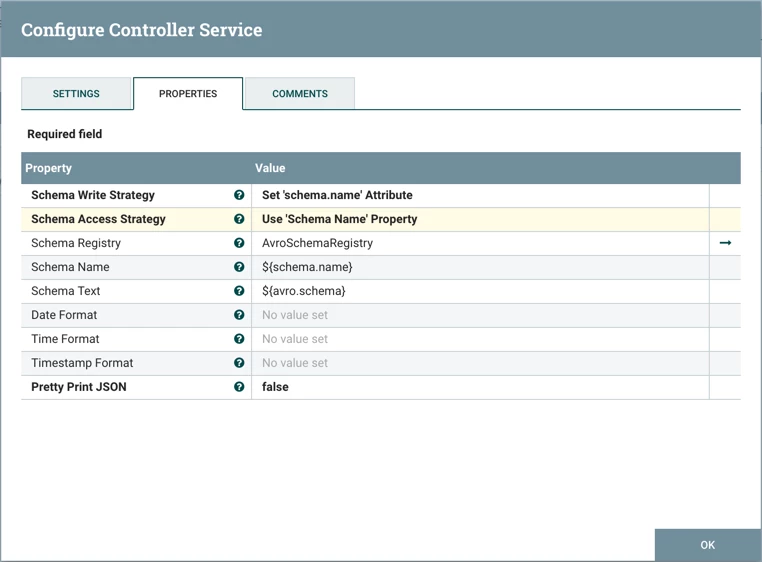
Schema Write Strategy is set to "Set 'schema.name' Attribute", Schema Access Strategy property is set to "Use 'Schema Name' Property" and Schema Registry is set to AvroSchemaRegistry.
See JSON in Kafka
Start the PublishKafaRecord processor and you will see the JSON movie data in your Kafka Consumer window:
Helpful Links
Here are some links to check out if you are interested in other flows which utilize the record-oriented processors and controller services in NiFi:

