

Using PutHiveStreaming processor in NiFi
In this article we will be creating a flow to read files from hdfs and insert the same into hive using the putHiveStreaming processor.
Before going to NiFi we need update some configurations in Hive.
To enable Hive streaming we need to update the following properties
- hive.txn.manager = org.apache.hadoop.hive.ql.lockmgr.DbTxnManager
- hive.compactor.initiator.on = true
- hive.compactor.worker.threads > 0
Coming to NiFi we will be making use of the following processors :
- 1.ListHdfs + FetchHdfs processor – While configuring the List and Fetch HDFS processors we need to make sure that both these processors run on the primary node only so that the flow files are not duplicated across nodes
- 2.Convert Json to Avro processor – PutHiveStreaming processor supports input in the Avro format only. So any Json input needs to be converted to avro format
- 3.PutHiveStreaming processor
Lets construct the Nifi flow as below : ListHDFS--> FetchHDFS--> ConvertJsonToAvro-->PutHiveStreaming
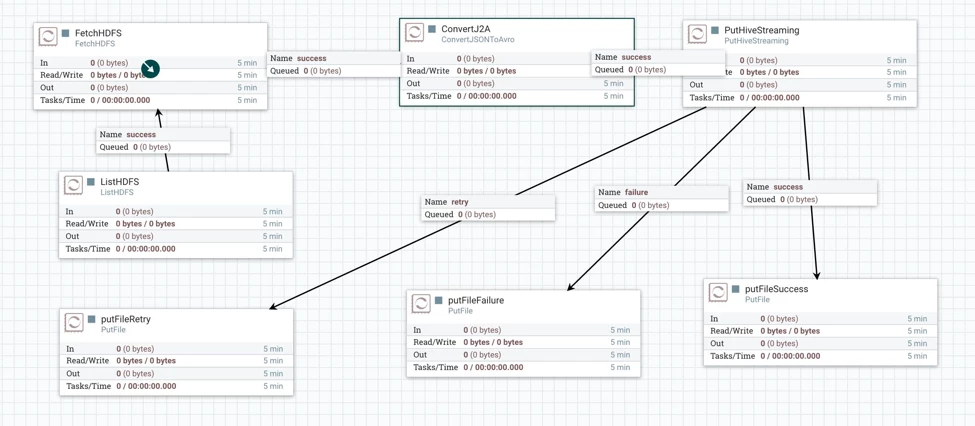
Configuring the PutHiveStreaming processor
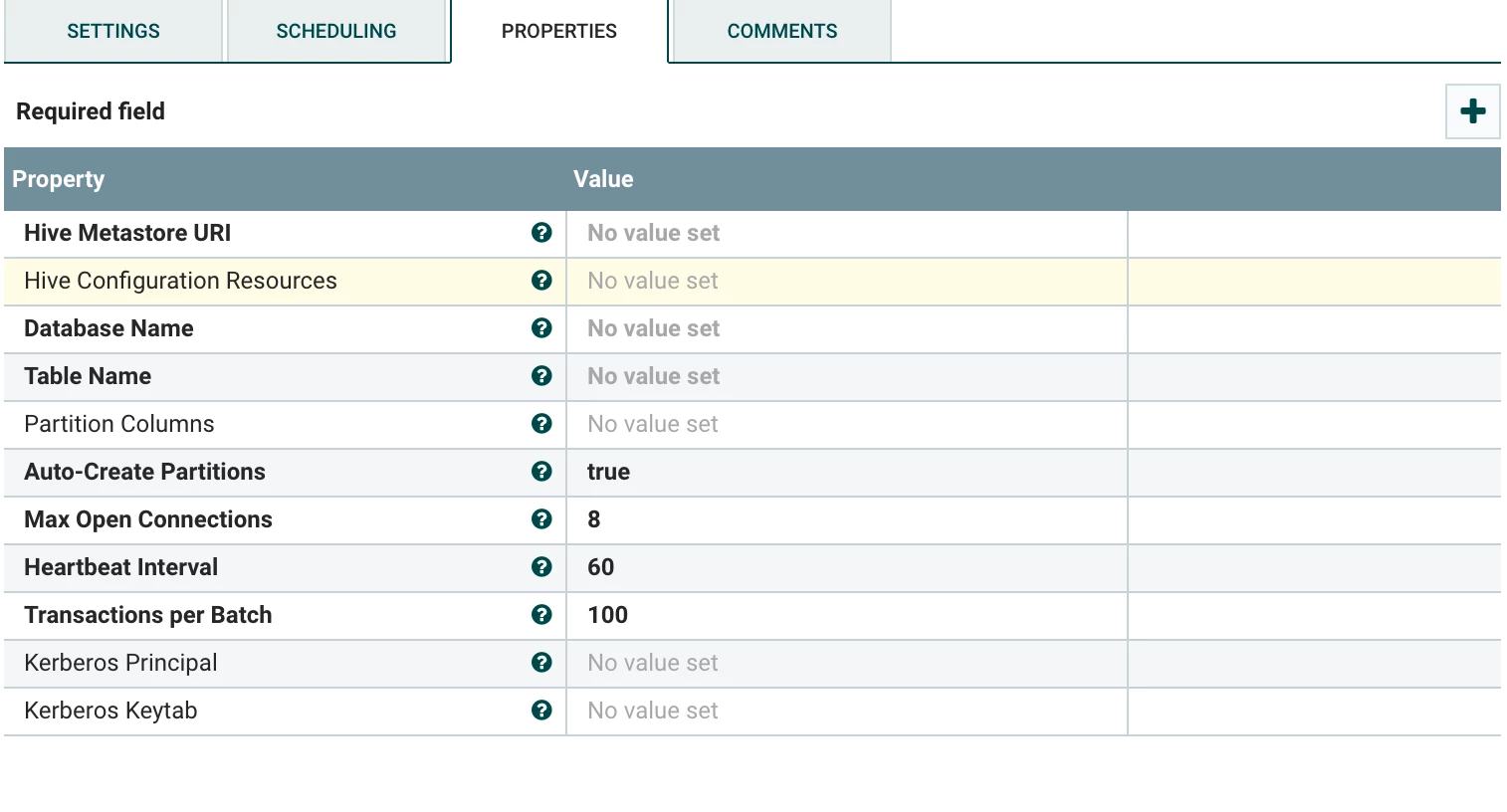
Set the values for the above as follows
- The Hive meta store Uri --- Should be of the format thrift://<Hive Metastore host>:9083. Note that hive meta store host is not the same as the hive server host.
- Hive Configuration Resources – Paths to Hadoop and hive configuration files. We need to copy the Hadoop and hive configuration files i.e. Hadoop-site.xml, core-site.xml and hive-site.xml to all the NiFi hosts.
- Database Name – the database to which you want to connect
- Table name – Table name in which you want to insert the data. Again note that the
- a.ORC is the only format supported currently. So your table must have "stored as orc"
- b.transactional = "true" should be set in the table create statement
- c.Bucketed but not sorted. So your table must have "clustered by (colName) into (n) buckets"
- Auto-create partitions – If set to true hive partitions will be auto created
- Kerberos Principal – The Kerberos principal name
- Kerberos keytab – the path to the Kerberos keytab
This completes the configuration part. Now we can start the processors to insert data into hive from hdfs.

