

Windows Share + Nifi + HDFS – A Practical Guide
Recently I had a client ask about how would we go about connecting a windows share to Nifi to HDFS, or if it was even possible. This is how you build a working proof of concept to demo the capabilities!
You will need two Servers or Virtual machines. One for windows, one for Hadoop + Nifi. I personally elected to use these two
- The Sandbox http://hortonworks.com/products/hortonworks-sandbox/
- A windows VM running win 7 https://developer.microsoft.com/en-us/microsoft-edge/tools/vms/linux/
You then need to install nifi on the sandbox, I find this repo to be the easiest to follow. https://github.com/abajwa-hw/ambari-nifi-service
Be sure the servers can talk to each other directly, I personally used a bridged network connection in virtual box and looked up the IPs on my router's control panel.
Next you need to setup a windows share of some format. This can be combined with active directory but I personally just enabled guest accounts and made an account called Nifi_Test. These instructions were the basis of creating a windows share http://emby.media/community/index.php?/topic/703-how-to-make-unc-folder-shares/ Keep in mind network user permissions may get funky and the example above will enforce a read only permission unless you do additional work.
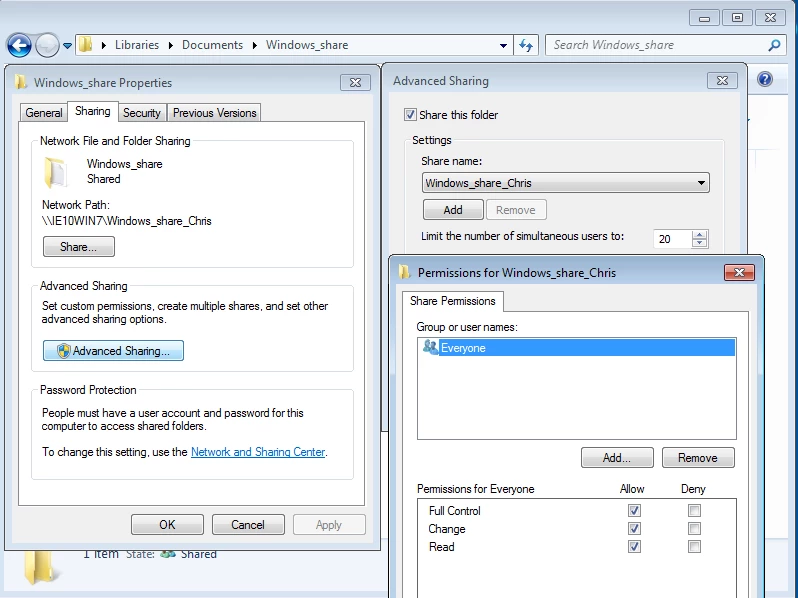
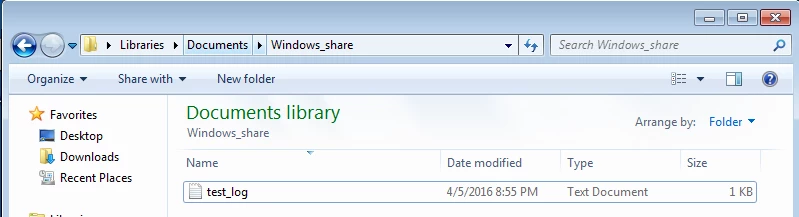
Now you have mount the share into the hadoop machine using CIFs+Samba. The instructions I followed are here http://blog.zwiegnet.com/linux-server/mounting-windows-share-on-centos/
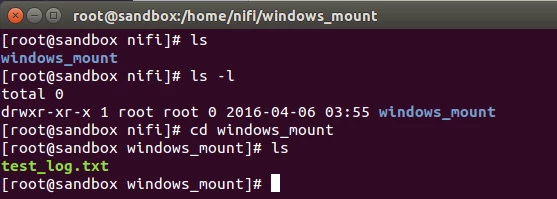
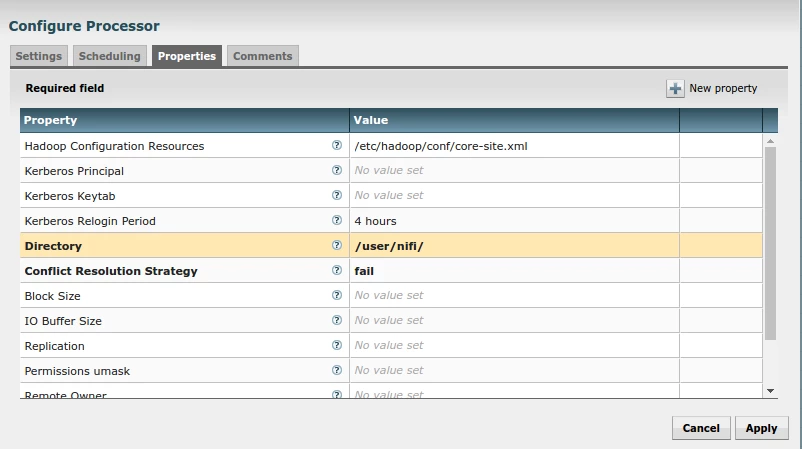
Finally we are able to setup nifi to read the mounted drive and post it to HDFS. The GetFile processor retrieves the files while the PutHDFS stores it.
To configure HDFS for the incoming data I ran the following commands on the sandbox: "su HDFS" ; “Hadoop dfs -mkdir /user/nifi” ; “Hadoop dfs -chmod 777 /user/nifi”

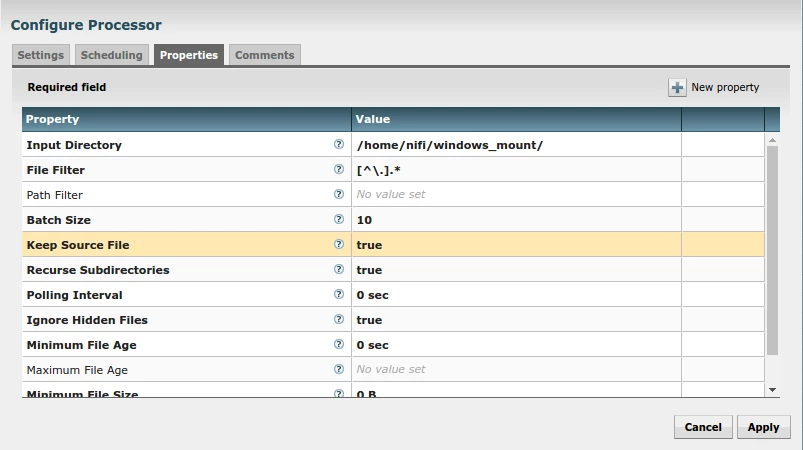
I elected to keep the source file for troubleshooting purposes so that every time the processor ran it would just stream the data in.
GetFile Configuration
The PutHDFS Configuration for sandbox
And finally run it and confirm it lands in HDFS!


