


Writing Spring Boot Microservices To Access Hive
I have written a small Java 8 Spring Boot application to view Twitter tweets that I have ingested with NiFi and stored as JSON files in HDFS. I have an external Hive table on top of those, from those raw tweets I ran I Spark Scala job that added Stanford CoreNLP Sentiment and saved it to an ORC Hive Table. That is the table I am querying in my Spring Boot visualization program. To show something in a simple AngularJS HTML5 page, I have also queried that microservice which has a method for calling Spring Social Twitter to get live tweets. For this you will need JDK 1.8 and Maven installed on your machine or VM. I used Eclipse as my IDE, but I usually use IntelliJ, either will work fine.
Java Bean
I have a few of the fields specified, this is to put our Hive data into and transport to AngularJS as JSON serialized.
public class Twitter2 implements Serializable {
 private static final long serialVersionUID = 7409772495079484269L;
 private String geo;
 private String unixtime;
 private String handle;
 private String location;
 private String tag;
 private String tweet_id; .... }
Core Spring Boot App
package com.dataflowdeveloper;

import javax.sql.DataSource;
import org.apache.commons.dbcp.BasicDataSource;
import org.slf4j.Logger;
import org.slf4j.LoggerFactory;
import org.springframework.beans.factory.annotation.Value;
import org.springframework.boot.SpringApplication;
import org.springframework.boot.autoconfigure.EnableAutoConfiguration;
import org.springframework.boot.autoconfigure.SpringBootApplication;
import org.springframework.context.annotation.Bean;
import org.springframework.context.annotation.ComponentScan;
import org.springframework.context.annotation.Configuration;
import org.springframework.context.annotation.Profile;
import org.springframework.social.twitter.api.Twitter;
import org.springframework.social.twitter.api.impl.TwitterTemplate;

@Configuration
@ComponentScan
@EnableAutoConfiguration
@SpringBootApplication
public class HiveApplication {
 public static void main(String[] args) {
  SpringApplication.run(HiveApplication.class, args);
 }

 @Configuration
 @Profile("default")
 static class LocalConfiguration {
  Logger logger = LoggerFactory.getLogger(LocalConfiguration.class);
     @Value("${consumerkey}")
     private String consumerKey;
     @Value("${consumersecret}")
     private String consumerSecret;


     @Value("${accesstoken}")
     private String accessToken;


     @Value("${accesstokensecret}")
     private String accessTokenSecret;

  @Bean
  public Twitter twitter() {
   Twitter twitter = null;

   try {
    twitter = new TwitterTemplate(consumerKey, consumerSecret, accessToken, accessTokenSecret);
   } catch (Exception e) {
    logger.error("Error:", e);
   }

   return twitter;
  }

     @Value("${hiveuri}")
     private String databaseUri;

    @Value("${hivepassword}")
           private String password;

     @Value("${hiveusername}")
     private String username;

  @Bean
  public DataSource dataSource() {
   BasicDataSource dataSource = new BasicDataSource();
   dataSource.setUrl(databaseUri);
   dataSource.setDriverClassName("org.apache.hive.jdbc.HiveDriver");
   dataSource.setUsername(username);
   dataSource.setPassword(password);
   logger.error("Initialized Hive");
   return dataSource;
  }
 }
}
Rest Controller
This is a Spring Boot class annotated with @RestController. A pretty simple query that can be called from curl or any REST client like AngularJS via $http({method: 'GET', url: '/query/' + $query).success(function(data) {$scope.tweetlist = data; // response data});
...
    @RequestMapping("/query/{query}")
    public List<Twitter2> query(@PathVariable(value="query") String query)
    {
     return dataSourceService.search(query);
    }
Datasource Service
Just regular plain old JDBC.
package com.dataflowdeveloper;

import java.sql.Connection;
import java.sql.PreparedStatement;
import java.sql.ResultSet;
import java.util.ArrayList;
import java.util.List;
import javax.sql.DataSource;
import org.slf4j.Logger;
import org.slf4j.LoggerFactory;
import org.springframework.beans.factory.annotation.Autowired;
import org.springframework.beans.factory.annotation.Value;
import org.springframework.stereotype.Component;

@Component("DataSourceService")
public class DataSourceService {
 Logger logger = LoggerFactory.getLogger(DataSourceService.class);

 @Autowired
 public DataSource dataSource;

 public Twitter2 defaultValue() {
  return new Twitter2();
 }

 @Value("${querylimit}")
 private String querylimit;

 public List<Twitter2> search(String query) {
..
}
}
application.properties
Under src/main/resources I have a properties file (could be YAML or properties style) with a few name/value pairs like hivepassword=secretstuff.
Maven Build Script
I had some issues with Spring Boot, Hadoop and Hive having multiple copies of log4j, so see my POM exclusions to prevent build issues.
<?xml version="1.0" encoding="UTF-8"?>
<project xmlns="http://maven.apache.org/POM/4.0.0" xmlns:xsi="http://www.w3.org/2001/XMLSchema-instance" xsi:schemaLocation="http://maven.apache.org/POM/4.0.0 http://maven.apache.org/xsd/maven-4.0.0.xsd">
<modelVersion>4.0.0</modelVersion>
 <groupId>com.dataflowdeveloper</groupId>
 <artifactId>hive</artifactId>
 <version>0.0.1-SNAPSHOT</version>
 <packaging>jar</packaging>
 <name>hive</name>
 <description>Apache Hive Spring Boot</description>
 <parent>
  <groupId>org.springframework.boot</groupId>
  <artifactId>spring-boot-starter-parent</artifactId>
  <version>1.4.0.RELEASE</version>
  <relativePath /> <!-- lookup parent from repository -->
 </parent>

 <properties>
  <project.build.sourceEncoding>UTF-8</project.build.sourceEncoding>
  <project.reporting.outputEncoding>UTF-8</project.reporting.outputEncoding>
  <java.version>1.8</java.version>
 </properties>

 <dependencies>
  <dependency>

   <groupId>org.springframework.boot</groupId>

   <artifactId>spring-boot-starter-actuator</artifactId>

  </dependency>


  <dependency>
   <groupId>org.springframework.boot</groupId>
   <artifactId>spring-boot-starter-web</artifactId>
   <exclusions>
    <exclusion>
     <groupId>org.springframework.boot</groupId>
     <artifactId>spring-boot-starter-tomcat</artifactId>
    </exclusion>
    <exclusion>
     <groupId>org.slf4j</groupId>
     <artifactId>slf4j-log4j12</artifactId>
    </exclusion>
    <exclusion>
     <groupId>log4j</groupId>
     <artifactId>log4j</artifactId>
    </exclusion>
   </exclusions>
  </dependency>
  <dependency>
   <groupId>org.springframework.boot</groupId>
   <artifactId>spring-boot-starter-jetty</artifactId>
   <scope>provided</scope>
   <exclusions>
    <exclusion>
     <groupId>org.slf4j</groupId>
     <artifactId>slf4j-log4j12</artifactId>
    </exclusion>
    <exclusion>
     <groupId>log4j</groupId>
     <artifactId>log4j</artifactId>
    </exclusion>
   </exclusions>
  </dependency>
  <dependency>
   <groupId>org.apache.hive</groupId>
   <artifactId>hive-jdbc</artifactId>
   <version>1.2.1</version>
   <exclusions>
    <exclusion>
     <groupId>org.eclipse.jetty.aggregate</groupId>
     <artifactId>*</artifactId>
    </exclusion>
    <exclusion>
     <artifactId>slf4j-log4j12</artifactId>
     <groupId>org.slf4j</groupId>
    </exclusion>
    <exclusion>
     <artifactId>log4j</artifactId>
     <groupId>log4j</groupId>
    </exclusion>
    <exclusion>
     <artifactId>servlet-api</artifactId>
     <groupId>javax.servlet</groupId>
    </exclusion>

   </exclusions>

  </dependency>

  <dependency>

   <groupId>org.springframework.boot</groupId>

   <artifactId>spring-boot-starter-jdbc</artifactId>

  </dependency>

  <dependency>

   <groupId>org.apache.hadoop</groupId>

   <artifactId>hadoop-client</artifactId>

   <version>2.7.1</version>

   <type>jar</type>

   <exclusions>

    <exclusion>

     <artifactId>slf4j-log4j12</artifactId>

     <groupId>org.slf4j</groupId>

    </exclusion>

    <exclusion>

     <artifactId>log4j</artifactId>

     <groupId>log4j</groupId>

    </exclusion>

    <exclusion>

     <artifactId>servlet-api</artifactId>

     <groupId>javax.servlet</groupId>

    </exclusion>

   </exclusions>

  </dependency>

  <dependency>

   <groupId>org.apache.hadoop</groupId>

   <artifactId>hadoop-common</artifactId>

   <version>2.7.1</version>

   <exclusions>

    <exclusion>

     <artifactId>servlet-api</artifactId>

     <groupId>javax.servlet</groupId>

    </exclusion>

    <exclusion>

     <groupId>org.slf4j</groupId>

     <artifactId>slf4j-log4j12</artifactId>

    </exclusion>

    <exclusion>

     <groupId>log4j</groupId>

     <artifactId>log4j</artifactId>

    </exclusion>

   </exclusions>

  </dependency>

  <dependency>

   <groupId>org.apache.hive</groupId>

   <artifactId>hive-exec</artifactId>

   <version>1.2.1</version>

   <type>jar</type>

   <exclusions>

    <exclusion>

     <artifactId>servlet-api</artifactId>

     <groupId>javax.servlet</groupId>

    </exclusion>

    <exclusion>

     <artifactId>slf4j-log4j12</artifactId>

     <groupId>org.slf4j</groupId>

    </exclusion>

    <exclusion>

     <artifactId>log4j</artifactId>

     <groupId>log4j</groupId>

    </exclusion>

   </exclusions>

  </dependency>

  <dependency>

   <groupId>org.springframework.boot</groupId>

   <artifactId>spring-boot-starter-social-twitter</artifactId>

  </dependency>

  <dependency>

   <groupId>org.springframework.data</groupId>

   <artifactId>spring-data-jdbc-core</artifactId>

   <version>1.2.1.RELEASE</version>

  </dependency>


  <dependency>

   <groupId>org.springframework.boot</groupId>

   <artifactId>spring-boot-starter-test</artifactId>

   <scope>test</scope>

  </dependency>


 </dependencies>


 <build>

  <plugins>

   <plugin>

    <groupId>org.springframework.boot</groupId>

    <artifactId>spring-boot-maven-plugin</artifactId>

   </plugin>

  </plugins>

 </build>


</project>
To Build
mvn package -DskipTests
To Run
I have included Jetty in my POM, so the server runs with Jetty.
java -Xms512m -Xmx512m -Dhdp.version=2.4.0.0-169 -Djava.net.preferIPv4Stack=true -jar target/hive-0.0.1-SNAPSHOT.jar
IPv4 Stack is required in some networking environments and I set HDP version to my current Sandbox version I am calling. If you are using the sandbox make sure the Thrift port is open and available. You may need more RAM depending on what you are doing. A few gigabytes wouldn't hurt if you have it.
[INFO] ------------------------------------------------------------------------
[INFO] BUILD SUCCESS
[INFO] ------------------------------------------------------------------------
[INFO] Total time: 2.982 s
[INFO] Finished at: 2016-08-26T16:35:56-04:00
[INFO] Final Memory: 28M/447M
[INFO] ------------------------------------------------------------------------
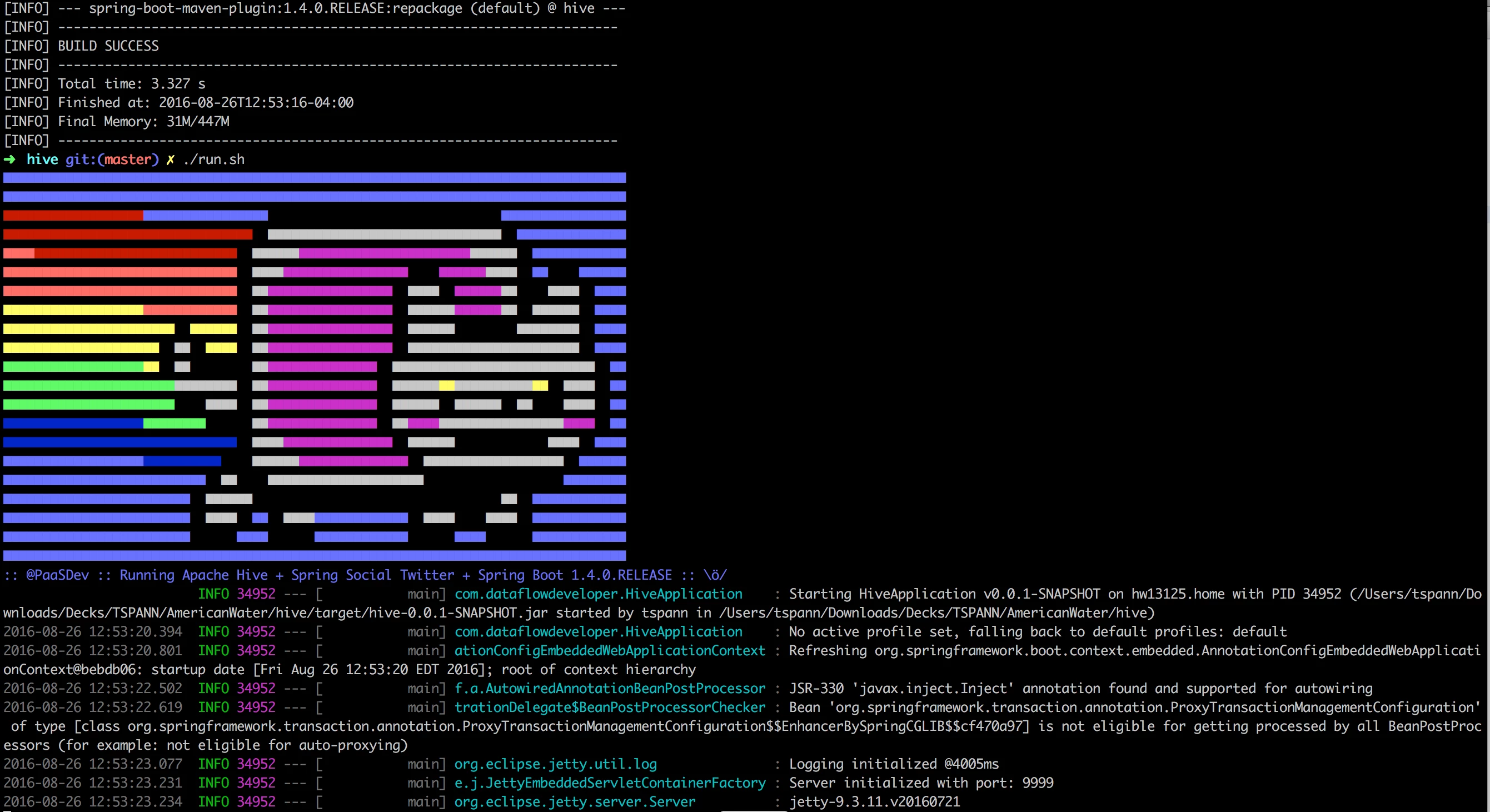
Spring Boot let's you set an ASCII art banner as seen above with src/main/resources/banner.txt. You can see I set the port to 9999 as to not collide with Ambari or other HDP services.
08-26 17:11:28.721  INFO 38783 --- [tp1841396611-12] org.apache.hive.jdbc.Utils               : Supplied authorities: localhost:10000
2016-08-26 17:11:28.722  INFO 38783 --- [tp1841396611-12] org.apache.hive.jdbc.Utils               : Resolved authority: localhost:10000
2016-08-26 17:11:28.722  INFO 38783 --- [tp1841396611-12] org.apache.hive.jdbc.HiveConnection      : Will try to open client transport with JDBC Uri: jdbc:hive2://localhost:10000/default
2016-08-26 17:12:24.768 ERROR 38783 --- [tp1841396611-12] com.dataflowdeveloper.DataSourceService  : Size=1
2016-08-26 17:12:24.768 ERROR 38783 --- [tp1841396611-12] com.dataflowdeveloper.DataController     : Query:hadoop,IP:127.0.0.1 Browser:Mozilla/5.0 (Macintosh; Intel Mac OS X 10_11_6) AppleWebKit/537.36 (KHTML, like Gecko) Chrome/52.0.2743.116 Safari/537.36
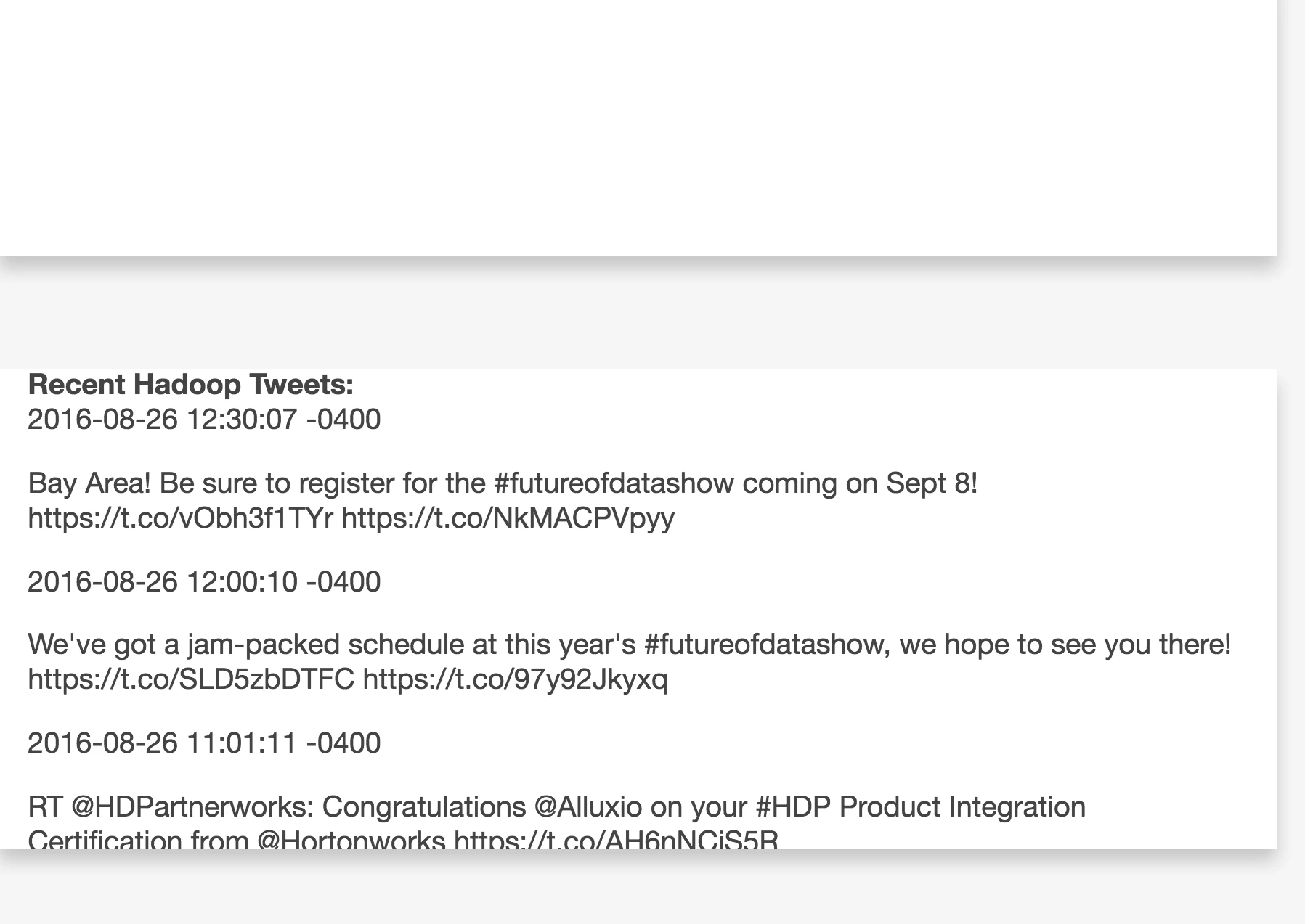
URLs Made Available By Application
http://localhost:9999/timeline/<twitter handle>
http://localhost:9999/profile/<twitter handle>
http://localhost:9999/query/<hive query text>
http://localhost:9999/?query=hadoop
References
https://cwiki.apache.org/confluence/display/Hive/HiveServer2+Clients#HiveServer2Clients-JDBC

