XML Record Writer in Apache NiFi 1.7.0
Objective
About a year ago, I wrote an article that detailed how to use the ConvertRecord processor and Record Reader/Writer controller services to easily convert a CVS file into various formats (JSON, Avro, XML):
At the time, the CSV to XML conversion was done using a ScriptedRecordSetWriter. With the release of NiFi 1.7.0, the CSV to XML conversion can be done much more simply with the new XMLRecordSetWriter.
Environment
This tutorial was tested using the following environment and components:
- Mac OS X 10.11.6
- Apache NiFi 1.7.0
Convert CSV to XML
Support Files
Here is a template of the flow discussed in this tutorial:
Here is the CSV file used in the flow:
Note: Change the extension from .txt to .csv after downloading.
Demo Configuration
Import Template
Start NiFi. Import the provided template and add it to the canvas.
You should see the following flow:
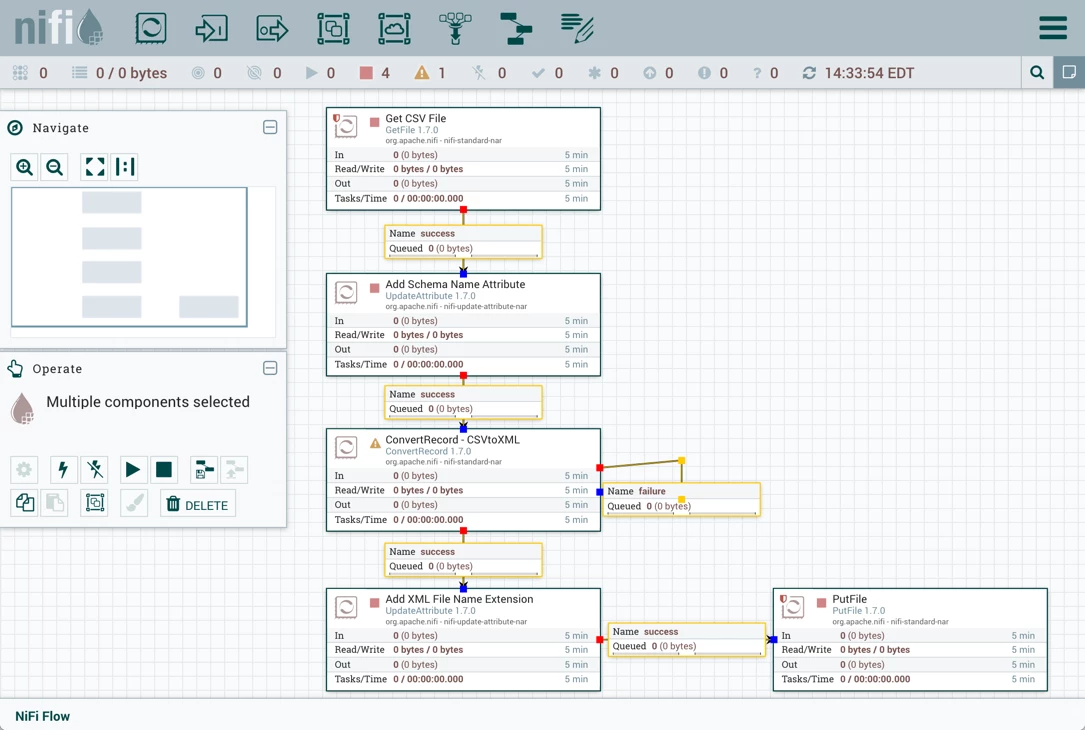
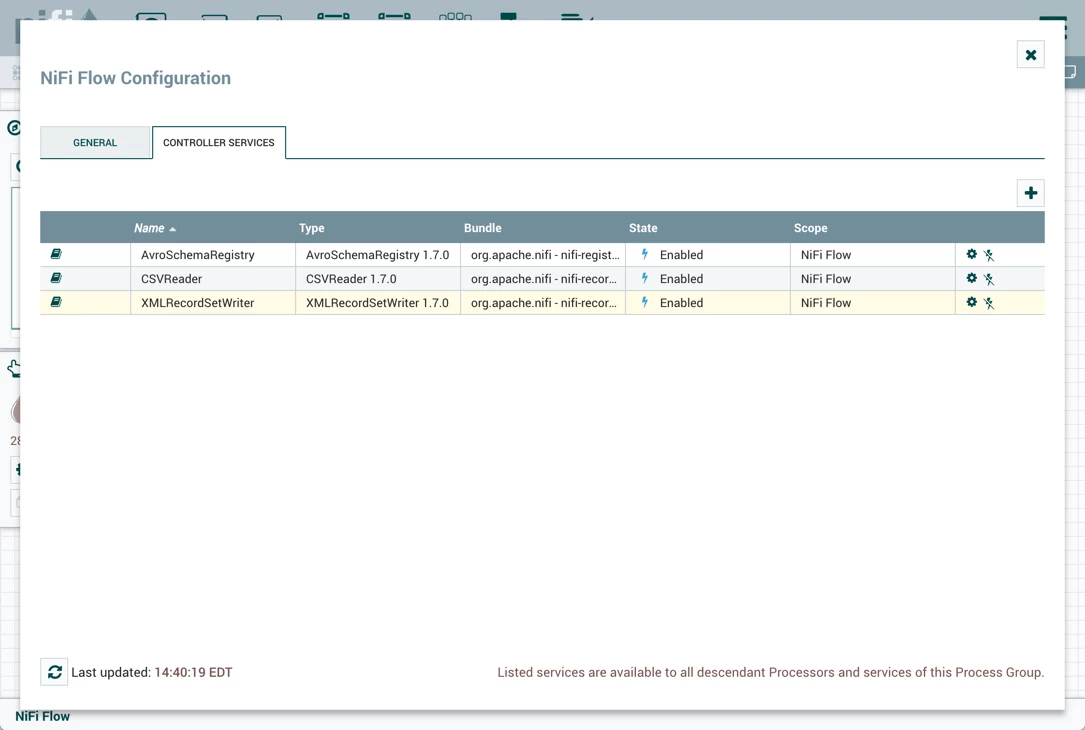
Note: After importing the template, create or make sure the directory paths for the GetFile and PutFile processors exist, confirm users.csv is in the input directory and enable all Controller Services before running the flow:
Flow Highlights
Details of the original flow are covered in my previous HCC article, but here are the key changes made:
ConvertRecord - CSVtoXML (ConvertRecord Processor)
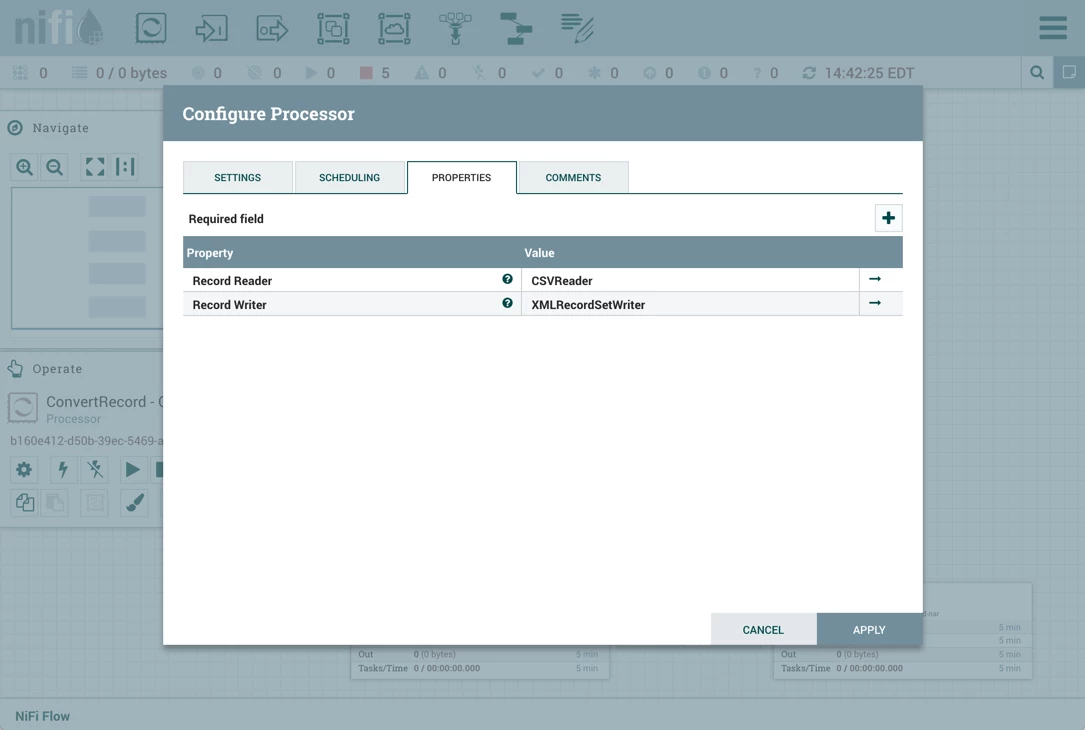
Record Reader is still set to "CSVReader" but Record Writer is now set to the new "XMLRecordSetWriter":
XMLRecordSetWriter Controller Service
Here are the properties for this controller service:
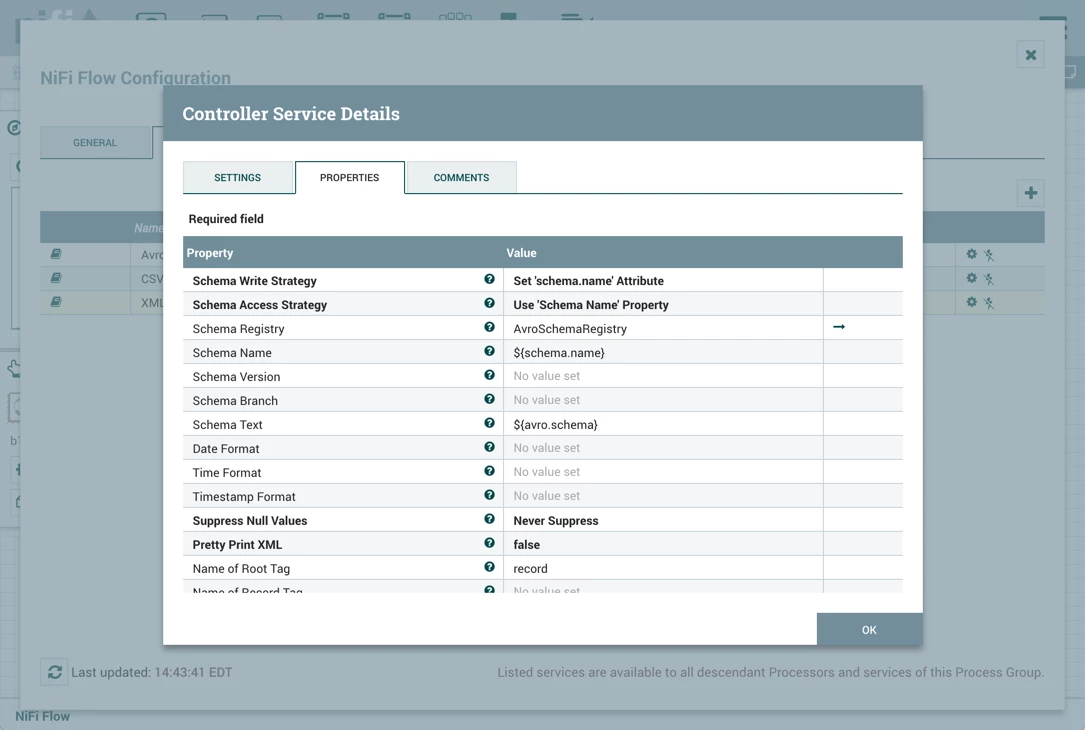
Besides the default values, Schema Access Strategy property is set to "Use 'Schema Name' Property", Schema Registry is set to AvroSchemaRegistry and Name of Root Tag is set to "record".
Flow Results
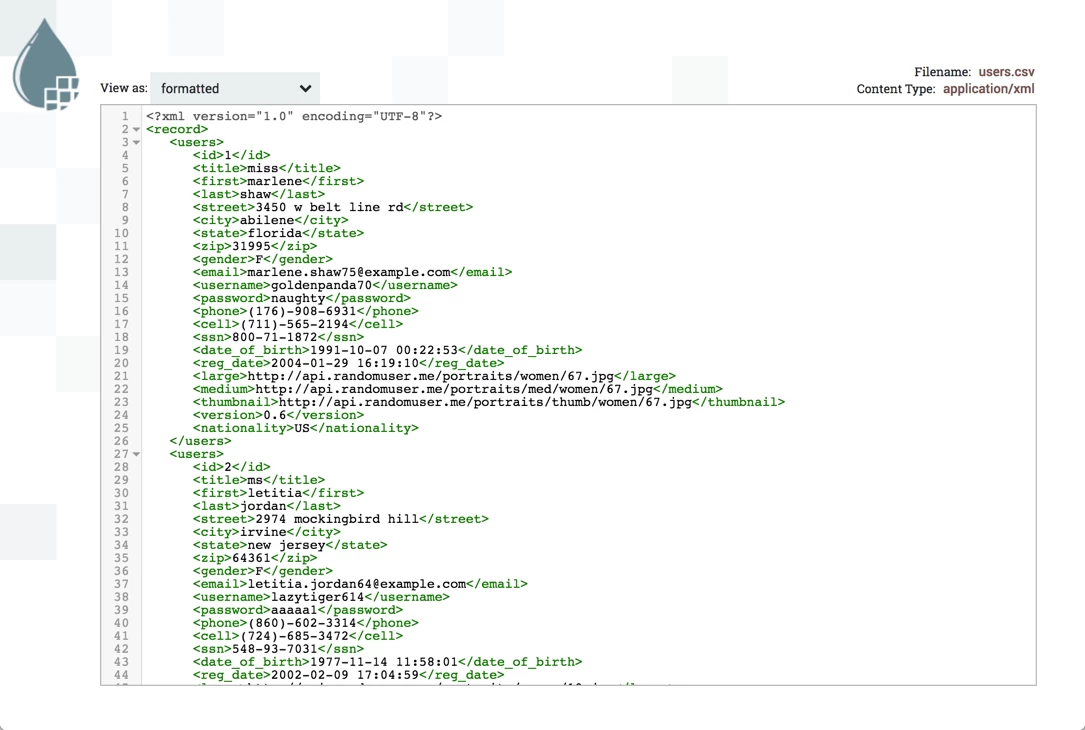
Running this updated flow now produces a flowfile with XML contents: