


Community Tips Series: Meet Your New Badges and Ranks
While badges celebrate specific actions, your rank reflects your overall standing, and it climbs faster than before. There's more than one way up: replies, topics, answers, and likes all count.As part of our move to a brighter, more connected community home, we’ve refreshed how we recognize your contributions. The good news? Your previously earned progress still counts. The system is now cleaner, easier to climb, and designed to reflect the many ways you help the community.
Your New Badges
Badges celebrate specific kinds of contributions and level up as you do more. Each badge has multiple levels: the more you do, the more stars you’ll collect.
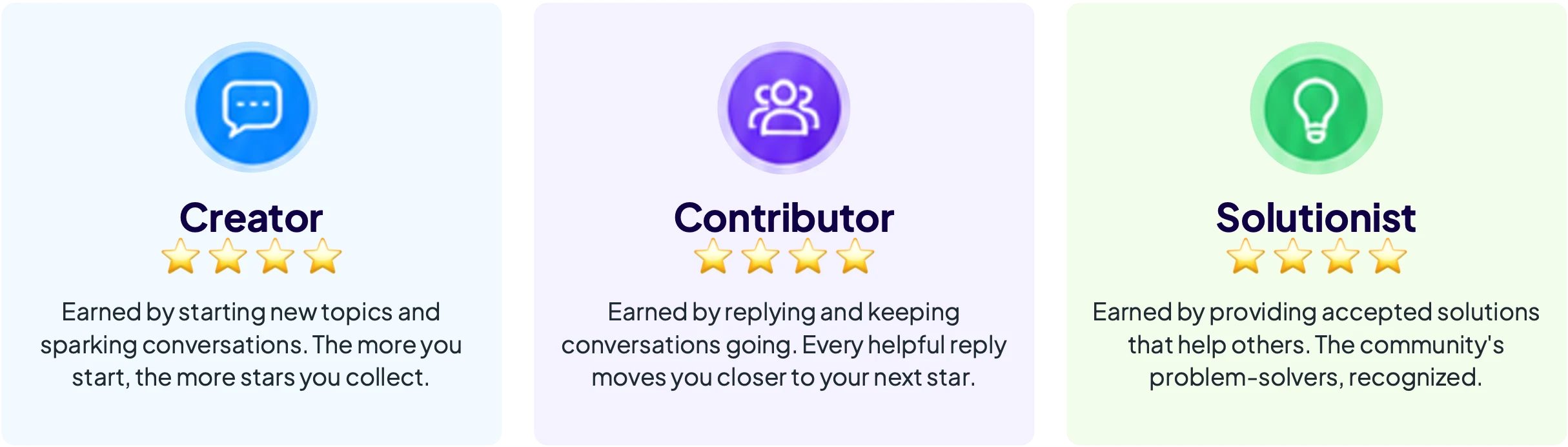
Balance all three, and you'll unlock our two all-rounder badges:

Your New Rank
Your rank reflects your overall standing in the community and rises naturally as you participate.
Replies, topics, answers, and likes all help you make progress. There’s more than one way to grow. Every contribution makes a difference.
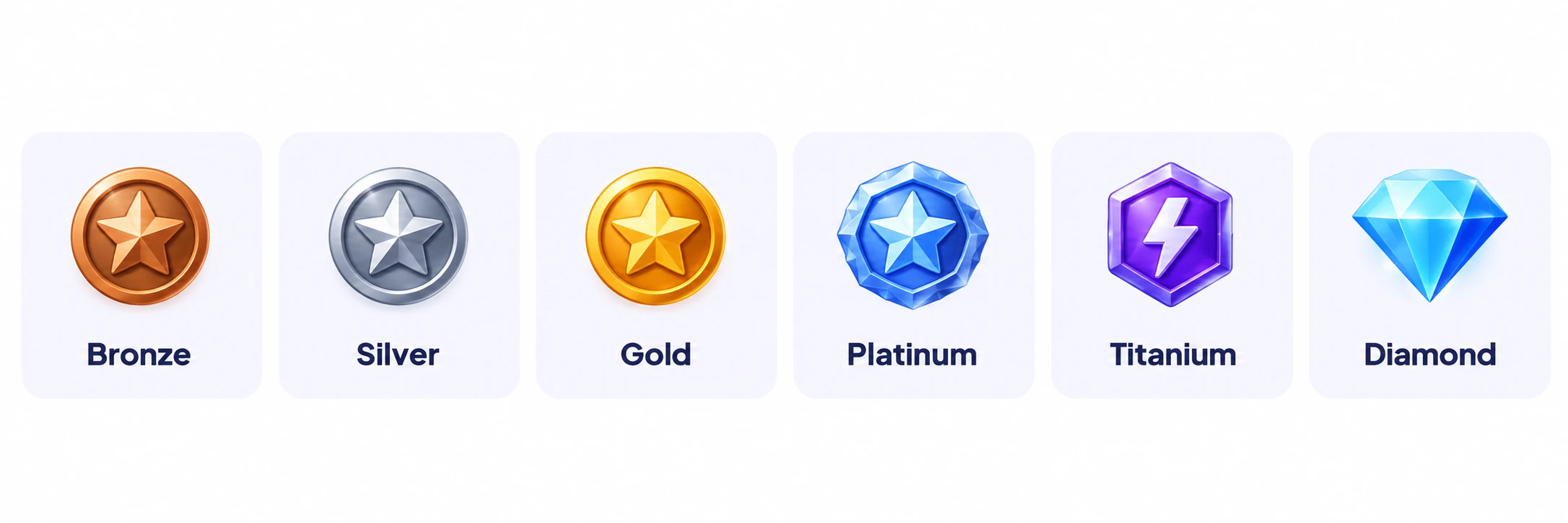
Your rank icon appears next to your username everywhere you post, climb by replying, starting topics, answering questions, or giving and receiving likes.
Common Questions
- Do I keep the badges and rank I already earned?
Yes. Your history carries over. - Where do I see my current badges and rank?
Visit your Community Profile and look under Community Badges. Your rank icon also appears next to your username. - What’s the difference between a badge and a rank?
Badges recognize specific kinds of contributions, while rank reflects your overall standing in the community. - Do I have to do everything to rank up?
No. There is more than one way to grow in the community.
Got more questions?
Reach out to the Community Team at community-team@cloudera.com.

