@asmarz
On the edgenode
Just to validate your situation I have spun up single node cluster Tokyo IP 192.168.0.67 and installed an edge node Busia IP 192.168.0.66 I will demonstrate the spark client setup on the edge node and evoke the spark-shell
First I have to configure the passwordless ssh below my edge node
Passwordless setup
[root@busia ~]# mkdir .ssh
[root@busia ~]# chmod 600 .ssh/
[root@busia ~]# cd .ssh
[root@busia .ssh]# ll
total 0
Networking not setup
The master is unreachable from the edge node
[root@busia .ssh]# ping 198.168.0.67
PING 198.168.0.67 (198.168.0.67) 56(84) bytes of data.
From 198.168.0.67 icmp_seq=1 Destination Host Unreachable
From 198.168.0.67 icmp_seq=3 Destination Host Unreachable
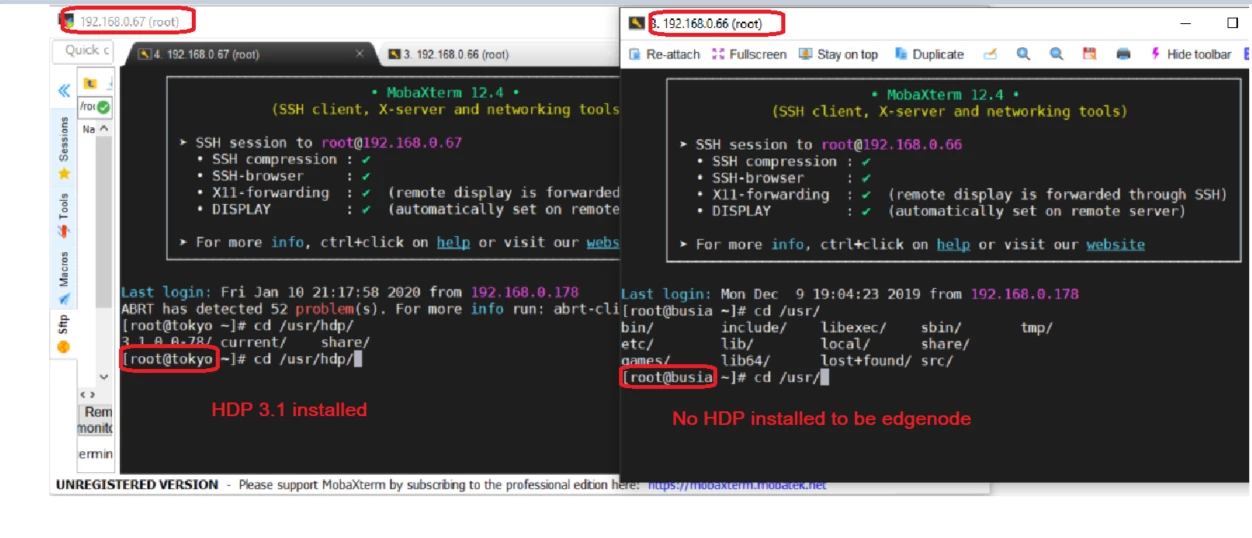
On the master
The master has a single node HDP 3.1.0 cluster, I will deploy the clients to the edge node from here
[root@tokyo ~]# cd .ssh/
[root@tokyo .ssh]# ll
total 16
-rw------- 1 root root 396 Jan 4 2019 authorized_keys
-rw------- 1 root root 1675 Jan 4 2019 id_rsa
-rw-r--r-- 1 root root 396 Jan 4 2019 id_rsa.pub
-rw-r--r-- 1 root root 185 Jan 4 2019 known_hosts
Networking not setup
The edge node is still unreachable from the master Tokyo
[root@tokyo .ssh]# ping 198.168.0.66
PING 198.168.0.66 (198.168.0.66) 56(84) bytes of data.
From 198.168.0.66 icmp_seq=1 Destination Host Unreachable
From 198.168.0.66 icmp_seq=2 Destination Host Unreachable
Copied the id-ira.pub key to the edgenode
[root@tokyo ~]# cat .ssh/id_rsa.pub | ssh root@192.168.0.215 'cat >> .ssh/authorized_keys'
The authenticity of host '192.168.0.215 (192.168.0.215)' can't be established.
ECDSA key fingerprint is SHA256:ZhnKxkn+R3qvc+aF+Xl5S4Yp45B60mPIaPpu4f65bAM.
ECDSA key fingerprint is MD5:73:b3:5a:b4:e7:06:eb:50:6b:8a:1f:0f:d1:07:55:cf.
Are you sure you want to continue connecting (yes/no)? yes
Warning: Permanently added '192.168.0.215' (ECDSA) to the list of known hosts.
root@192.168.0.215's password:
Validation the passwordless ssh works
[root@tokyo ~]# ssh root@192.168.0.215
Last login: Fri Jan 10 22:36:01 2020 from 192.168.0.178
[root@busia ~]# hostname -f
busia.xxxxxx.xxx
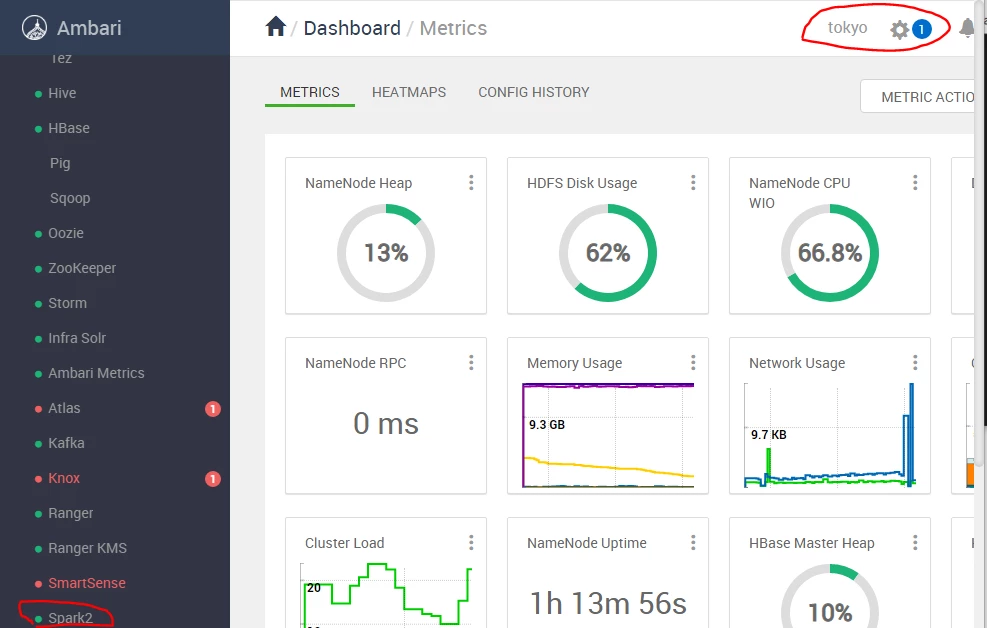
xxxxxx
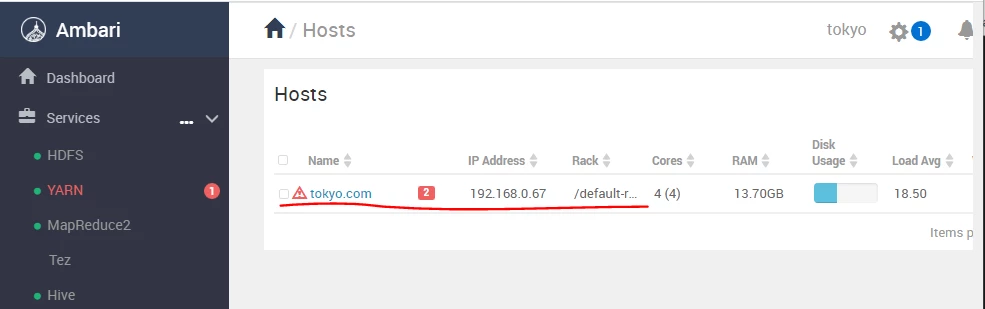
Single node Cluster
[root@tokyo ~]# useradd asmarz
[root@tokyo ~]# su - asmarz
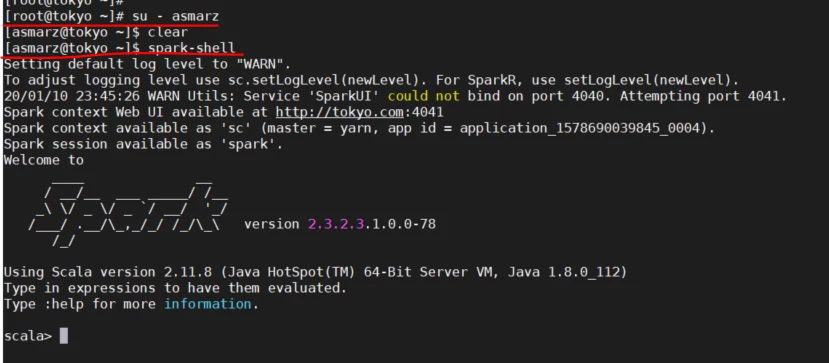
On the master as user asmarz I can access the spark-shell and execute any spark code
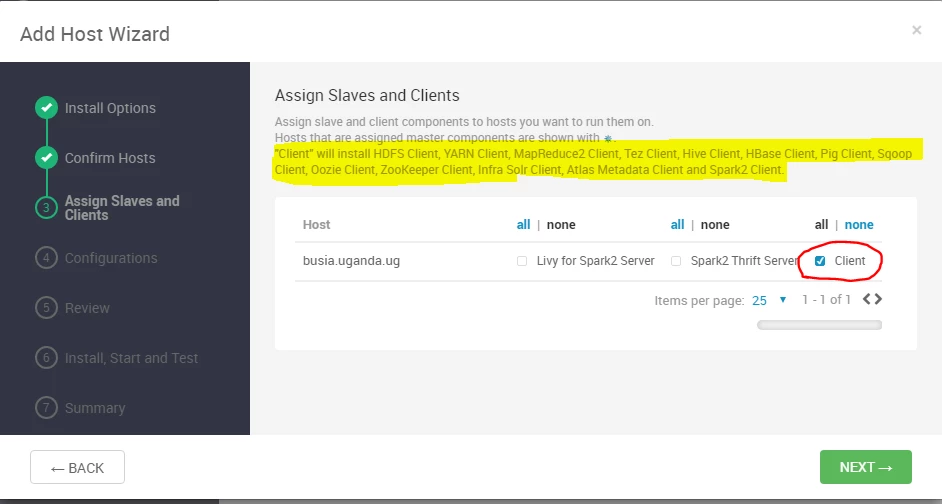
Add the edge node to the cluster
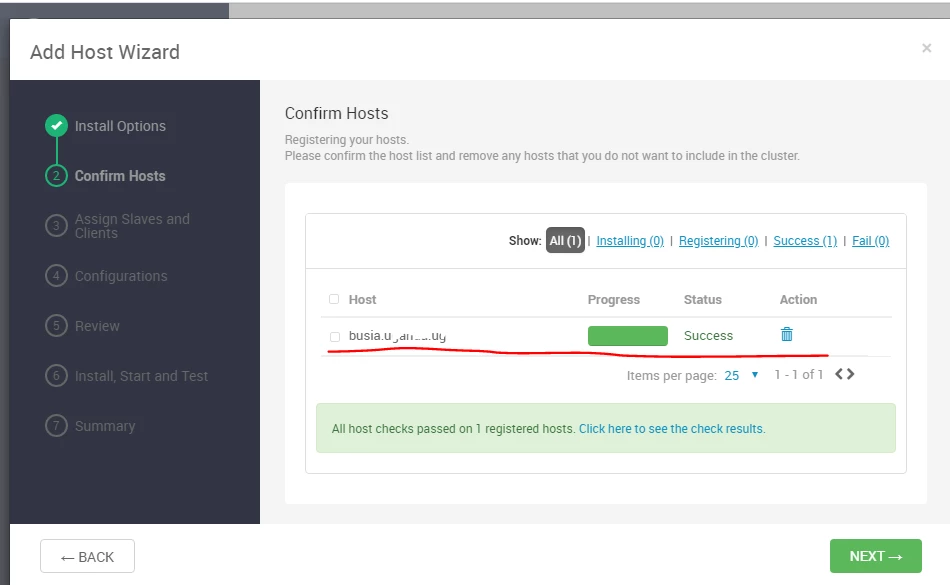
Install the clients on the edge node
On the master as user asmarz I have access to the spark-shell
Installed Client components on the edge-node can be seen in the CLI

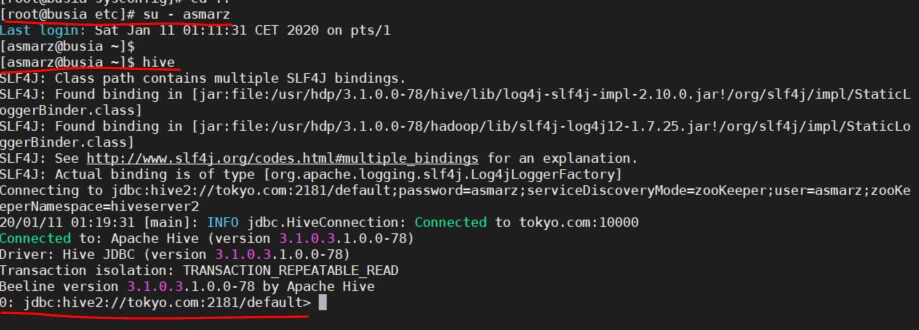
I chose to install all the clients on the edge node just to demo as I have already install the hive client on the edge node without any special setup I can now launch the hive HQL on the master Tokyo from the edge node
After installing the spark client on the edge node I can now also launch the spark-shell from the edge node and run any spark code, so this demonstrates that you can create any user on the edge node and he /she can rive Hive HQL, SPARK SQL or PIG script. You will notice I didn't update the HDFS , YARN, MAPRED,HIVE configurations it was automatically done by Ambari during the installation it copied over to the edge node the correct conf files !!
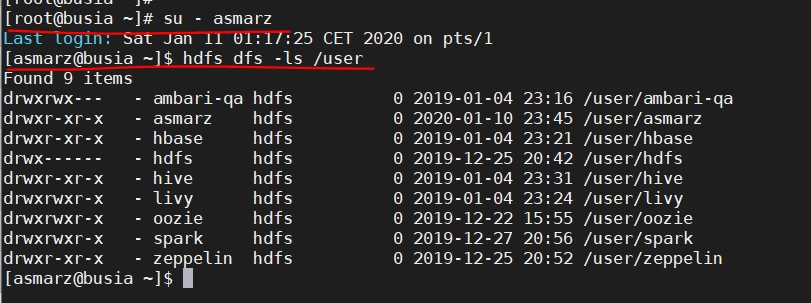
The asmarz user from the edge node can also acess HDFS
Now as user asmarz I have launched a spark-submit job from the edge node
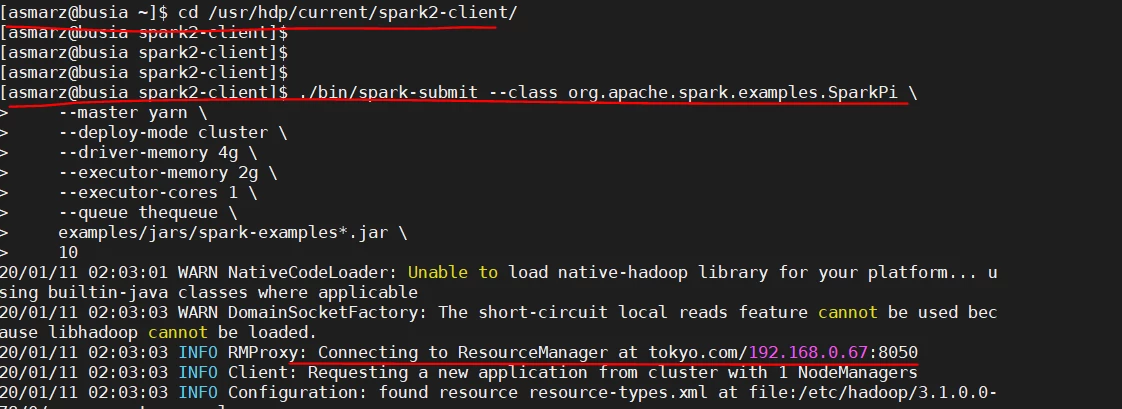
The launch is successful on the master Tokyo see Resource Manager URL, that can be confirmed in the RM UI
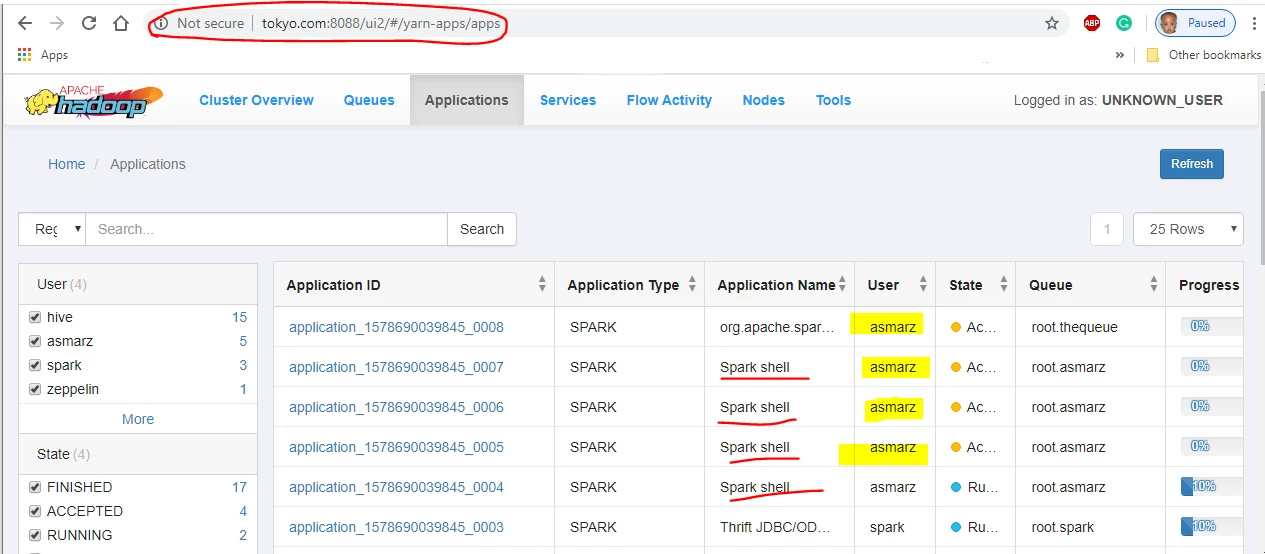
This walkthrough validates that any user on the edge node can launch a job in the cluster this poses a security problem in production hence my earlier hint of Kerberos.
Having said that you will realize I didn't do any special configuration after the client installation because Ambari distributes the correct configuration of all the component and it does that for every installation of a new component that's the reason Ambari is a management tool
If this walkthrough answers your question, please do accept the answer and close the thread.
Happy hadooping




